
Focusrite Scarlett Solo 4th Gen
4.6Editor score
One microphone preamp
One Hi-Z instrument input
120dB dynamic range
Air Mode signal enhancement
Our Focusrite USB Audio Interface guide compares ten Scarlett models for recording vocals, guitars, instruments, and complete studio setups at home with ease.
A Focusrite USB audio interface connects microphones, instruments, and studio monitors to a computer while preserving the clarity and dynamics needed for professional recordings. The right Scarlett model depends on channel count, input flexibility, headphone monitoring, software, and the kinds of projects you expect to produce.
We compared ten Scarlett interfaces and bundles across their supplied specifications, connectivity, resolution, monitoring features, and included recording tools. The list covers compact solo units, dual-input models, and multichannel options suitable for expanding a home or project studio.
Each review identifies the strongest use for that particular model, from first-song recording to larger instrument setups. Feature availability varies by generation and bundle, so verify the current listing and system requirements. Product prices and bundle contents can change, making timely comparison important.
4.6Editor score

4.7Editor score

5.0Editor score
The following comparison shows how the ten Scarlett options differ in channel count, signal conversion, connectivity, and included accessories, making it easier to identify the right model for a particular recording setup.


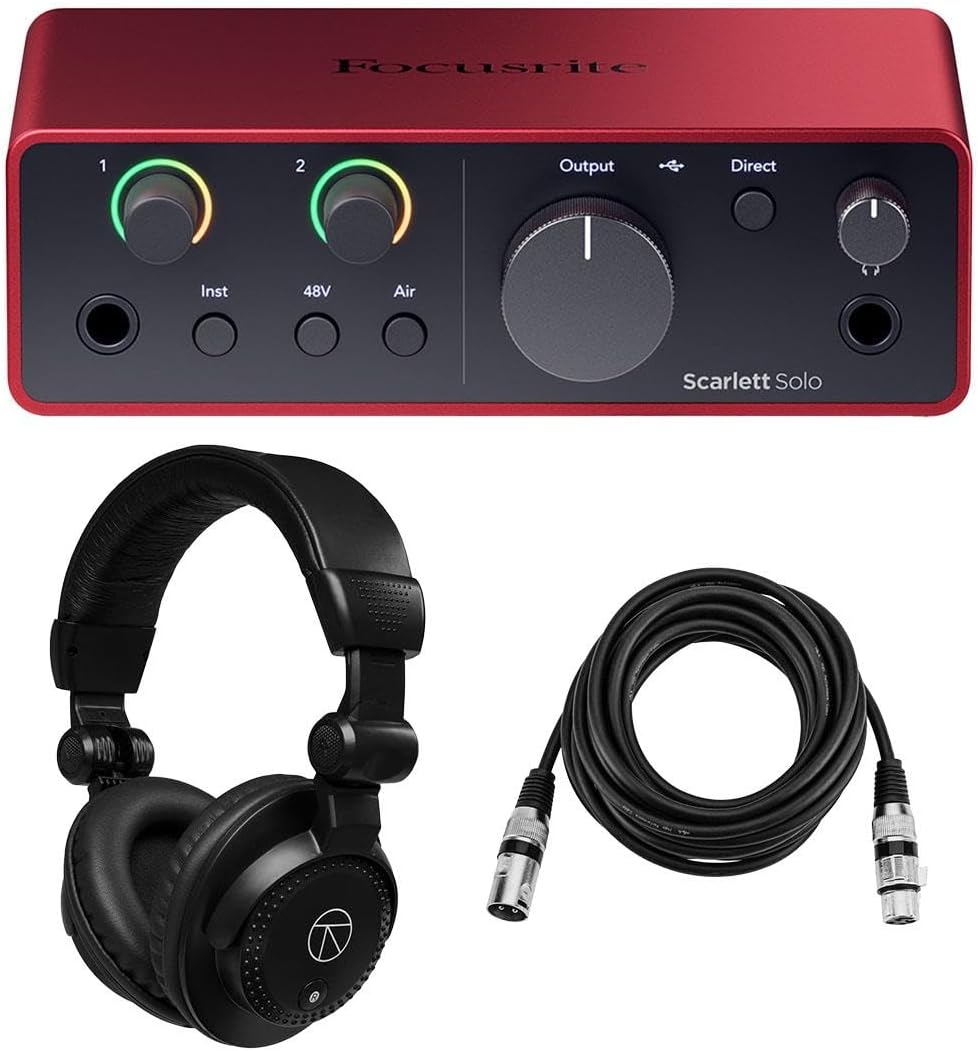
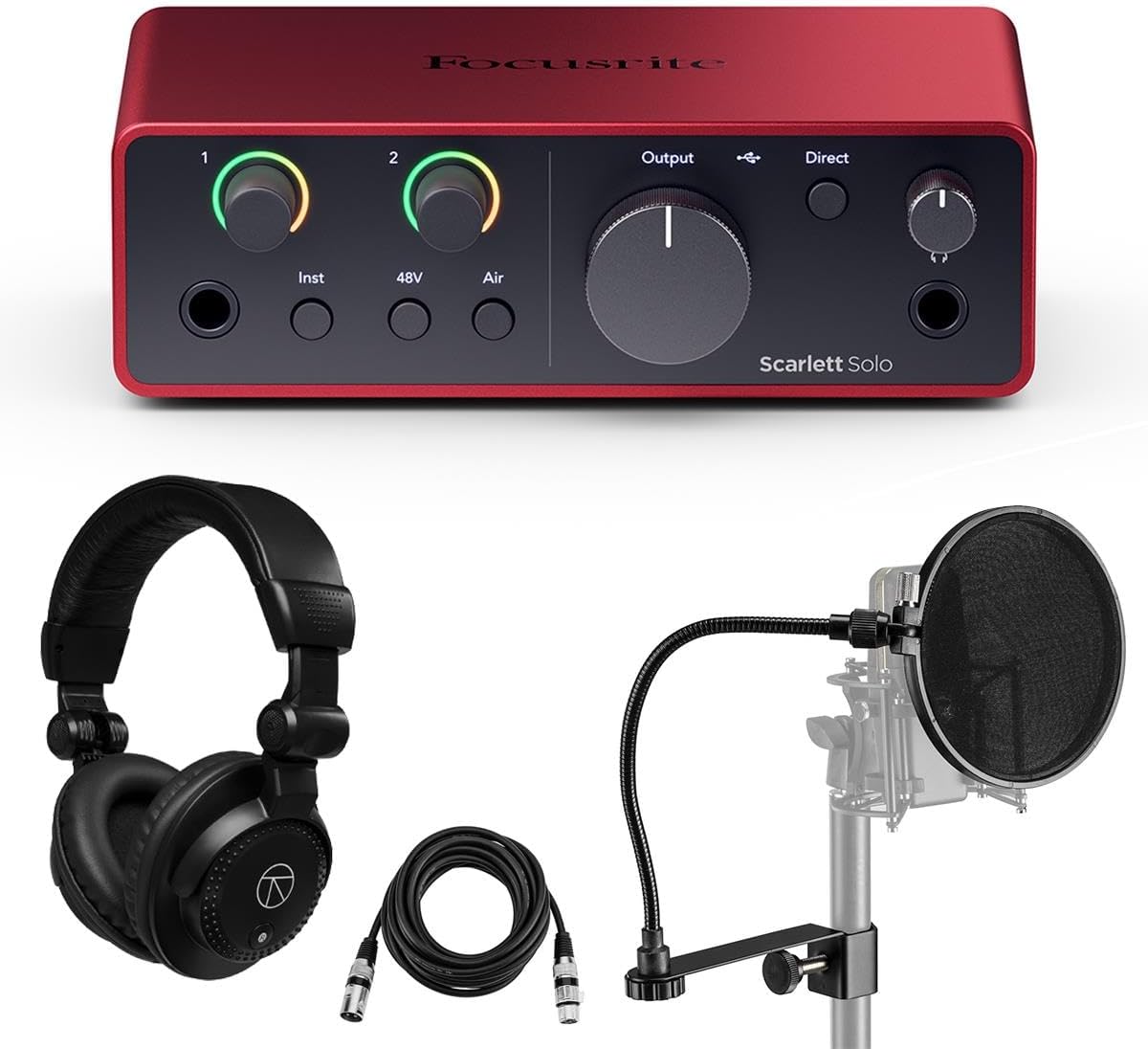


The Focusrite Scarlett Solo 4th Gen is a compact USB-C interface for songwriters who want to record one microphone or one instrument at a time. Its supplied feature list emphasizes a 120dB dynamic range, converters associated with Focusrite flagship interfaces, and an improved Air Mode. With a 4.6 rating, it offers a capable combination of recording quality and simplicity.
We may earn a commission when you buy through this link, at no additional cost to you.
Its primary strengths are focused rather than expansive. The single Scarlett microphone preamp handles vocal or acoustic recording, while the Hi-Z input lets a guitar connect directly and work naturally with amplifier-style software. Air Mode adds presence and harmonic character to vocals and instruments, and Dynamic Gain Halos make input levels easier to judge directly on the hardware.
The main limitation is input count. Recording a singer and acoustic guitar simultaneously requires another audio interface or an additional input path not offered here. Solo also does not include the Auto Gain and Clip Safe workflow explicitly listed for the 4th Gen 2i2. These constraints matter for duo recording, but they are reasonable for a focused first studio.
This is our Best Budget choice for a creator building a simple home recording setup, writing songs, or capturing performances one source at a time. The included recording software and plugins reduce setup friction, while USB-C connectivity suits modern computers. Choose the Solo when compactness, sound quality, and straightforward operation matter more than maximum channel count.
The fourth-generation Solo pairs a detailed, ultra-low-noise microphone path with a stated 120dB dynamic range. That makes it useful for vocals, acoustic instruments, and guitar recordings where preserving quiet detail and healthy signal range matters.
Dynamic Gain Halos provide an at-a-glance indication of input and output levels. This visual feedback helps new users set sensible recording levels without relying entirely on software meters.
We may earn a commission when you buy through this link, at no additional cost to you.
The Focusrite Scarlett 2i2 4th Gen is the most adaptable two-channel option in this guide. It has a 4.7 rating and gives creators two fourth-generation microphone preamps, a 69dB gain range, Hi-Z instrument connections, professional line inputs, and a stated 120dB dynamic range. It is well suited to vocals, guitars, keyboards, synths, and grooveboxes.
We may earn a commission when you buy through this link, at no additional cost to you.
The 2i2 stands out through workflow features as much as its converters. Auto Gain can analyze a played signal and establish a recording level, while Clip Safe helps reduce the risk of clipping. Its illuminated Dynamic Gain Halos show signal activity directly on the enclosure. A custom-designed headphone amplifier with independent level control supports clear monitoring, and Loopback enables capturing computer audio through virtual inputs.
Its main constraint is still the two-input architecture. A vocalist and guitarist can each have a dedicated input, but tracking a full drum kit or several instruments at once requires a larger interface. The software and accessory mix can also differ by bundle, so buyers should confirm the exact contents and license terms at the time of purchase.
We recommend the 2i2 as the Editor's Choice for most home musicians. It offers enough flexibility for common duo recordings while remaining far less imposing than a multichannel unit. The included XLR cables make the bundle particularly convenient, and Auto Gain and Clip Safe make the learning curve easier for first-time interface owners.
Auto Gain and Clip Safe work together to simplify capture. Auto Gain suggests a level after playing for several seconds, while Clip Safe adjusts gain when a recording is at risk of clipping, giving beginners useful safeguards.
Two Hi-Z instrument inputs suit electric guitars and basses, while line inputs accommodate keys, synths, and grooveboxes. Two microphone preamps allow simultaneous vocal and instrument capture when appropriate preamp and instrument paths are selected.
We may earn a commission when you buy through this link, at no additional cost to you.
This Scarlett Solo 4th Gen bundle is built around a straightforward vocal-recording setup. It includes the interface, a USB-A to USB-C cable, a software suite download, a three-year limited warranty, and a 10-foot XLR microphone cable. Its 4.7 rating reflects a favorable balance of features, and the included microphone cable removes an immediate accessory need.
We may earn a commission when you buy through this link, at no additional cost to you.
Audio capture is specified at 24-bit/192kHz A/D resolution, with USB 2.0 protocol and Type-C connectivity supporting real-time monitoring. The interface offers one microphone preamp with phantom power, one instrument input, two line outputs, and one headphone output. Its class-compliant design is listed as compatible with modern Mac, Windows PC, and USB-C iPad systems.
The tradeoff is minimal recording flexibility. A single microphone preamp limits the interface to one vocal at a time unless a different source is used, and a separate instrument capture path may not be available simultaneously. Software is supplied as a download, so access depends on obtaining and installing the appropriate programs.
This bundle is especially attractive to a singer, podcast producer, or beginner who already owns a microphone but not a balanced XLR cable. It offers high-resolution capture, phantom power, headphone monitoring, and a straightforward USB connection in a compact package. Choose it when having the necessary cable immediately is a major convenience.
The included phantom-power-equipped microphone preamp supports common condenser microphone setups. The matching 10-foot XLR cable also helps prevent signal interference when a longer cable run is needed.
USB Type-C connectivity and class-compliant operation simplify integration with modern Mac, Windows, and USB-C iPad devices. This makes the interface less dependent on a narrow list of compatible systems.
We may earn a commission when you buy through this link, at no additional cost to you.
The Scarlett 2i2 3rd Gen is an established two-channel USB interface built around Scarlett microphone preamps, Air mode, and high-headroom instrument inputs. It carries a 4.6 rating, supports sample rates from 44.1kHz through 192kHz, and has a stated microphone-input dynamic range of 111dB. Pro Tools First is included in the listed package.
We may earn a commission when you buy through this link, at no additional cost to you.
The older generation remains attractive for its straightforward architecture. Two microphone preamps support vocals, acoustic instruments, or stereo recording, while the two high-headroom instrument inputs can accommodate electric guitars and basses. Easy Start assists with initial configuration, and the familiar Gain Halos make signal levels easier to understand.
Compared with the fourth-generation 2i2, this model does not list the newer Auto Gain and Clip Safe functions, and its stated 111dB microphone dynamic range is below the 120dB figure given for the newer model. It also carries the earlier 192kHz converter generation rather than the fourth-generation converter specification.
This interface makes sense for a creator who values a recognizable Scarlett design, Pro Tools First, and two high-headroom recording paths. It is a practical alternative to the latest 2i2 rather than the leading choice for the newest workflow features. Users should compare current software bundles and connector details before making a final decision.
Natural-sounding third-generation preamps, high-headroom instrument inputs, Air mode, and gain halos combine into a conventional Scarlett workflow. This is especially appealing for musicians familiar with the interface family.
The listed supported sample rates include 44.1kHz, 48kHz, 88.2kHz, 96kHz, 176.4kHz, and 192kHz, giving projects a range of standard and high-resolution recording choices.
We may earn a commission when you buy through this link, at no additional cost to you.
The Focusrite Scarlett 2i2 4th Gen Accessories Bundle combines a two-channel USB interface with several items needed for a first recording setup. The listed package contains a USB-A to USB-C cable, pop filter, Turnstile Audio studio monitor headphones, and a 10-foot XLR microphone cable. It holds a 4.6 rating and includes a software suite.
We may earn a commission when you buy through this link, at no additional cost to you.
Its main appeal is convenience. The headphones allow immediate monitoring after setup, the XLR cable supports microphone connection, and the pop filter helps reduce plosives during vocal recording. The fourth-generation 2i2 platform itself supplies two microphone preamps, flexible instrument and line inputs, Air mode, and a large stated 120dB dynamic range.
The supplied information does not describe the headphones' technical characteristics in detail, so their suitability cannot be judged from frequency response or comfort data. Bundle contents can also change over time, meaning shoppers should confirm what is included before ordering. Users who already own suitable accessories may find more value in the standard interface listing.
This is a practical choice for a beginner who wants a connected vocal-and-instrument recording package rather than a bare interface. It covers key connection and monitoring needs in one purchase while retaining the flexibility of the 2i2. For experienced users with established gear, it is best to compare the included accessories against equipment already owned.
A pop filter and 10-foot XLR cable address common needs when recording vocals. Together with the interface, they help create a more practical starting configuration for a home artist.
The included studio monitor headphones provide a basic route for private headphone monitoring. Their suitability for critical mix decisions depends on specifications that are not included in the supplied product data.
We may earn a commission when you buy through this link, at no additional cost to you.
The Scarlett Solo 4th Gen Headphones Bundle pairs a compact songwriter interface with Turnstile Audio headphones and a 10-foot XLR cable. The interface is described as a two-in, two-out design with a detailed ultra-low-noise microphone preamp, studio-grade converters, a stated 120dB dynamic range, and Air mode. Its 4.6 rating reflects a well-rounded package.
We may earn a commission when you buy through this link, at no additional cost to you.
The Solo is particularly intuitive for songwriters who alternate between vocals and guitar. Its Hi-Z input supports direct guitar recording and amplifier-simulator workflows, while the independent headphone level gives control over monitoring volume. The included software description names Pro Tools Artist, Ableton Live Lite, and the Hitmaker Expansion bundle, including Auto-Tune Access for Vocals, Softube Marshall Silver Jubilee 2555, and Native Instruments MASSIVE.
The physical constraint remains significant: only one microphone preamp is provided. Users who want to capture a singer and guitarist simultaneously should look toward the 2i2. The detailed headphone specifications and exact software entitlement terms are not provided, so buyers should verify them before relying on the bundle for critical monitoring or production.
This bundle suits a singer-songwriter who wants both headphones and a microphone cable with the interface. It preserves the Solo's advantages—compactness, high dynamic range, Air mode, and a strong software toolkit—while reducing the number of accessories that must be sourced separately. It is less suitable for multitracked ensemble recording.
The listed software bundle covers recording, effects, instruments, guitar tone, and vocal processing. This gives a new user several creative tools alongside the physical interface and monitoring accessories.
One detailed microphone pre and one Hi-Z instrument input make the Solo natural for solo songwriter sessions. The direct instrument path also works well with amp simulation software.
We may earn a commission when you buy through this link, at no additional cost to you.
The Scarlett Solo 4th Gen Complete Bundle is a vocal-first package with a 4.7 rating. It includes the interface, Turnstile Audio studio monitor headphones, a pop filter, a 6-foot XLR microphone cable, and a software suite. The Solo itself offers a detailed ultra-low-noise microphone preamp, a Hi-Z instrument input, and a stated 120dB dynamic range.
We may earn a commission when you buy through this link, at no additional cost to you.
Loopback is a notable workflow addition because it allows users to record computer audio through virtual inputs. That makes the interface useful for sampling software-based playback or capturing system audio. The other features support straightforward musician monitoring: Air mode adds presence and harmonic drive, Dynamic Gain Halos simplify level setting, and the custom-designed headphone amplifier includes independent volume control.
The bundle cannot overcome the Solo's single-microphone architecture. It is not designed to capture a full band or even a conventional vocal-plus-acoustic duo at the same time. Exact accessory specifications and bundle terms are not provided, so shoppers should confirm the headphones, cable, and software inclusions before ordering.
This package is best for a singer, voice performer, or producer who wants the essentials for recording and monitoring immediately. The pop filter and XLR cable address vocal setup needs, while Loopback expands the interface beyond conventional microphone capture. Choose it when one high-quality source at a time is the intended workflow.
Loopback routes computer audio into the interface's virtual inputs, allowing it to be recorded. This is useful for sampling software playback, layering electronic elements, or capturing audio directly from a computer-based workflow.
Independent headphone control supports comfortable monitoring, while Focusrite Control 2 is listed for session management from a Mac or PC. Easy Start also helps users begin recording with less initial configuration.
We may earn a commission when you buy through this link, at no additional cost to you.
The Focusrite Scarlett 16i16 4th Gen is a USB interface aimed at creators who need more routing options than a two-channel Scarlett Solo. It has a 5.0 rating and supports 24-bit/192kHz conversion. Its listed connections include two microphone preamps, two instrument inputs, six line inputs, ADAT, SPDIF, and MIDI I/O.
We may earn a commission when you buy through this link, at no additional cost to you.
The 16i16 offers a middle ground between a simple songwriter setup and a larger recording console. Multiple line inputs make it practical for outboard gear, preamps, and stereo sources, while ADAT and SPDIF provide paths for digital expansion. MIDI I/O is useful for controllers and compatible hardware. Near-zero-latency monitoring is emphasized for performance recording.
Compared with the 18i16, it has fewer microphone preamps and line inputs, so a larger ensemble may outgrow it sooner. The supplied bundle includes a power supply, USB cable, headphones, pop filter, and XLR cables, while the interface is described as class compliant with Mac, Windows, Chromebook, and USB-C iPad support.
This is a strong choice for a project studio that records multiple sources, instruments, or digital devices. It provides more flexibility than the Solo and 2i2 without reaching the 18i16's channel capacity. Buyers should match the connection count to their current and anticipated setup rather than choosing solely on model name.
Two instrument inputs and six line inputs cover a broad range of analog sources. ADAT and SPDIF connections extend the interface into digital gear, while MIDI I/O supports compatible controllers and devices.
Near-zero-latency real-time monitoring helps performers hear themselves without distracting delay. The class-compliant design also supports integration with a broad range of modern computer platforms.
We may earn a commission when you buy through this link, at no additional cost to you.
The Focusrite Scarlett 18i16 4th Gen is the most extensively connected model in this guide. It holds a 5.0 rating and provides four microphone preamps, two instrument inputs, eight line inputs, ADAT, SPDIF, and MIDI I/O. Audio is captured at 24-bit/192kHz resolution, making it well suited to producers assembling a substantial home or project studio.
We may earn a commission when you buy through this link, at no additional cost to you.
The extra preamps allow several microphones to be recorded simultaneously, while the eight line inputs expand options for keys, stereo sources, outboard preamps, and other analog equipment. Digital connections support more advanced routing, and MIDI I/O adds compatibility with relevant hardware. Auto Gain, Clip Safe, and loopback functionality reduce repetitive setup tasks and expand recording options.
This is also the most complex interface here. Users must understand input types, signal routing, software configuration, and gain staging to make full use of its connections. The supplied bundle includes a power supply, USB cable, Turnstile Audio headphones, pop filter, XLR cables, and a three-year warranty, but headphone specifications are not provided.
We recommend the 18i16 to producers who regularly record several sources or anticipate adding microphones, line-level gear, digital expanders, and MIDI equipment. It is a premium choice because it provides room to grow rather than because it is necessary for every recording task. Solo and 2i2 owners remain better served for simple sessions.
Four microphone preamps and eight line inputs create substantially more simultaneous recording options than the compact Scarlett models. The additional paths are useful for ensembles, multiple instruments, and outboard analog equipment.
ADAT and SPDIF connectivity allows compatible digital sources to join the recording setup. MIDI I/O expands the interface beyond audio capture and supports compatible sequencing or control hardware.
We may earn a commission when you buy through this link, at no additional cost to you.
The Scarlett Solo 2nd Gen is a compact two-input, two-output USB interface for essential recording. It has a 4.6 rating and includes one Scarlett microphone preamp with 48V phantom power, low noise, and substantial gain. Its stated purpose is straightforward: capture studio-quality audio in a design that is light and portable enough to move.
We may earn a commission when you buy through this link, at no additional cost to you.
Despite its age, the model retains several attractive qualities. The solo microphone preamp supports condenser microphones through phantom power, while the second input provides room for an instrument or another source depending on the intended connection. The package also includes the Focusrite Red 2 and Red 3 plug-in suite plus a Softube Time and Tone plug-in bundle.
The principal drawback is that this is an older generation with fewer of the modern Scarlett conveniences found in the fourth-generation Solo. The current 4th Gen listings explicitly highlight 120dB dynamic range, Air mode, Dynamic Gain Halos, loopback, and broader high-resolution specifications, none of which are listed for this model here.
This interface makes sense for a beginner seeking a recognizable, portable Scarlett design and a simple recording path. It can also be a sensible option when a second-hand unit is available at a notably lower cost. For a new purchase, compare its current availability and accessory bundle with the fourth-generation Solo before deciding.
The compact and lightweight enclosure makes the Solo easy to move between rooms, rehearsal spaces, and locations. Its simple input structure is appropriate for creators who need one microphone or instrument at a time.
The Focusrite Red 2 and Red 3 plug-in suite adds focused mixing tools, while the Softube Time and Tone bundle provides additional processing options. These tools make the package useful beyond basic signal capture.
We may earn a commission when you buy through this link, at no additional cost to you.
The right Scarlett depends on how many sources you need to record, which kinds of connections they use, and whether portability or expansion matters more than channel count. Use the following factors to narrow the field before comparing bundles.
Start with how many independent signals must be captured at once. Solo provides one microphone preamp and one instrument-oriented input, making it appropriate for one vocal, one guitar, or alternating sources. The 2i2 supports two microphone preamps and flexible Hi-Z and line paths for common two-person sessions. The 16i16 and 18i16 move into project-studio territory with more preamps, line inputs, digital connections, and MIDI.
Choose a channel count that comfortably covers your current work without creating an unnecessarily complicated signal path. Count microphones, instruments, and stereo sources separately, and leave room for future expansion.
Confirm whether your microphones require 48V phantom power and whether your instruments need a Hi-Z connection. The featured Solo and 2i2 models include microphone preamps, while the fourth-generation Solo also has a dedicated Hi-Z instrument input. Condenser microphones are commonly used with phantom power, so the presence of that feature is important for many vocalists.
Line inputs remain useful for keys, synths, grooveboxes, stereo sources, and outboard preamps. For the 16i16 and 18i16, match those needs to the number and type of line connections listed for your exact model.
The fourth-generation models in this guide are listed with 24-bit/192kHz resolution, and the Scarlett Solo 4th Gen and 2i2 4th Gen feature a stated 120dB dynamic range. Higher resolution can preserve fine detail, while a generous dynamic range provides useful headroom between quieter and louder sources. The third-generation 2i2 is specified at 24-bit/192kHz with a 111dB microphone-input dynamic range.
Compare specifications in context rather than treating the largest number as the only deciding factor. Actual results also depend on the source, microphone selection, gain settings, room acoustics, and recording technique.
Reliable headphone monitoring is essential for tracking vocals, instruments, and software instruments. Every Scarlett offers headphone monitoring, and the featured fourth-generation Solo and 2i2 explicitly mention a custom-designed headphone amplifier with independent level control. The 2i2 also offers Auto Gain and Clip Safe, while Dynamic Gain Halos help users judge signal activity directly from the hardware.
If your setup includes nearfield monitors, plan how the interface will integrate with them and your computer. Headphone performance, output control, software routing, and visual gain feedback can matter more than extra connections if your main activity is close-mic recording.
Several bundles include Ableton Live Lite, Pro Tools variants, and the Hitmaker Expansion or other plug-in collections. These tools can reduce the need to purchase separate recording, instrument, and processing software immediately. The fourth-generation Solo bundle also names Auto-Tune Access for Vocals, Softube Marshall Silver Jubilee 2555, and Native Instruments MASSIVE as part of the broader software package.
Verify which software is included, whether it is a download, and what licensing or upgrade conditions apply. Bundles change over time, so the current listing is the best source for exact software details.
ADAT and SPDIF connections are important when you plan to add a compatible digital interface, preamp, or recorder. MIDI I/O can support compatible controllers and sequencing hardware. The Scarlett 16i16 and 18i16 both list these advanced connections, while the 2i2 supports loopback for recording computer audio through virtual inputs.
Choose a simpler Solo or 2i2 for a focused single-source or two-source workflow. Consider the 16i16 or 18i16 when future expansion, external digital gear, or hardware control is already part of your plan.
A Solo is the most naturally portable option for laptop-based recording, while the 2i2 adds a second channel without dramatically changing the working concept. The 16i16 and 18i16 are better viewed as desktop project-studio interfaces because their extensive connections invite a larger collection of microphones, instruments, and outboard equipment.
Consider where the interface will live, how often it will move, and whether your desk has room for a larger control surface. Portability is useful, but it should be balanced against the routing flexibility required by your actual projects.
Bundle listings can include XLR cables, headphones, pop filters, power supplies, warranties, and software. These extras may be useful for a beginner, but they are not automatically a better value than purchasing only what is needed. A long XLR cable, for example, can suit a vocalist positioned farther from the desk, while a pop filter improves vocal setup convenience.
Compare each included item with equipment you already own and check the exact package contents. Also consider whether the base interface includes the required cable or power supply. Current product and bundle availability should be checked before purchasing.
Begin by identifying every source you plan to record and assigning the correct Scarlett input. Connect microphones with XLR cables and microphones requiring phantom power only to a preamp that supplies 48V, such as the featured Solo, 2i2, 16i16, and 18i16 models. Use the Hi-Z path for electric guitars or basses when an amp-simulation workflow is intended, and use line inputs for compatible keys, synths, stereo sources, and outboard equipment.
Power up the interface, connect its USB cable to the computer, and install the current Focusrite software and drivers for the purchased model. Open the audio application and select the Scarlett as the recording and playback device. Set input gain conservatively, use the hardware gain indicators to establish a strong but unclipped level, and verify the headphone and output levels before recording. Auto Gain and Clip Safe on applicable 2i2, 16i16, and 18i16 models can assist with level setup, but the final level should still be checked by ear and on the software meter.
For good results, control room noise, vibration, and reflections, and position a microphone according to the sound you want. Record a short test before a full take, listen on headphones, and check for clipping, noise, phase problems, and unintended room coloration. When finished, mute or stop the software, close applications, and disconnect the USB cable before moving the interface. Keep the enclosure dry, ventilate it during operation, and avoid placing cables where they can be pulled or sharply bent.
Yes, the Scarlett Solo is designed for focused vocal recording and offers a detailed microphone preamp with phantom power. The fourth-generation model also lists a 120dB dynamic range, Air mode, and Dynamic Gain Halos. It is best suited to one microphone at a time, so a singer recording guitar simultaneously may need the 2i2 or a larger interface.
The Solo is a compact single-source interface with one microphone preamp and one Hi-Z instrument input. The 2i2 adds a second microphone preamp, additional input flexibility, and features such as Auto Gain and Clip Safe. Choose Solo for a one-person recording setup and 2i2 for vocals plus another instrument or a two-person session.
It depends on the model and the software routing. A Scarlett 2i2 can handle two sources at once through its two microphone preamps and flexible instrument inputs. The Solo is generally intended for one source at a time. The 16i16 and 18i16 provide more simultaneous paths for larger recording sessions.
The supplied product data identifies USB connectivity and does not list a separate power supply for the 2i2. The Scarlett 16i16 and 18i16 bundles explicitly include a power supply. Always follow the connection and power instructions supplied with the exact model, and do not assume a newer and older generation require identical power arrangements.
For most music production, 44.1kHz or 48kHz is a practical starting point, and many current Scarlett models support both. The 4th Gen interfaces in this list are specified for up to 24-bit/192kHz, and the 3rd Gen 2i2 also lists 192kHz support. Higher rates can be useful, but they increase file sizes and may not be necessary for every release.
It can be, particularly if the older unit offers strong value and meets your recording needs. The Scarlett 2i2 3rd Gen and Solo 2nd Gen remain usable for essential projects, but newer models add features such as improved Air mode, 120dB dynamic range, Auto Gain, Clip Safe, and expanded workflow tools. Compare the exact connector layout, software, and current cost before choosing.
The featured fourth-generation Solo bundle is described as class compliant with modern Mac, Windows PC, and USB-C iPad systems. The 16i16 is also listed for Mac, Windows, Chromebook, and USB-C iPad compatibility. Check the exact model requirements, connector type, and operating-system support before purchasing.
A class-compliant USB interface can generally be used with compatible audio software, but included recording software and plug-ins can make the setup much more productive. Software listed across these bundles includes Ableton Live Lite, Pro Tools variants, and Hitmaker Expansion. Confirm whether the software is a download, what the license permits, and which version is currently included.
The Scarlett Solo 4th Gen stands out as the best overall choice for a compact, songwriter-oriented setup, offering strong dynamic range, Air mode, and a focused combination of microphone and instrument recording. The Scarlett 2i2 4th Gen is the more versatile all-rounder for two-source sessions, while the Scarlett 18i16 4th Gen is the premium option for producers who need extensive analog, digital, and MIDI connectivity.
Prioritize the number and type of inputs you actually need, then consider monitoring, software, and future expansion. A simple vocal or solo guitar workflow may be best served by a Solo, while a singer and guitarist sharing a session should consider the 2i2. Larger project studios are better served by the 16i16 or 18i16 because they provide more preamps, line paths, and digital expansion options.
Bundles can change, product availability can vary, and prices fluctuate over time. Before purchasing, verify the current listing, exact software licenses, included accessories, connector requirements, operating-system compatibility, and return terms. Comparing the final package rather than only the Scarlett model name helps ensure the selected interface fits both the present recording plan and future creative ambitions.