
SanDisk 128GB Extreme PRO SD UHS-I
4.8Editor score
Up to 250MB/s read speed
U3 and V30 video ratings
128GB usable capacity
Our expert Memory Card for Canon R10 guide compares 10 SD cards for speed, capacity, 4K video, durability, reliability, and everyday camera use.
A memory card for a Canon R10 must do more than fit the camera. It needs to handle photo bursts, high-resolution stills, 4K video, and frequent file transfers without becoming a bottleneck. Capacity, sustained write performance, UHS speed ratings, durability, and card-reader compatibility all influence how reliably it performs in the field.
This guide compares ten full-size SD cards selected for Canon R10 use, including UHS-I and UHS-II options from SanDisk, Lexar, GIGASTONE, and ProGrade Digital. The comparison considers the stated read and write speeds, video classes, storage capacities, durability claims, and features that affect everyday shooting and file management.
Each review explains who the card is best suited for, along with its strongest qualities and practical limitations. The SanDisk Extreme PRO models provide several capacity choices, the Lexar card emphasizes fast performance, and the ProGrade option targets demanding workflows. Availability and prices can change, so check current listings before purchasing.
4.8Editor score
4.7Editor score

4.8Editor score
The table below compares all ten cards by interface, stated performance, video rating, and capacity, making it easier to identify the right balance for still photography, 4K recording, and high-capacity storage.




The SanDisk 128GB Extreme PRO combines a 4.8 rating with strong transfer performance and the U3 and V30 video classes required for demanding camera workflows. Its stated read speed reaches 250MB/s, while the product information identifies write speeds up to 120MB/s. That balance makes it a practical choice for a Canon R10 photographer who records stills, shoots short 4K clips, and transfers files regularly.
We may earn a commission when you buy through this link, at no additional cost to you.
A 128GB capacity gives the card a sensible middle ground between limited travel storage and larger cards that may be unnecessary for shorter outings. The card supports 4K UHD and Full HD recording, while the U3 and V30 ratings indicate that it is designed around sustained video performance rather than basic file storage alone. SanDisk also describes the card as resilient under rough handling and constant use, useful for a camera carried on trips or shoots.
The headline read speed is a laboratory maximum and does not guarantee the same result from every Canon R10 or card reader. Older readers, cables, computers, and background tasks can reduce transfer speed. The 128GB capacity will also fill more quickly during long video sessions or high-resolution burst shooting, requiring a disciplined backup routine. Even so, these are manageable limitations for most photographers.
This is the strongest recommendation for buyers who want recognizable performance, ample capacity for a typical shoot, and useful video ratings without moving to a premium UHS-II card. It is particularly suitable for mixed-content creators who alternate between stills and 4K video. For long expeditions or uninterrupted high-resolution recording, a 256GB or 512GB option may be more appropriate.
The stated 250MB/s read speed can reduce card-to-computer waiting time when used with a compatible reader. Transfer performance will vary with the reader and host device, so the card reader remains an important part of the workflow.
At 128GB, the card holds a useful amount of media without becoming excessively heavy or expensive to replace. It works well for vacations, events, and normal photographic assignments where creating a manageable backup routine is straightforward.
We may earn a commission when you buy through this link, at no additional cost to you.
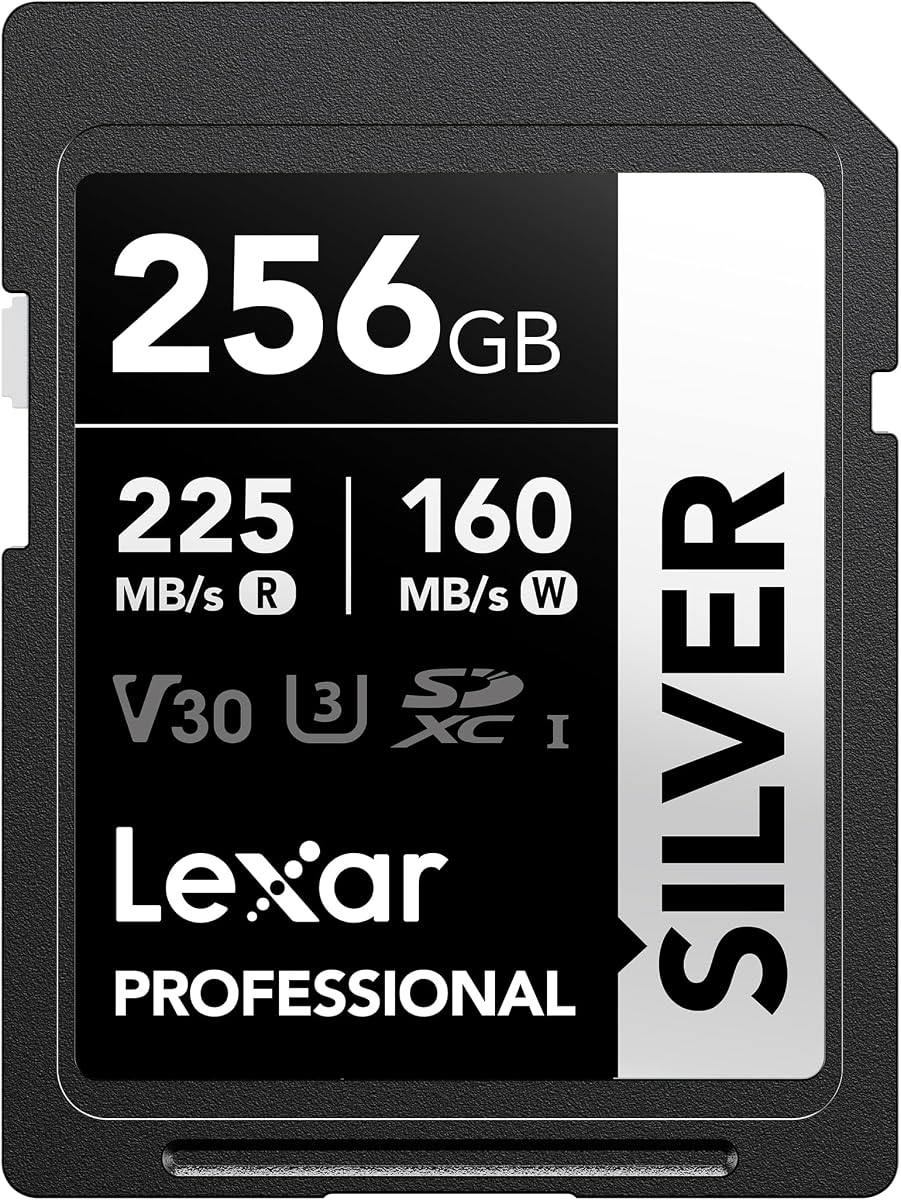
The Lexar 256GB Silver SD is the most versatile recommendation in this guide, pairing a 4.7 rating with 256GB of capacity and strong UHS-I performance. Its listed maximum read speed is 225MB/s and maximum write speed is 160MB/s. Those figures make it well suited to a Canon R10 workflow that mixes burst photography, 4K recording, and frequent off-camera editing.
We may earn a commission when you buy through this link, at no additional cost to you.
Its V30 and U3 ratings indicate support for sustained real-time video and 4K workflows, and the product information specifically mentions 4K 60FPS recording. The 256GB capacity reduces the likelihood of running out of space during an extended event, making the card more convenient than smaller options for creators who prefer to keep everything on one card until returning from a shoot.
The card is described as wearproof, drop-proof, temperature-proof, x-ray-proof, shockproof, magnetic-proof, and vibration-resistant. Compatibility is listed across Canon, Sony, Nikon, and other devices, which supports its suitability for multi-camera work. However, maximum speeds still depend on compatible hardware, and UHS-I cannot provide the theoretical bandwidth of a UHS-II card.
Choose this card when you want one dependable SD card for stills, burst sequences, 4K video, and substantial storage. It is a particularly strong fit for event photographers, content creators, and hybrid shooters who value both capacity and transfer speed. It is less compelling for a professional workflow that specifically requires the higher sustained throughput of UHS-II.
The 256GB capacity gives photographers more freedom to record extended events and high-resolution sequences. It also means fewer card changes during important sessions, although every completed shoot should still be backed up promptly.
With V30 and U3 ratings, the card is designed for camera recording rather than only general file storage. Its stated support for 4K 60FPS makes it an appealing choice for users who regularly switch between the R10's still and video functions.
We may earn a commission when you buy through this link, at no additional cost to you.
The GIGASTONE 128GB SD Card offers a simple combination of 128GB capacity, 4K UHD compatibility, and a 4.6 rating. Its stated transfer speed reaches 100MB/s, a less aggressive figure than the leading cards in this comparison, but still appropriate for many conventional photography and video workflows involving a Canon R10.
We may earn a commission when you buy through this link, at no additional cost to you.
The full-sized card measures 32 by 24mm and includes a mini case for storage. Its product information lists waterproof, temperature-proof, x-ray-proof, shock-proof, and magnetic-proof characteristics. A five-year limited warranty and advertised five-year data recovery service add reassurance for buyers who want more support around their stored files.
Compared with the faster SanDisk and Lexar choices, this card offers less potential headroom for aggressive burst shooting, high-bitrate 4K recording, or rapid off-camera transfers. The product listing also does not provide the same detailed U3 and V30 class information, so video buyers should verify their exact Canon R10 recording requirements and the card's current specifications.
This is a sensible option for photographers whose main priorities are capacity, physical durability, and 4K compatibility rather than maximum transfer speed. It can serve casual shooters, travel photographers, and backup-card owners well. For professionals who routinely fill cards with demanding video, an option with explicit sustained-write classes may be a better fit.
The listed resistance to water, temperature, shock, x-rays, and magnetic fields makes the card easier to trust in varied shooting environments. Keeping it in the included mini case adds another layer of protection during transport.
The card is identified as compatible with 4K Ultra HD video, making it relevant to hybrid creators. Confirm the R10's chosen resolution, frame rate, and recording limits before relying on it for extended production work.
We may earn a commission when you buy through this link, at no additional cost to you.
The SanDisk 256GB Extreme PRO joins a 4.8 rating with a generous capacity and established SanDisk performance features. It offers card-offload speeds up to 200MB/s through SanDisk QuickFlow Technology and shot speeds up to 140MB/s. Those are useful characteristics for moving Canon R10 files to a workstation and keeping up with sequential still photography.
We may earn a commission when you buy through this link, at no additional cost to you.
U3 and V30 classes position the card for 4K UHD video and real-time recording on compatible UHS-equipped hosts. The product information specifically identifies 4K UHD and sequential burst photography as intended uses. Its 256GB capacity is also more accommodating than a 64GB or 128GB card for full events, travel days, or projects involving many high-resolution images.
The listing explains that maximum transfer speeds require compatible devices and may be lower depending on the host, interface, and usage conditions. It also recommends the separately sold SanDisk Professional PRO-READER for maximum performance. The UHS-I interface remains widely practical, but it does not match the transfer headroom of the UHS-II ProGrade card reviewed later.
This card is a strong all-rounder for photographers who want more storage than the 128GB option and value quick offloads. It is well suited to event work, portraits, travel, and hybrid photo-video production. Buyers should budget for a capable reader and avoid expecting the camera itself to achieve the card's maximum advertised read speed.
QuickFlow Technology is designed to accelerate supported offload operations. The benefit is most apparent with a compatible high-speed reader, making the card reader an important consideration alongside the camera.
A 256GB card reduces how often a photographer must change media during a long assignment. It also leaves room for both stills and video, provided the card is formatted and backed up properly.
We may earn a commission when you buy through this link, at no additional cost to you.
This 256GB SanDisk Extreme PRO stands out with stated read speeds up to 250MB/s and write speeds up to 170MB/s. Together with its 4.8 rating, that performance makes it an attractive choice for a Canon R10 used for rapid burst sequences, 4K UHD video, and frequent transfers. It delivers some of the strongest specifications in the guide without moving to UHS-II.
We may earn a commission when you buy through this link, at no additional cost to you.
The U3 and V30 ratings make it appropriate for camera recording, while the 256GB capacity provides comfortable room for mixed media. Product information also highlights resistance to demanding conditions and support for the SanDisk Memory Zone desktop app, which can help with backups, organization, and transfers when used with a suitable reader.
The stated maximum write rate applies to the listed 256GB capacity, but real-world performance depends on the camera, source file size, and available buffer. Likewise, a 250MB/s read figure describes ideal supported conditions rather than everyday transfer speed. Its main limitation is the ceiling of the UHS-I interface when compared with the UHS-II ProGrade option.
This is a particularly convincing all-around pick for creators who want high write speed and capacity in a broadly compatible full-size SD card. It is appropriate for demanding R10 video work, high-resolution stills, and an efficient editing workflow. If sustained media production is routine, compare it with the Lexar Silver and ProGrade Iridium before choosing.
The stated 170MB/s write capability offers useful headroom for burst photography and video recording. It cannot prevent every buffer slowdown, but it provides a stronger performance ceiling than cards limited to the most basic transfer ratings.
The Memory Zone desktop app supports backup, organization, and transfer workflows. It can simplify media handling, although users should still maintain separate backups rather than relying on a single card or computer.
We may earn a commission when you buy through this link, at no additional cost to you.
The GIGASTONE 256GB SD Card combines a 4.7 rating with a stated transfer speed of up to 170MB/s and explicit A1 and V30 ratings. It is designed as a full-size SDXC card for digital cameras, camcorders, DSLRs, and PCs, making it relevant to a flexible Canon R10 media setup.
We may earn a commission when you buy through this link, at no additional cost to you.
The V30 class signals a minimum sustained video rate of 30MB/s under the stated standard, which supports 4K UHD recording when the host device and settings are suitable. A1 reflects application-performance requirements, while 256GB gives users ample space for photos and video. The included mini case is convenient for protecting and identifying the card during transport.
The card is described as waterproof, temperature-proof, x-ray-proof, shock-proof, and magnetic-proof, and it includes a five-year limited warranty. Its title also mentions five years of free data recovery, but the precise eligibility and terms should be confirmed directly with the seller or manufacturer before relying on that service. Maximum transfer speed still requires a compatible device.
This is a good choice for a photographer who values capacity, explicit video ratings, and physical protection. It may be especially attractive to users who want a high-speed UHS-I card without selecting the newest premium SanDisk model. For sustained professional video, compare its V30 rating with the V90 rating offered by the ProGrade Iridium card.
The V30 marking is more useful for video planning than a maximum-speed figure alone. It indicates a sustained recording threshold designed for 4K workflows on compatible hosts.
The 256GB capacity is paired with environmental protection claims and a mini case. These features make the card practical for travel and location work where cards are handled frequently.
We may earn a commission when you buy through this link, at no additional cost to you.
The SanDisk 64GB Extreme PRO is a compact-capacity option for photographers who prefer to change cards frequently. Despite its smaller storage size, the listing provides strong stated performance of up to 250MB/s read speed and up to 170MB/s write speed. It also carries U3 and V30 classes and a 4.8 rating.
We may earn a commission when you buy through this link, at no additional cost to you.
For short assignments, compact trips, or a photographer who keeps spare media within reach, 64GB can be a workable amount of space. The card's performance ratings make it suitable for 4K UHD and Full HD capture, while its claimed environmental resilience helps it cope with routine field handling. The Memory Zone desktop app can assist with organization, backups, and transfers.
The central drawback is capacity. A single card may fill quickly during extended events, high-resolution burst sequences, or prolonged 4K recording, forcing more frequent changes. Although the listing includes capacity information that appears to describe a broader Extreme PRO range, verify the exact 64GB specifications on the current product page, particularly if sustained write speed is important to your chosen recording mode.
This card makes the most sense as a lightweight, fast-rated card for still photography, short video clips, or a rotation of several cards. It is less suitable for solo videographers who want to record uninterrupted for long periods without managing multiple cards. For such users, the 256GB models offer a more practical balance.
Several smaller cards can be easier to organize than one large card. This approach also reduces the impact of losing one card because the other media remain separate.
The shared product description covers multiple capacities and speed figures. Confirm that the actual 64GB listing displays the specifications relevant to the intended Canon R10 recording workflow before making a final decision.
We may earn a commission when you buy through this link, at no additional cost to you.
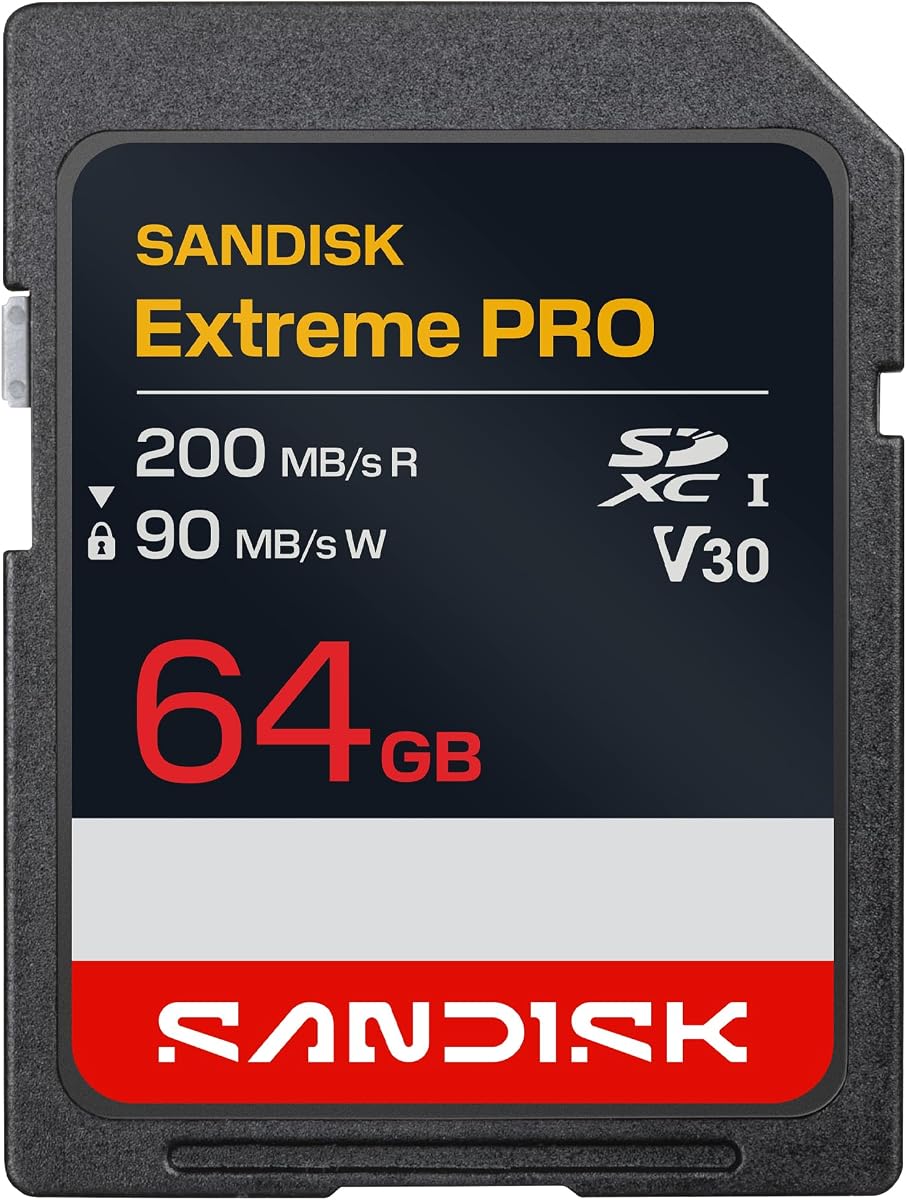
The SanDisk 64GB Extreme PRO SDXC offers clearly stated performance for a compact card, including up to 200MB/s read speed and up to 90MB/s write speed. Its 4.8 rating, U3 rating, and V30 class make it a credible option for a Canon R10 used for 4K UHD clips and sequential burst photography.
We may earn a commission when you buy through this link, at no additional cost to you.
QuickFlow Technology is designed to speed supported off-camera transfers, and the product information notes that the feature applies across several capacities. Pairing the card with a compatible reader can make its transfer performance more useful in practice. The listed U3 and V30 classes support 4K UHD and real-time recording on compatible UHS-equipped devices.
Its 64GB capacity is the principal limitation. Long video sessions, large image libraries, and sustained bursts can fill the card quickly, while a full card slows the workflow by requiring another change and backup. The card also has a lower stated write speed than several newer Extreme PRO options, although V30 remains the important sustained-video class.
This is a sensible pick for owners who want a small, established card for short shoots and regular image transfers. It can work particularly well for someone who already owns several matching cards. For longer recordings or fewer card changes, select a 256GB option and confirm the required speed class for the R10's intended settings.
The explicit C10, U3, and V30 markings let buyers distinguish this card from general-purpose SD media. That clarity is useful when matching a card to the Canon R10's available recording modes.
QuickFlow can improve supported transfer performance, although the reader and host computer determine actual results. Using a compatible UHS-II reader can also benefit the card's UHS-I operation.
We may earn a commission when you buy through this link, at no additional cost to you.
The ProGrade Digital 128GB Iridium is the premium choice in this comparison, combining a 4.8 rating with UHS-II, V90, and a listed read speed of up to 300MB/s. Its stated write speed reaches 200MB/s, and the minimum sustained write speed is 90MB/s. Those specifications place it well above the listed UHS-I alternatives for intensive camera workflows.
We may earn a commission when you buy through this link, at no additional cost to you.
The V90 class is particularly meaningful for video because it communicates a much higher sustained-write target than V30. ProGrade also describes the card as optimized for cinematic cameras, 4K, 8K, RAW, and RAW HD workflows. Canon appears in the stated compatibility list, making this card worth considering for R10 users who create demanding mixed-media files or maintain a high-output production schedule.
ProGrade states that every card receives rigorous testing and that key components and manufacturing data are serialized for quality control. Refresh Pro software is available separately to sanitize and monitor cards, while a three-year warranty provides defined coverage. Maximum transfer results still require a compatible UHS-II reader, and the camera must also support the interface to take full advantage of it.
This is the strongest recommendation for professionals or advanced enthusiasts who prioritize sustained performance, quality assurance, and future headroom over a more conventional UHS-I purchase. A 128GB capacity may prompt more frequent changes than larger UHS-I alternatives, but the performance benefit is the card's primary purpose. Confirm your camera and reader support before buying.
The 90MB/s minimum sustained write specification offers substantial headroom over V30. This is valuable for high-bitrate recording, large bursts, and users who want fewer stalls or recording interruptions.
Rigorous card testing and serialized component tracking support consistent manufacturing. Refresh Pro can help maintain and assess card health, although it is a separate purchase and should complement, not replace, regular backups.
We may earn a commission when you buy through this link, at no additional cost to you.
The SanDisk 512GB Extreme PRO is built for photographers who want to minimize card changes. It carries a 4.8 rating, U3 and V30 classes, and stated offload speeds up to 200MB/s. Its write speed is listed up to 140MB/s, giving it enough headroom for 4K UHD video and sequential burst photography on compatible hosts.
We may earn a commission when you buy through this link, at no additional cost to you.
A 512GB capacity is especially useful for destination weddings, conferences, long events, travel assignments, and photographers who prefer to keep a large body of media on one card. QuickFlow Technology supports faster card-offload operations when a compatible reader and host are used, reducing the time spent moving large volumes of files to a computer.
Capacity does not remove the need for backups, and a larger card can be more consequential if it is lost or fails. Transfer speed will also vary with the reader, interface, computer, and file sizes. While the card's UHS-I interface remains broadly practical, it cannot deliver the bandwidth of the UHS-II ProGrade Iridium option.
This is the best high-capacity UHS-I recommendation for creators who prioritize fewer card changes and reliable video classes. It is especially attractive to event and travel photographers who dislike managing several cards. If sustained high-bitrate recording is the priority rather than capacity, the ProGrade V90 card may justify its specialized performance.
A 512GB card can carry a substantial media library between changes. This simplifies logistics for multi-hour events and avoids interrupting a shoot to swap media.
The card's QuickFlow capability is most useful with compatible reading hardware. Even without maximum speed, 512GB transfers can take time, so a fast reader and dependable backup workflow remain important.
We may earn a commission when you buy through this link, at no additional cost to you.
The right card for a Canon R10 balances capacity, sustained write performance, video class, durability, and the speed of your transfer setup. These factors matter more than a single headline speed figure because the camera, selected recording mode, reader, and computer all influence the result.
Choose capacity according to the volume of media you typically create and how often you want to change cards. A 64GB card is useful for short outings and rotating several cards, while 128GB offers a more comfortable middle ground. The 256GB models are better for long events, travel, and hybrid photo-video work, and 512GB minimizes interruptions during extended assignments. Remember that actual usable storage is lower than the advertised capacity, and high-resolution stills plus video can consume space faster than expected.
UHS-I is the common full-size SD interface used by many cameras, while UHS-II adds a second row of contacts and substantially greater transfer bandwidth. For routine R10 photography, a capable UHS-I card can be entirely adequate. UHS-II becomes more relevant for sustained high-bitrate video, rapid off-camera transfers, large bursts, and professional workflows. Its benefits also depend on a compatible camera, reader, cable, and computer; a UHS-II card used with a basic reader will not deliver its full advertised speed.
Maximum read speed describes how quickly data can be copied from the card, while sustained write performance matters most when the camera records video or fills its buffer. The V30 class guarantees a stated minimum sustained video rate of 30MB/s, while V90 raises that target to 90MB/s. Both support 4K workflows in principle, but the Canon R10's selected resolution, frame rate, codec, recording duration, and host-device requirements must also be considered. U3 identifies a performance option designed for 4K UHD recording.
A higher read speed can reduce the time spent copying photos and video to a computer, but it does not change the quality of the recorded media. Cards in this guide list maximum read rates ranging from 100MB/s to 300MB/s. Results depend on the reader, host interface, file size, storage device, and whether other tasks compete for system resources. Purchase a reader that supports the card's interface and avoid judging a card by a transfer result obtained through an older or inexpensive reader.
Cards are exposed to impact, dust, moisture, temperature changes, and rough handling during normal photographic work. The featured products include durability claims involving water, temperature, shock, x-rays, magnetism, and vibration resistance. These claims vary by manufacturer and model, so check the specific wording on the product page. A small protective case can reduce scratches and damage during transport, while rotating multiple cards can limit the impact of a single failure.
The largest card is not automatically the best choice for every workflow. A 512GB UHS-I card reduces card changes, while a 128GB V90 UHS-II card may deliver more consistent sustained performance. A 128GB card can also be easier to back up, and multiple smaller cards can provide simple media separation. Compare the priority of your workflow: uninterrupted capacity, sustained video headroom, fast offloading, or a balanced combination of all three.
Some options include limited warranties, advertised data-recovery periods, or card-management software. These services can add value, but their terms, eligibility requirements, and coverage may differ from a standard manufacturer warranty. ProGrade's Refresh Pro software can sanitize and monitor cards, while the SanDisk Memory Zone app assists with organization, transfers, and backups. Neither software nor a recovery promise replaces copying original media to at least one separate location.
Before inserting a card, confirm that the R10 recognizes the format and capacity, format the card in the camera, and confirm that the camera can write to it. Use the appropriate full-size SD card slot, insert the card in the orientation indicated by the camera, and avoid forcing it. When changing cards, switch the camera off or follow its documented procedure so active writes are not interrupted.
Treat the card as original media rather than general-purpose storage. Review each shoot before formatting, copy files to a computer, and create at least one additional backup on separate media. If a card reports an error, stops working, or appears damaged, stop using it rather than repeatedly reinserting it. For the ProGrade card, the separately available Refresh Pro utility can provide maintenance and card-health monitoring when used according to its instructions.
Store cards in a clean, dry protective case when they are not in use. Keep contacts free of dirt, oil, and scratches, and do not bend, crush, or remove the label. Avoid using a card immediately after moving it between very different temperature conditions, since condensation can form. Delete files through the camera or computer rather than using interrupted formatting procedures, and format the card again in the camera before a new assignment.
For 4K-oriented recording, look for an SD card with a U3 rating and at least a V30 video speed class. The Canon R10's exact recording limits can vary with resolution, frame rate, and other settings, so consult the camera documentation and verify the chosen card's requirements before filming an important production. V90 and UHS-II provide more sustained-write headroom when the recording mode demands it.
A UHS-II card can be worthwhile for sustained high-bitrate video, demanding burst workflows, and faster off-camera transfers. Its benefits require compatible UHS-II hardware, including a suitable reader and computer connection. For conventional still photography or moderate 4K clips, a good UHS-I V30 card may provide a more practical and economical solution.
One large card reduces interruptions and simplifies camera operation, while several smaller cards make media rotation and incremental backup easier. A single large card can also carry more risk because losing it affects a greater number of files. Whichever approach you choose, each card should be backed up independently, and capacity should match the expected length and type of each shoot.
The right amount depends on your image quality, video resolution, frame rate, and recording time. A 64GB card is practical for shorter outings, 128GB suits many everyday assignments, and 256GB gives comfortable room for long events and mixed media. The 512GB option is useful when minimizing card changes matters, but it should still be backed up promptly.
A higher read speed primarily improves supported card-to-computer transfers and can make media management feel faster. It does not directly increase the camera's continuous shooting rate or video bitrate. Write speed and sustained video class are more closely related to recording performance, while read speed matters most after the shoot is complete.
The card, reader, cable, computer, and software all influence transfer results. An incompatible or slow reader, background tasks, fragmented files, and a busy computer can reduce throughput considerably. Peak ratings generally describe ideal supported conditions rather than every real-world transfer, so compare cards using the same reader and computer whenever possible.
Many full-size SD cards can be used across cameras, but you should confirm the card's capacity, interface, speed classes, and the R10's supported formats. Format the card in the Canon R10 before important use so its directory structure and naming conventions are prepared for the camera. Keep important files backed up before reformatting any card.
Formatting in the Canon R10 is generally the most convenient choice for camera use because the camera creates the appropriate file structure and naming pattern. A computer formatter can be useful for maintenance or preparing a card, but format it in the camera again before a critical shoot. Always confirm files are backed up before formatting.
The SanDisk 128GB Extreme PRO is the strongest value-oriented pick, offering a 4.8 rating, 250MB/s stated reads, and U3 and V30 classes in a practical capacity. The Lexar 256GB Silver stands out as the balanced option, combining 225MB/s reads, 160MB/s writes, and enough space for longer shoots. The ProGrade 128GB Iridium is the premium choice for creators who need UHS-II bandwidth and V90 sustained-write performance.
Prioritize the requirements of your actual shooting rather than the largest headline number. A 64GB card may be sufficient for short assignments, while 128GB or 256GB options make mixed photo-video work easier. Consider UHS-II only when the camera, reader, and computer support it and sustained video performance justifies the additional investment. Whatever capacity you choose, build a dependable backup routine into every workflow.
Current prices, promotions, availability, and product details can change over time, so review the listing before purchasing. Confirm the exact capacity and speed ratings, ensure the card is compatible with your chosen Canon R10 recording settings, and buy from a seller that provides a clear return policy. With the correct capacity and sustained performance, the selected card can support a much smoother photographic workflow.