
GIGABYTE GC-WBAX210
4.6Editor score
Intel AX210 Wi-Fi 6E module
Tri-band wireless support
Bluetooth 5.2 connectivity
PCIe expansion card design
The best PCIe WiFi Cards guide compares Wi-Fi 6, Wi-Fi 6E, and Wi-Fi 7 adapters for speed, coverage, Bluetooth, security, and easy setup.
PCIe WiFi Cards give desktop computers a fast, flexible way to connect to wireless networks while adding convenient Bluetooth support. A worthwhile adapter should match your router, operating system, and case layout while delivering dependable performance in real-world locations rather than relying only on maximum theoretical speed.
This guide compares ten PCIe WiFi Cards using the supplied specifications, ratings, connectivity standards, antenna designs, Bluetooth versions, security features, and platform requirements. It covers dual-band Wi-Fi 6 options, tri-band Wi-Fi 6E models, and Wi-Fi 7 cards designed to take advantage of 6 GHz networks and Multi-Link Operation.
Each review explains the strongest reasons to consider one card, along with compatibility limitations and practical trade-offs. The top selections reflect the balance of rating, capabilities, and usefulness across different desktop needs, while current prices and availability can change at any time.
Wireless standards are advancing rapidly, but the fastest advertised specification does not guarantee the best experience in every home or office. Router capability, operating system support, antenna placement, interference, and physical distance all influence results, making the remaining recommendations equally important to consider.
4.6Editor score
4.5Editor score
4.4Editor score
The table below compares the ten adapters by wireless generation, supported frequency bands, Bluetooth version, and major installation or coverage features, making it easier to identify the right fit for a modern desktop.


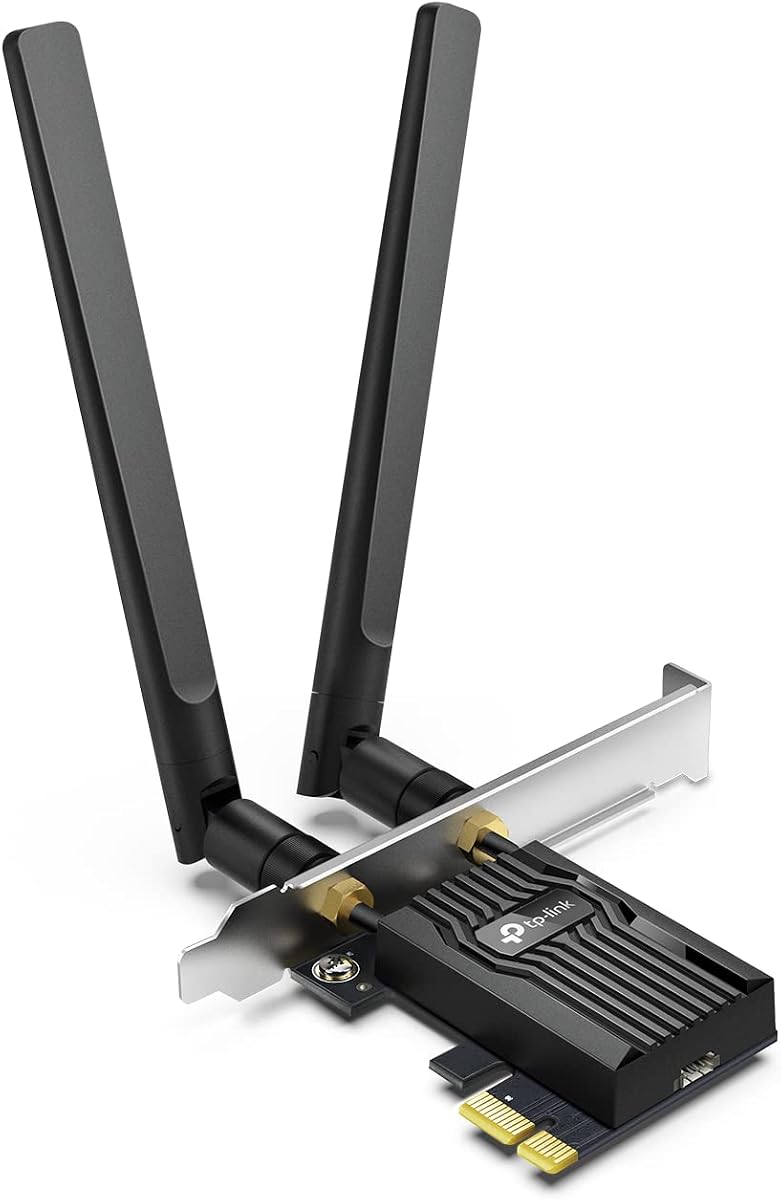
The TP-Link Archer TX55E is a dual-band Wi-Fi 6 PCIe card built for desktop users who want a substantial wireless upgrade without moving to the newest Wi-Fi generation. It carries a 4.5 rating and combines a stated maximum speed of 2402 Mbps on 5 GHz with 574 Mbps on 2.4 GHz. Its practical appeal comes from a balanced feature set that includes Wi-Fi 6 efficiency, Bluetooth 5.2, high-gain antennas, and flexible mounting options.
We may earn a commission when you buy through this link, at no additional cost to you.
OFDMA and MU-MIMO are important parts of the card's real-world proposition. Those technologies are intended to improve efficiency in busy networks, helping reduce contention when several wireless devices are active. The two external signal-boosting antennas can improve reception when the desktop is positioned away from the router or separated by walls. Unlike a USB adapter constrained by a short cable, this card sits directly in the PCIe slot while the antennas remain outside the chassis.
The main limitation is that this is a dual-band Wi-Fi 6 product, so it cannot use the 6 GHz spectrum available to Wi-Fi 6E or Wi-Fi 7 systems. Its Bluetooth 5.2 implementation also requires the included USB cable to be connected to an F_USB header, adding a small installation step. Still, those trade-offs are reasonable for users with a Wi-Fi 6 router who value a mature standard, a good rating, and broad desktop usefulness.
This is the strongest general recommendation for a desktop that needs faster, more dependable wireless performance and Bluetooth without requiring a Wi-Fi 7 router. It is especially well suited to gaming PCs and compact systems where a wired network is inconvenient. Buyers should confirm the case has room for the included standard or low-profile bracket and that the motherboard provides an F_USB header if they intend to use Bluetooth.
OFDMA and MU-MIMO help the Archer TX55E serve a busy household more efficiently. These features are particularly relevant when gaming, video calls, streaming, and downloads compete for available wireless capacity.
The two high-gain antennas offer placement flexibility, while standard and low-profile brackets accommodate full-size and compact cases. This makes the card easier to integrate into a wide range of desktop builds.
We may earn a commission when you buy through this link, at no additional cost to you.
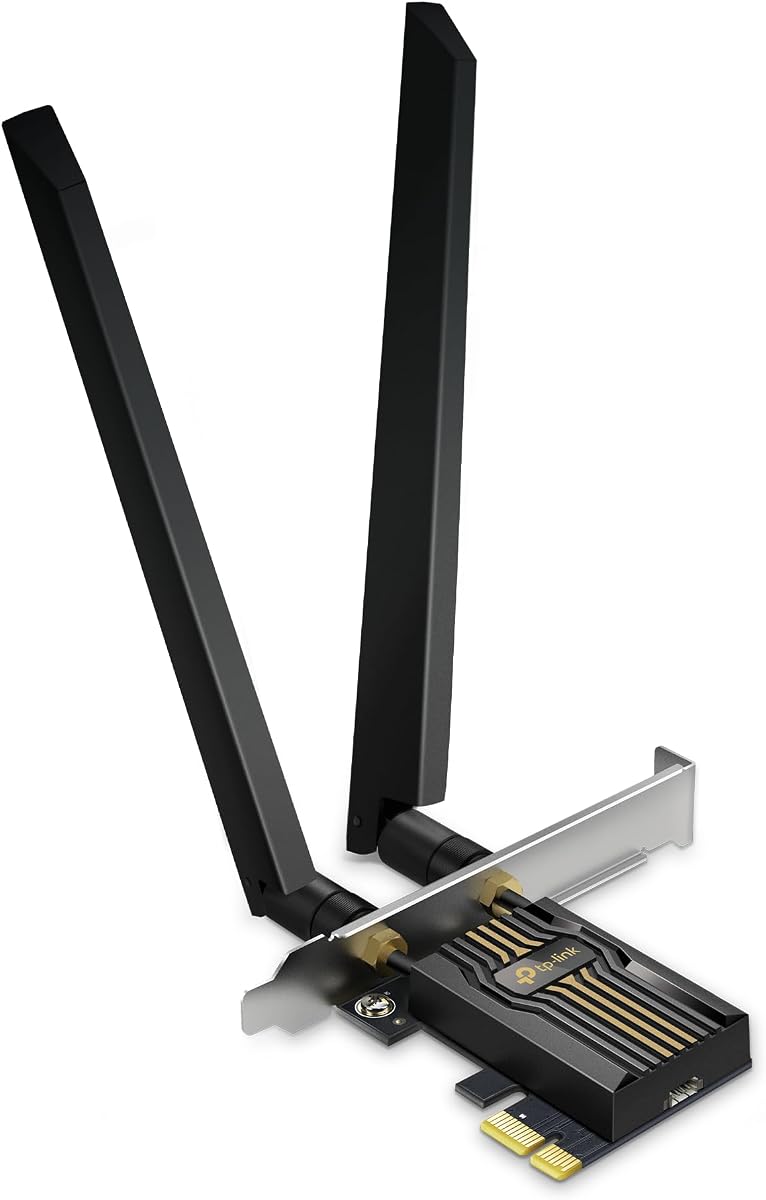
The GIGABYTE GC-WBAX210 stands out as a budget-minded way to add Intel AX210-based Wi-Fi 6E to a desktop. It supports the 2.4 GHz, 5 GHz, and 6 GHz bands through a 2×2 802.11ax module, and its supplied specifications list a maximum connection speed of up to 2400 Mbps. The 4.6 rating also makes it one of the better-reviewed products in this roundup.
We may earn a commission when you buy through this link, at no additional cost to you.
Building on the AX210 module gives this card access to the 6 GHz band, an advantage over conventional dual-band Wi-Fi 6 adapters. That additional spectrum can provide more available bandwidth and less congestion when the connected router supports Wi-Fi 6E. The card also supports dual-stream wireless operation across all three bands, making it a versatile option for compatible routers and modern desktop environments.
Its specification list is less detailed regarding antenna arrangement, mounting hardware, and bracket options than those of several TP-Link models. It also carries Bluetooth 5.2 rather than the newer 5.3 or 5.4 found elsewhere in the lineup. Those details may matter if you prioritize the newest Bluetooth version or want a magnetic external antenna base, but they do not undermine the card's basic appeal as a tri-band upgrade.
The GC-WBAX210 is best for a value-conscious builder who already owns a Wi-Fi 6E router or wants the ability to connect to 6 GHz networks. It also works well for a compact office PC that needs modern wireless and Bluetooth without paying for the most advanced Wi-Fi 7 hardware. Confirm operating system support and the antenna arrangement required by your system before installation.
The integrated Intel AX210 module makes Wi-Fi 6E functionality available without moving to a premium Wi-Fi 7 platform. This is valuable when a compatible router can make use of the 6 GHz band's additional capacity.
Supporting 2.4 GHz, 5 GHz, and 6 GHz gives the card more options than a conventional dual-band adapter. It can select the most suitable available network for range, throughput, or congestion conditions.
We may earn a commission when you buy through this link, at no additional cost to you.
The TP-Link Archer TX3000E combines a 4.7 rating, dual-band Wi-Fi 6, and Bluetooth 5.3 in an adapter that emphasizes practical coverage. It supports up to 2402 Mbps on 5 GHz and 574 Mbps on 2.4 GHz, giving desktop users the benefits of Wi-Fi 6 efficiency without requiring a newer tri-band router.
We may earn a commission when you buy through this link, at no additional cost to you.
Its most distinctive feature is the magnetized base for the two multidirectional antennas. Instead of leaving the antennas fixed beside the rear panel, users can place the base in a better position on or near the desktop. That flexibility can be useful in crowded offices, rooms with obstructed paths, and setups where the PC is positioned away from the router. OFDMA and MU-MIMO also support better performance in busy networks.
Bluetooth 5.3 lets the card connect compatible controllers, headphones, and keyboards without a separate USB dongle, although the Bluetooth USB cable must be connected to an F_USB connector. The listed operating system support covers Windows 11 and 64-bit Windows 10, and drivers can be installed from the included disc or the manufacturer's support page. As a dual-band design, it cannot reach 6 GHz networks.
This card is an excellent match for a desktop with a Wi-Fi 6 router, especially when peripheral pairing and antenna placement matter. Its high rating also supports its position as one of the strongest all-around choices in the list. Choose it over a Wi-Fi 6E model only if 6 GHz access and Bluetooth 5.4 are unnecessary for your setup.
The magnetic base allows the antenna assembly to be moved away from metal computer components or other obstructions. Better placement can lead to more stable reception without changing the card itself.
Bluetooth 5.3 support consolidates wireless keyboard, headset, and controller connectivity into one PCIe card. The required F_USB connection should be planned before installation.
We may earn a commission when you buy through this link, at no additional cost to you.
The TP-Link Archer TBE552E is a tri-band Wi-Fi 7 card for users who want the newest wireless capabilities supported in a desktop PCIe format. It offers 320 MHz channels on 6 GHz, Multi-Link Operation, Multi-RUs, and 4K-QAM. The stated aggregate bandwidth reaches 9.3 Gbps across the 2.4 GHz, 5 GHz, and 6 GHz bands.
We may earn a commission when you buy through this link, at no additional cost to you.
The biggest advantage is access to modern Wi-Fi 7 features when paired with a suitable router. MLO can combine multiple frequency bands to improve throughput, latency, and reliability, while 320 MHz channels make better use of the 6 GHz spectrum. OFDMA and MU-MIMO are also present, supporting efficient operation when numerous wireless devices share the network. Bluetooth 5.4 adds current peripheral support and improved security characteristics.
The compatibility requirements are important. The supplied information states that this card is designed exclusively for Windows 11 and is not compatible with Windows 10 or earlier versions. It also includes both standard and low-profile brackets, giving mini-tower builders more installation flexibility. Without a Wi-Fi 7 router, many of the headline features will not be available, making the card less compelling for a Wi-Fi 6-only network.
Choose the Archer TBE552E for a new high-end Windows 11 desktop that will be paired with a Wi-Fi 7 router, especially when future bandwidth, MLO, and 6 GHz access are priorities. It is a strong premium choice, but compatibility should be settled before opening the case. For an easier all-round recommendation, the Archer TX55E or TX3000E may serve more users effectively.
Multi-Link Operation allows compatible systems to use multiple links across different bands. This can improve responsiveness and stability when the network is busy or one band experiences interference.
The card's exclusive Windows 11 support simplifies decisions for modern systems but rules it out for older installations. Verify the operating system before purchase and install the required driver after fitting the card.
We may earn a commission when you buy through this link, at no additional cost to you.
The TP-Link AXE5400 Magnetic Base is a feature-rich Wi-Fi 6E card with a 4.6 rating and a strong balance of performance and flexibility. Based on the Intel AX210, it supports 2402 Mbps on 6 GHz, another 2402 Mbps on 5 GHz, and 574 Mbps on 2.4 GHz. The resulting tri-band capability makes it a capable choice for modern routers and busy wireless environments.
We may earn a commission when you buy through this link, at no additional cost to you.
The magnetic antenna base is the standout practical feature. It lets users move the two multidirectional antennas to a more favorable location, which can help when the desktop sits behind a monitor, under a desk, or away from the router. OFDMA and MU-MIMO improve network efficiency, while Bluetooth 5.3 supports peripherals such as controllers, headsets, and keyboards. WPA3 is included for stronger wireless protection.
As a Wi-Fi 6E product, it cannot deliver the 320 MHz channels, MLO, or 4K-QAM features associated with Wi-Fi 7. Its 6 GHz functionality also depends on a compatible router and Windows 11, according to the supplied information. The Bluetooth cable must reach an F_USB header, and the card includes both standard and low-profile mounting brackets for different case sizes.
This is an excellent choice for a desktop that needs flexible antenna placement, modern tri-band Wi-Fi, and Bluetooth 5.3. It may suit an enthusiast who values a mature Wi-Fi 6E platform more than the newest standard. For a conventional Wi-Fi 6 router setup, the dual-band Archer TX55E is simpler; for cutting-edge Wi-Fi 7, consider the Archer TBE552E.
The detachable magnetic base helps users respond to real-world obstacles such as desks, walls, and computer chassis. Experimenting with antenna placement can be more valuable than relying on a fixed arrangement.
Combining tri-band Wi-Fi 6E, Bluetooth 5.3, WPA3, and adjustable antennas makes this card a broad upgrade for a compatible desktop. It covers everyday connectivity, high-bandwidth streaming, and peripheral pairing in one expansion card.
We may earn a commission when you buy through this link, at no additional cost to you.
The TP-Link Archer TBE550E is a visually distinctive Wi-Fi 7 card with a magnetic base, adjustable antennas, LED lighting, and a 4.2 rating. Its stated maximum combined throughput is 9328 Mbps, divided among 5760 Mbps on 6 GHz, 2880 Mbps on 5 GHz, and 688 Mbps on 2.4 GHz. These figures describe the platform's potential rather than guaranteed real-world transfer rates.
We may earn a commission when you buy through this link, at no additional cost to you.
Wi-Fi 7 features include 320 MHz channels, 4096-QAM, Multi-Link Operation, OFDMA, MU-MIMO, and Multi-RU. Together, they are intended to support faster, more stable connections across crowded networks and high-demand applications. The magnetic base also displays network status through LED effects and includes a responsive touch switch. Its two adjustable antennas are intended to help users find a stronger signal position around the desktop.
The list of capabilities comes with compatibility constraints. The supplied data says the Archer TBE550E supports Windows 11 but not Windows 10, and it also mentions installation through the provided USB driver. Its 4.2 rating is lower than most alternatives here, so buyers should interpret it as a feature-focused product rather than the most universally acclaimed option. The lighting and touch controls are aesthetic additions rather than core connectivity benefits.
The TBE550E makes sense for a Windows 11 gaming or content-creation system paired with a Wi-Fi 7 router and 6 GHz service. It is also appealing for builders who want the antenna base to coordinate visually with a desk setup. Those who prioritize simpler operation, dual-band compatibility, or a higher rating may prefer the Archer TX3000E or TX55E instead.
LED effects and the touch switch make the magnetic base more than a passive holder. They provide an at-a-glance indication of network status while adding a visible element to the desktop.
Multi-RU, MLO, OFDMA, and MU-MIMO are among the card's most technical attractions. They help a compatible Wi-Fi 7 router allocate radio resources intelligently across several bands and connected devices.
We may earn a commission when you buy through this link, at no additional cost to you.
The Intel AX210 5400Mbps card offers a straightforward route to Wi-Fi 6E for desktop PCs. It has a 4.5 rating and supports tri-band operation across 6 GHz, 5 GHz, and 2.4 GHz, with advertised aggregate speed of up to 5400 Mbps. The Intel AX210 chipset is the central feature, familiar to users who want a widely used wireless platform and Bluetooth support in the same card.
We may earn a commission when you buy through this link, at no additional cost to you.
Its specifications position it for gaming, streaming, and large file transfers, while the included Bluetooth 5.3 supports devices such as controllers, headsets, and keyboards. The supplied information lists Windows 10 and Windows 11 as supported systems, and a Bluetooth USB cable is included. WPA3 support and compatibility with older Wi-Fi standards make it more versatile than a product restricted to only the newest networks.
Full 6 GHz functionality requires both a Wi-Fi 6E router and Windows 11. Users on older routers will still benefit from the 2.4 GHz and 5 GHz bands, but the headline tri-band capability will remain unused. The listed 5400 Mbps is a theoretical combined maximum, and real performance will depend on the router, signal conditions, internet service, and device traffic. High-gain antennas improve the options for positioning the card within a desktop.
This card is a good general-purpose choice for a Windows desktop that needs tri-band Wi-Fi 6E and Bluetooth without moving to Wi-Fi 7. It may be particularly attractive to builders who recognize the Intel AX210 platform. Buyers should still confirm case clearance, bracket availability, and antenna requirements because those installation details are not fully described in the supplied specifications.
The AX210 chipset provides a defined foundation for tri-band Wi-Fi 6E and Bluetooth 5.3. It is a practical option when familiarity and broad desktop compatibility matter as much as the newest wireless generation.
Windows 10 and 11 support gives the card wider applicability than models limited to Windows 11. Access to the 6 GHz band still requires Windows 11 and compatible Wi-Fi 6E routing equipment.
We may earn a commission when you buy through this link, at no additional cost to you.
The TP-Link AXE5400 Intel AX210 combines a 4.6 rating with tri-band Wi-Fi 6E and Bluetooth 5.3. It reaches a stated maximum of 2402 Mbps on both 6 GHz and 5 GHz, plus 574 Mbps on 2.4 GHz. This makes it a capable wireless and Bluetooth upgrade for a compatible desktop without moving into the more specialized Wi-Fi 7 category.
We may earn a commission when you buy through this link, at no additional cost to you.
The Intel AX210 chipset is associated with reduced latency and improved connection reliability, while OFDMA and MU-MIMO help the adapter perform efficiently in busy networks. Two signal-boosting high-gain antennas provide additional coverage potential, and both standard and low-profile brackets are included for different desktop sizes. Bluetooth 5.3 supports faster data transfer and broader range than Bluetooth 4.2 for compatible peripherals.
As with the other AX210-based cards, 6 GHz use depends on Windows 11 and a Wi-Fi 6E router. Bluetooth also requires the included cable to be connected to an F_USB header on the motherboard. Its antenna arrangement is less adjustable than the magnetic-base alternatives, so placement options may be more limited. The card is focused on dependable Wi-Fi 6E rather than future-facing Wi-Fi 7 capabilities.
The AXE5400 Intel AX210 is well suited to users who want a well-rounded upgrade with a strong rating and broad desktop utility. It works especially well for a home office, gaming PC, or compact build that benefits from tri-band networking and wireless peripherals. Choose a Wi-Fi 7 model if your router already supports it, or a dual-band model if simpler 2.4 GHz and 5 GHz operation is enough.
The two high-gain antennas can improve signal reception compared with relying only on a compact internal module. They are useful in desktops positioned at the edge of a room or separated from the router.
The AX210 chipset, tri-band support, and Bluetooth 5.3 create a balanced feature set. This card does not require a premium Wi-Fi 7 ecosystem to provide a meaningful wireless upgrade.
We may earn a commission when you buy through this link, at no additional cost to you.
The MSI Herald BE9400 is a tri-band Wi-Fi 7 card aimed at high-speed desktop connections and next-generation routers. Its listed maximum combined speed reaches 9334 Mbps across 6 GHz, 5 GHz, and 2.4 GHz, and the 4.3 rating reflects a promising but less strongly reviewed option than the highest-rated products in this guide. It also includes Bluetooth 5.4 and 320 MHz 6 GHz channel support.
We may earn a commission when you buy through this link, at no additional cost to you.
Multi-Link Operation is the card's major technical feature. By combining multiple links, compatible systems can gain faster, more stable, and more seamless connectivity. The ultra-wide 6 GHz channels can offer more available bandwidth than narrower alternatives, while external antennas with a magnetized base allow some freedom in placement. These features make the Herald interesting for gaming, 8K streaming, and busy network environments.
The same compatibility caveat applies to nearly every Wi-Fi 7 card: meaningful access to these capabilities requires a suitable Wi-Fi 7 router and a current compatible PC environment. Maximum speed figures also depend heavily on the network, distance, and radio conditions. The supplied data gives less detail about bracket options and installation than it does for the TP-Link selections, so buyers should check the physical package and case requirements.
Choose the MSI Herald BE9400 when you want MSI styling, a magnetic antenna arrangement, and broad Wi-Fi 7 capabilities without moving to the TBE550E's additional LED and touch-control design. It is best for a system already prepared for Wi-Fi 7 networking. Users with Wi-Fi 6 or 6E equipment will receive less benefit from paying for unutilized Wi-Fi 7 features.
MLO is designed to let a compatible adapter use several links rather than depending on one connection. That can help maintain responsiveness when a single band is congested or affected by interference.
The 320 MHz channel capability takes full advantage of compatible 6 GHz equipment. It can provide wider channels where the router and local regulations support them.
We may earn a commission when you buy through this link, at no additional cost to you.
The TP-Link Archer TBE553E is a Wi-Fi 7 card with a magnetic base, Bluetooth 5.4, and a stated total bandwidth of 9.3 Gbps. It supports up to 5764 Mbps on 6 GHz, 2882 Mbps on 5 GHz, and 688 Mbps on 2.4 GHz. A 4.2 rating places it among the more specialized entries, while its feature set is aimed at systems ready for the latest wireless standard.
We may earn a commission when you buy through this link, at no additional cost to you.
Wi-Fi 7 functions include 320 MHz channels, MLO, OFDMA, MU-MIMO, and Multi-RU. The magnetic base gives the external high-gain antenna more practical positioning options, and Bluetooth 5.4 supports current accessories with enhanced reliability and security. The card also references Bluetooth Low Energy for power-conscious peripheral use. WPA3 is included to strengthen protection of wireless credentials.
Platform requirements are the most important consideration. The supplied information says the card is designed for an Intel Wi-Fi 7 CPU and is not compatible with AMD. It supports Windows 10 and 11, while standard and low-profile brackets are included. That restricted processor requirement narrows the pool of compatible desktops even though the operating system requirements are broad. The card also joins several other products here with a 4.2 rating, so it should not be selected on features alone.
The Archer TBE553E is most appropriate for an Intel-based PC that supports Wi-Fi 7 and is already connected to a Wi-Fi 7 router. It offers a comprehensive set of next-generation features, a movable antenna base, and modern Bluetooth in one package. Buyers without an Intel Wi-Fi 7 CPU should look to the Archer TBE552E, although its own Windows 11 requirement and current rating should also be considered.
OFDMA, MU-MIMO, Multi-RU, and MLO work together to improve resource use across multiple clients and bands. These capabilities are most useful with compatible Wi-Fi 7 routing equipment.
WPA3 protects compatible wireless credentials, while Bluetooth 5.4 and Bluetooth Low Energy support modern accessories. The combination is useful for a desktop that serves as both a gaming system and a peripheral hub.
We may earn a commission when you buy through this link, at no additional cost to you.
Choosing a PCIe WiFi Card starts with matching the adapter to your router, operating system, and desktop layout. Wireless generation, band support, antenna design, Bluetooth, security, and installation requirements should all be considered before making a choice.
The adapter's wireless generation is only as useful as the router it connects to. A Wi-Fi 6 card is a sensible match for a Wi-Fi 6 router, while a Wi-Fi 6E or Wi-Fi 7 card needs compatible routing equipment to access its more advanced features. A faster adapter can still connect to an older router, but the extra capability will remain unused. Pay particular attention to 6 GHz access because it is the defining addition in Wi-Fi 6E and remains central to Wi-Fi 7 performance.
Dual-band cards use 2.4 GHz and 5 GHz, while tri-band cards add 6 GHz. The 2.4 GHz band generally provides longer reach, whereas 5 GHz and 6 GHz offer more bandwidth and can reduce congestion. Wi-Fi 7 products may support 320 MHz channels on 6 GHz, but that feature requires a compatible router, suitable client hardware, and a clean radio environment. Advertised combined speed is a theoretical ceiling, not a promise of identical throughput over every connection.
Operating system support differs across the list. Some products specify Windows 11, while others support Windows 10 and 11, and 6 GHz use commonly requires Windows 11. The Archer TBE553E additionally specifies an Intel Wi-Fi 7 CPU and is not compatible with AMD. Check the operating system, processor, motherboard, and driver requirements before purchasing, especially when building a new system or reusing an older workstation.
Antenna design can materially affect reception in a real desktop environment. Fixed high-gain antennas are straightforward to install, while magnetic bases allow the antenna assembly to be placed away from the chassis. That flexibility can help when a monitor, metal case component, wall, or desk edge interferes with reception. Position the antennas away from enclosed metal areas and test the connection in the room where the computer is normally used.
Bluetooth support can eliminate a separate USB adapter for keyboards, headsets, controllers, and other accessories. Options in this guide range from Bluetooth 5.2 to Bluetooth 5.4. Most Bluetooth functions require the included cable to be connected to an F_USB header on the motherboard. A small internal USB connection can be difficult to reach in a crowded case, so inspect the motherboard layout before installation.
WPA3 support is present on many of the newer adapters and strengthens protection for compatible personal networks. However, the adapter cannot bypass the security configuration of the router. Use WPA3 or the strongest mixed mode supported by all devices on the network, change default router credentials, and keep router firmware updated. Older WPA-only configurations offer less protection than WPA3 or WPA2/WPA3 mixed operation.
PCIe expansion cards need enough room for the card, antenna hardware, and the correct mounting bracket. Several products in this guide include both standard and low-profile brackets, making them suitable for full-size and mini-tower cases. The GIGABYTE GC-WBAX210 and MSI Herald BE9400 have less detailed bracket information in the supplied data, so inspect the package and case dimensions before buying. A card that does not physically fit can be difficult to return after installation.
Modern PCIe WiFi Cards depend on operating system drivers, and installation order can matter. Many adapters can be installed in Windows before the internal Bluetooth cable is connected, allowing the system to obtain the required network driver first. The Archer TX3000E can use an included disc or a downloadable driver, while the Archer TBE550E explicitly mentions fast USB driver installation. Keep the device nearby during setup and follow the manufacturer's instructions closely.
Before installing the card, power the desktop down completely, unplug it, and use an electrostatic-discharge protection method such as an antistatic wrist strap. Open the case, identify a free PCIe expansion slot, remove the slot cover, and attach the appropriate standard or low-profile bracket. Keep small screws nearby and avoid allowing metal debris to enter the case.
Insert the card firmly but gently into the PCIe slot, secure it with the bracket screw, and connect the internal Bluetooth USB cable to the motherboard's F_USB header if Bluetooth is required. Fit the external antennas in an unobstructed position. Power on the computer, connect to the internet if needed to obtain drivers, and follow the manufacturer's software instructions for the specific card.
After installation, connect the adapter to the appropriate Wi-Fi network and test the result at the computer's normal location. If performance is weak, move magnetic antenna bases, reposition the antennas, or try a less congested channel through the router. Keep the antennas away from metal objects, and periodically check the manufacturer's website for updated drivers, firmware, and compatibility information.
A PCIe card generally provides a more direct connection to the desktop's internal expansion bus and avoids the placement constraints of a USB Wi-Fi dongle. It is especially useful when the computer's case is in a poor wireless location or when Bluetooth and Wi-Fi need to be combined in one adapter. A USB adapter can still be convenient for quick testing or a system without an available PCIe slot.
No, but most advanced Wi-Fi 7 benefits will not be available without compatible routing equipment. A Wi-Fi 7 card can connect to older dual-band or tri-band routers, although it will operate within the capabilities those routers provide. To use 320 MHz channels, Multi-Link Operation, and related features, the router must support them and local conditions must permit their use.
Several products in this guide specify that full 6 GHz functionality requires Windows 11. A Windows 10 system may still use the 2.4 GHz and 5 GHz bands with a compatible tri-band adapter, but it cannot obtain the full benefits of the 6 GHz band. Check the exact operating system requirements listed for the card before installation.
Bluetooth is a separate radio function connected through the card's internal USB header rather than the primary PCIe data interface. The supplied small cable must therefore be routed from the card to the motherboard's F_USB connector. This extra step should be planned before installation, especially in a case with limited access to motherboard headers.
No. The advertised speed represents the adapter's theoretical maximum under favorable conditions. Your internet service, router capabilities, network congestion, distance, walls, and other connected devices can all limit the result. A faster card is most useful when the network and destination devices can support the additional bandwidth.
Choose Wi-Fi 6E when your router supports 6 GHz but not Wi-Fi 7, or when you want a mature tri-band platform. Choose Wi-Fi 7 for a compatible new router and a system prepared for features such as Multi-Link Operation and 320 MHz channels. If your router is only Wi-Fi 6, a well-equipped dual-band Wi-Fi 6 card may be more practical.
Place the antennas away from the metal chassis, monitor, cables, walls, and other sources of obstruction. Cards with a magnetic base can be moved around the desk until the connection becomes more stable. Raise both antennas and avoid tightly bunching them, and test the network in the location where the desktop is normally used rather than only beside the router.
They can, provided the case has a compatible PCIe slot and enough room for the card and bracket. Several products in this guide include both standard and low-profile brackets specifically for compact cases. Check the physical dimensions and included hardware before purchasing, especially for models whose supplied information does not detail the mounting options.
The TP-Link Archer TX55E is the most balanced overall recommendation because it combines Wi-Fi 6, Bluetooth 5.2, high-gain antennas, and flexible mounting options. The GIGABYTE GC-WBAX210 offers an approachable route into tri-band Wi-Fi 6E through the Intel AX210, while the TP-Link Archer TBE552E represents the premium choice for a Windows 11 system ready to use a Wi-Fi 7 router.
For most buyers, the router should determine the shortlist. A Wi-Fi 6 system is well served by the Archer TX55E or TX3000E, while a Wi-Fi 6E setup can benefit from the GIGABYTE or one of the AXE5400 models. Wi-Fi 7 options make the most sense when the network, processor, operating system, and desktop layout are all prepared for the newer standard.
Before purchasing, verify PCIe slot availability, case clearance, bracket style, Bluetooth header placement, operating system support, and any processor restrictions. Current prices and availability can change, so compare the complete feature set and recent user feedback rather than deciding from a temporary promotion or headline speed alone.

