Micomlan Architect Desk Lamp
4.6Editor score
Three-bar architect-light design
Automatic ambient-light adjustment
Asymmetric glare-reducing illumination
Stepless color and brightness control
Cubicle lights are small but important workspace tools, especially when overhead office lighting is uneven, harsh, or unavailable. The right model should illuminate your keyboard and work surface without creating screen glare, crowding the desk, or making color-dependent work difficult.
This guide compares ten clamp-on, architect-style, and under-desk lights using their published specifications, customer ratings, lighting controls, mounting methods, reach, and intended uses. It covers options for compact workstations, dual-monitor offices, drafting desks, reading areas, and shared spaces.
Each review explains the most useful strengths and the compromises that shoppers should consider. The three highlighted picks stand out for their combination of coverage, adjustment, and usability, although the right choice depends on your desk and routines. Prices and promotions can change.
4.6Editor score

4.6Editor score
4.5Editor score
As an Amazon Associate we earn from qualifying purchases.
The comparison below highlights the differences in mounting style, light coverage, adjustment range, controls, and practical desk applications. It is designed to make it easier to match a lamp to a small cubicle, a multi-monitor workstation, or a task area that needs targeted illumination.


This four-head clamp lamp is the most adaptable option in the group, earning a 4.6 customer rating. Two main light heads and two auxiliary heads can illuminate a broad desk while also creating more focused task lighting. That combination makes it particularly effective for shared cubicles, large displays, and people who move between paperwork and computer work.
We may earn a commission when you buy through this link, at no additional cost to you.
Its strongest feature is control. The lamp offers stepless brightness adjustment from 10% to 100%, color temperatures from 3000K to 5700K, and six presets for writing, computer work, music, drawing, leisure, and night lighting. The main and auxiliary lights can be controlled separately, allowing you to create ambient illumination without making the direct task light overly intense.
Physical adjustment is equally strong. A 360-degree neck, 180-degree folding swing arms, 270-degree rotating heads, and a rotatable clip base let the light follow the changing geometry of the desk. The published maximum reach is 40.9 inches, and the four eight-inch arms are designed to provide even coverage across a desk as wide as 90 inches.
The trade-off is bulk. A four-head architect-style design occupies more space than a conventional bar lamp, and the clamp supports desktops up to two inches thick. Even so, the versatility, high color-rendering LEDs, separate lighting zones, and timer functions justify the complexity. It is our best overall choice for users who want one lamp to handle many kinds of work.
Six remote presets reduce the need to repeatedly adjust individual settings. You can move from focused writing illumination to a softer computer mode without abandoning the lamp, while the separate auxiliary heads provide useful indirect light.
The long multi-arm design is a major advantage in wide cubicles. Instead of concentrating light in one location, it can spread illumination across multiple monitors, a keyboard, and a document area with fewer awkward shadows.
We may earn a commission when you buy through this link, at no additional cost to you.
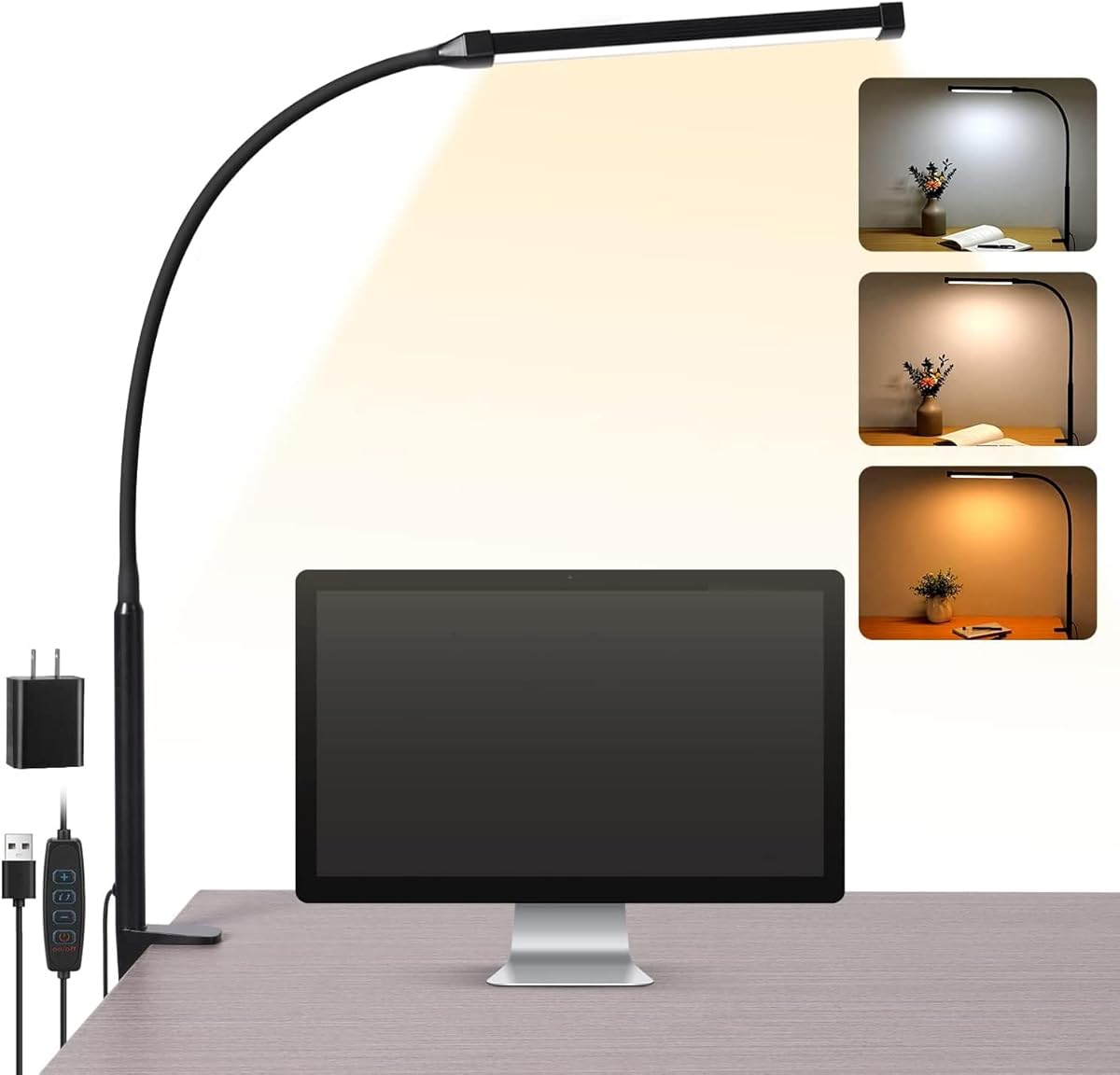
The Voncerus clamp lamp is a straightforward option for a small cubicle, with a customer rating of 4.6. Its compact light board and flexible goose-neck prioritize focused illumination over elaborate multi-zone lighting. The design is easy to understand: choose one of three color modes, select one of ten brightness levels, and position the neck where it is needed.
We may earn a commission when you buy through this link, at no additional cost to you.
The 360-degree goose-neck provides useful directional control, while the aluminum light board is designed to dissipate heat effectively. Published service life reaches up to 50,000 hours. The ultra-thin board also allows light to pass through efficiently, helping the lamp deliver a broad, even spread from a relatively simple structure.
A memory function restores the previous settings after the lamp is turned off and on again. That is a small feature with real value in a shared or daily-use workspace because it removes one step from the setup process. A 5V/2A adapter is included, and the lamp is ready for use after installation.
This is not the best model for illuminating an exceptionally broad desk, since it lacks multiple independently aimed heads. It is a strong option for a standard workstation, dorm-style desk, or reading area where simplicity, compactness, and dependable adjustment matter more than maximum coverage.
Three color temperatures and ten brightness levels offer enough variation for reading, writing, studying, and screen work. The memory function keeps the chosen combination in place between uses.
The long flexible neck can be moved around the edge of a monitor or toward a notebook. That makes the lamp practical for users who alternate between digital and paper-based work.
We may earn a commission when you buy through this link, at no additional cost to you.
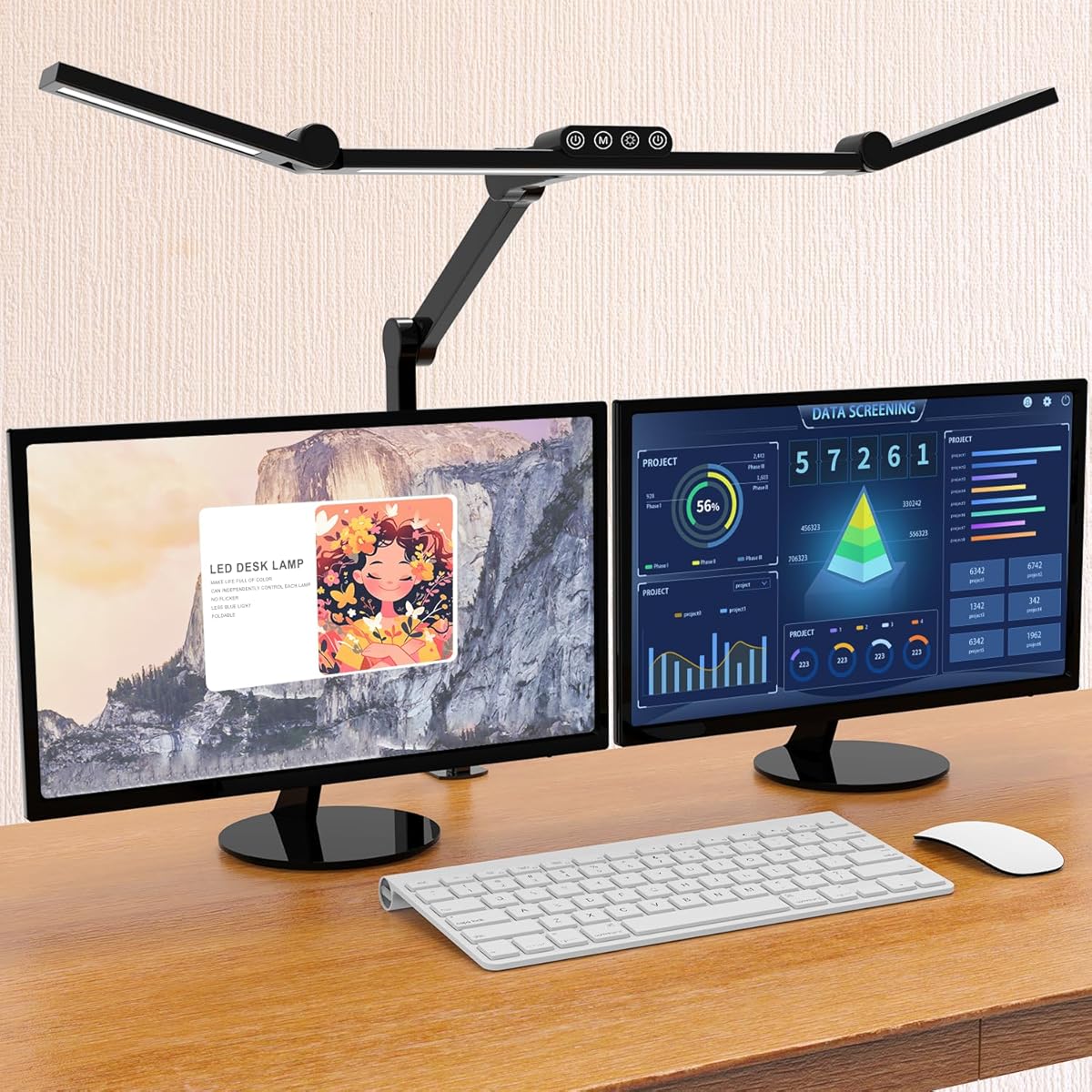
The Micomlan architect lamp is the most technically ambitious model here, with a 4.6 rating and a three-bar, 24-watt design. Seven strongly damped joints make it possible to place the three bars precisely, while the ability to rotate the two side bars vertically lets users switch between broad desk coverage and concentrated task light.
We may earn a commission when you buy through this link, at no additional cost to you.
Its 45-degree asymmetric main light is designed to illuminate the desk and keyboard rather than shine into the user's eyes or create strong reflections on a screen. The side bars can point upward to provide ambient light, and a built-in sensor automatically adjusts brightness to the surrounding light level. This is particularly useful in a cubicle that changes as partitions, screens, and daylight alter the available illumination.
The CRI greater than 90 LEDs are specified for softer, flicker-free, anti-glare output and more accurate color rendering. Controls include five stepped brightness and color settings, plus long-press adjustment for stepless dimming from 20% to 100% and color temperature from 3000K to 6500K. A memory function restores the last configuration.
Its main drawback is complexity. The main and auxiliary lights require separate on/off control, and the many articulated joints may be unnecessary in a small workspace. Even so, the automatic sensor, precise articulation, and glare-conscious layout make this the best premium option for a serious or multi-use workstation.
The built-in sensor responds to ambient light, reducing the need to readjust the lamp when clouds move or nearby screens alter the brightness around the workstation.
The main bar provides directional work light while the side bars can face upward for softer room illumination. That flexibility makes the lamp useful beyond conventional desk tasks.
We may earn a commission when you buy through this link, at no additional cost to you.
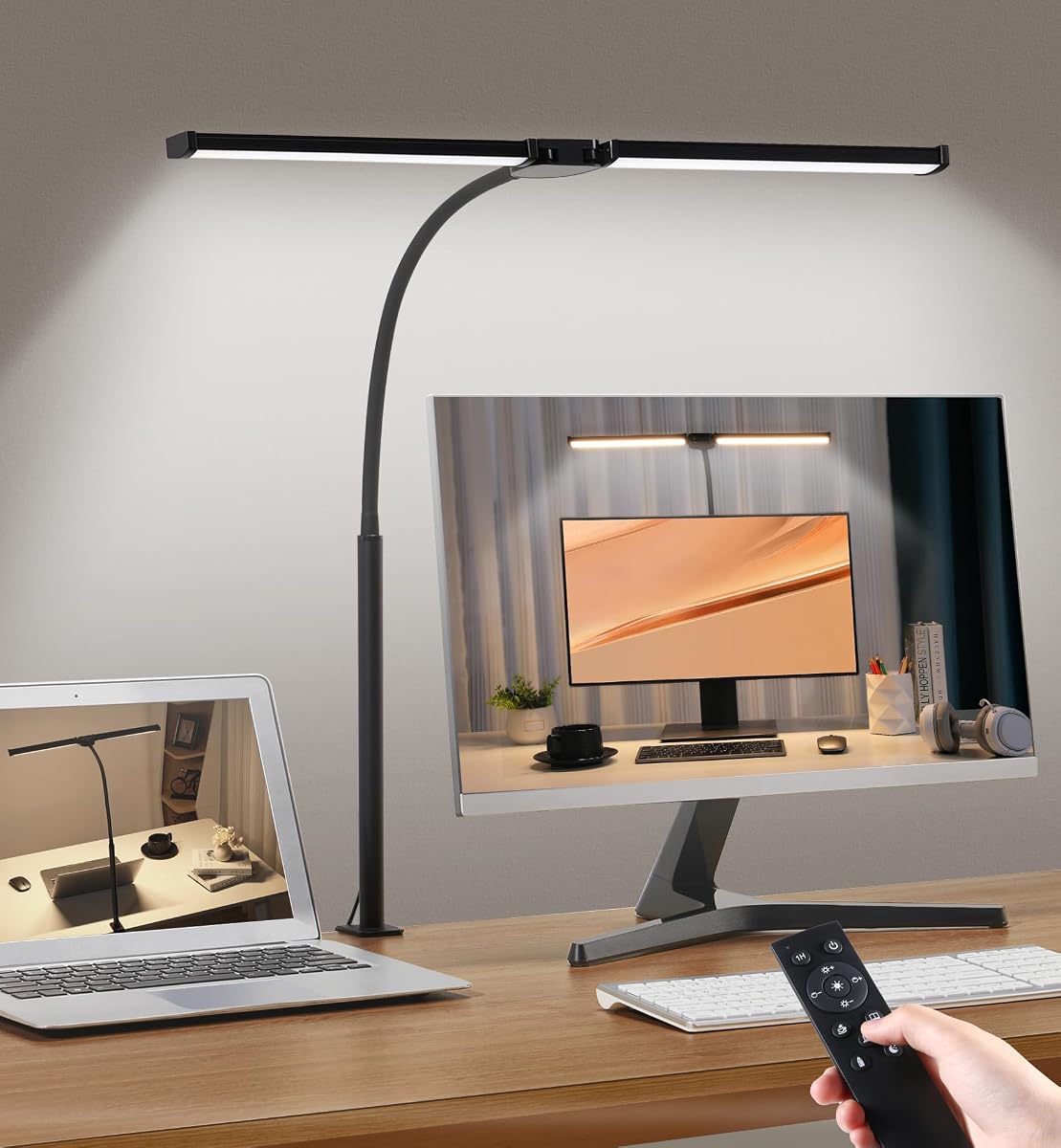
The Motumen dual-head lamp combines useful coverage with uncomplicated controls and carries a 4.6 customer rating. Two heads provide a wider spread of light than a single-bar lamp, making it a good general choice for paperwork, reading, writing, and computer work.
We may earn a commission when you buy through this link, at no additional cost to you.
Users can select five color temperatures from 3000K to 6500K and five brightness levels from 20% to 100%. Controls are available on the lamp and through a remote with a stated range of up to 32.8 feet. The memory function retains the last-used setting, while the one-hour timer provides a useful automatic shutoff for study sessions.
Its flexible goose-neck can direct the heads toward different portions of the work surface, and the clamp base avoids taking up desk space. The 168 LED beads are specified for uniform brightness and lower energy use, and the lamp is marketed for a broad range of reading and work activities.
Compared with the four-head lamp, it offers fewer brightness steps and a less elaborate arm system. The remote also generally needs a clear path to the lamp. Even so, the dual heads, generous remote range, timer, and remembered settings create a balanced feature set at a practical level.
The included remote is useful when the clamp is mounted beyond easy reach. Button controls remain on the lamp for quick changes when the light is positioned close to the user.
The two heads can be angled toward separate work areas, distributing light more evenly across a keyboard, notebook, and monitor without requiring a large multi-arm fixture.
We may earn a commission when you buy through this link, at no additional cost to you.
The ShineTech double-head lamp is built for broad workstations and dual-monitor arrangements. Its customer rating is 4.5, and its expandable 31.5-inch head span is designed to cover desks up to 71 inches wide while maintaining a 26.7-inch height clearance.
We may earn a commission when you buy through this link, at no additional cost to you.
The lighting controls are unusually comprehensive. Five color temperatures from 3000K to 6000K combine with ten brightness levels for 50 available modes, operated through responsive touch controls. A memory function saves the last color and brightness, while 10- and 45-minute automatic shutoff timers support bedtime reading and late-night work.
Adjustment comes from a 360-degree gooseneck and heads that tilt through 180 degrees. The metal clamp accommodates desktops up to 2.9 inches thick and includes a protective EVA pad intended to reduce surface damage. The product also supports drafting, crafting, studying, and general office work.
The wide span is a benefit only if the desk geometry allows it. Some users may lack enough horizontal clearance, and the clamp should be checked carefully before purchase. For a large cubicle or dual-monitor desk, however, the even coverage and large mode selection are compelling.
The long dual-head arrangement spreads illumination over a broad area instead of concentrating it in a narrow pool. It is particularly helpful when a monitor blocks light from a conventional lamp.
Warm color temperatures and lower brightness levels support relaxed reading, while the full selection of neutral and cool modes is better suited to detailed computer and office work.
We may earn a commission when you buy through this link, at no additional cost to you.
The EYOCEAN model has the highest customer rating in this roundup at 4.7. Its 31.5-inch double-head design and 24-watt output place it among the strongest options for large monitors, dual-monitor setups, and architect-style desks.
We may earn a commission when you buy through this link, at no additional cost to you.
The defining feature is its asymmetrical optical design. Rather than directing light straight into the screen or the user's eyes, the lamp aims illumination toward the work surface to reduce reflections and glare. A 128-chip array divides the output between cool-white and warm-white LEDs, with five color temperatures and five brightness levels available.
Remote control makes the lamp easy to operate after the clamp has been positioned at the rear of a desk. A memory function restores prior settings, and a timer adds another layer of convenience. The flexible gooseneck provides multiple height and angle options, while the metal clamp supports desktops up to 2.1 inches thick.
The limited number of brightness levels may feel less precise than stepless controls, and not every desk is thick enough for the clamp. For users sensitive to monitor reflections, however, the asymmetric optics and high customer rating make this a particularly strong recommendation.
The asymmetrical light path is designed to illuminate the desk while minimizing what reaches the screen. This can make a bright lamp more practical in a monitor-centered cubicle.
Separate warm and cool LED groups allow users to find a comfortable balance for daytime office work, nighttime reading, and general ambience without changing the lamp hardware.
We may earn a commission when you buy through this link, at no additional cost to you.
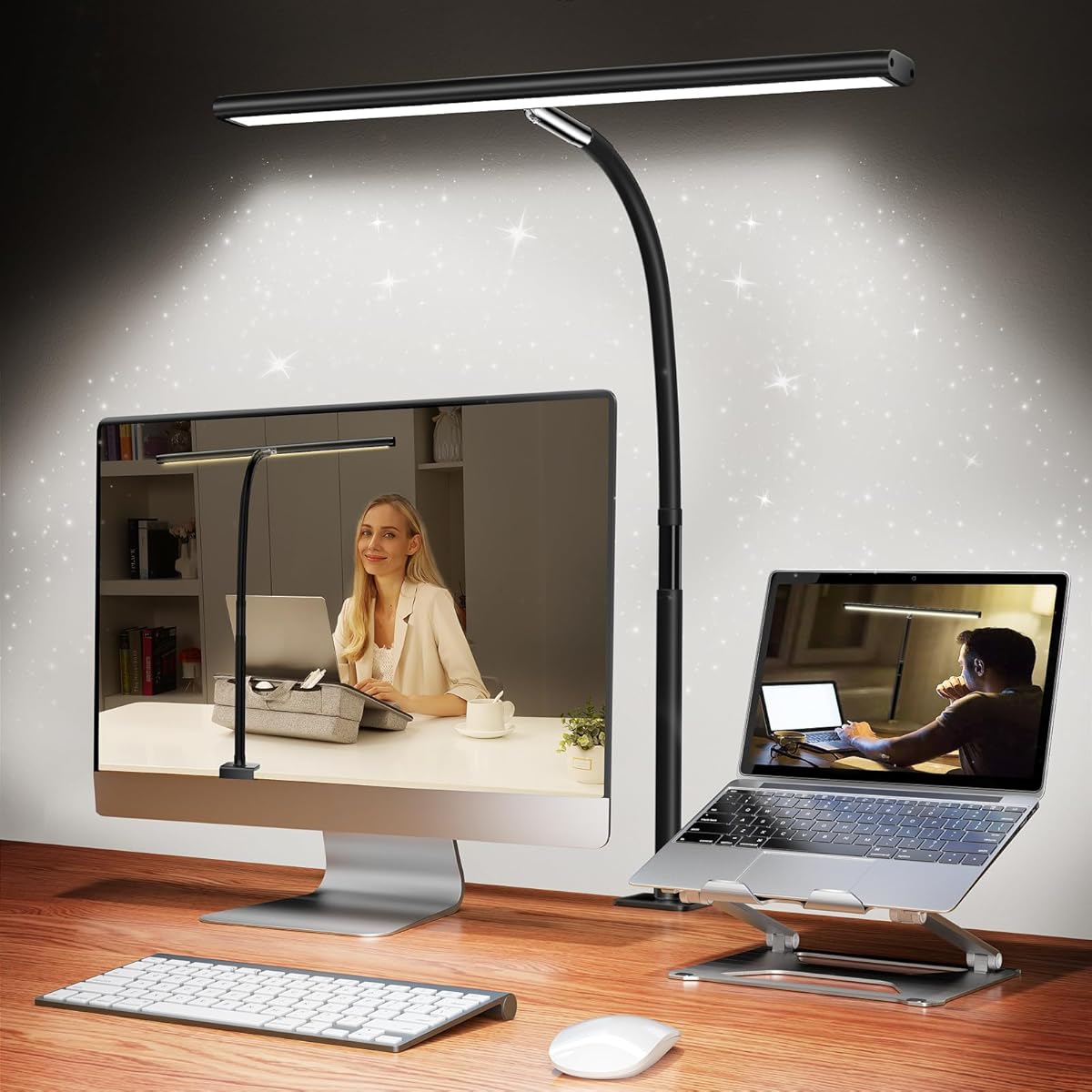
This 23.6-inch clamp light is a strong budget-oriented option for buyers who want broad coverage without a complex multi-arm fixture. It carries a 5.0 customer rating and uses an 18-watt LED system specified to deliver 1200 lumens with wide, even illumination.
We may earn a commission when you buy through this link, at no additional cost to you.
The long bar is advertised as 200% wider than standard lamps, making it appropriate for large study desks, dual-monitor workstations, and architectural drafting. Its flexible neck can direct the light toward the work area, while the clamp mounting approach preserves valuable desk space.
Lighting customization consists of three color temperatures—warm white, natural light, and cool white—combined with stepless dimming. The soft, flicker-free, anti-glare output is designed to reduce eye fatigue during long reading or computer sessions, and premium materials are used for heat dissipation and energy efficiency.
The rating is based on customer feedback rather than an in-person evaluation, and the available information does not list a memory function or timer. Even so, its wide bar, smooth adjustment, and strong rating make it one of the most compelling straightforward choices in the guide.
A single long bar can light a substantial portion of the desk while avoiding the visual and mechanical complexity of several separate arms. It is a practical choice for a clean, uncluttered workspace.
Stepless dimming allows users to make gradual changes rather than choosing from a few fixed levels. That is helpful when moving between bright task work and softer evening reading.
We may earn a commission when you buy through this link, at no additional cost to you.
The Pzloz architect lamp pairs a 4.7 customer rating with a highly adjustable 24-watt design. A 360-degree stand, 180-degree folding swing arms, and a 270-degree rotating head allow the light to be positioned around a monitor, notebook, keyboard, or craft project.
We may earn a commission when you buy through this link, at no additional cost to you.
The lamp offers 25 lighting combinations through five color temperatures from 3000K to 5500K and five brightness levels from 20% to 100%. Dedicated night-light and reading modes simplify common choices, while a wireless remote makes adjustments possible without reaching across the workstation.
Its LED output is described as even and free from glare, flicker, and blue-light hazards, making it suitable for reading, studying, drawing, sewing, and crafting. The articulated structure is especially useful for users whose lighting needs change frequently or who work with large screens.
The manufacturer provides a free remote replacement when the remote does not work and no return is required, which adds reassurance. The five fixed brightness levels are less granular than stepless adjustment, but the extensive positioning range and strong rating make this a well-rounded option for active workspaces.
The folding and rotating joints can move illumination around a tall monitor or place it directly over detailed work. That flexibility is valuable in compact cubicles where the lamp cannot always sit straight above the task.
The remote reduces the effort involved in switching among color, brightness, reading, and night settings. It is especially helpful once the lamp arms are positioned where they cannot be reached easily.
We may earn a commission when you buy through this link, at no additional cost to you.
The 16.5-inch rechargeable light bar is the most unconventional cubicle lighting option in the guide. Instead of using a clamp or occupying desk space, it attaches magnetically to suitable surfaces using included double-sided tape. It is also the only model here designed for completely cordless operation.
We may earn a commission when you buy through this link, at no additional cost to you.
Two built-in 3600mAh batteries provide up to 20 hours at minimum brightness or approximately four hours at maximum brightness. A Type-C port supports recharging in roughly three to four hours. This makes the bar useful in shared offices, temporary workstations, shelving areas, and other locations where a permanent outlet or clamp installation is inconvenient.
The light provides three color temperatures from 3000K to 6000K and stepless touch dimming. Its body rotates through plus or minus 88 degrees, allowing the light to be aimed precisely beneath a desk, shelf, cabinet, or mirror. A magnetic mount attaches to iron surfaces, tiles, glass, and wood when paired with the included adhesive.
Its 3.8 rating is lower than those of the desk lamps, and the product is not designed to provide direct, monitor-oriented task lighting in the same way as an architect lamp. Nevertheless, it is the best option for cordless use, concealed under-shelf lighting, or workspaces where desk space and cable management are top priorities.
The rechargeable design eliminates a trailing cable and makes it easy to move the bar between a desk, shelf, cabinet, or bedside area. It is particularly convenient in shared or temporary work settings.
The magnetic body and adhesive backing provide a path around thin desks, rounded edges, and furniture that cannot accept a conventional clamp. The surface should be checked for secure attachment before use.
We may earn a commission when you buy through this link, at no additional cost to you.
The Airlonv clamp lamp is a clean, single-bar design with a 4.5 customer rating. Its 17-inch extra-wide light bar is intended to illuminate a substantial workspace, while a long 360-degree flexible gooseneck gives users precise control over the direction of the light.
We may earn a commission when you buy through this link, at no additional cost to you.
Lighting adjustment is one of its strongest features. Stepless dimming runs from 1% to 100%, allowing unusually fine changes, and the color temperature can be selected from 2700K to 6500K. This makes the lamp adaptable to relaxed reading, focused studying, drafting, sewing, and other detailed tasks.
The clamp is made of metal and supports desktops up to 2.36 inches thick. Built-in wire management helps keep cords collected and the desk orderly. A 100-bead LED array is specified for uniform brightness, broad coverage, and reduced glare, with a claimed lifespan of up to 60,000 hours.
A 5V/3A adapter is included, so the lamp does not require a separate accessory purchase. The single-bar format cannot independently control task and ambient zones, and the listed functions do not include memory or a timer. For buyers wanting a single adaptable beam with smooth controls, it remains an excellent alternative to bulkier multi-head designs.
The one-percent minimum and continuous adjustment provide more granular control than lamps with only a handful of fixed levels. Users can match the light closely to changing ambient conditions and personal preferences.
Mounting at the rear edge of the desk keeps the working surface open. The integrated wire-management feature also helps prevent the power cable from becoming a distracting loop across the workspace.
We may earn a commission when you buy through this link, at no additional cost to you.
A useful cubicle light must fit the available desk, illuminate the actual work area, and remain comfortable through long sessions. The most important factors are coverage, mounting method, adjustability, glare control, lighting controls, and power requirements.
Start by measuring the area that needs light rather than focusing only on total output. A single 17- to 23.6-inch bar may suit a keyboard and nearby documents, while a dual- or four-head architect lamp is better when the work area includes two monitors, a large drafting surface, or separate writing and computing zones. Long multi-arm models can also reach across wider desks, but they require enough clearance and may look visually complex.
Clamp lamps have a maximum supported desktop thickness, and the figures in this guide range from two inches to 2.9 inches. Check both thickness and edge clearance before buying. Some desks have thick fronts, rounded edges, raised trim, or fixed lips that prevent a clamp from opening far enough. Also consider the depth of the clamp jaw and whether the attachment point will interfere with a monitor base or docking station.
A bright lamp can still be uncomfortable when it reflects from a monitor or shines toward the user's eyes. Asymmetrical optical designs and angled LEDs are intended to direct light toward the desk rather than the screen. Flexible heads and goosenecks also help position the source above or to the side of a display. For color-sensitive work, a high CRI specification is worth considering because it improves the accuracy of rendered colors.
Touch controls and a small button can be effective on a lamp positioned close to the user, but a remote is more convenient when the clamp sits behind a monitor or the arms are extended. Stepless dimming offers finer control than a handful of fixed levels, while presets make common tasks faster to select. Memory functions are useful for daily workflows because they restore familiar settings after power is turned off.
Most architect-style lamps use a wired USB power supply, while the rechargeable under-desk bar operates without a connected cable. A wired model is better for uninterrupted long work sessions, especially when a nearby outlet is available. Check whether an adapter is included, and look for wire-management features that keep the cable from crossing the keyboard. Cordless lighting offers placement flexibility but requires charging and provides less runtime at maximum brightness.
Warm light near 2700K or 3000K feels relaxing and is often pleasant for evening reading. Neutral or natural settings around 4500K provide a versatile balance for general office work, while cooler light near 6000K to 6500K can increase perceived alertness and clarity. A model with five or more color temperatures gives you more flexibility, and stepless color control offers an even more continuous adjustment.
A clamp saves surface area, but the lamp head and arms still need room to move. Single bars are visually simpler and usually easier to reposition between cubicles. Architect lamps offer more precise control but need adequate clearance above the keyboard and around monitors. Check the published reach, head rotation, arm folding range, and maximum work height before assuming a model can achieve the arrangement you want.
Begin by attaching the lamp to a stable part of the desk and checking that the clamp is fully tightened. For under-desk models, clean the mounting surface before applying the adhesive and make sure the magnetic mount is secure. Position the light first, then connect power and select a moderate brightness to assess the coverage.
Aim the main light toward the keyboard, notebook, or document area rather than directly at a monitor. Use warmer, dimmer settings for nighttime reading and brighter neutral or cool settings for detailed work. Remote-controlled models can be adjusted after the arms are in position, and memory-equipped lamps can be allowed to restore a preferred configuration each time they are switched on.
Keep the light bar clean with a soft, dry cloth and avoid spraying cleaner directly onto the LEDs. Check clamp tension and heat dissipation periodically, and follow the included instructions regarding the power adapter. Unplug the lamp before adjusting wiring or cleaning, and recharge the cordless model according to its instructions.
A clamp-on LED task lamp is usually the most practical choice because it preserves desk space and directs light precisely toward the work surface. Choose a wide bar for a standard workstation or a multi-head architect light for dual monitors and drafting. Consider glare reduction, reach, and control access as carefully as brightness.
They are often better suited to dual-monitor setups because their long arms and multiple heads can spread light across both displays and the keyboard. The key is to angle the heads away from the screens. A long single bar can also work if your desk is wide enough and your monitor arrangement leaves suitable clearance.
Position the lamp above or to the side of the display and aim the light toward the desk rather than the screen. Models with asymmetrical optics or angled LEDs are designed for this purpose. Lowering brightness, choosing a warmer setting, and using a matte screen protector can also help reduce the appearance of reflections.
Stepless dimming provides finer control and makes it easier to match changing ambient light, especially during evening work. Stepped controls are simpler and often sufficient for a user who works mainly during the day. Presets and a memory function can be more useful than extra brightness levels for people who repeatedly switch between tasks.
No, so check the desktop thickness, edge shape, and available clearance before purchasing. The lamps reviewed support maximum desktop thicknesses ranging from two inches to 2.9 inches. Thick trim, rounded edges, monitor bases, and docking stations can also interfere even when the thickness is within the stated range.
A rechargeable bar is better when portability, quick installation, or minimal cable clutter is the priority. It can be attached magnetically beneath a desk or shelf and moved without unplugging it. A wired architect lamp is generally better for constant, high-output work because it does not depend on battery runtime.
They can make colors appear more natural and accurate, which is valuable for design, drawing, photography, crafts, and document review. CRI matters less for ordinary reading or general word processing, but it is a meaningful consideration whenever color fidelity affects the quality of the work.
Flicker-free output, an anti-glare design, adjustable color temperature, and evenly distributed illumination are the most relevant features. Comfort also depends on positioning the light so it does not reflect from the screen or shine directly into your eyes. Brightness matching the surrounding room is important because excessive contrast can also contribute to discomfort.
The four-head remote-controlled lamp is the strongest all-around option for broad workstations, while the Micomlan architect lamp is the most advanced choice for buyers who value automatic adjustment, ambient lighting, and precise glare-conscious positioning. The 23.6-inch clamp light provides a simpler wide-bar experience with smooth dimming and a strong customer rating.
Prioritize desk fit before every other feature. Confirm the clamp thickness, available arm clearance, and the amount of desk area requiring light. Next, consider monitor glare, controls, color temperature, and power. A less elaborate lamp that fits comfortably and directs light correctly is often more useful than a complex model that crowds the workspace.
Customer ratings and published specifications can help narrow the field, but they should be considered alongside your own desk geometry and routine. Current prices, availability, and promotional details may change, so check the latest product listing before purchasing.