
Anker Desktop Charger
4.7Editor score
Two 100W USB-C ports
Three protected AC outlets
Eight-point safety system
This Charging Tower guide compares 10 power strips for outlets, USB charging, surge protection, cord design, desk organization, and everyday convenience.
A charging tower combines a vertical power strip and USB charging station in a compact format that suits busy desks, nightstands, dorm rooms, and home offices. The best models offer generous outlet spacing, useful charging options, dependable surge protection, and cable-management features that reduce visual clutter.
The products in this guide were compared using their listed outlet counts, USB configurations, charging outputs, extension cords, flat-plug designs, protection features, physical dimensions, and customer ratings. The list covers everything from straightforward multi-outlet towers to advanced models capable of delivering substantial USB-C power.
Each review highlights the strongest reason to consider that tower while also identifying important limitations. Ratings and specifications can change over time, and prices fluctuate frequently, so readers should verify the latest listing details and current cost before making a purchase.
4.7Editor score

4.7Editor score
4.7Editor score
This side-by-side comparison makes it easier to compare outlet capacity, USB power, surge protection, cord length, and physical design across all ten charging towers.


The Kakyanill 9 AC 8 USB Tower combines a 17-in-one layout with one of the most useful cord-management features in this guide: a six-foot retractable extension cord. Its 4.5 customer rating reflects a generally favorable reception, while the combination of nine AC outlets, four USB-A ports, and four USB-C ports makes it versatile enough for a home office, dorm room, or entertainment center.
We may earn a commission when you buy through this link, at no additional cost to you.
Its strongest qualities are practical rather than decorative. The outlets are spaced 1.5 inches apart to accommodate bulky adapters, individual switches allow connected devices to be turned off independently, and the ultra-slim flat plug can sit close to a wall. A 15-amp, 1,875-watt circuit breaker, overload protection, and a fire-resistant ABS shell add useful safeguards for demanding setups.
The main limitation is that the eight USB ports share a total output of up to 4.8 amps. That is sufficient for ordinary phones, accessories, and many small devices, but it is not the same as providing 65 watts independently on multiple USB-C ports. Buyers who need to power several laptops or other high-wattage USB-C devices simultaneously should examine higher-wattage alternatives.
This is an excellent general-purpose tower for readers who want many connection options without a complicated setup. It is especially attractive when outlet count, individual controls, and cord retraction matter more than maximum USB-C wattage. For most mixed-device households, it offers the broadest and most balanced feature set.
The retractable cord lets users pull out only the length needed and rotate the tower to store it again. That flexibility makes the tower easier to reposition than a conventional strip with a permanently extended cable.
Nine AC outlets and eight USB ports create an unusually flexible hub for computers, monitors, lamps, speakers, phones, and small accessories. Widely spaced outlets also reduce the chance that one large adapter will block several neighboring connections.
We may earn a commission when you buy through this link, at no additional cost to you.
The JACKYLED 12 AC 6 USB Tower is a 4.7-rated model that stands out for sheer connection capacity and thoughtful organization. It provides twelve AC outlets along with two USB-C and four USB-A ports, creating an 18-in-one station for rooms where many devices need access to the same wall receptacle.
We may earn a commission when you buy through this link, at no additional cost to you.
Its 2.2-inch outlet spacing is especially relevant for busy work areas. Each layer has an individual switch with an indicator, making it possible to disconnect selected equipment without shutting down the entire tower. The six-and-a-half-foot pure-copper retractable cord adds another layer of convenience by allowing the user to adjust the distance between the wall and the tower.
The USB system offers 24 watts of shared output, with individual USB-C and USB-A limits detailed in the product information. That is practical for phones, earbuds, watches, and other accessories but will not provide laptop-level charging. The 1,050-joule surge protection and multiple safeguards are also less substantial than the 1,800- or 2,000-joule options elsewhere in the list.
This tower is best for users who need many AC connections and layered control over individual devices. It is less suitable for anyone whose main goal is rapid charging through USB-C. For a large office, dorm room, or media center, however, the balance of capacity, cord management, and customer feedback is highly compelling.
Twelve outlets are the highest AC count in this guide, and their generous spacing supports bulky plugs. This gives the tower an advantage in workstations where multiple screens, computers, speakers, and other equipment must share one nearby receptacle.
Independent switches make daily power management more precise. An illuminated indicator shows whether a layer is active, helping users identify connected equipment without unplugging devices or cutting power to the entire tower.
We may earn a commission when you buy through this link, at no additional cost to you.
The Kakyanill 115W USB Charging Station raises the technical ceiling of the tower category. It has a 4.5 rating, nine AC outlets, and eight USB ports, but the important distinction is that four USB-C ports offer power delivery up to 65 watts or 20 watts depending on the port.
We may earn a commission when you buy through this link, at no additional cost to you.
Two USB-C ports can provide up to 65 watts each, making this model much more appropriate for USB-C laptops, tablets, and other demanding electronics than towers with only basic 5-volt USB outputs. Two additional USB-C ports deliver up to 20 watts, while four USB-A ports share a 5-volt, 3-amp output. The retractable six-foot cord helps preserve the clean appearance of a desktop setup.
One important operating note is that the manufacturer advises removing a phone case while charging to avoid overheating. Users should also remember that a stated 115-watt total is an aggregate capability, not a promise that every connected device will receive 115 watts simultaneously. A stability indicator, reset and off switch, and four anti-slip feet support safer, steadier operation.
This is a compelling choice for a mixed workspace that needs both numerous AC outlets and meaningful USB-C charging. It gives up some of the simplest high-output design found in dedicated desktop chargers, but it offers a more versatile all-in-one format for people who also need to power conventional electronics.
With two ports rated up to 65 watts, the tower can serve demanding USB-C devices in addition to conventional phone and accessory charging. This makes it a more practical daily hub than models whose USB-C connections are limited to basic charging.
The compact tower organizes cords on all four sides, allowing several device groups to connect without forcing every cable into the same direction. Anti-slip feet help keep the unit stable when plugs are inserted or removed.
We may earn a commission when you buy through this link, at no additional cost to you.
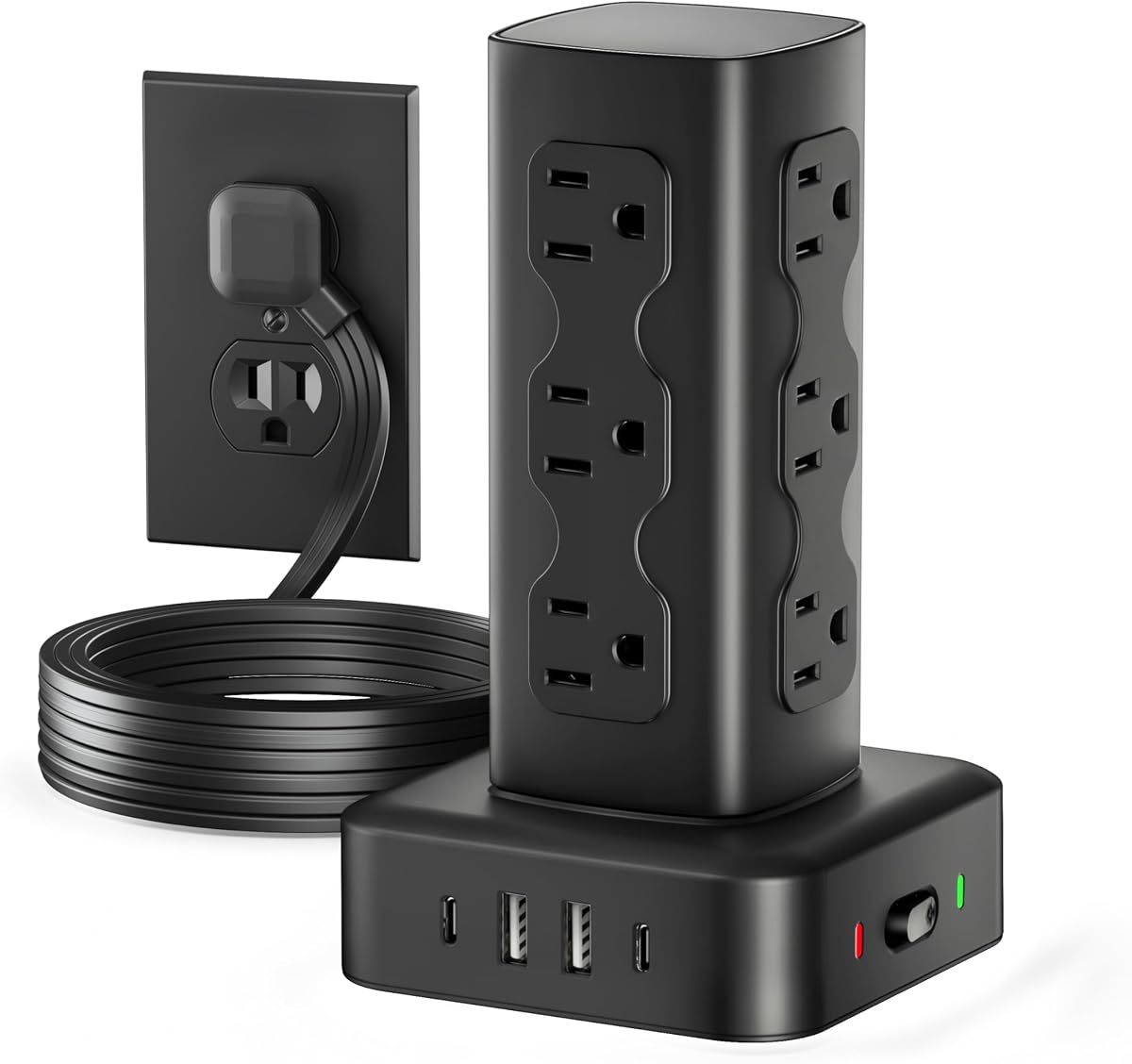
The Power Strip Tower with 12 AC 4 USB offers an unusually capable combination of outlet capacity and surge protection at a budget-friendly tier. Its 4.7 rating is among the highest in the guide, and the combination of twelve AC outlets, two USB-A ports, and two USB-C ports makes it a straightforward 16-in-one charging station.
We may earn a commission when you buy through this link, at no additional cost to you.
The most notable technical feature is its 2,000-joule surge protection, which exceeds the ratings listed for every other product in this comparison. It also includes short-circuit, over-current, overcharging, and overheat protection. A 0.31-inch flat plug and six-foot extension cord make it easier to position behind furniture, while the vertical format limits the amount of desk surface it occupies.
Its USB-C output tops out at 15 watts, so it should not be considered a fast-charging replacement for a 65-watt USB-C wall charger. The six-foot cord is fixed rather than retractable, meaning users cannot shorten the visible run of cable. Neither issue is especially troublesome for a permanent desk installation, but they do make the tower less refined for frequent repositioning.
This is a strong recommendation for readers who want many outlets, solid surge protection, and basic USB charging without paying for a more advanced desktop charger. It is especially useful in dorm rooms, home offices, and bedside setups where affordability and practical capacity matter most.
A 2,000-joule rating is the highest listed among these towers. While no surge protector can eliminate every electrical risk, the higher figure indicates a substantial protection capacity for connected computers, monitors, and entertainment equipment.
The thin flat plug sits close to the wall, and the angled design helps avoid blocking an adjacent receptacle. This is particularly useful where furniture sits close to the outlet or where two wall plugs need to remain accessible.
We may earn a commission when you buy through this link, at no additional cost to you.
The TenTrend 230W Charging Tower leads this group in stated aggregate USB charging capacity. Its eight fast-charging ports include two orange USB-C connections rated up to 65 watts, two green USB-C connections rated up to 20 watts, and four blue USB-A connections rated up to 15 watts.
We may earn a commission when you buy through this link, at no additional cost to you.
The tower also supplies six AC outlets, enough for many common desk devices but fewer than the twelve-outlet models in this guide. A 0.31-inch flat plug and five-foot flat cable support tidy placement along a wall or desk edge, while the 3.15-by-3.15-by-5.12-inch body is designed to organize a dense collection of cords.
Its most important trade-off is the balance between AC and USB capacity. A buyer needing six or more conventional power connections may feel constrained, while someone with several USB-C laptops, tablets, phones, and accessories will find the 230-watt platform more relevant. The individual port ratings also should not be read as guaranteed simultaneous maximums, because the total output is shared across the charging system.
This is a strong pick for a USB-heavy professional desk where laptop charging is a priority and six AC outlets are sufficient. It is less suitable for home theaters or offices that rely primarily on numerous bulky AC adapters. For high-power charging with a compact footprint, however, it is one of the most advanced options listed.
The two 65-watt USB-C ports make the tower useful for compatible laptops that need more power than a conventional phone charger can deliver. Additional 20-watt and 15-watt connections support a varied collection of smaller devices at the same time.
The stated dimensions are compact enough to move between rooms or pack when needed. Four sides provide separate cable paths, which can prevent a dense group of adapters from hiding one another.
We may earn a commission when you buy through this link, at no additional cost to you.
The TenTrend 40W Flat Plug Tower combines 12 AC outlets with eight smart-charging USB connections and earns a 4.7 customer rating. It is a practical all-in-one option for a home, office, or dorm where many conventional plugs and several USB accessories need to share one outlet.
We may earn a commission when you buy through this link, at no additional cost to you.
Two USB-C ports provide up to 20 watts each, and the USB-A ports can supply up to 12 watts. A particularly useful physical feature is the 10-foot pure-copper extension cord, which provides ample reach from distant wall outlets. The 0.27-inch flat plug and 45-degree right-angle body help the tower fit behind a sofa, nightstand, or other furniture.
The tower uses fire-resistant ABS and PC material and includes overload protection and an on/off switch. It should not, however, be confused with a high-power laptop charger because 20 watts is the listed maximum for each USB-C connection. The fixed cord is also less adaptable than the retractable designs offered by two Kakyanill models and JACKYLED.
This model is best for users who prioritize outlet count, a long reach, and a slim wall plug over maximum charging speed. The 4.7 rating supports its general appeal, while the generous cord makes it particularly practical when the nearest usable wall outlet is not directly beside the desk.
The ten-foot cord provides flexibility in rooms where a short power lead would force the tower into an awkward position. Its thin profile also allows it to run along a wall or under furniture with less visual bulk.
The two 20-watt USB-C ports are suitable for many current smartphones, tablets, earbuds, and similar accessories. They are most effective when used for devices that accept 20-watt charging rather than high-power laptops.
We may earn a commission when you buy through this link, at no additional cost to you.
The Anker Desktop Charger is a focused premium charging tower with a 4.7 customer rating. Unlike the larger general-purpose strips in this guide, it centers on high-speed charging, with four USB-C ports, two USB-A ports, and three protected AC outlets in a compact 9-in-1 format.
We may earn a commission when you buy through this link, at no additional cost to you.
Its major advantage is USB-C power delivery of up to 100 watts on each of the first two USB-C ports when used individually. That capability makes the charger relevant to compatible laptops, tablets, and other high-demand devices. The remaining connections support a broader mix of accessories, while the 19.75-ounce weight is intended to provide stable desktop operation.
The trade-offs are clear. Three AC outlets are considerably fewer than the twelve offered by many competing towers, and the listed 300-joule surge rating is the lowest in the comparison. The 100-watt capability also depends on using a compatible device, suitable cable, appropriate port, and the correct power configuration; the top rating should not be interpreted as 100 watts for every USB-C device.
This is the premium choice for a desk where USB-C laptop charging is the central requirement and conventional AC capacity is less important. It is less suitable for a room with numerous bulky power adapters. For a streamlined, high-power desktop charging setup, it offers capabilities that most competitors in the guide cannot match.
The ability to deliver up to 100 watts makes this a desktop charging platform rather than merely a convenience hub. Compatible laptops can use one port while other devices remain connected to the additional USB and AC connections.
At 19.75 ounces, the charger is described as approximately the weight of a full 500-milliliter water bottle. That balance of mass and compact size supports a stable setup while keeping the footprint smaller than a high-outlet traditional tower.
We may earn a commission when you buy through this link, at no additional cost to you.
The 10FT Tower Power Strip with Dedicated 20W PD USB-C Port offers twelve AC outlets, three USB-C connections, and two USB-A ports in a 17-in-one vertical format. Its 4.5 rating reflects a versatile design built around a dedicated high-speed charging path.
We may earn a commission when you buy through this link, at no additional cost to you.
The dedicated USB-C port can charge an iPhone 17 from 0 to 50 percent in about 30 minutes according to the product information. Other USB connections can supply power to earbuds, smartwatches, and power banks. A weighted base, 1.5-inch outlet spacing, and a 45-degree flat plug help the tower remain stable and fit neatly behind furniture.
The product's 1,800-joule surge protection is among the stronger ratings in the guide, and the housing is described as flame retardant. Its ten-foot flat cord provides considerable reach, although the fixed length leaves extra cable visible and cannot be wound into the tower as with a retractable model. Users should also not assume that every USB-C port offers the dedicated port's full 20-watt output.
This tower is well suited to a family or shared workspace where a fast USB-C port should remain available while many other devices use conventional plugs. It is less attractive for buyers who want a compact premium charger or the strongest possible multi-port power delivery, but its outlet capacity and long cord are highly versatile.
Giving one USB-C port a clearly defined 20-watt role makes it easier to keep a compatible phone ready throughout the day. The remaining ports handle accessories and additional devices without requiring a collection of wall adapters.
The weighted, non-slip base is designed to resist tipping when substantial plugs are inserted or removed. Generous outlet spacing further reduces the chance that a bulky adapter will interfere with nearby connections.
We may earn a commission when you buy through this link, at no additional cost to you.
The 6FT Power Strip Tower Surge Protector combines 12 AC outlets and four USB ports in a compact vertical package. Its 4.7 rating is among the strongest customer-feedback results in the guide, and the mixture of two USB-A and two USB-C connections makes it suitable for common household and office accessories.
We may earn a commission when you buy through this link, at no additional cost to you.
Its most attractive quality is the balance between capacity and footprint. The tower measures 3.15 by 3.15 by 5.79 inches, uses four rubber feet for stability, and includes widely spaced AC outlets. A 0.30-inch flat plug and six-foot cord allow flexible placement without adding a large block to the wall.
The USB system has a total output of 3.4 amps. The product information lists up to 3.1 amps for USB-A and 3.4 amps for USB-C, describing the USB-C option as up to 30 percent faster than a standard 5-watt charger. These are useful everyday charging speeds, but the shared total means several high-output devices may reduce individual performance.
This model is a good middle ground for readers who want a small tower, many AC outlets, and capable USB-C charging without moving into a high-wattage desktop charger. Its protection features and 4.7 rating make it a confident choice for a dorm, office, or permanent bedside station.
The vertical body preserves a small desk footprint, yet the outlets are spaced widely enough for larger wall adapters. That combination is particularly useful in crowded work areas where a conventional horizontal strip would be awkward.
Two USB-A and two USB-C ports support older accessories as well as newer devices that favor USB-C. A total 3.4-amp output is enough for common charging routines but does not promise advanced power delivery.
We may earn a commission when you buy through this link, at no additional cost to you.
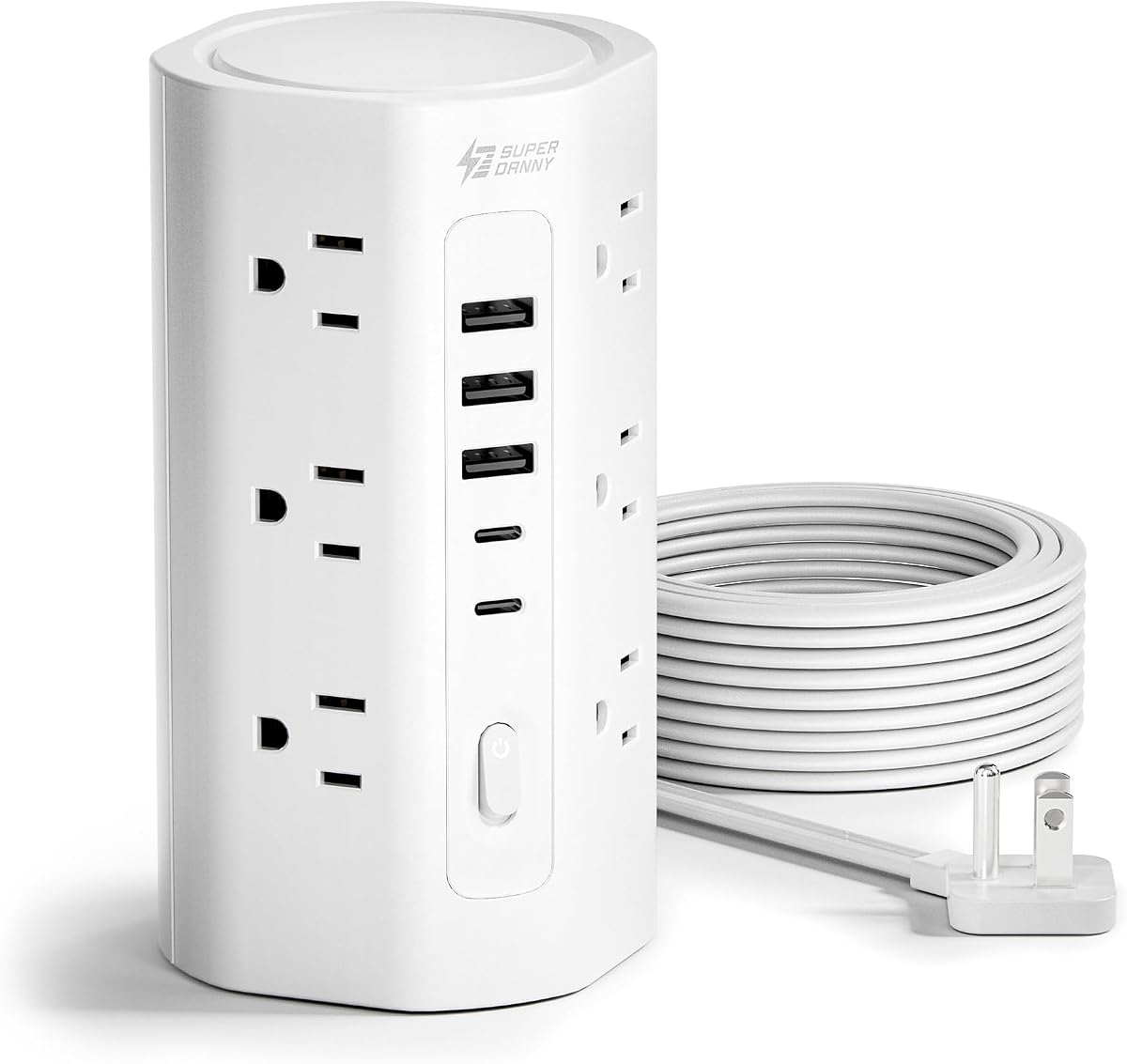
The SUPERDANNY 12 AC 5 USB Tower is a 17-in-one power strip with a 4.7 customer rating, twelve widely spaced AC outlets, three USB-A ports, and two USB-C ports. It is designed as a comprehensive centralized power point for homes, offices, and dorm rooms.
We may earn a commission when you buy through this link, at no additional cost to you.
Its strongest feature is the breadth of protection. The listed safeguards include 1,700-joule surge protection, 10-amp and 1,250-watt overload protection, grounded protection, short-circuit protection, over-current protection, over-voltage protection, overheat protection, and a V-0 fire-retardant casing rated to 1,382 degrees Fahrenheit. A three-year maintenance or replacement plan adds another layer of buyer reassurance.
The 0.31-inch flat plug and 0.12-inch-thick ten-foot cord are useful where the outlet is distant or the cable must run along a wall. The compact 3-by-3-by-5.9-inch body has four anti-slip feet, and the 1.5-inch outlet spacing accommodates large plugs. USB charging is more modest, with the USB-C connections listed at 5 volts and 3 amps and no laptop-grade power delivery.
This tower is a strong pick for a shared family charging area or a permanent workstation where electrical protection and flexible AC capacity are the priorities. It is less suitable for a desk organized around a single high-power USB-C laptop, but its comprehensive safeguards and long, thin cord make it an excellent general-purpose option.
The tower addresses surges, overloads, short circuits, excessive current, excessive voltage, and overheating. Such a broad list of protections is useful in a home with varied electronics, especially when several high-draw appliances share the same connection.
The ten-foot extension cable provides ample reach, and its narrow 0.12-inch profile makes it easier to route along baseboards, behind furniture, or around a desk. The angled plug preserves access to an adjacent wall outlet.
We may earn a commission when you buy through this link, at no additional cost to you.
The best charging tower depends on how many devices you need to power, the kinds of chargers you use, and how much room is available. Outlet count, USB power, surge protection, cord design, and placement should be evaluated together rather than in isolation.
A tower with twelve AC outlets offers more flexibility than one with three or six, particularly in offices, dorm rooms, and entertainment centers. The headline count matters less if neighboring outlets cannot accept bulky adapters. Models with outlet spacing around 1.5 inches are better for large laptop bricks, while the JACKYLED provides 2.2-inch spacing, making it especially useful in dense setups.
Choose based on the number and size of your connected devices. More outlets are helpful for monitors, computers, speakers, lamps, printers, and charging stands, but a compact three-outlet premium charger may be sufficient for a laptop-centered desk.
USB-A and basic USB-C ports are convenient for phones, earbuds, watches, and small accessories, but they are not equivalent to high-wattage USB-C power delivery. The Anker offers up to 100 watts on each of two USB-C ports, the TenTrend 230W model includes two 65-watt ports, and the Kakyanill 115W model provides two 65-watt ports. These options can serve compatible laptops, while lower-wattage towers are better for everyday accessories.
Check the device's charging requirements, the port used, and the cable standard before expecting a stated wattage. Shared power systems may reduce individual output when several devices are connected, so the highest headline number is not always the most practical figure for every setup.
Some towers advertise an impressive number of USB ports without making the shared capacity equally prominent. The JACKYLED's six USB connections share 24 watts, the Kakyanill 9 AC 8 USB model has 4.8 amps of shared output, and the 6FT 12 AC 4 USB Tower has a 3.4-amp total. These figures are adequate for many accessories but may be limiting for multiple demanding devices.
Prioritize models that distinguish dedicated high-power ports from shared outputs. A dedicated 20-watt or 65-watt port can be more useful than several basic ports when a user regularly needs quick phone or laptop charging.
Surge protection is one of the most important distinctions among otherwise similar towers. The Olcorife model lists 2,000 joules, the 10FT Tower with 20W USB-C and 6FT 12 AC 4 USB Tower each list 1,800 joules, and the SUPERDANNY provides 1,700 joules. The Anker lists 300 joules, which is lower but may still be appropriate for a focused electronics setup.
A larger joule rating is generally preferable when more expensive equipment is connected, although it should be considered alongside overload, short-circuit, overheat, and grounding safeguards. Protection is an important part of the purchase, not an optional extra.
Cord design determines how neatly the tower can be positioned. Retractable models from Kakyanill and JACKYLED let users pull out only the required length and wind the excess back into the base. Fixed-cord towers offer ten feet of reach or a compact six-foot lead, but extra cable may remain visible and cannot be stored inside the unit.
Choose a retractable cord for a frequently adjusted or visually tidy workstation. Choose a long fixed cord when the wall outlet is far away, and a shorter cord when the tower will stay in one location close to the receptacle.
Flat plugs range from 0.27 to 0.31 inches thick in this group, allowing the tower to sit closer to a wall than a conventional projecting plug. Several models also use a 45-degree right-angle body to preserve access to neighboring receptacles. These details are especially useful behind sofas, beds, bookcases, nightstands, and headboards.
Look beyond the plug thickness and consider the tower's full dimensions, cable route, and nearby furniture. A slim plug can still create a noticeable gap if the extension cord must bend sharply or cross an exposed walking area.
The towers range from compact 3-by-3-inch footprints to slightly larger 3.4-by-3.4-inch bodies, and most are intended to stand vertically on a desk, nightstand, or floor. Stability becomes important when plugging and unplugging equipment or using bulky adapters. Several options include anti-slip rubber feet, while the 10FT model adds a weighted base and the Anker's 560-gram weight is intended to resist movement.
For portable use, check the dimensions and weight before purchasing. For a permanent desktop, prioritize a stable base, accessible switches, and a cord length that reaches without crossing a frequently used walkway.
Look for overload and short-circuit protection as standard features, and examine whether the listing also mentions surge, over-current, over-voltage, overheat, or fire-retardant housing. The Kakyanill 9 AC 8 USB Tower is described as UL and FCC certified, JACKYLED lists RoHS and FCC certification, and several other models identify their flame-resistant materials and built-in circuit breakers.
Treat certification and stated protections as buying criteria rather than afterthoughts. A tower that organizes many devices into one point should be more than a convenient block of sockets; it should also be designed to manage the electrical demands placed on that connection.
Place the tower on a stable, dry surface and route the extension cord so it does not create a trip hazard, pinch the cord, or sit beneath furniture that could damage it. Confirm that the wall receptacle and connected equipment are compatible with the tower's stated voltage, amperage, and wattage limits. For retractable models, pull the cord fully to the desired length before rotating the body to retract it.
Distribute demanding loads sensibly and use the correct port for each device. A high-wattage USB-C laptop should be connected to a port that supports its required power delivery, while basic accessories can use USB-A or lower-output USB-C connections. Do not treat a shared total wattage as a guarantee for every device, and follow any manufacturer warning about removing a phone case during charging.
Inspect the tower periodically for dust, discoloration, loose plugs, damaged insulation, or unusual heat. Unplug it before cleaning, and use a dry or lightly damp cloth rather than pouring liquid into the outlets. Reset the breaker or use the off switch if protection activates, and contact the manufacturer or a qualified electrician if faults, repeated shutdowns, or visible damage occur.
A charging tower arranges outlets vertically to save desk or floor space, while many models also include USB-A and USB-C charging ports. A regular strip is usually horizontal and may require more surface area. Towers can also offer retractable cords, widely spaced outlets, individual switches, and surge protection, but their exact features vary by model.
The physical connection count may be as high as 20 across AC and USB connections, but the number that can operate at full performance depends on the model. AC outlets are constrained by the circuit rating, while USB output is often shared. Always check both the port count and the power-sharing specifications before connecting several demanding devices.
Only if the tower includes a USB-C port with sufficient power delivery for that laptop. The Anker 100W, TenTrend 230W, and Kakyanill 115W models are the strongest options here for compatible laptops, while most lower-wattage towers are intended for phones, tablets, and accessories. The cable must also support the required charging standard and power level.
The vertical shape itself does not determine safety. What matters is the quality of the internal components, circuit ratings, surge and overload protection, housing material, and correct use. All products in this guide include multiple stated safeguards, but buyers should still follow operating limits, avoid overloading, and inspect the unit for damage.
A tower can remain connected for regular use, especially when it has individual switches or an on/off control. Turning off or unplugging it during long absences can reduce unnecessary standby consumption and make routine inspection easier. If protection trips repeatedly, do not simply reset it without checking whether too many high-draw devices are connected.
A retractable cord is often neater and easier to reposition because the unused length can be stored inside the tower. A fixed cord can be simpler and may provide a long, consistent reach when the wall outlet is far away. The better choice depends on placement, portability, and how much visible cable you are willing to manage.
The appropriate level depends on the equipment, electrical environment, and risk tolerance. In this guide, surge ratings range from 300 joules to 2,000 joules, and many products also list overload, short-circuit, over-current, over-voltage, and overheat protection. For valuable computers, displays, or entertainment equipment, a higher stated rating and broad protection suite are sensible priorities.
No. Some models assign higher power to specific ports while sharing a lower total across the remaining connections. The dedicated 20-watt port, the 65-watt and 100-watt configurations, and the shared 24-watt systems in this guide all behave differently. Check the port-specific ratings and your device's requirements before assuming a full-speed connection.
The JACKYLED 12 AC 6 USB Tower is the strongest all-around choice for readers who need a large number of AC outlets, individual layer controls, and a retractable cord. The Anker Desktop Charger leads for premium USB-C performance, while the Power Strip Tower with 12 AC 4 USB offers an accessible combination of outlet capacity, strong surge protection, and essential USB connections.
Prioritize the type of power your devices actually need. Choose a high-wattage USB-C model for compatible laptops, a high-outlet tower for numerous conventional adapters, and a retractable design for flexible or visually tidy workspaces. Cord reach, flat-plug clearance, outlet spacing, and the size of the device footprint can be just as important as the headline charging output.
Before purchasing, compare the current listing with the requirements of your devices and confirm that the tower's total ratings match your intended load. Prices, product details, and customer ratings can change, so verify the latest information and current cost on the product page before making a final decision.