
Kensington VeriMark Desktop 1.0
4.1Editor score
Windows Hello for Business
FIDO2 and U2F support
Anti-spoofing protection
Three-point-nine-foot cable
Fingerprint Readers Windows guide compares 10 biometric scanners for Windows 10 and 11, covering Windows Hello, setup, security, cables, and multi-user support.
Fingerprint readers for Windows add convenient biometric sign-in to desktops and laptops that lack a built-in sensor. The most useful models work directly with Windows Hello, support multiple users, and avoid unnecessary software. Cable length, sensor angle, recognition speed, security design, and operating-system compatibility also separate practical everyday devices from disappointing alternatives.
This guide compares ten USB fingerprint readers based on their supplied specifications, platform support, authentication features, installation requirements, cable flexibility, and multi-user capabilities. It covers options focused strictly on Windows Hello as well as readers that also support FIDO2, CTAP2, password managers, or encrypted-file features. Every recommendation is designed for genuine compatible Windows systems.
The list begins with a strong general-purpose Windows reader and then considers business-certified, feature-rich, compact, and budget-oriented alternatives. Individual ratings are included for context, but compatibility and security features often matter more than a small difference in customer feedback. Prices and promotions change over time, so compare the latest listing details before making a final purchase.
4.1Editor score

4.3Editor score

4.2Editor score
This side-by-side comparison highlights the different Windows compatibility, authentication standards, security approaches, placement options, and fingerprint capacities offered by the ten readers.


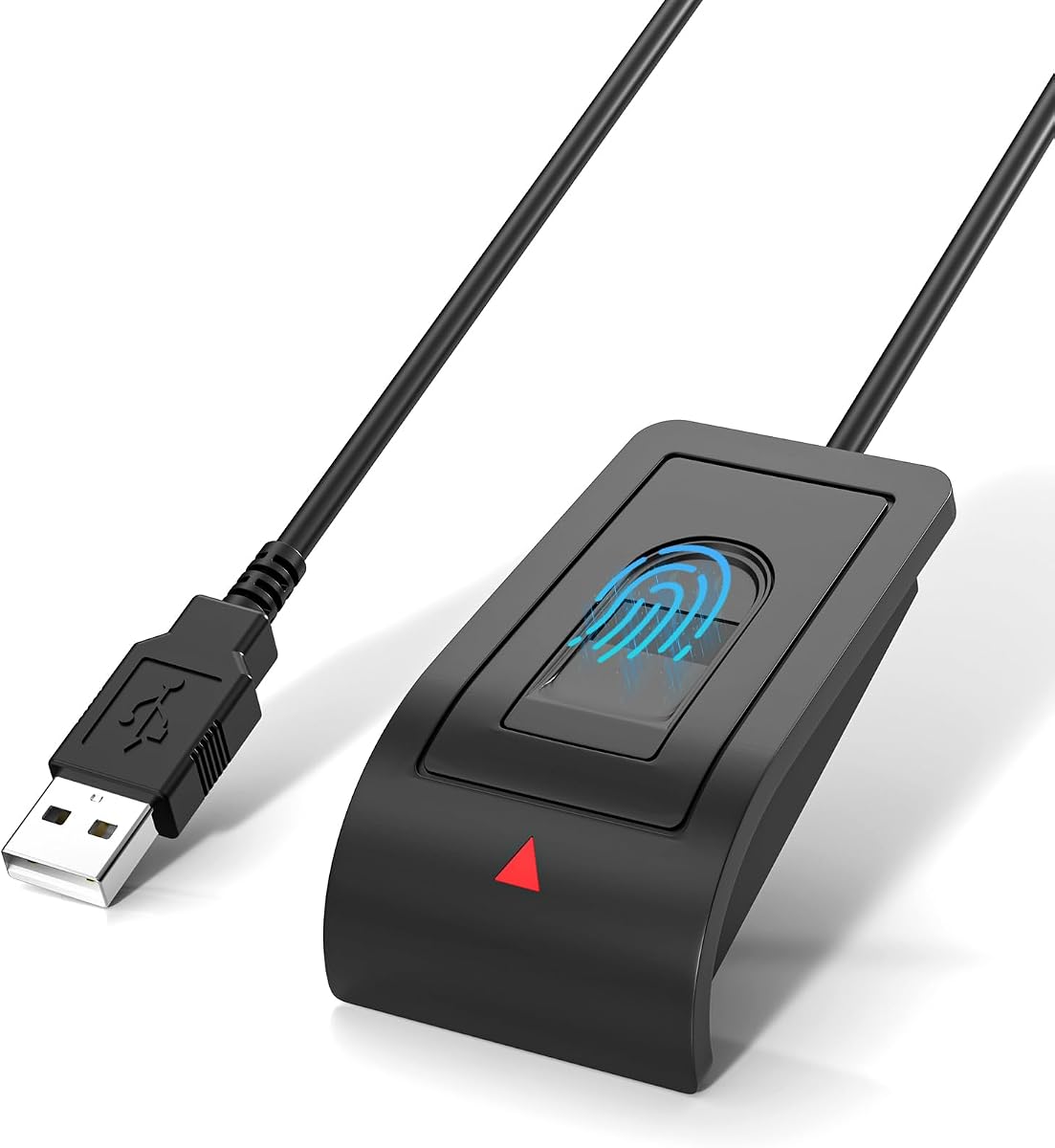



This reader is the most balanced overall option in the guide because it concentrates on the feature most Windows users want: reliable one-touch sign-in through Windows Hello. Its 4.3 rating reflects solid customer feedback, while the stated specifications emphasize clear platform boundaries, local biometric processing, and a straightforward USB installation. It is designed exclusively for genuine Windows 10 and 11 systems.
We may earn a commission when you buy through this link, at no additional cost to you.
The main appeal is Match-in-Sensor processing, which performs fingerprint matching within the sensor rather than transferring fingerprint images to an external service. The supplied information also says biometric data remains on the Windows device and is not uploaded or synced. Support for up to ten fingerprints makes it practical for a household with several Windows accounts, while the angled sensor and four-foot extension cable help place the unit comfortably on a desk.
There are trade-offs. This is not a Mac or Linux device, and it does not offer the FIDO2, CTAP2, or password-manager functions found on some business-oriented alternatives. It also cannot bypass Windows Hello setup if that option is missing or disabled. Users may need to update Windows or adjust system settings, although that is a configuration issue rather than a hardware limitation.
It is best for a Windows desktop or laptop owner who wants a dedicated sign-in device, uncomplicated installation, local processing, and flexible placement. Users who rely on passkeys through FIDO2 or passwordless access to password managers should choose a more specialized reader. For everyone else, this is a well-rounded and easy-to-understand choice.
Because the reader works through the operating system's built-in Windows Hello framework, it avoids a separate application and keeps the enrollment process within familiar Windows settings. Confirm that Windows Hello is enabled before buying, particularly on older or heavily customized installations.
Match-in-Sensor processing limits the need to move fingerprint data away from the reader. The product information states that biometric information stays on the local Windows device and is never uploaded or stored externally.
We may earn a commission when you buy through this link, at no additional cost to you.
The Kensington VeriMark Desktop 1.0 is the strongest premium selection for organizations and advanced users who need more than local Windows sign-in. Its 4.1 rating is supported by an extensive feature set covering Windows Hello, Windows Hello for Business, FIDO U2F, and FIDO2 WebAuthn. That broader protocol support makes it more versatile than a reader limited to one operating system's biometric framework.
We may earn a commission when you buy through this link, at no additional cost to you.
Its anti-spoofing system and Match-in-Sensor Fingerprint Technology are especially relevant for managed offices. The stated performance figures include a 2% false rejection rate and 0.001% false acceptance rate, while 360-degree readability is intended to improve consistency regardless of finger angle. It is also listed as suitable for federal institutions and for organizations working under privacy frameworks such as GDPR, BIPA, and CCPA.
The principal limitation is that Windows ARM-based computers are not currently supported according to the product information. Cost is another consideration because this reader occupies a more specialized position than basic Windows Hello hardware. Users who only want to replace a local PC password may find the added FIDO2 and enterprise capabilities unnecessary.
Choose this model for a business desktop, a security-conscious home office, or a computer used with FIDO2 services. It is especially attractive for IT administrators who value Windows Hello for Business and standardized security claims. Check the processor architecture first, particularly on newer devices, because the stated lack of ARM support is a meaningful compatibility boundary.
FIDO U2F certification and FIDO2 WebAuthn compatibility broaden the reader's role beyond PC sign-in. Depending on service support, it can provide strong single-factor, multifactor, Tap-and-Go, or security-token-style authentication.
Windows Hello for Business certification, anti-spoofing technology, and Match-in-Sensor processing make this a more formal option for managed deployments. Organizations should still verify their own policies and service requirements before standardizing deployments.
We may earn a commission when you buy through this link, at no additional cost to you.
The ineo reader targets a straightforward need: adding one-touch Windows access to a PC or laptop without a built-in biometric sensor. Its 4.1 rating places it among the stronger-rated entries in the list, and its high-precision optical sensor, plug-and-play USB design, and compact enclosure make it an uncomplicated desk accessory. It is intended for Windows 10 and 11 rather than Mac systems.
We may earn a commission when you buy through this link, at no additional cost to you.
One particularly practical feature is the one-touch screen-lock workflow using the Win + L shortcut. That allows a user to secure the workstation simply by touching the reader after locking it, which is useful in offices, reception areas, and shared spaces. The five-foot cable offers ample freedom to position the sensor near the keyboard, while the small footprint avoids taking over valuable desk area.
The supplied specifications do not describe FIDO2, CTAP2, passkey, or password-manager support, so it should be treated as a Windows Hello reader rather than a universal security key. It also lacks the detailed anti-spoofing and false-match figures provided by several premium alternatives. Mac and Linux users are explicitly excluded.
This reader suits someone who primarily wants fast local sign-in, a practical lock function, and an easy-to-position sensor. It is a sensible option for home and office Windows computers where password entry is inconvenient but advanced web authentication is unnecessary.
The optical sensor is designed for quick response and reliable everyday recognition. Combined with native Windows Hello, it can reduce interruptions caused by repeatedly typing passwords during a normal workday.
The five-foot cable allows the reader to sit beside a monitor, keyboard, or laptop while staying connected. This is useful where the computer's USB port is crowded or located away from the preferred sign-in position.
We may earn a commission when you buy through this link, at no additional cost to you.
The RGB Windows Hello reader is the most feature-dense entry in the guide, with Windows Hello, FIDO U2F, FIDO2, RGB lighting, multi-user enrollment, and a long extension cable. Its 3.0 rating is the lowest among the ten products, so buyers should interpret the unusually broad feature list cautiously. It appears aimed at users who want web authentication, visual feedback, and local sign-in in one device.
We may earn a commission when you buy through this link, at no additional cost to you.
Its FIDO2 capability expands use beyond PC login to participating websites and applications such as Google, Facebook, Dropbox, and Microsoft accounts. It also advertises a 0.001% false acceptance rate, a 0.1% false rejection rate, matching in under half a second, and support for up to ten fingerprints. The four-point-nine-foot extension cable and selectable RGB effects make it visually distinctive and flexible to place.
The rating is the clearest reason for caution. Its compatibility claim also deserves close attention: the listing says it supports Windows 10, 11, and 12, while also referring to Windows 11 and genuine Windows devices. Not every Windows edition behaves identically, and non-genuine systems may require a manual driver update. Marketing language about “military-level” security does not replace independent verification.
It may suit an experimental setup that specifically needs both Windows Hello and FIDO2 functionality with RGB status lights. For a primary business or everyday sign-in device, a product with a higher customer rating and narrower, clearer compatibility statement may be less demanding. Users should confirm both the desired service support and their Windows edition before ordering.
The stated FIDO U2F and FIDO2 support lets the device act as a security key for compatible online services. Actual availability depends on each website, application, browser, and the credentials already configured for the account.
Thirty-eight RGB lighting effects provide visible status feedback and make the reader easier to locate on a desk. The nearly five-foot cable provides enough reach to position the illuminated sensor near the user's hand.
We may earn a commission when you buy through this link, at no additional cost to you.
This compact reader provides a direct route to Windows Hello sign-in for compatible Windows 10 and 11 systems. Its 4.1 rating indicates generally favorable customer feedback, and the supplied feature list emphasizes local biometric processing, stable recognition, and a simple USB connection. It is a practical option for users who value straightforward privacy controls over broader FIDO functionality.
We may earn a commission when you buy through this link, at no additional cost to you.
Match-in-Sensor processing is the central technical benefit. According to the product information, fingerprint verification occurs inside the sensor, while fingerprint information remains stored locally on the Windows device and is not uploaded or shared externally. The angled sensor surface is intended to make repeated daily touches more comfortable, and the four-foot cable permits flexible placement on a desk or workstation.
The reader is limited to Windows Hello rather than serving as a general FIDO2 key. The specifications also do not provide anti-spoofing details, formal certifications, or numerical false acceptance and rejection rates. As with any external biometric reader, results can vary with finger condition, sensor cleanliness, and how the device is enrolled.
Choose it when the goal is private local sign-in on a home or office PC without installing another application. It is particularly suitable for users who understand Windows Hello and want a compact reader with enough cable to reach a comfortable position. Those needing passkeys through FIDO2 should select a reader that explicitly supports that standard.
The stated local-processing design reduces the amount of sensitive information handled outside the reader. Windows remains responsible for account enrollment, sign-in, and the broader set of policies governing biometric data on the PC.
An angled sensor and a four-foot cable are modest features, but both affect daily usability. They help position the reader where the user's hand naturally rests rather than forcing a stretched or awkward touch.
We may earn a commission when you buy through this link, at no additional cost to you.
The Verifi P2000 Desktop stands out for its compatibility with Windows Hello, passkeys, and leading password-management software. Its 3.9 rating is moderate rather than exceptional, but the supplied specifications suggest a versatile authentication device for users who want more than local biometric sign-in. The high-definition imaging and three-dimensional touch capacitance technology are central to its positioning.
We may earn a commission when you buy through this link, at no additional cost to you.
Windows Hello and Windows Hello for Business certification support seamless integration with compatible Windows environments. Its passkey compatibility and stated support for leading password managers can also make it relevant to online workflows where users want hardware-assisted authentication or quick access to stored credentials. Additional Microsoft service compatibility includes Office 365 and other Windows Hello security applications.
The provided information gives less detail about cable length, anti-spoofing features, and false acceptance or rejection rates than some competing listings. Users should therefore check the current package contents and placement options. A desktop format can also be less convenient for frequent travel compared with a very small reader and short cable.
The P2000 is best for a fixed Windows workstation used with a compatible password manager or passkey service. It is also a sensible choice for offices already relying on Windows Hello for Business. Buyers prioritizing the widest documented set of software integrations should give it particular consideration.
Stated compatibility with leading password-management software broadens the reader's use beyond Windows sign-in. Check the exact manager and version you use, since credential access can still depend on browser support and account configuration.
Passkey compatibility makes this relevant as Windows passwordless sign-in expands. The reader's Windows Hello certification also provides a familiar native framework for enrollment and everyday use.
We may earn a commission when you buy through this link, at no additional cost to you.
Kensington's second-generation VeriMark emphasizes a combination of Windows Hello and Tap-and-Go CTAP2 authentication. Its 3.7 rating is below several alternatives, but the device targets users who need passwordless access across Windows and compatible web services. It supports up to ten fingerprints and is designed for both Windows 10 and Windows 11.
We may earn a commission when you buy through this link, at no additional cost to you.
Match-in-Sensor technology isolates fingerprint data within the sensor and transfers only an encrypted match, according to the product description. Anti-spoofing features and 360-degree readability complement that design. Tap-and-Go CTAP2 support extends the device into passwordless workflows, including authentication with popular tools such as Dashlane, premium versions of LastPass and Keeper, and RoboForm.
The reader is explicitly incompatible with macOS and ChromeOS, which makes platform selection important. It also does not offer the U2F and FIDO2 combination listed for the newer Kensington VeriMark Desktop 1.0. Its enterprise claims are useful, but organizations still need to determine whether CTAP2 integration fits their specific identity platform and application stack.
Choose it for a Windows user who values Tap-and-Go and password-manager compatibility but does not need the broader FIDO2 support of the newer VeriMark model. It is particularly appropriate for managed deployments with compatible services. A Mac or ChromeOS user should look elsewhere.
The CTAP2 protocol allows a registered fingerprint to act as a quick hardware-assisted authentication method for compatible sites and password managers. Services must support the relevant protocol for this function to work.
Fingerprint data is described as isolated and secured inside the sensor, with only an encrypted match transferred. This approach complements the reader's anti-spoofing design and limits direct exposure of biometric data.
We may earn a commission when you buy through this link, at no additional cost to you.
The upgraded USB-A reader is a strong budget-oriented choice for Windows 10 and 11 users who need fast sign-in and multi-account support. Its 4.2 rating is among the better results in the guide. The product information highlights capacitive fingerprint technology, 360-degree detection, a stated 0.05-second response, and support for as many as ten user IDs.
We may earn a commission when you buy through this link, at no additional cost to you.
Setup is refreshingly direct: the reader requires no third-party software, and users complete enrollment through Windows Hello instructions. Its 1.5-meter extension cable provides ample placement flexibility, while the lightweight housing is small enough to move between a home setup, office, or laptop bag. The stated 1.92% false rejection rate and 0.002% false acceptance rate offer measurable performance context.
The main limitation is that it is presented as a Windows Hello reader rather than a FIDO2 security key. It also lacks the formal business certifications and detailed enterprise privacy claims associated with the Kensington models. No protection is claimed against unsupported operating systems or streamlined Windows editions, so buyers should verify their system before purchase.
This is a good choice for a shared family PC, small office, or student setup where multiple people need separate Windows accounts and quick local access. It is also a practical alternative for anyone who finds the Kensington products unnecessarily specialized. Native Windows enrollment and a generous cable make it approachable.
Windows Hello manages separate users and enrolled fingerprints, allowing the reader to serve a shared computer without one person's fingerprint becoming another person's login. The stated capacity of ten user IDs suits many households and small teams.
The capacitive sensor is advertised for a 0.05-second response and 360-degree recognition. As with any biometric reader, actual performance also depends on finger condition, enrollment quality, and system configuration.
We may earn a commission when you buy through this link, at no additional cost to you.
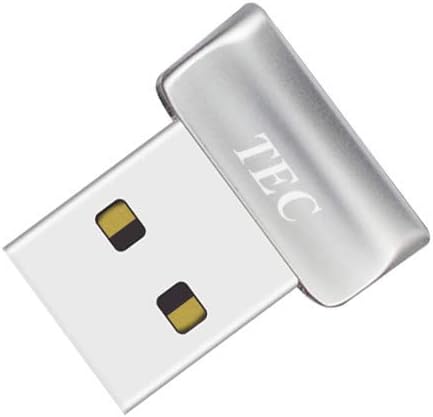
The TEC Mini USB reader combines Windows Hello authentication with document and folder encryption in a compact dongle format. Its 4.2 rating is strong for a device in this specialized category. The supplied information lists Windows 11 and Windows 10 support, fast fingerprint authentication, 360-degree recognition, and the ability to register multiple fingerprints.
We may earn a commission when you buy through this link, at no additional cost to you.
Its defining benefit is encrypted-file access. Rather than functioning only as a screen-unlock accessory, the reader can be used with supported file or folder encryption workflows, adding a biometric layer beyond simple PC sign-in. The mini enclosure is suitable for a crowded desk or a laptop setup where a larger desktop reader would be inconvenient.
The product explicitly does not work with ARM-based chipsets, an important restriction for users with newer ARM computers. The description also references troubleshooting instructions for driver installation, so a completely driver-free experience should not be assumed on every system. Detailed false-match figures and broader FIDO protocol support are not provided.
Choose the TEC Mini when you want Windows sign-in and biometric access to protected documents on a compatible Intel or AMD Windows system. It is less suitable for ARM hardware, highly customized Windows installations, or users who require standardized FIDO2 support. Checking the supplied setup guidance before installation can prevent avoidable friction.
File and folder encryption support is the defining distinction here. It allows the reader to serve as a convenient verification tool for protected content in addition to Windows Hello screen access.
The reader is designed for conventional x86 Windows systems and explicitly excludes ARM-based chipsets. Users should also follow the listed driver troubleshooting steps if their installation does not detect the hardware immediately.
We may earn a commission when you buy through this link, at no additional cost to you.
The Yoidesu reader is a compact Windows Hello option designed for compatible 32-bit and 64-bit Windows 10 and 11 PCs. Its 3.9 rating is moderate, while the supplied features emphasize 0.5-second 360-degree recognition, multiple Windows account support, and up to ten fingerprints per user account. It is aimed at desktops, laptops, and shared home computers without built-in biometrics.
We may earn a commission when you buy through this link, at no additional cost to you.
The capacitive sensor and claimed half-second recognition offer a responsive alternative to typing passwords. Smart-ID functionality is described as protecting saved passwords and encrypted folders, expanding the device beyond screen unlock. Its small enclosure is easy to carry and occupies little desk space, which makes it practical for changing workspaces or travel.
The compatibility notes are unusually important. The reader does not support ARM-based chipsets, Windows streamlined editions, or a Lite version with the biometric component removed. It also warns that USB 3.0 docking stations may cause power or interference problems and unstable recognition, recommending a motherboard USB 2.0 connection where possible.
Choose this model for a compatible Windows computer when portability and multi-user access are priorities. Avoid it if your PC uses ARM architecture, relies exclusively on a USB 3.0 dock, or runs a limited Windows edition. Direct USB 2.0 connection offers the most predictable environment based on the product guidance.
The capacitive reader is specified for recognition in about half a second, with 360-degree touch intended to accommodate different finger positions. Enrollment quality and physical condition still influence real-world accuracy.
The manufacturer specifically warns about power supply and interference issues when the reader is connected through USB 3.0 docking stations. A direct motherboard USB 2.0 port is recommended for more stable recognition.
We may earn a commission when you buy through this link, at no additional cost to you.
The right Windows fingerprint reader depends on your operating system, authentication standards, workspace, number of users, and placement needs. These factors help narrow the field before you focus on the final listing details.
Begin by confirming that your computer runs a genuine, supported Windows edition. Most devices in this guide target Windows 10 and 11, while one listing also names Windows 12. The Yoidesu model supports original 32-bit and 64-bit systems but excludes streamlined editions, and both the TEC Mini and Kensington VeriMark Desktop list ARM-based chipsets as unsupported. Processor architecture matters because a Windows Hello label alone does not guarantee that every device will enumerate or authenticate correctly.
Most external fingerprint readers rely on the Windows Biometric Framework and Windows Hello for enrollment and sign-in. This is a major benefit because the operating system handles user recognition, password alternatives, lock behavior, and account integration. If Windows Hello is disabled or unavailable on your PC, a reader may need a system update or configuration change. Confirm that the feature is enabled and that your fingerprint templates can be created before treating the hardware as the only possible cause of a problem.
Windows Hello and FIDO-based authentication overlap, but they are not identical. FIDO2 and CTAP2 support can allow a reader to act as a hardware-assisted credential for compatible websites, passkey services, and password managers. The RGB reader lists both FIDO U2F and FIDO2, while Kensington models offer FIDO2 or CTAP2 in different combinations. Support for a protocol does not guarantee that every website will accept it, so check your essential services and password manager before choosing on this basis.
Match-in-Sensor processing is a meaningful security feature because fingerprint matching occurs inside the sensor, reducing the amount of raw biometric information transferred. Several products explicitly state that matching stays local and fingerprint data is not uploaded or externally synced. Windows ultimately controls enrolled templates and system-level biometric policy, so the security benefit is best understood as an additional layer rather than a replacement for sensible account security, screen locking, and timely software updates.
Cable length determines whether the reader can sit where your hand naturally rests. Four feet, nearly five feet, and five feet offer useful reach for laptops, monitors, and desktops whose USB ports are positioned awkwardly. The upgraded USB-A reader includes a 1.5-meter extension, while the Verifi P2000 listing does not specify cable length. Consider the routing, desk space, reach to your keyboard, and whether a long cable will be moved frequently or left vulnerable to snagging.
Capacitive and optical sensors are the two main technologies represented. Capacitive readers often advertise 360-degree detection and very fast response times, while optical models emphasize high-definition imaging and three-dimensional touch capacitance. None of these specifications eliminates the effect of dry fingers, cuts, dirt, or poor enrollment. Look for an angled surface that supports a natural touch, and plan to enroll more than one finger if your priority is reliable recognition throughout the day.
Several readers support up to ten fingerprints, making them suitable for shared family PCs or small offices. Windows maintains separate account and enrollment associations, so each user can register appropriate fingers without sharing one login. Enterprise buyers should look beyond capacity and consider Windows Hello for Business certification, enterprise management support, privacy framework alignment, and protocol compatibility. The Kensington options are better suited to formal managed deployments than basic Windows Hello-only devices.
Some listings publish false acceptance rate, false rejection rate, and response-time figures, while others provide only general claims about accuracy. Published figures can help compare specifications, but they are not a substitute for independent testing or consistent real-world conditions. Look for clear customer support, troubleshooting guidance, and a clear explanation of setup. The TEC reader provides direct support and installation instructions, while several plug-and-play readers emphasize automatic Windows recognition on genuine systems.
Start by connecting the reader directly to a USB port on the computer. On compatible genuine Windows systems, open the Windows Hello fingerprint enrollment area under Windows Settings, choose the relevant add-fingerprint option, and follow the on-screen prompts. The first touch usually registers the finger, while a second capture confirms it. Repeat the process for additional fingers and users as needed, assigning the right fingerprint to the correct Windows account before leaving the setup screen.
After enrollment, test the reader while the monitor is at its normal sign-in screen. Confirm that Windows offers fingerprint authentication as an available method, and verify that the fallback PIN or other sign-in option still works. For quick locking, use the Windows Lock command, shown in the product information as Win + L, before touching the sensor. For websites and password managers, enable the relevant FIDO2, CTAP2, or passkey feature separately and complete each service's registration process.
Keep the sensor clean and dry, and avoid scraping or pressing hard on the recognition surface. Wipe it with a soft, lint-free cloth when needed, and never use liquids directly on the reader. Use gentle, natural finger placement and re-enroll a finger if recognition becomes inconsistent. Do not share access to enrolled fingerprints, and review enrolled biometric data in Windows Settings if a user leaves, loses access, or changes accounts.
No. A compatible Windows edition, enabled Windows Hello framework, supported processor architecture, and an available USB connection are all important. Some products explicitly exclude ARM-based chipsets, streamlined Windows editions, or certain USB 3.0 docking arrangements. Check both the computer's operating system and the reader's limitations before purchasing.
They can replace routine password entry through Windows Hello, but Windows normally retains a PIN or another recovery method. That fallback is useful if a sensor fails, a finger cannot be read, or the reader is temporarily unavailable. It is wise to keep a strong, unique password as your primary account credential and use biometrics as a convenient unlock layer.
Several readers in this guide support up to ten fingerprints, and Windows can associate separate fingerprints with separate local accounts. Each person should enroll through their own account rather than sharing an existing user's fingerprint. Shared-computer buyers should also confirm that the specific reader supports the required number of users.
Windows Hello is Microsoft's built-in biometric framework for local device authentication and can integrate with some Microsoft services. FIDO2 and CTAP2 are web authentication standards that can support passkeys, security-key behavior, and compatible online services. A reader with both offers more options, but each website or password manager must support the relevant standard.
Products with Match-in-Sensor processing perform matching inside the sensor, which reduces the need to transfer raw fingerprint data. Several listings explicitly state that biometric information remains local and is not uploaded or externally stored. Windows still manages the enrolled templates and local sign-in policy, so users should review their organization's security requirements as well.
Power delivery, USB controller behavior, and interference can affect biometric recognition, especially with USB 3.0 docks. The Yoidesu listing specifically recommends a direct motherboard USB 2.0 port for more stable results. If recognition is inconsistent, try a direct USB connection before suspecting the fingerprint itself.
Only when both the reader and the relevant software support that function. The RGB reader lists FIDO2 and U2F, the TEC Mini lists document and folder encryption, and the Verifi P2000 lists passkey and password manager compatibility. Basic Windows Hello readers are primarily intended for local Windows sign-in and should not be assumed to unlock arbitrary websites or encrypted content.
Keep the sensor free of dust, oils, and moisture, and place your finger naturally without excessive pressure. Dry or damaged fingers can produce false rejections, so enroll more than one finger for important accounts. If recognition deteriorates, clean the surface, review Windows enrollment settings, and repeat the fingerprint capture when needed.
The USB Fingerprint Reader for Windows 10/11 ONLY is the strongest all-around choice because it combines native Windows Hello operation, Match-in-Sensor processing, a four-foot extension cable, and support for ten fingerprints. The Kensington VeriMark Desktop 1.0 is the premium option for buyers who value Windows Hello for Business, FIDO2, anti-spoofing features, and formal enterprise positioning.
For budget-focused shopping, the Upgraded USB-A Fingerprint Reader offers a 4.2 rating, fast capacitive recognition, ten-user enrollment, and a 1.5-meter cable without third-party software. If you need a specific protocol, prioritize FIDO2 or CTAP2; if you need encrypted files, examine the TEC Mini; and if portability is central, confirm processor and connection limitations before choosing the Yoidesu model.
Before ordering, verify your Windows version, processor architecture, Windows Hello availability, and required online services. Then compare sensor placement, cable length, privacy design, and multi-user enrollment against your workspace. Product availability and prices can change, so check the current listing and latest technical notes at the time of purchase.
