
5ft Three-Prong AC Power Cord
4.7Editor score
Universal three-pin connection
Heavy-duty 18 AWG wiring
Five-foot flexible reach
Molded strain-resistant design
An HP monitor replacement power cord can restore a display that no longer receives reliable power, but the correct model depends on more than the HP name printed on the bezel. Output voltage, connector dimensions, tip color, wattage, and the monitor's exact model code must all be considered before making a purchase.
This guide compares ten replacement options covering common 19V, 19.5V, and 12V HP monitor configurations, along with standard AC power cables. The comparison examines connector design, supported models, input range, power output, cable length, safety claims, installation convenience, and important compatibility exclusions.
Each pick represents a different practical route: a broad 19V replacement, a conventional three-prong AC lead, a dedicated VH240A supply, blue-tip M-series adapters, and a 12V option for older HP displays. Product details and market conditions can change, so confirm your monitor specifications and current listing information before ordering.
4.7Editor score
4.4Editor score

4.6Editor score
As an Amazon Associate we earn from qualifying purchases.
The table below compares each cord by power configuration, connector style, supported HP monitor families, and reach. It makes clear that a replacement power lead is not interchangeable across every HP display, especially when voltage and blue-tip models are involved.




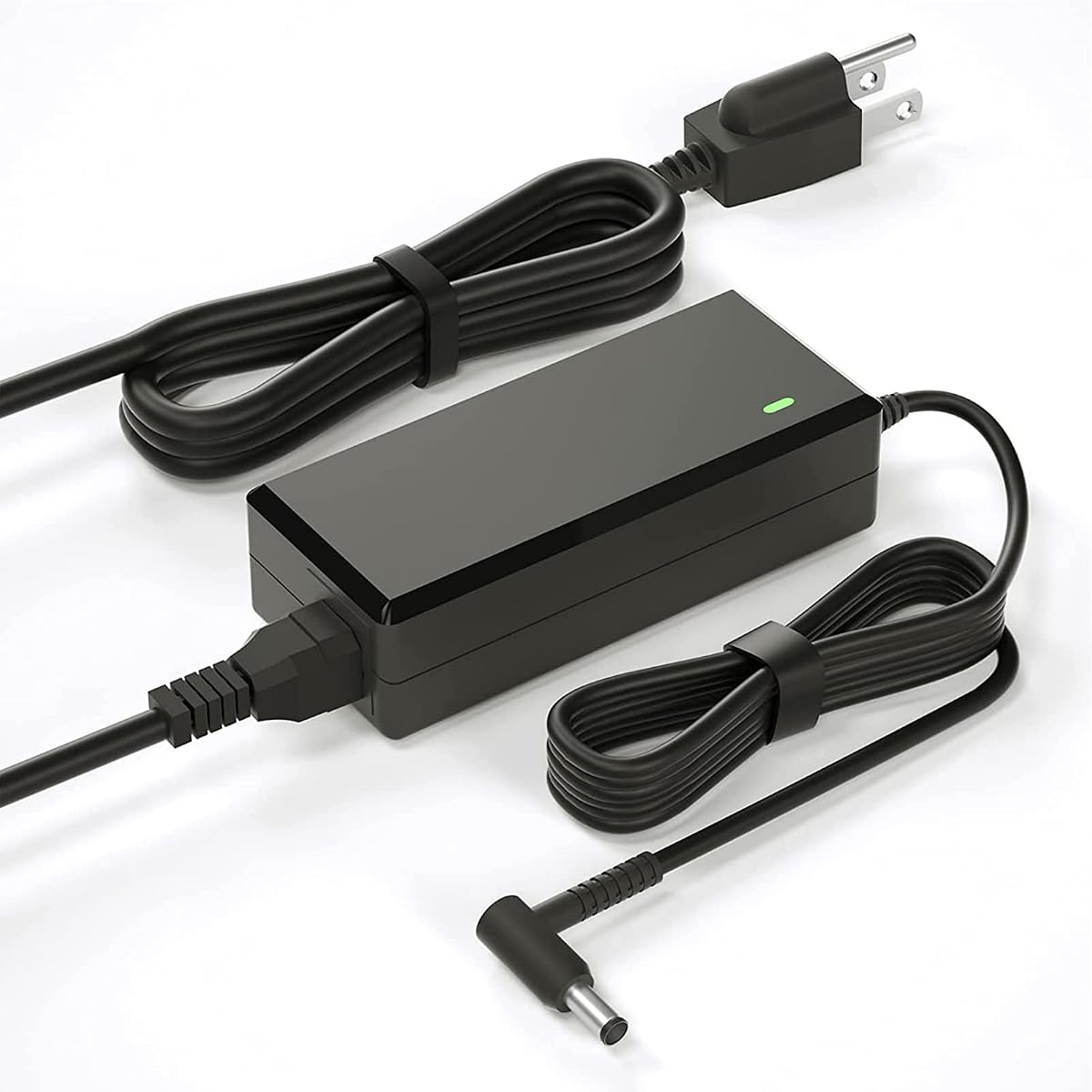
This replacement power supply has a 4.4 rating and stands out for its unusually broad coverage of common HP desktop monitors. The listing supports numerous 19V models, including several Pavilion and 20-, 22-, 23-, 24-, 25-, and 27-inch families, with references to parts such as ADPC1945, ADPC1965, 700392-001, and 735297-001.
We may earn a commission when you buy through this link, at no additional cost to you.
Its electrical specification is 19V at up to 3.42A and 65W, with a listed input range of 100–240V. The product description also identifies compatibility with lower-current 19V devices, which makes the maximum-current rating useful for matching the needs of many conventional HP monitors without treating every screen as if it requires the same output.
There are important limits. The listing expressly excludes the 2011X, 2211X, 2311X, 2511X, 2711X, M22F, M24F, M24FW, M27F, and M27FD families. It also warns that some monitor power ports do not contain metal contact pins and may require the included blue adapter cable, so buyers should inspect the socket and included parts before installation.
This is a strong overall choice for an owner of a listed 19V HP display who wants a complete replacement rather than merely a detachable wall lead. The long reach, extensive model references, and stated over-voltage, overload, over-current, and short-circuit protections make it particularly useful, provided the monitor does not belong to an excluded series.
The compatibility list is one of this adapter's most valuable features because it connects model names with several OEM part numbers. That gives buyers multiple ways to confirm a match, while the explicit exclusions help separate conventional 19V systems from M-series and X-series hardware.
The listed 8.2-foot power cord can simplify desk placement when the outlet is inconveniently located. The instruction to use a blue adapter for ports without internal metal contacts also reflects a practical detail that can prevent a confusing failed connection.
We may earn a commission when you buy through this link, at no additional cost to you.
This standard AC power cord has a 4.7 rating and offers the simplest possible solution when an HP monitor already has a detachable three-pin inlet and the original wall lead is missing or damaged. It does not include a voltage converter, so it is intended to replace the mains cable rather than an external power brick.
We may earn a commission when you buy through this link, at no additional cost to you.
The cord is five feet, or 1.5 meters, long and uses heavy-duty 18 AWG wiring. Its fully molded construction is designed for durability and repeated handling, while the three-prong configuration works with compatible monitors, televisions, printers, computers, and other electronics that accept the appropriate mating connector.
Its primary limitation is specificity hidden inside the word “universal.” Although the listing names many device categories, the cord still needs a matching three-pin device-side connection and a compatible 125V, 10A power path. It will not replace a 19V or 12V HP adapter, nor will it help a monitor with a permanently attached low-voltage cable.
For an owner seeking the most straightforward repair, this is a practical budget pick. It offers a high customer rating, robust molded construction, and enough reach for many desks without adding unnecessary conversion electronics. Verify the shape and configuration of the monitor's inlet before buying.
This option works best when the adapter brick and low-voltage lead remain intact and only the wall-side cord has failed. In that arrangement, the replacement connects the existing device inlet to a standard three-prong outlet without introducing a new converter.
The fully molded 18 AWG cable is built for regular movement around a desk. Its stated five-foot length offers enough flexibility for common placements while avoiding the excess cable management associated with a much longer lead.
We may earn a commission when you buy through this link, at no additional cost to you.
This dedicated VH240A-oriented replacement carries a 4.6 rating and stands out for its clear separation between the 4.9-foot AC cord and 3.9-foot DC lead. It is aimed at users who want a complete 19V replacement and are comfortable matching their monitor against the model and part-number references.
We may earn a commission when you buy through this link, at no additional cost to you.
The adapter delivers up to 19V at 3.42A and supports a 100–240V, 50/60Hz input range. The description also says it can work with outputs of 2.1A, 2.37A, 2.53A, and 3A, while listing numerous compatible screens, OEM parts, and even unrelated devices that use the same power characteristics.
Because the compatibility narrative extends beyond HP monitors, it may take more careful reading than necessary for a straightforward purchase. Buyers should concentrate on the display model, required output, and connector rather than assuming that every mentioned device relationship applies to their setup. The listing does not present this as a blue-tip M-series solution.
It is an attractive pick for owners of a compatible 19V VH240A-family monitor who value a longer cable arrangement and detailed safety information. The stated ETL, CE, FCC, and RoHS certifications, along with protections for over-voltage, overload, over-current, and short circuits, support confidence in the complete replacement assembly.
The product combines a detachable wall cord with a separate low-voltage adapter lead. This arrangement can make routing easier than a permanently attached power brick, particularly when the monitor sits near the edge of a desk or against a wall.
A 100–240V input range supports use across different regions and standard 50/60Hz power systems. The stated over-voltage, overload, over-current, and short-circuit protections provide a more complete safety profile than a simple replacement wire would offer.
We may earn a commission when you buy through this link, at no additional cost to you.
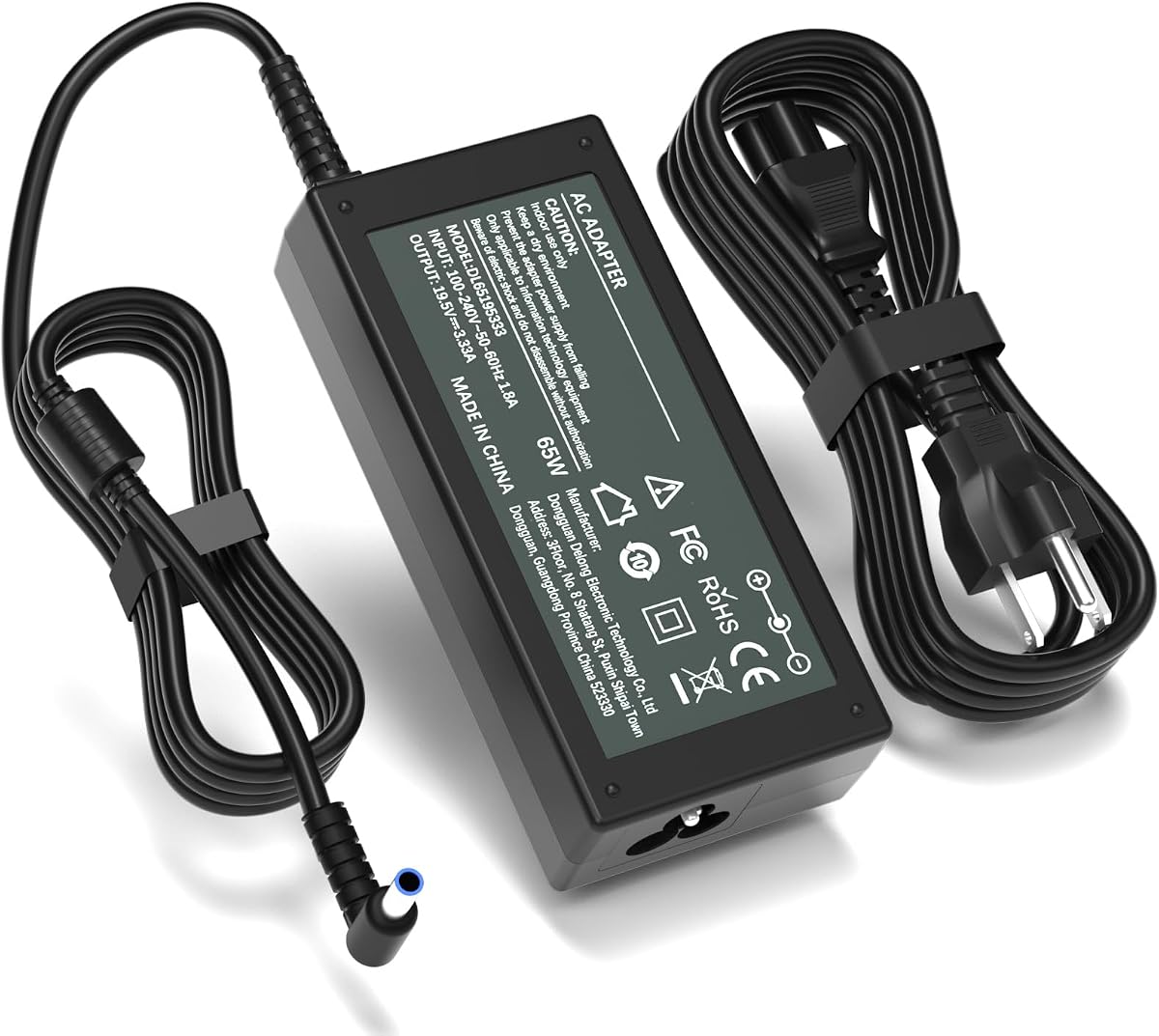
This 19.5V blue-tip adapter has a 4.4 rating and is designed for the distinctive connector arrangement used by many HP M-series displays. Its supported model list includes M27f, M27fe, M27fw, M27ha, M27fq, M27fd, M24f, M24fw, M24fe, and M22f displays.
We may earn a commission when you buy through this link, at no additional cost to you.
The power rating is 19.5V at 3.33A, or 65W, with a listed 100–240V, 50–60Hz input. Its output specification also states compatibility with lower-current 19.5V and 19V devices. The connector is identified as a 4.5 × 3.0mm smart blue round tip, making the physical distinction from a conventional 5.5 × 2.5mm connector clear.
The product does not fit the broad family of 19V monitors that use a conventional tip. Its exclusions include models such as 22cwa, 23er, 24ea, 25vx, 27xi, VH240A, and several 2011X through 2711X systems. That distinction is essential: a plug that may look similar physically can still be electronically or dimensionally incompatible.
This is a suitable choice for a confirmed M-series or listed 527/524-series monitor that requires the blue tip. The 8.8-foot total reach is particularly useful for home-office setups, and the stated over-current, short-circuit, and overheating safeguards add reassurance during sustained desk use.
The blue-tip specification is the decisive feature here. Buyers should verify both the monitor model and the socket dimensions, since the 4.5 × 3.0mm connector is not interchangeable with the conventional yellow-tip design used by many other HP monitors.
A 1.5-meter adapter lead and 1.2-meter AC cable create a listed total reach of 2.7 meters, or 8.8 feet. That can reduce strain on the wall outlet and leave more freedom when positioning a display at the rear of a desk.
We may earn a commission when you buy through this link, at no additional cost to you.
This RUIQIU replacement has a 4.4 rating and offers a clearly specified 19V solution for conventional HP monitors. Its 5.5 × 2.5mm connector and 3.42A maximum output place it firmly in the same general category as the power supplies commonly associated with VH240A-family displays.
We may earn a commission when you buy through this link, at no additional cost to you.
The input specification is 100–240V at 3A and 50–60Hz, while the output is 19V, 3.42A, and 65W. Compatible model references cover numerous 20xi, 22, 23, 24, 25, and 27-inch families, including 27xw, 27xi, 25vx, 24ea, 22cwa, and several parts beginning with C4D27AA.
The listing clearly states that the adapter does not fit HP M-series models such as M22F, M24F, M27F, and M32F, nor X-series systems including 2011X, 2211X, 2311X, 2511X, and 2711X. A fixed tip also avoids the looseness that can occur with interchangeable universal adapters, though it means the connector must be correct at purchase time.
For a conventional 19V HP monitor with a 5.5 × 2.5mm port, this is a focused and easy-to-understand replacement. Its stated CE, FCC, and RoHS certifications and protections against short circuit, over-current, over-voltage, and overheating support regular use, provided the exact display model is confirmed.
The permanently attached connector removes the need to select or carry a loose interchangeable tip. That can make daily reconnections more consistent, while the clearly stated dimensions give buyers a reliable way to compare it with their monitor socket.
These exclusions are among the product's most useful specifications. They prevent owners of blue-tip or special X-series displays from mistakenly selecting a standard 19V replacement whose electrical or physical connector requirements differ.
We may earn a commission when you buy through this link, at no additional cost to you.
This 19V adapter has a 4.4 rating and combines conventional HP display compatibility with a construction-focused description. It is rated for 19V at up to 3.42A and 65W, with a 100–240V, 50–60Hz input and a 5.5 × 2.5mm connector.
We may earn a commission when you buy through this link, at no additional cost to you.
Its model list includes 27f, 27bw, 27cw, 27fw, 27xi, 27xw, 27er, 27es, 27ea, 25-series displays, 24-series displays, 23-series displays, 22-series displays, and 20xi. OEM references such as C4D27AA, C4D27A2, and C4D27A7 are included to assist with more precise identification.
The product description emphasizes a high number of copper wires inside the cable to improve power delivery and reduce energy loss. It also states that the PVC-wrapped coil passed more than 10,000 bending tests. These are manufacturer claims, but they help distinguish this option from a generic lightweight lead.
It is a compelling replacement for compatible conventional 19V monitors, especially for buyers who prioritize flexible cabling and stated smart protections for over-temperature, over-current, over-voltage, and short circuits. As with any adapter, it should be used in a ventilated position rather than enclosed or covered.
Copper wiring, a PVC outer coil, and a stated ten-thousand-plus bending-test result make this adapter appealing for users who routinely move or reconnect their setup. Durable flexing can reduce failures around the least forgiving part of a long power lead.
The built-in smart chip is described as providing over-temperature, over-current, over-voltage, and short-circuit protection. Buyers should still maintain open space around the adapter and use it only with a monitor whose voltage, current, and connector match.
We may earn a commission when you buy through this link, at no additional cost to you.
This blue-tip power supply holds a 4.7 rating and is one of the strongest choices for an HP monitor that specifically uses the 4.5 × 3.0mm smart blue connector. It outputs 19.5V at up to 3.33A, or 65W, from a listed 100–240V, 50–60Hz input.
We may earn a commission when you buy through this link, at no additional cost to you.
Compatibility is tightly focused on M27f, M27fe, M27fw, M27ha, M27fq, M27fd, M27fwa, M24f, M24fw, M24fe, M24fwa, and M22f displays. It also covers the Series 5 7 FHD height-adjustable models and several 527sa, 527sh, 527sf, 527sw, 524sh, 524sf, 524sw, and 524sa references.
The listing also identifies HP part numbers including ADS-45PE-19-3, 19540E, M45741-001, and M45875-001. These identifiers are valuable for owners who can read the replacement label on the original adapter but cannot immediately locate a retail model number for the monitor itself.
This pick is well suited to a confirmed blue-tip system rather than a general-purpose HP monitor cord. Its high rating, focused model coverage, and 65W output make it particularly compelling for owners of the listed M-series and 524/527-series displays who want a purpose-matched replacement.
This adapter's strengths come from specialization. Instead of implying broad compatibility across unrelated HP connector systems, it identifies the display families and part numbers it is designed to support, reducing ambiguity when an owner has a blue-tip socket.
References such as ADS-45PE-19-3 and M45741-001 can help owners identify the correct replacement even when the external monitor label is difficult to read. Matching the original adapter's part number is generally more reliable than relying on screen size alone.
We may earn a commission when you buy through this link, at no additional cost to you.
This fixed-tip adapter has a 4.5 rating and distinguishes itself through exceptionally clear descriptions of what it fits, what it does not fit, and how it should be operated. It provides a stable 19V output up to 3.42A and 65W from a 100–240V input.
We may earn a commission when you buy through this link, at no additional cost to you.
Its hollow yellow tip measures 5.5mm on the outside and 2.5mm on the inside, with no center smart pin. Compatible displays include 27F, 25F, 24F, 23F, VH240A, 27BW, 25BW, 27CW, 25CW, 27FW, 27XW, 25XW, 27ER, 25ER, and 24EA models requiring 19V input.
The exclusions are just as useful. It does not fit M-series or X-series monitors, 7.4mm ports, blue or black connector tips, laptops, tablets, or USB-C devices. That specificity matters because a monitor-sized power adapter should never be assumed to function as a laptop charger or accept every barrel connector.
It is a good choice for a conventional yellow-tip HP desktop monitor. The detachable 1.2-meter AC cord and attached 1.2-meter DC lead offer a listed 7.9-foot reach, while the grounding plug provides a standard North American connection. The product description notes that the adapter may become warm during use and should remain ventilated.
The description of a hollow 5.5 × 2.5mm tip without a center pin gives buyers a more precise comparison than the color alone. Measuring the original connector and checking for an internal smart pin can prevent an otherwise plausible but incorrect purchase.
The stated normal operating range of 40°C to 50°C for the adapter casing is useful context. A warm brick is not automatically a fault, but keeping it uncovered and ventilated helps dissipate heat during sustained operation.
We may earn a commission when you buy through this link, at no additional cost to you.
This StarTech PXT10110 has the highest customer rating in the group at 4.8 and is an excellent option for an HP monitor with an IEC 60320 C13 inlet. It is a ten-foot, 3-meter power cable rated to carry 125V at up to 10A.
We may earn a commission when you buy through this link, at no additional cost to you.
The NEMA 5-15P end connects to a North American wall outlet, while the IEC 60320 C13 end fits compatible desktop computers and many monitors, scanners, and printers. Its 18 AWG conductors are made from copper wire, and molded strain relief is incorporated at the connectors for durability.
Safety and construction details are particularly prominent. The product is UL listed under UL62 and UL817, has a VW-1 fire rating, uses an SVT PVC jacket, and has a stated temperature range from 37°F to 140°F. The outer cable diameter is listed at 0.25 inches, or 6.3 millimeters.
This is the top pick for users seeking reach, established cable specifications, and a straightforward mains replacement. It will not replace a monitor's external 19V adapter, blue-tip power brick, or proprietary low-voltage lead, so the IEC C13 socket must be present and intact before purchase.
Ten feet provides ample distance between a wall outlet and a desk-mounted display without requiring a much shorter lead. It can also simplify routing behind large desks, stands, or wall-mounted arrangements where an outlet is not directly behind the monitor.
UL listing, molded strain relief, copper wiring, and a stated fire rating make this cable suitable for a professional workstation or home-office environment. These specifications are more informative than a generic heavy-duty description because they identify standards and physical construction.
We may earn a commission when you buy through this link, at no additional cost to you.
This 12V adapter has a 4.9 rating and is purpose-built for a narrow but important group of HP displays that use 12V rather than 19V or 19.5V power. Its supported list includes 2011X, 2211X, 2311X, 2011xi, 2311F, 2311CM, 1503 D5061-A, F1503, 1703, F1703, and L1800 models.
We may earn a commission when you buy through this link, at no additional cost to you.
The adapter delivers 12V at up to 5A and is also described as compatible with lower-current 12V devices rated at 4A, 3A, 2A, or 1A. Its input range is 100–240V at 50–60Hz, and the monitor-side connection is identified as a 5.5 × 2.5mm round tip.
Because conventional 19V replacements are unsuitable for these models, this specialized product can solve a problem that generic HP monitor cords cannot. Its 1.5-meter adapter cord and 1.2-meter AC cable provide a listed total length of 2.7 meters, or 8.8 feet.
It is the best specialized option for an owner of one of the listed 12V displays. The listing also states over-current, short-circuit, and overheating protections and describes heat-resistant, flame-retardant materials. Accurate voltage confirmation remains essential, because connecting the wrong output specification to a monitor can cause damage.
Many replacement cords are marketed broadly but concentrate on 19V models. This adapter provides a more accurate alternative for the 2011X, 2211X, 2311X, and related 12V displays, reducing the risk of choosing a connector based on shape alone.
The listed 8.8-foot reach is useful for arranging a display farther from its outlet. Stated safeguards for over-current, short circuit, and overheating add practical value, while the broad input range supports use with different regional mains supplies.
We may earn a commission when you buy through this link, at no additional cost to you.
Selecting the correct replacement requires matching the monitor's power architecture rather than relying on its screen size or the HP logo. The most important variables are output voltage, connector geometry, required current, and the exact display family.
Start with the model number printed on the back of the display, inside the menu settings, or on the original power adapter. Screen size alone is not enough because several HP families share the same diagonal measurement while using different power systems. Cross-check any matching model against the replacement listing and look for OEM part numbers such as ADPC1945, ADS-45PE-19-3, or C4D27AA when available.
Most conventional HP desktop monitors in this selection require 19V, while many M-series and selected 527 or 524 displays use 19.5V, and the listed 2011X and 2311X families use 12V. Treat the original adapter label as the primary reference. A connector that appears to fit is not enough; using a higher-voltage supply on a lower-voltage monitor can cause immediate or progressive damage.
A conventional 19V lead may use a 5.5 × 2.5mm hollow yellow tip, while a blue-tip system uses a 4.5 × 3.0mm smart connector. The measurements refer to the connector's outside and inside dimensions, and the presence of a center pin can also distinguish designs. Compare both shape and electrical requirements rather than judging by color alone.
The rated output should meet the monitor's requirements. Options in this guide provide maximum outputs such as 19V at 3.42A, 19.5V at 3.33A, or 12V at 5A. A higher listed maximum can be appropriate for a compatible lower-current device, but voltage and connector compatibility remain non-negotiable. Match the adapter's power label as closely as possible.
If the monitor has a detachable IEC C13 or three-prong device inlet and its power brick still works, a standard AC cord may be sufficient. If the original assembly includes a proprietary low-voltage connector or a failed brick, choose a complete external adapter with both the AC and DC leads. This distinction can prevent buying a cable that cannot connect to the display.
The options range from a five-foot general AC lead to an 8.8-foot adapter assembly and a ten-foot C13 cord. Longer reach is useful when the outlet is distant or the display sits behind a desk, while shorter cables reduce clutter. Consider the desk layout, the monitor's support, and the adapter's ventilation before choosing the maximum available length.
Look for over-current, over-voltage, short-circuit, and thermal protection, along with applicable UL, ETL, CE, FCC, or RoHS markings. Certification claims should correspond to the product being sold, not merely another item in the same category. An adapter should also remain ventilated and should not be covered by papers, fabric, or the monitor stand.
A broadly compatible 19V replacement can suit an owner with several eligible monitors, but a specialized adapter can be a better fit when the exact model is known. Standard AC cords offer the most versatility across compatible devices, while purpose-built blue-tip and 12V supplies reduce ambiguity for a particular screen. The best choice is the one whose exclusions match the intended system.
Before connecting anything, turn off the monitor, unplug the old power supply from the wall, and disconnect the low-voltage connector from the display. Read the label on the original adapter and compare its input, output voltage, current, connector type, and polarity with the replacement. This is the safest and most dependable way to establish that the parts are compatible.
Connect the new DC plug fully into the monitor's power socket without forcing it. Route the cable so the connector is not bent into a tight angle, and keep the power brick uncovered in a ventilated location. Plug the AC cord into a grounded wall outlet, turn on the monitor, and confirm that the display receives power normally. If the monitor does not start, disconnect it immediately and recheck every specification.
For long-term care, inspect the cable for cuts, exposed conductors, discoloration, loose plugs, or a connector that no longer seats firmly. Do not sharply bend the cable at either end, and avoid placing it where furniture can pinch it. Keep liquids away from the adapter, and replace the unit if its casing is cracked, the protection behavior appears abnormal, or it becomes excessively hot beyond the stated normal range.
No, an HP-branded monitor can use several different power systems. You need to match output voltage, connector dimensions, current requirements, and the display family. A cord that fits physically may still deliver the wrong voltage or use an incompatible smart connector, so consult the original adapter label and the monitor's exact model before ordering.
The yellow-tip options in this guide use a conventional hollow 5.5 × 2.5mm connector, while the blue-tip options use a 4.5 × 3.0mm smart connector. The blue design is associated with many HP M-series and selected 527 or 524 displays. These tips are not interchangeable even when a monitor's physical socket looks similar.
You need only an AC cord if the monitor's external power brick remains functional and the monitor has a compatible detachable device-side inlet. You need a complete replacement adapter if the brick, low-voltage lead, barrel plug, or attached power assembly has failed. Check the original setup before deciding which component is actually damaged.
A higher maximum wattage can generally provide adequate power, provided voltage, connector, and protocol remain compatible. The monitor should still draw only the current it was designed to consume. Voltage mismatches and incompatible blue-tip or smart-pin systems are not made safe by a larger wattage rating.
Do not assume it can. Some listings state that certain 19.5V blue-tip adapters also work with lower-current 19V devices, but the reverse should not be inferred automatically. Confirm both the required output and connector type for the exact monitor model. When specifications differ, use the supply designed for the monitor.
Power conversion naturally produces heat, and some listings describe a normal operating range of approximately 40°C to 50°C for the adapter casing. Warmth within that context can be expected. Excessive heat, a hot plug, visible damage, a burning smell, or repeated shutdowns should prompt immediate disconnection and investigation.
Check the monitor's rear label, its operating-system display information, or the settings menu for the exact model number. Also read the original power adapter's label for voltage, current, wattage, and part number. Cross-reference both with the replacement listing and note any explicit exclusions before placing an order.
Most desktop-monitor adapters in this guide are not laptop chargers, even when the physical barrel connector may appear similar. The yellow-tip product explicitly excludes laptops, tablets, and USB-C devices, and monitor power supplies may use protocols that laptops do not accept. Use only a charger specifically approved for the laptop model.
The leading all-around option is the 19V 65W Universal Adapter because it combines broad conventional HP model support, a 3.42A maximum output, long reach, and clear safety claims. The five-foot three-prong AC cord is the economical choice when only a standard wall lead has failed, while the dedicated VH240A supply is a strong match for owners of a specifically compatible 19V display.
For specialized systems, the blue-tip adapters are the relevant choices for listed M-series, 527-series, and 524-series monitors, while the 12V 5A unit addresses the distinct 2011X, 2211X, 2311X, and related models. StarTech's ten-foot C13 cable stands out for long reach and documented construction when an IEC C13 inlet is present.
Regardless of the option selected, prioritize the monitor's exact model, output voltage, current, and connector over screen size or color alone. Product listings, availability, and market conditions can change, so verify the current specifications and customer feedback before making your final purchase.