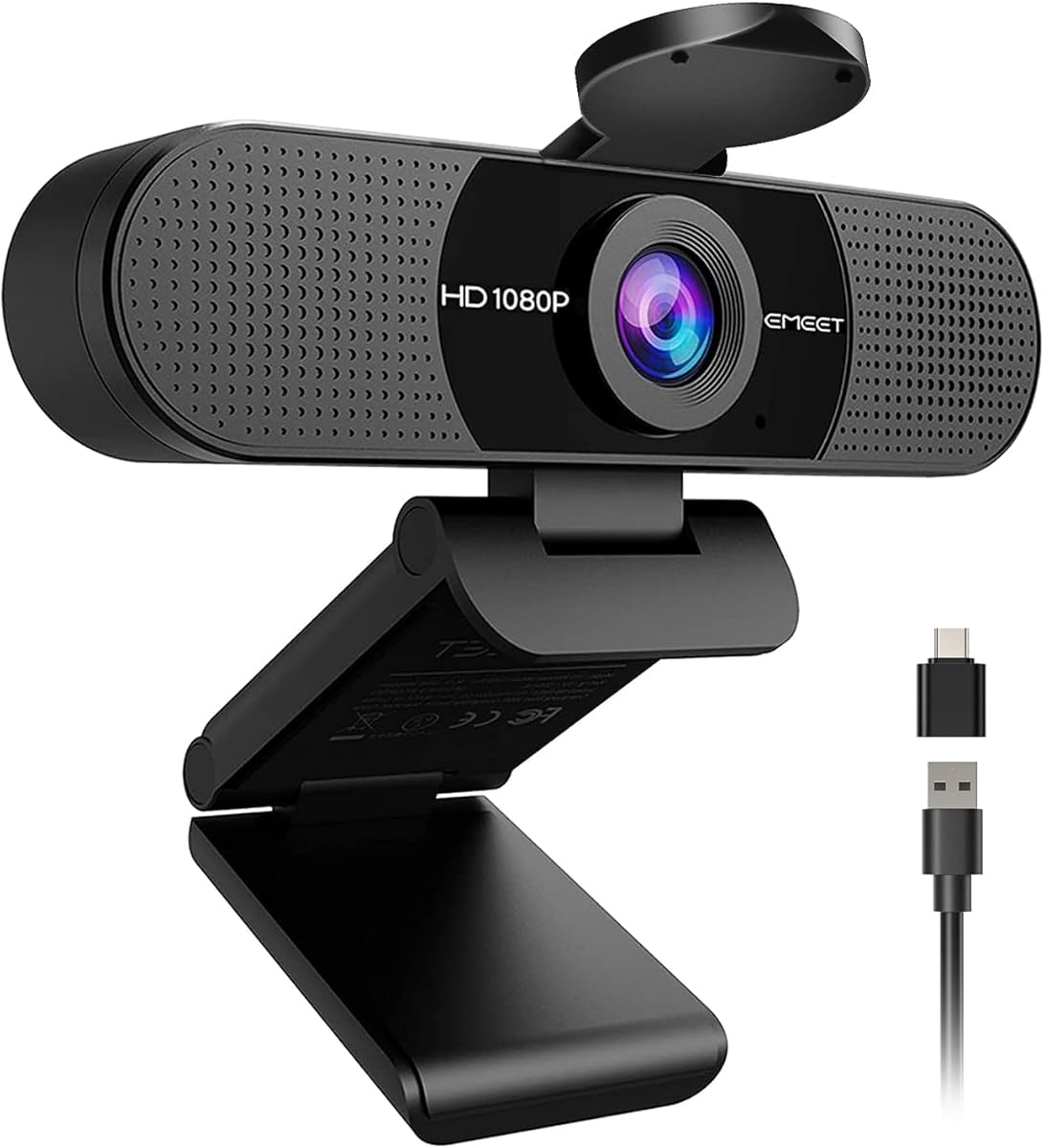
EMEET C960
4.4Editor score
90-degree wide-angle view
Two omnidirectional microphones
Detachable physical privacy cover
USB-A and adapter connectivity
Our 1080p webcams guide compares 10 leading models for image quality, autofocus, microphones, privacy, compatibility, and everyday video calls.
A 1080p webcam can make everyday video calls, online meetings, remote classes, and recorded content feel sharper and more professional than a built-in computer camera. The most useful model balances clear 1920 x 1080 video with dependable autofocus, natural microphone pickup, simple setup, and a privacy solution that does not interrupt your workflow.
This guide compares ten 1080p webcams from Logitech, EMEET, and NexiGo, paying attention to the details that affect daily use. The evaluation covers resolution, field of view, autofocus behavior, lighting adjustments, microphone design, privacy controls, mounting options, platform compatibility, and the practical differences between business, streaming, and general-purpose models.
The list begins with a well-rounded Logitech option, then covers privacy-focused, business-certified, wide-angle, budget-friendly, renewed, and higher-resolution alternatives. Each review explains who the webcam suits and where its compromises may matter. Product availability and prices change regularly, so check the latest listing details before making a purchase.
4.4Editor score
4.6Editor score

4.6Editor score
The table below places all ten models side by side, highlighting the features most likely to affect image quality, communication, privacy, and compatibility.





The Logitech Brio 101 is a full HD webcam built around uncomplicated setup, reliable platform support, and a physical privacy cover. Its 4.4 rating reflects a generally approachable design for users who want 1080p video without assembling a complicated configuration. RightLight automatic balancing, a built-in microphone, and adjustable framing make it particularly relevant to regular work meetings, streaming sessions, and home video calls.
We may earn a commission when you buy through this link, at no additional cost to you.
The most noticeable practical feature is the integrated slide cover. Because it is attached to the webcam, there is no separate accessory to lose and no need to rely only on software controls when the camera should not be recording. The built-in microphone also eliminates the need for a separate capture device during ordinary conversations, while Logi Options+ provides access to zoom, framing, and camera settings. The built-in USB-A cable makes the connection process direct for compatible computers.
The Brio 101 does not list a more advanced autofocus system or any included virtual-background software. That keeps the proposition focused rather than feature-heavy. Its compatibility with major platforms such as Microsoft Teams, Zoom, and Google Meet reduces the likelihood of a complicated first setup, and the listed Nintendo Switch 2 GameChat compatibility broadens its potential appeal. The built-in cable is specifically USB-A, so users with only USB-C ports should verify that they have an appropriate adapter.
This is a strong recommendation for someone who prioritizes privacy, simple operation, and clean 1080p video over specialized streaming controls. It also suits buyers who want a webcam in several coordinated colors rather than the conventional all-black business look. For users who need advanced focus behavior, removable-background features, or a highly flexible field of view, one of the more specialized Logitech or EMEET models may be a better fit.
The integrated sliding cover is one of the Brio 101's most useful qualities for offices, shared homes, and anyone who wants visible confirmation that the lens is covered. Its physical mechanism also provides a more immediate privacy cue than an application-level camera toggle.
RightLight is designed to increase brightness by as much as 50% compared with previous-generation Logitech webcams while reducing shadows. Logi Options+ adds convenient control over zoom and framing, letting users refine the image after installation.
We may earn a commission when you buy through this link, at no additional cost to you.
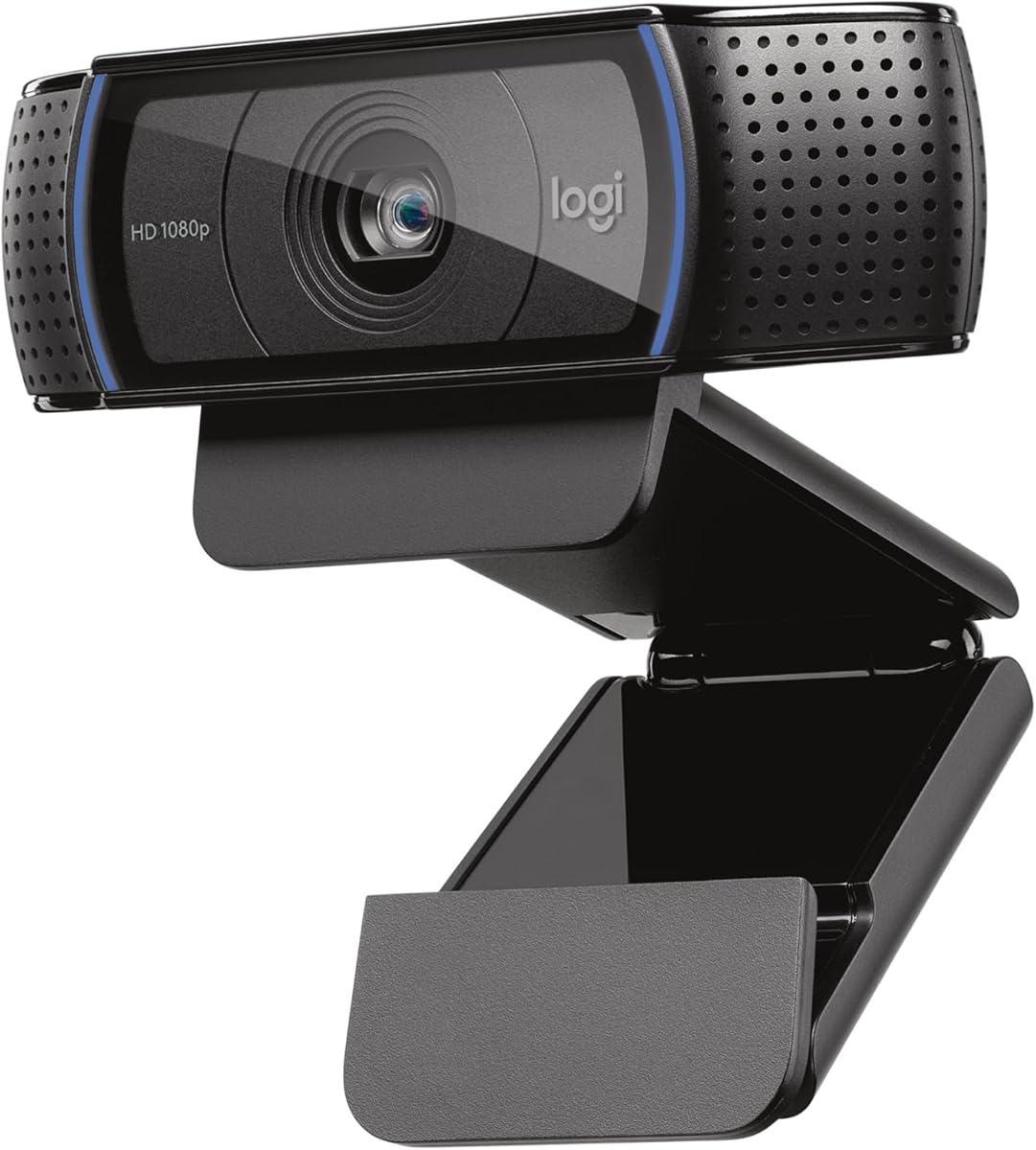
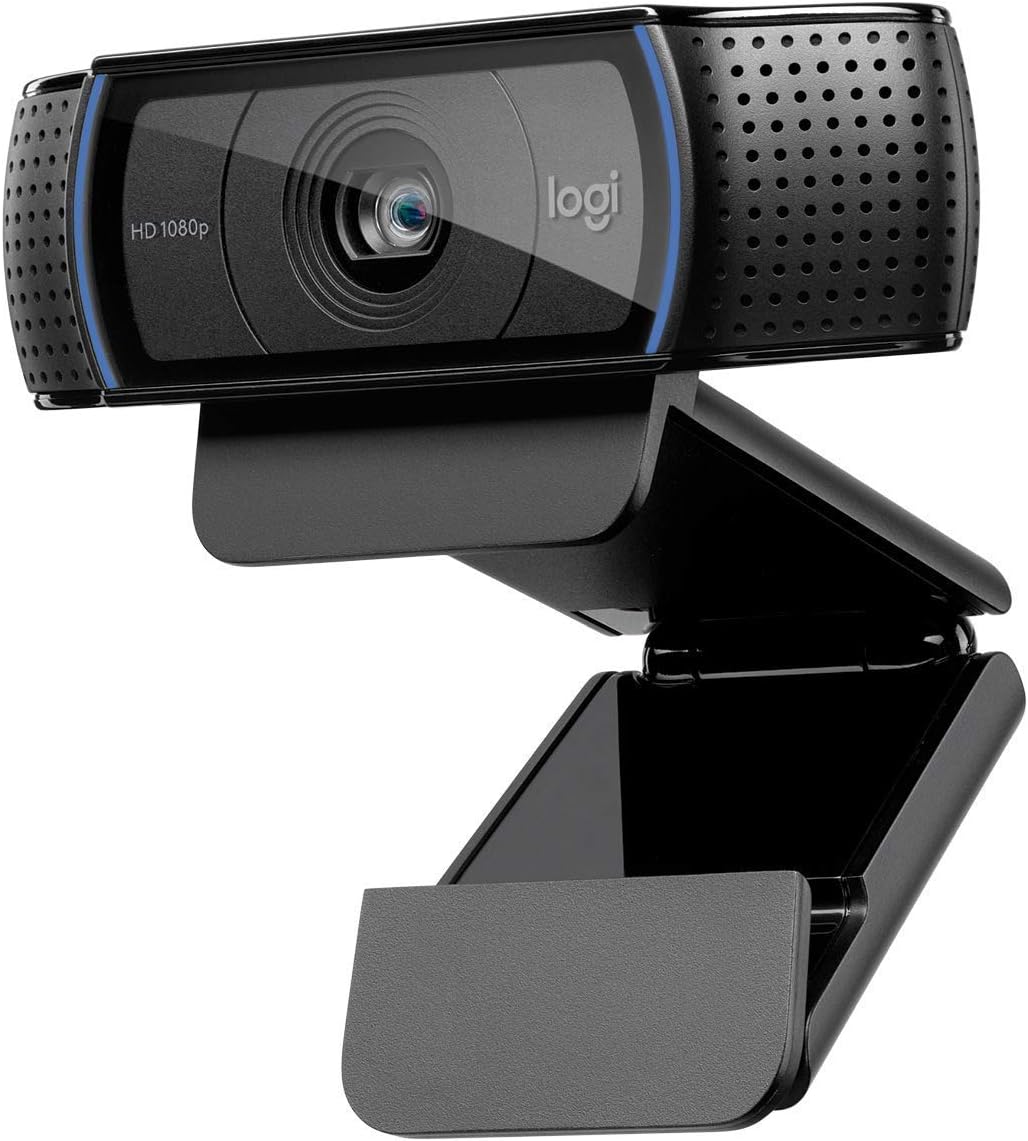
The Logitech C920x HD Pro earns the Editor's Choice position because it combines clear Full HD 1080p capture, automatic exposure, autofocus, and dual microphones in a model suited to both calls and recorded content. Its 4.6 rating is among the highest in this guide. The webcam is designed for people who want Logitech's established balance of image processing and straightforward operation without moving into a specialized production device.
We may earn a commission when you buy through this link, at no additional cost to you.
Its automatic lighting adjustment fine-tunes exposure in challenging rooms, while built-in HD autofocus helps maintain a sharp image during movement. The camera records at 1080p and 30fps, which is suitable for standard video calls and ordinary online recordings. Stereo audio comes from two microphones, providing a more purposeful capture arrangement than a single built-in microphone. The included three-month XSplit VCam license also allows users to remove, replace, or blur a background without installing a green screen.
Privacy is the clearest trade-off. Unlike the C920S, C920e, and several Brio models, the C920x does not include a privacy shutter. Users who share a room or want visible confirmation that the lens is covered should account for that difference. It also records at a maximum listed frame rate of 30fps, making it less oriented toward high-frame-rate streaming than the EMEET S600, which supports 1080p at 60fps.
The C920x is an excellent general-purpose recommendation for meetings, streaming, online education, and desktop or monitor use. Its automatic adjustments reduce the need for constant manual control, and the XSplit license adds practical value for virtual backgrounds. It is especially attractive for buyers who want a highly rated 1080p model with strong audio and image automation rather than a webcam focused on one special use case.
The combination of HD autofocus and automatic lighting adjustment helps the camera react to movement and uneven illumination. This makes the C920x well suited to home offices and meeting spaces where the light around a desk may not remain consistent.
The included three-month XSplit VCam license adds remove, replace, and blur background options. It is a useful inclusion for temporary presentation workflows, although the C920S may appeal more strongly when a physical shutter is the priority.
We may earn a commission when you buy through this link, at no additional cost to you.
The Logitech C920S HD Pro is a 1080p webcam that puts physical privacy at the center of the design. Its 4.6 rating places it among the strongest performers listed here, and the integrated shutter offers a clear way to know when the lens is covered. It is a compelling option for shared workspaces, home offices, and anyone who wants dependable autofocus without adding a separate privacy accessory.
We may earn a commission when you buy through this link, at no additional cost to you.
The webcam records at Full HD 1080p and uses a glass lens, which supports the crisp, colorful images described in its feature set. HD autofocus and light correction work together to maintain clarity across changing conditions. Two microphones provide stereo audio for calls and recordings, making it suitable for users who want both improved video and more balanced voice pickup in one device.
Compared with the C920x, the most important distinction is the physical shutter. The C920x supplies an XSplit VCam license, whereas the C920S does not. Virtual background tools can be useful, but they solve a different problem from concealing the lens itself. Buyers should decide whether they value a removable or replaceable background option more than a physical cover that is always close at hand.
The C920S is a strong all-rounder for daily meetings, remote work, teaching, and recording. It is less suitable for users seeking a listed 60fps option at 1080p, but most standard communication workflows do not require that frame rate. Its combination of sharp 1080p capture, autofocus, stereo microphones, and a fitted privacy cover makes it one of the most balanced choices in the guide.
The fitted privacy shutter provides an immediate visual indication that the camera is not seeing the room. That clarity is especially valuable in shared offices, instructional spaces, and homes where other people may be present during calls.
HD autofocus, light correction, and dual microphones make this more than a basic 1080p camera. The combination supports clearer conversations and recordings while reducing the need to adjust the image manually.
We may earn a commission when you buy through this link, at no additional cost to you.
The Logitech C920e HD is a business-oriented 1080p webcam with certifications for Zoom and Microsoft Teams and TAA compliance. Its 4.6 rating reflects a strong overall reception, while the inclusion of Logitech Sync gives organizational buyers a way to manage deployed devices. The fixed 78-degree field of view is intentionally balanced for individual participants and shared work such as project presentations.
We may earn a commission when you buy through this link, at no additional cost to you.
Two integrated omnidirectional microphones capture audio from up to one meter away, which is useful for normal desk-based calls. Built-in HD autofocus and automatic light correction help keep the image clear as the user shifts position or the room lighting changes. A flip-up privacy screen provides a visible way to cover or expose the lens, while the sturdy adjustable clip makes the webcam easy to position on a laptop or external monitor.
The C920e also accepts 1/4-inch threads, allowing tripod mounting when a computer screen is not the best location. That flexibility can be particularly valuable for presenters, remote specialists, and small teams using shared equipment. The fixed field of view is less adaptable than the S600's adjustable 40-to-73-degree range at 1080p, but the balanced framing is purpose-built for business communication rather than highly cinematic composition.
This is the premium recommendation for organizations that prioritize certified platform support, device management, and professional mounting. It is also a sound personal choice for frequent Zoom or Microsoft Teams users. The main limitation is its one-meter microphone pickup specification, so people who routinely speak farther from the camera may want to evaluate their environment or consider a separate microphone.
Logitech Sync supports device management by helping organizations keep connected personal devices used and up to date. Combined with Zoom certification, TAA compliance, and Microsoft Teams support, that makes the C920e more relevant to organized deployments.
The adjustable clip supports laptop and monitor placement, while 1/4-inch threads expand mounting options. Users can position the camera at eye level or on a tripod for a more deliberate setup.
We may earn a commission when you buy through this link, at no additional cost to you.
The EMEET C960 combines 1920 x 1080 video, a broad 90-degree field of view, two microphones, and a removable privacy cover in an affordable package. Its 4.4 rating indicates a solid balance of useful features. The camera is aimed at users who need to capture more of a meeting space or who want straightforward 1080p performance across major conferencing applications.
We may earn a commission when you buy through this link, at no additional cost to you.
The five-layer anti-glare lens is paired with fixed focus that is optimized for distances ranging from 11.8 inches to 118.1 inches. Automatic exposure, color adjustment, and exposure optimization help maintain a stable image, although EMEET specifically recommends normal or well-lit surroundings for the clearest results. The 90-degree view captures more of the surroundings and reduces the need to reposition the camera when participants or materials enter the frame.
Two omnidirectional microphones handle voice pickup, and installation involves choosing the C960 as the default input and camera in the relevant application. It includes USB Type-A and an A-to-C adapter connection, although direct connection to the computer is recommended for stable power and data transmission. The privacy cover is removable rather than permanently integrated, and the webcam does not include speakers, Windows Hello support, or compatibility with televisions, tablets, and game consoles.
The C960 is a convincing budget choice for shared rooms, teaching scenarios, and casual streaming where a wider view is helpful. It also works with Zoom, Teams, FaceTime, Google Meet, YouTube, and other applications. Buyers who need sophisticated autofocus or login through Windows Hello should look elsewhere, but for conventional 1080p calling this model offers a generous feature set.
The 90-degree field of view is the C960's defining visual feature. It is useful when a presenter needs to share a whiteboard, several people may appear at once, or a compact desk arrangement does not leave much room to reposition the camera.
Automatic exposure, color adjustment, and exposure optimization help the camera deliver a consistent image. These features work best in a normally lit or well-lit environment, making room lighting an important part of the setup.
We may earn a commission when you buy through this link, at no additional cost to you.
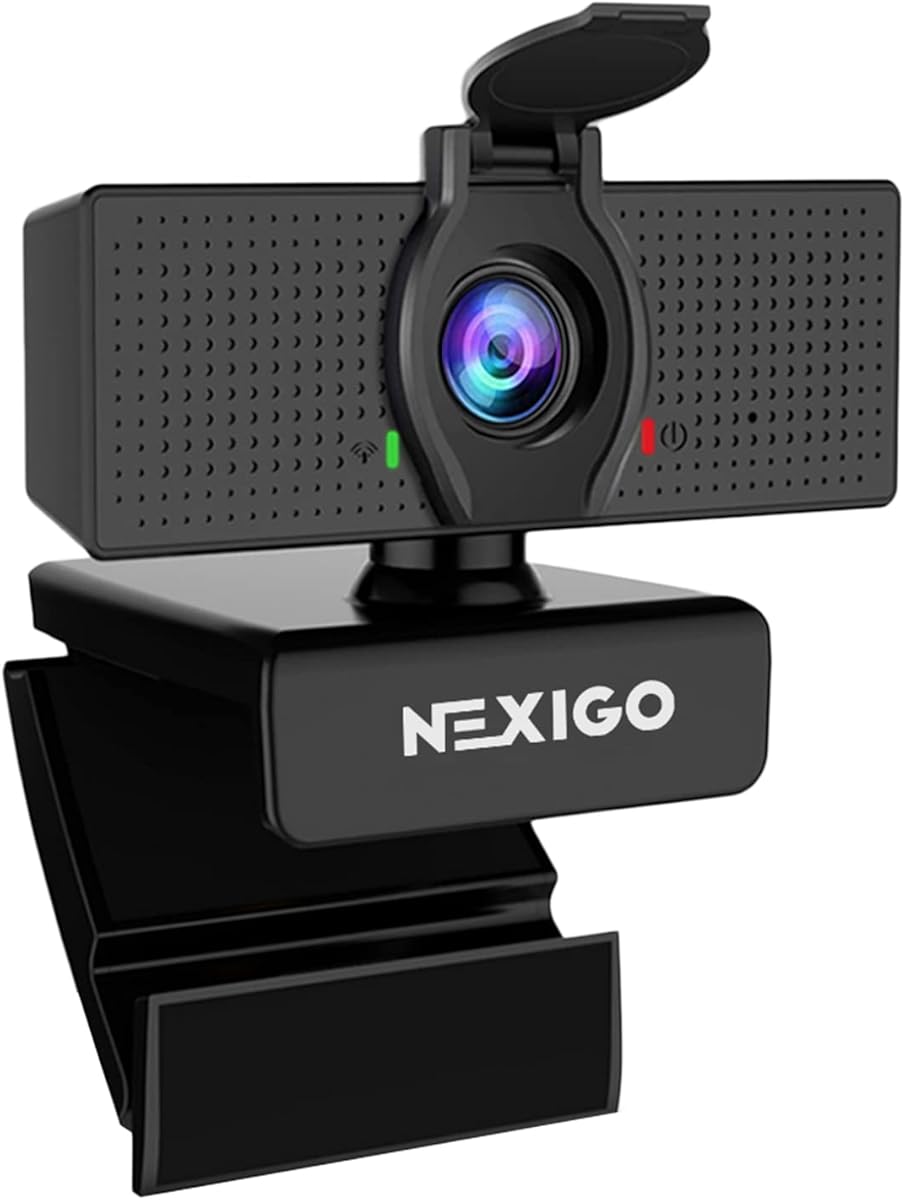
The NexiGo N60 is a 1080p webcam aimed at users who value plug-and-play operation and broad operating system compatibility. Its 4.3 rating is solid, and the webcam can produce 1920 x 1080 video at 30fps through a two-megapixel CMOS and 3.6mm glass lens. The fixed focus is optimized across a broad range from 19.6 inches to 13 feet, covering both desk and room use.
We may earn a commission when you buy through this link, at no additional cost to you.
The built-in noise-canceling microphone reduces ambient sound and is suitable for Zoom, FaceTime, OBS, Twitch, YouTube, conferencing, gaming, streaming, recording, and online school. A physical cover blocks the lens when the webcam is not in use. The listed software control adds another layer of adjustment, while the claimed one-minute-or-less setup is supported by USB 2.0 and 3.0 operation without additional drivers.
Compatibility is one of the N60's defining strengths. It supports Mac OS X 10.7 and higher, Windows 7, 8, 10, and 11, Android 4.0 and higher, Linux 2.6.24, Chrome OS 29.0.1547, and Ubuntu 10.04 or above. It is not compatible with Xbox, PlayStation 4, or PlayStation 5, which limits it for some gaming applications. A firmware update may be required if audio delay is encountered, according to the supplied information.
The N60 is a practical choice for multi-computer users, online learners, and anyone who needs a webcam across several operating systems. It offers a convincing combination of 1080p capture, physical privacy, and noise-reducing audio. Its fixed focus and software-dependent controls make it less tailored to users who require the rapid phase-detection autofocus found in the EMEET S600.
The long compatibility list makes the N60 useful for people who move between Windows, macOS, Chrome OS, Linux, Ubuntu, and Android devices. USB 2.0 and 3.0 support and the no-driver requirement also reduce installation friction.
The built-in noise-canceling microphone is designed to reduce ambient noise and improve voice clarity. This makes the camera suitable for shared rooms, lessons, and calls where environmental sound could otherwise compete with the speaker.
We may earn a commission when you buy through this link, at no additional cost to you.
The EMEET S600 is the most creator-focused webcam in this guide, offering 4K at 30fps and 1080p at 60fps with a Sony 1/2.55-inch sensor. Its 4.4 rating reflects a capable alternative for users who need more than standard 1080p output. Phase-detection autofocus provides faster, more precise, and more stable focusing than common autofocus approaches according to the product information.
We may earn a commission when you buy through this link, at no additional cost to you.
At 1080p, the field of view can be adjusted from 40 to 73 degrees, allowing creators to move between a tighter presenter-focused composition and a wider view. At 4K, the field of view is fixed at 73 degrees for image quality and reduced distortion. Automatic light adjustment balances shadows and highlights, while premium microphones use a proprietary filtering algorithm to improve voice clarity. Noise cancellation is enabled by default and can be turned off through EMEETLINK.
The built-in privacy cover is integrated directly on the lens, and the flexible mount allows rotation and wide-angle tilting while remaining secure. EMEETLINK is available for advanced image and sound customization, although the webcam also supports plug-and-play use. Video resolution depends on the camera software or applications such as PotPlayer and OBS, so the user's recording setup must be prepared to output the selected format.
Although the keyword is 1080p webcams, the S600 deserves attention from buyers who may outgrow 30fps capture. It is a strong recommendation for streamers, content creators, and technically comfortable users who value autofocus responsiveness and resolution options. Those seeking a simple webcam specifically for standard meetings may find the other 1080p-focused models in this list more direct.
The ability to capture 4K at 30fps or 1080p at 60fps provides useful flexibility. Higher frame rates benefit fast movement, while 4K creates more detailed source material for presentation and recording workflows.
PDAF phase detection is designed to focus more quickly and remain stable in changing scenes. For streamers who move around their frame, this can be more valuable than a fixed-focus approach or less specialized autofocus system.
We may earn a commission when you buy through this link, at no additional cost to you.
The Logitech HD Pro C920 is a classic 1080p webcam with a strong 4.6 rating, and it remains a relevant option for desktop and laptop users seeking widescreen calling and recording. Its primary appeal is straightforward Full HD output in a familiar form factor. The model provides a clear baseline for people who do not need 4K, 60fps capture, or advanced creator controls.
We may earn a commission when you buy through this link, at no additional cost to you.
The supplied product information is concise, listing Full HD 1080p and its suitability for widescreen video calling and recording. That means the most accurate evaluation should stay within those known capabilities rather than assume features not documented. It is a sensible selection for standard meetings, communication, and recordings where 1080p is the target resolution and a dedicated webcam is preferable to a built-in laptop camera.
Compared with the C920x, C920S, and C920e, the original C920 listing offers much less detail about autofocus, microphones, light correction, privacy, and mounting. Those newer variants may be easier to compare because their feature sets are more completely documented in the supplied data. The C920 is therefore most compelling as a familiar, well-rated 1080p option rather than the first recommendation for a specialized requirement.
Users should consider the C920 when their priority is uncomplicated 1080p video and the ability to use the camera with a desktop or laptop. Those who need a physical privacy shutter, a business certification, advanced autofocus, or integrated dual microphones should examine one of the more fully specified Logitech alternatives. For most modern creators, however, the C920x or S600 will provide a more transparent feature set.
Full HD 1080p remains a practical target for standard calls and recordings. The C920 focuses on that familiar output rather than adding higher-resolution capture modes, making it easy to understand at a glance.
The webcam is listed for both desktop and laptop use, so it can serve users who switch between a permanent office setup and a portable computer. Its physical form avoids dependence on a computer's built-in camera.
We may earn a commission when you buy through this link, at no additional cost to you.
The Logitech Brio 105 is a business-focused 1080p webcam that emphasizes clear meetings, broad operating system compatibility, and simple deployment. Its 4.4 rating reflects a well-rounded business option. RightLight 2 automatically balances the image when lighting is less than ideal, while the integrated privacy shutter provides a physical way to protect the lens.
We may earn a commission when you buy through this link, at no additional cost to you.
The webcam is certified for Google Meet, works with Chromebook, and is supported by Logitech Sync for remote deployment. These details make it relevant to organizations managing multiple user devices. Its plug-and-play design uses an available USB-A port on a computer or dock, and the built-in microphone allows a user to begin a video call without adding separate audio equipment.
Compared with the C920e, the Brio 105 is positioned more simply. The C920e adds certification for Zoom and Microsoft Teams, a 78-degree field of view, two listed omnidirectional microphones, and 1/4-inch tripod threads. The Brio 105 does not list those same detailed specifications, so buyers who need explicit multi-platform certification or advanced mounting should examine the C920e more closely.
The Brio 105 is a strong recommendation for office deployments, home employees, and Chromebook users who want dependable 1080p video with automatic image balancing. It may also suit buyers who prioritize an integrated privacy shutter over creator-oriented features. Users with USB-C-only systems should verify their port and dock arrangement before ordering.
Google Meet certification, Chromebook compatibility, and Logitech Sync support distinguish the Brio 105 for business use. These details matter when a team needs consistent deployment and remote device management.
RightLight 2 automatically improves image quality in suboptimal conditions. The result is a more useful everyday webcam for employees whose desks may be lit by a window, overhead light, or a combination of both.
We may earn a commission when you buy through this link, at no additional cost to you.
The Logitech Brio 100 Renewed is a straightforward 1080p webcam with a 4.5 rating and a useful combination of compact features. It captures up to Full HD 1080p at 30fps, offers a 58-degree diagonal field of view, and includes an integrated microphone. The renewed status makes it relevant to value-conscious buyers who want a dedicated camera for standard calling and recording.
We may earn a commission when you buy through this link, at no additional cost to you.
Its USB plug-and-play connection and compatibility with popular video-conferencing applications keep the setup simple. The 58-degree diagonal view captures the user and some surrounding area, offering a middle ground between a tight presenter frame and a very wide room view. The built-in microphone removes the need for separate audio hardware in straightforward communication scenarios.
The main consideration is the renewed condition. Buyers should review the seller's condition details, available warranty information, and return terms before purchasing. The supplied listing also does not mention a physical privacy shutter, advanced autofocus behavior, or software-based background tools, so users should not assume that the Brio 100 includes every feature found in the Brio 101, Brio 105, or C920-series models.
This is a practical final recommendation for users who need uncomplicated 1080p video, an integrated microphone, and a modest field of view without paying for creator-focused capabilities. It can suit a spare office webcam, a secondary computer, or a basic home calling station. Those who require a visible privacy control or more advanced image automation should choose one of the newer Logitech models instead.
Full HD 1080p at 30fps is sufficient for standard video calls and ordinary recordings. The Brio 100 keeps the feature set focused, which can make it easier to adopt than a more specialized streaming webcam.
The 58-degree diagonal field captures the user along with part of the surrounding space. It is useful for a home office or shared desk, though people who need a much broader view should consider the EMEET C960.
We may earn a commission when you buy through this link, at no additional cost to you.
The right webcam depends on how you communicate, how much your room lighting varies, and which privacy and compatibility features matter. The following factors help narrow the field before comparing final options.
A 1080p webcam records at 1920 x 1080, which remains a practical standard for video calling, online learning, presentations, and regular recording. Most of the models in this guide capture that resolution at 30fps. That is generally sufficient for conversations and conventional streamed content, but it is not the same as a high-frame-rate camera designed to preserve smoothness during rapid movement. The EMEET S600 stands apart by supporting 1080p at 60fps, as well as 4K at 30fps, which may appeal to creators who record gaming, demonstrations, or fast physical activity.
Choose 1080p at 30fps for standard calls and uncomplicated recording, or consider 60fps when smooth motion matters more than a simple full HD workflow.
Autofocus can keep the image sharp when a person shifts position, leans forward, or moves around the camera's view. The Logitech C920x, C920S, and C920e list autofocus, while the EMEET S600 uses phase-detection autofocus designed for faster and more stable performance. Fixed-focus options can still produce clear images when the webcam is positioned correctly and the user remains within the intended range. The EMEET C960 is optimized from 11.8 to 118.1 inches, while the NexiGo N60 is optimized from 19.6 inches to 13 feet.
Prioritize autofocus for movement and changing positions, but choose fixed focus carefully if you sit at a consistent distance and want a simple setup.
Every webcam here includes a built-in microphone, but the designs differ. Dual omnidirectional microphones appear in the Logitech C920e and EMEET C960, stereo dual microphones are listed for the C920x and C920S, and the NexiGo N60 features a noise-canceling microphone. The C920e's microphones are listed to capture from up to one meter away. Microphone specifications alone do not determine real-world clarity, so room size, background sound, distance, and speaking volume still matter.
For shared or noisy rooms, favor a model with multiple microphones or explicit noise reduction, then position yourself close enough for clear voice pickup.
The field of view determines how much of the room appears around your face. A narrow view can create a polished, presenter-style composition, while a wide angle lets you share more of a desk, whiteboard, or group of people. The Brio 100 Renewed has a 58-degree diagonal view, the C920e uses a 78-degree fixed view, and the EMEET C960 reaches 90 degrees. The EMEET S600 is even more flexible at 1080p, adjusting between 40 and 73 degrees. Wider views can introduce more distortion at the edges, so the best choice depends on framing priorities.
Choose a narrower or adjustable view for a focused presentation and a wider view for group meetings, demonstrations, or shared workspaces.
Physical privacy is especially important in shared rooms, homes with other family members, and organizational deployments. The Brio 101 has an integrated sliding cover, the C920S has a fitted privacy shutter, the C920e has an attachable privacy screen, the Brio 105 has an integrated shutter, and the S600 places a cover directly on the lens. The NexiGo N60 also includes a privacy cover. The C920x instead provides a three-month XSplit VCam license for removing, replacing, or blurring backgrounds, which serves a different need.
Choose a physical cover when visible lens protection is the priority, and consider virtual-background software when presentation flexibility matters more.
Automatic exposure and light balancing can improve how the camera handles shadows, highlights, and uneven room lighting. The Logitech Brio 101 uses RightLight, the Brio 105 uses RightLight 2, and the C920x, C920S, and C920e list automatic lighting or correction. The EMEET C960 adds automatic exposure, color adjustment, and exposure optimization, while the S600 balances shadows and highlights automatically. These systems cannot fully replace a properly illuminated room, so a front-facing light remains useful even with an advanced camera.
Prioritize automatic exposure for changing conditions, but still improve room lighting to reduce grain, uneven color, and excessive shadow.
A webcam may use standard UVC-style controls, while others add manufacturer applications for image adjustment. The Brio 101 supports Logi Options+, the S600 offers EMEETLINK, and the N60 includes software control. Most of the products are designed for Zoom, Microsoft Teams, Google Meet, and similar services. The C920e adds certification for Zoom and Microsoft Teams, while the Brio 105 is certified for Google Meet and supports Logitech Sync. The EMEET C960 works across several listed operating systems but does not support Windows Hello, televisions, tablets, or game consoles.
Confirm the exact platform, operating system, USB connector, and application support before ordering, especially for managed business devices.
A secure mount helps preserve image quality and keeps the camera at a useful angle. Several Logitech models support monitor or laptop placement, and the C920e adds 1/4-inch tripod threads. The Brio 101, Brio 105, and Brio 100 Renewed use USB-A connections, while the EMEET C960 includes USB Type-A and an A-to-C adapter. The C960 manufacturer recommends a direct computer connection for stable power and data, particularly when a hub or dock is involved. Renewed products also require attention to condition, warranty, and return terms.
Check your available port, mounting location, and preferred setup method before purchase, and review seller details carefully when choosing a renewed model.
Begin by choosing a stable location at or near eye level. Clamp the webcam to a monitor or laptop, use its built-in support, or select a compatible tripod mount where available. Connect the supplied USB cable directly to the computer when possible, open the video-conferencing application, and confirm that the webcam appears in the camera and microphone settings. On macOS and other privacy-conscious systems, grant the relevant application permission to access the camera and microphone.
Test the framing before an important meeting or recording. Sit within the focus range recommended for fixed-focus models, or allow autofocus models a moment to settle. Open the webcam's control software when available to adjust zoom, field of view, exposure, color, and framing. If a model has a privacy cover or shutter, use it whenever the camera is not in use and make sure it is fully closed before starting a session.
Keep the lens clean with a soft, lint-free cloth, and avoid aggressive cleaners or placing fingers on the glass. Protect the camera from direct moisture, excessive heat, and accidental impacts. When the image becomes dark or grainy, improve the room lighting before changing software settings, and close other applications that may be competing for bandwidth or USB resources. If audio is delayed on supported models, follow the manufacturer's firmware guidance.
1080p remains a strong standard for video calls, online classes, presentations, and ordinary recordings because it provides a clear image without requiring the most demanding setup. A higher-resolution model can help when detailed source footage is important, while a higher frame rate can better preserve fast movement. Choose based on how you use the camera rather than assuming a higher number always creates a better experience.
Yes, for many standard streaming workflows. It works well for talking, teaching, presentations, and relatively stationary content. Gamers or creators who move quickly may prefer 1080p at 60fps, as offered by the EMEET S600, while 4K can provide greater detail when your capture software, computer, connection, and platform all support it.
Autofocus is useful if you move around, lean closer, or change positions during a call. It can keep the image sharp without manual intervention. A fixed-focus webcam can still work well if you remain within its recommended range, but mounting height and viewing distance become more important to avoid a soft image.
A wider field captures more of your room, group, whiteboard, or desk, making it useful for collaborative calls and demonstrations. A narrower field creates a more focused composition around the speaker. Very wide views can make people near the edges appear distorted, so consider the layout of your actual workspace before choosing.
A physical cover is valuable in shared rooms, offices, and homes where visual confirmation that the lens is blocked is important. Models such as the Brio 101, C920S, C920e, Brio 105, S600, and N60 include physical privacy solutions. Virtual-background software offers different functionality and does not physically conceal the lens.
Most models in this guide are designed to work with major video-conferencing platforms, including Zoom, Microsoft Teams, and Google Meet. Compatibility is generally handled through standard USB webcam controls, although some models also provide manufacturer software. Confirm your operating system, port type, application permissions, and any specific certification requirements before purchasing.
Position the camera at eye level, keep a reasonable distance, and use even front-facing light. Automatic exposure and autofocus can help, but they work best in a properly illuminated room. Check the application's selected camera, close competing programs, clean the lens, and fine-tune zoom, framing, exposure, and color through available controls.
A renewed model can be a practical way to obtain a capable webcam at a lower cost, provided you are comfortable with its condition. Review the seller's description, included accessories, warranty, and return policy carefully. Compare those details with the cost and protections of a new model before deciding which offers better overall value.
The Logitech C920x HD Pro is the strongest all-around recommendation because it combines 1080p capture, autofocus, automatic lighting, dual microphones, and a useful virtual-background license. The EMEET C960 stands out for budget-conscious buyers who want a wide view, two microphones, and a removable privacy cover, while the Logitech C920e is the premium workplace choice thanks to its platform certifications, management support, and flexible mounting.
Prioritize the features that affect your daily use: choose autofocus for movement, a wider field for group collaboration, strong automatic exposure for uneven lighting, and a physical cover for immediate privacy. Logitech models offer several polished business-oriented options, EMEET provides wide-angle and creator-focused alternatives, and NexiGo emphasizes compatibility and noise reduction. The right model should fit your room, applications, and communication habits before considering any specification on paper.
Product listings, features, and prices can change, so verify the current specification, included accessories, platform support, and condition before ordering. Comparing the latest listing for your shortlisted models will help ensure that the webcam you choose still provides the privacy, connectivity, image quality, and audio performance required at the time of purchase.