
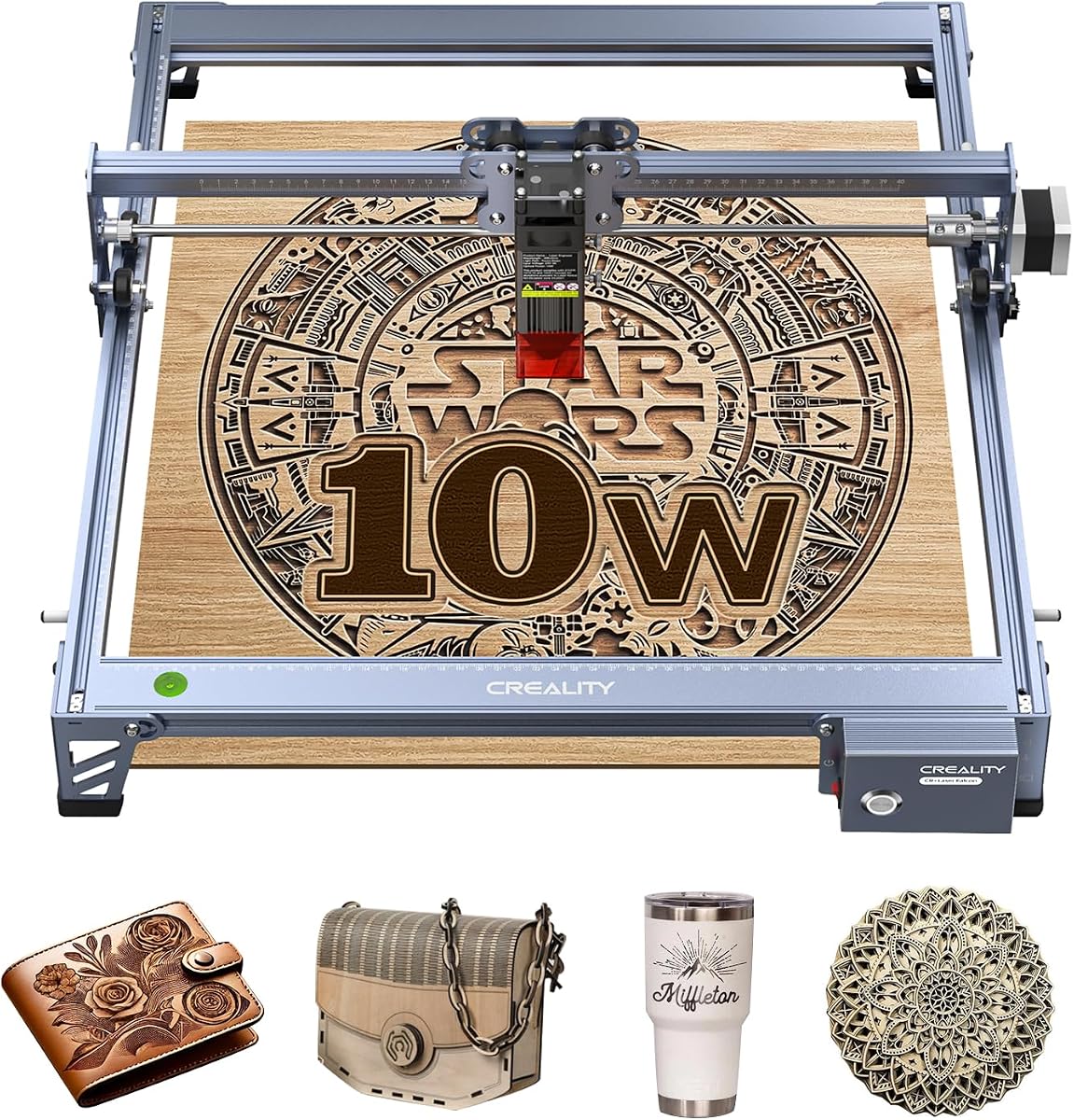
Creality Falcon 10W Laser Engraver Machine
4.2Editor score
15.7 by 16.3-inch workspace
0.06mm compressed laser spot
LightBurn and LaserGRBL support
A Creality laser engraver can turn artwork, logos, labels, and personalized designs into detailed physical products, but the right model depends on your materials, workspace, and production goals. The most useful options balance usable laser power, accurate positioning, practical safety features, and software that remains approachable for beginners.
We compared all ten supplied Creality machines across working area, output, engraving precision, motion speed, focus and positioning systems, enclosure design, material support, and workflow features. The list includes open-frame desktop engravers, enclosed models, AI-assisted compact systems, and higher-output machines intended for more demanding cutting and batch work.
Each review identifies the strongest reason to consider a particular model and also explains its practical limitations. The three highlighted picks represent our overall, budget, and premium choices, while the remaining entries serve different workspace and project needs. Prices and availability can change, so check the current listing before purchasing.
4.2Editor score

4.1Editor score

4.2Editor score
As an Amazon Associate we earn from qualifying purchases.
The comparison table highlights the major differences among all ten Creality laser engravers, including output power, motion speed, workspace, positioning features, and safety design.



The Creality Falcon A1 10W is a strong all-around choice for makers who want enclosed safety without giving up speed, intelligent setup, or flexible software. It carries a 4.1 rating and is supplied with a 10W laser module, an 80W machine output specification, and a CoreXY motion system capable of reaching 600mm/s. The fully enclosed structure also makes it more appropriate for shared or home workspaces than a typical open-frame desktop engraver.
We may earn a commission when you buy through this link, at no additional cost to you.
Its standout advantage is the combination of automated setup and practical physical access. The built-in camera positions designs, while smart material recognition selects suitable parameters for the operation. Falcon Design Space provides design and monitoring tools, and compatibility with LightBurn and LaserGRBL gives experienced users additional ways to prepare and run jobs. A transparent top and side panels make monitoring easier without opening the machine, while the double-door design simplifies loading larger pieces.
The machine can also handle demanding work within the limits of its 10W module. Its stated engraving accuracy is 0.05mm, and the supplied information says it can cut through 6mm wood in one pass. The compatibility with a Falcon roller kit extends the system to curved or round objects such as tumblers and bottles. Emergency stop and lid-open pause functions support the enclosed safety concept, while the cooling system is designed to reduce heat and support longer service life.
There are two important constraints. The machine is compatible only with 460 by 346mm honeycomb panels, and highly reflective materials—including mirror-finished metals and mirrored acrylic—are strictly prohibited. Those restrictions require attention during project planning, but for wood, suitable non-reflective materials, and supported metal projects, this is one of the most balanced machines in the range. It is our overall choice for users who value a capable, fast, enclosed workflow without complex assembly.
The Creality Falcon A1 10W deserves consideration as the most complete general-purpose option in this guide. Its camera, material recognition, high motion speed, enclosed structure, and broad software support cover the major needs of a home maker or small creative business. The panel restriction and reflective-material warning should be checked before any project is purchased.
Smart material recognition reduces the trial-and-error involved in setting operating parameters, while camera positioning helps place artwork accurately on the material. Together with 600mm/s motion, these features can streamline repeated engraving work and larger batches.
The double-door enclosure is unusually practical for a desktop machine. Users can load and retrieve projects through the side openings while still monitoring progress through the transparent panels, without exposing the workspace to laser light or smoke.
We may earn a commission when you buy through this link, at no additional cost to you.
The Creality Falcon 10W is a value-oriented engraver for first-time buyers, home projects, and users who want a sizable work area without moving to a premium enclosed system. Its 4.2 rating is among the stronger results in the supplied range. The 10W laser module, 72W machine output figure, and 400 by 415mm working area support a useful mixture of engraving and light cutting tasks.
We may earn a commission when you buy through this link, at no additional cost to you.
Its technical specifications are more serious than the basic appearance suggests. The compressed laser spot measures 0.06 by 0.06mm, engraving accuracy is stated within 0.004 inches, and repositioning accuracy is stated below 0.007 inches. A work speed of up to 10,000mm/min allows reasonably fast production, while the stated cutting capabilities include 12mm wood and 5mm black acrylic in one pass.
The machine supports a broad collection of materials, including wood, metal, acrylic, leather, fabric, and more than 200 listed material types. That range makes it attractive for personalized gifts, labels, decorative pieces, and mixed-material projects. Software support is also solid for a value model: LightBurn works with Windows systems, LaserGRBL supports Windows, Mac, and Linux, and SD-card operation allows project management and offline use.
Its primary compromise is the lack of a fully enclosed housing. The anti-UV filter and supplied goggles improve eye protection, but an open machine does not provide the same containment as the Falcon A1, A1 Pro, or Falcon2 Pro S. Ventilation and responsible operation are particularly important. Despite that limitation, the large workspace, fine spot size, and broad material support make it the most convincing budget-focused recommendation here.
Choose the Creality Falcon 10W if your main requirements are fine engraving, a generous work area, flexible operating software, and support for many common materials. It delivers the essential performance of a desktop laser engraver while asking buyers to manage the safety implications of an open frame.
The 0.06mm compressed spot and stated 0.004-inch engraving accuracy are useful for logos, lettering, and detailed artwork. Its rectangular 400 by 415mm area also provides more room for larger sheets than many compact alternatives.
Support for LightBurn, LaserGRBL, and SD-card management makes the machine comfortable for both new and experienced users. Projects can be prepared in familiar software, while offline operation helps keep the engraver practical in a home or workshop workflow.
We may earn a commission when you buy through this link, at no additional cost to you.
The Creality Falcon A1 Pro 20W is the most feature-rich premium entry in this guide, combining a 20W blue laser, a full enclosure, touch controls, camera positioning, automatic focusing, and app-based monitoring. It has a 4.2 rating and is designed for users who need more cutting authority and a polished production workflow than the standard Falcon A1 provides.
We may earn a commission when you buy through this link, at no additional cost to you.
The 20W module is rated to cut 10mm basswood and 8mm black acrylic at speeds reaching 600mm/s. An HD camera gives users a full view of the workspace, while AI vision, a red-dot ranging laser, and Z-axis auto-lift reportedly focus in about three seconds. The stated measurement accuracy is within 0.012 inches. Together, these features reduce manual setup and support repeatability across multiple pieces.
Control is unusually flexible. The integrated smartphone-style touchscreen allows cable-free operation, and the app can provide real-time monitoring from another location. Falcon Design Space provides an intuitive interface for selecting models, processing files, and monitoring work. The enclosure includes dual protective covers, an emergency stop, a lid-open halt, and an internal fan for smoke removal, making it suitable for a home, studio, or small-business production setting.
Premium features do come with restrictions. The optional 2W infrared module uses 1064nm technology and a 0.03mm laser spot for highly detailed work, but it is not included and must be purchased separately. The unit also uses only 460 by 346mm honeycomb panels. These limitations are understandable within a fixed-format desktop platform, but they should influence the decision if your work regularly requires larger panels or fine infrared engraving.
The Creality Falcon A1 Pro 20W is our premium pick for good reasons. It combines greater cutting capacity, rapid autofocus, excellent enclosure design, and versatile controls in one package. For makers moving beyond occasional engraving into regular batches or a broader mix of materials, it offers a more capable and polished system without moving to a much larger industrial format.
The HD camera, automatic focus, and positioning system reduce the repeated measurements and height adjustments that slow conventional workflows. The result is especially relevant when producing sets of signs, labels, jewelry, or other coordinated pieces.
A dedicated touchscreen keeps common actions close at hand, while app control allows remote monitoring. Falcon Design Space combines file management, machine control, and job monitoring in an interface designed to remain approachable for newer users.
We may earn a commission when you buy through this link, at no additional cost to you.
This Falcon A1 10W configuration is an appealing enclosed option for hobbyists who want automation and a fast motion system. It has a 4.2 rating and shares the familiar 10W laser output, 80W machine output figure, and 600mm/s CoreXY motion platform found elsewhere in the A1 family. The addition of air assist makes it particularly interesting for wood and other cutting-oriented projects.
We may earn a commission when you buy through this link, at no additional cost to you.
The pre-calibrated HD camera shows the full engraving area and helps users lock onto the object they want to mark. Smart material recognition and preset parameter settings help users skip much of the trial process. Graphic outline extraction can convert a design pattern into a detailed engraving path, which may save preparation time for artwork with clearly defined edges.
Its dual-door enclosure filters the listed 99% of laser radiation while also helping contain noise and smoke. Auto-lock, emergency stop, and smoke-control features complement the enclosure. Falcon Design Space is supplied for creative browsing, vector design, and device control, while LightBurn, LaserGRBL, and Cutlabx compatibility gives users several ways to prepare projects.
The important limitation is acrylic. The supplied instructions say acrylic must be coated for engraving, acrylic cutting is not supported, and highly reflective materials are prohibited. The work area is also listed as 381 by 305mm, and this listing is explicitly incompatible with a 500 by 500mm honeycomb panel. Buyers need to follow material and bed-size restrictions closely.
This is a useful choice for users who want the enclosed A1 experience, automatic setup, and air assist in a ready-to-use package. It suits wood, suitable leather, paper, and compatible non-reflective materials particularly well. It is less attractive for acrylic cutting or projects requiring a larger honeycomb panel.
Pre-set parameter choices and material recognition reduce the need to determine settings from scratch for every job. The feature is most helpful for beginners and repeat work involving a consistent set of materials.
The built-in air-assist function adds an important practical distinction for users focused on cutting. It complements the enclosed housing, which is already designed to reduce the spread of smoke and noise during operation.
We may earn a commission when you buy through this link, at no additional cost to you.
The Creality Laser Engraver 10W is a versatile DIY machine for users who want a large-format desktop area and broad material support. It has a 4.2 rating, a 10W output module, and a stated 72W machine power. Its listed 17 by 16-inch workspace offers useful room for signs, decorative panels, organizers, and other projects that need more space than a compact platform.
We may earn a commission when you buy through this link, at no additional cost to you.
The machine's 0.06 by 0.06mm spot supports fine detail, with engraving accuracy stated within 0.004 inches and repositioning accuracy below 0.007 inches. It can cut 5mm basswood or 3mm black acrylic in one pass and reaches a stated speed of 10,000mm/min. Its material list includes paper, wood, leather, plastic, dark acrylic, metal, and glass, giving users considerable creative range.
The all-aluminum alloy structure and steel shaft wheel guide rail support a rigid working platform, while a belt tension adjustment device helps maintain consistent movement. A focusing plate allows the laser head to be focused without tools. Software support includes LightBurn and LaserGRBL, and projects can be transferred by Wi-Fi, USB, or SD card, with one-button management for offline use.
Compared with enclosed Falcon models, this unit requires more attention to ventilation and safe operating conditions. It also generally involves more initial assembly, although the supplied information indicates that assembly can usually be completed in 10 to 20 minutes. The stated one-year parts replacement and ongoing technical support provide reassurance for new owners.
The Creality Laser Engraver 10W is a solid choice for DIY users who prioritize workspace, flexibility, and fine engraving results. It is especially useful for mixed-material projects and users comfortable managing an open machine. Those who prioritize enclosure safety, automatic focusing, or camera positioning should compare it with the A1 and A1C families.
The 17 by 16-inch area gives makers room to arrange multiple pieces or work with larger sheets. Combined with the fine spot size and repositioning accuracy, it is well suited to detailed layouts rather than only small standalone tags.
Wi-Fi, USB, and SD-card options make it possible to fit file transfer into different working habits. LaserGRBL and LightBurn support accommodates both newer users and experienced operators who want more control over preparation.
We may earn a commission when you buy through this link, at no additional cost to you.
The Creality Falcon2 Pro S 22W is built for makers and small studios that prioritize cutting throughput and production safeguards. Its 3.8 rating is lower than the other entries, but the supplied specifications show a high-output 22W optical laser, automatic Z-axis focus, automatic cut-through path compensation, camera positioning, air assist, and a fully integrated enclosure.
We may earn a commission when you buy through this link, at no additional cost to you.
The 22W module is listed as capable of cutting 15mm basswood, 10mm black acrylic, and 0.1mm thin metal sheets in one pass. The product description references a 600mm/s machine speed, while the cutting specification states up to 500mm/s. In practical terms, the key advantage is the greater optical output, which should provide more authority when cutting thicker or denser materials.
Safety and workspace management receive unusual attention. The machine has a flame detector, dual wire limit switch, safety lock, emergency stop, and laser detection cover. Its transparent enclosure uses a full metal frame and fireproof fiber cover to contain smoke, dust, and noise. A built-in debris drawer collects cutting residue, reducing the frequency and inconvenience of cleanup.
The camera supports automatic positioning and can preview the work area through a connected computer, helping reduce manual measurement between pieces. The machine ships 80% pre-assembled and is described as installable and testable in ten minutes or less. Those details make it appealing for users who want a production-oriented desktop platform rather than a basic hobby machine.
Its lower 3.8 rating is worth considering alongside its strong feature set, as it may reflect mixed customer experiences that cannot be assessed further from the supplied data. Nevertheless, the Falcon2 Pro S stands out for cutting capacity, safety controls, and debris management. It is best suited to users with demanding wood, acrylic, and thin-metal workflows who value enclosure protection and automated setup.
The 22W optical output separates this model from the 10W and 20W alternatives. Its stated one-pass cutting ability reaches 15mm basswood and 10mm black acrylic, making it the strongest option here for thicker materials.
Flame detection, redundant limit switches, a safety lock, emergency stop, and a laser detection cover provide multiple layers of protection. The enclosed structure also isolates smoke, dust, and noise during longer production sessions.
We may earn a commission when you buy through this link, at no additional cost to you.
The Creality Falcon A1C 10W AI is the standout compact model in this guide, earning a 4.7 rating—the highest among all ten products. It combines a fully enclosed Class 1 design, a 150 by 150 by 148mm work area, automatic focus, AI camera positioning, and a speed of up to 15,000mm/min. That makes it especially attractive for personalization, education, and small-batch desktop work.
We may earn a commission when you buy through this link, at no additional cost to you.
Its artificial intelligence features focus on the parts of engraving that often require the most time. AI One-Tap Engraving converts photographs into engraving-ready artwork, while background removal, smart fill and layout, and an AI Assistant simplify design preparation. The built-in AI HD camera captures the material and positions designs with stated accuracy of up to 0.1mm.
The interchangeable laser platform is another important distinction. It supports 5W, 10W, and 1.2W Falcon modules, allowing the system to be adapted for fine-detail work or higher-power applications. Only one module is included based on the selected package, so buyers should confirm which configuration they are purchasing. The 10W model reaches 15,000mm/min, making it suitable for fast engraving of logos, ornaments, wallets, and small gifts.
Its most obvious limitation is the 150 by 150 by 148mm working area. That is enough for coasters, signs, jewelry, ornaments, and similarly compact pieces, but not for broad panels or large production sheets. The fully enclosed structure and small footprint, however, make it practical for homes, classrooms, studios, and maker events where space matters.
The Falcon A1C 10W AI is the strongest choice here for a compact, beginner-friendly, and highly rated machine. It does not replace a large-format cutter, but it makes sophisticated positioning and AI-assisted preparation accessible in a space-efficient desktop package. Its rating, enclosure, speed, and expandable platform form a particularly convincing combination.
One-Tap Engraving and automatic background removal reduce the manual work normally required to turn a photograph into a clean engraving file. The remaining editing and layout tools help users refine the result before it reaches the bed.
The enclosed body is easy to store and move, but its work area is deliberately limited. The interchangeable 5W, 10W, and 1.2W module platform allows future adaptation without buying an entirely separate machine.
We may earn a commission when you buy through this link, at no additional cost to you.
This Creality Falcon A1 Pro 20W configuration combines a 20W laser with a fully enclosed housing, air assist, a smart HD camera, and approximately three-second autofocus. Its 4.0 rating places it in the middle of the range, but the feature set is clearly aimed at users who want faster setup and cleaner cutting than a basic open-frame engraver provides.
We may earn a commission when you buy through this link, at no additional cost to you.
The camera offers a full-bed preview for placement, and the automatic focus system adjusts the laser height to improve repeatability. Up to 600mm/s motion speed supports batch work, while the 20W module is listed as handling 10mm basswood and 8mm black acrylic with smooth edges and fewer passes. These figures make the machine relevant for small production runs rather than only decorative samples.
The touchscreen simplifies recurring work by providing quick access to recent files and projects without repeated importing or reconfiguration. Real-time previews help users check placement before starting. The enclosure filters the listed 99% of laser radiation while helping block noise and smoke, and lid-open stop, emergency stop, and air assist functions support controlled operation.
As with other A1 Pro configurations, the optional 2W infrared module is not included. It would provide 1064nm technology and a 0.03mm laser spot for detailed photographs, jewelry, and similar work, but it must be purchased separately. The 4.0 rating also suggests that the product may not satisfy every user equally, although the supplied information does not provide enough detail to identify a specific recurring issue.
The A1 Pro 20W Air Assist is a solid production-oriented option for wood, acrylic, and supported metal projects. It is most attractive to users who prioritize quick autofocus, high motion speed, a touch interface, and enclosure benefits. Those who need the optional infrared workflow should account for the additional module before making a final decision.
Automatic focus and the full-bed camera reduce repeated height settings and placement work. Those efficiencies become particularly valuable when producing multiple personalized pieces with the same general layout.
Air assist supports material cutting, while the enclosure limits the spread of smoke and noise. This makes the configuration more comfortable for regular use in an indoor studio than a fully exposed machine.
We may earn a commission when you buy through this link, at no additional cost to you.
The Creality Falcon A1C 10W Mini is another highly rated compact option, earning a 4.6. It combines a 10W diode module, 15,000mm/min speed, a smart camera, autofocus, an enclosed Class 1 design, and a modular laser platform. The result is well suited to users who want a portable machine that can move between a home, classroom, garage, studio, or retail counter.
We may earn a commission when you buy through this link, at no additional cost to you.
Its 15-second quick-swap system is the defining feature. Compatible heads include a 5W diode, 10W diode, and 1.2W infrared module, allowing the machine to move between different kinds of engraving without a complicated installation process. Extra modules are sold separately, but this makes it possible to expand capability as needs change. The included 10W diode supports wood, leather, bamboo, cardboard, paper, fabric, rubber, felt, and dark opaque acrylic.
The built-in HD smart camera provides a real-time preview, and auto focus adjusts the laser height for different material thicknesses. That reduces wasted material and removes the need to calibrate height manually for each job. Falcon Design Space adds AI image generation, image extraction, material recognition, a material library, visual positioning, and autofocus controls through PC and mobile options.
Safety is unusually comprehensive for a compact unit. In addition to the enclosed Class 1 design, intelligent flame detection can stop operation and send alerts to the PC or app. Tilt protection and a USB safety lock help prevent accidental use. The 300-plus listed material count also gives the machine a broad practical range for signs, labels, gifts, and decorations.
The Falcon A1C 10W Mini is a compelling pick for users who prioritize ratings, portability, quick module changes, and helpful software. Its compact format means it will not serve the needs of buyers requiring large sheets, but for small and medium personalized projects it offers a notably polished and flexible package.
The interchangeable head system makes it practical to reserve different modules for fine engraving, stronger cutting, or infrared work. The quick-swap design reduces downtime compared with a conventional tool-and-cable replacement process.
Flame detection, tilt protection, and the USB safety lock create a layered approach to preventing accidental operation. Alerts through the PC and app make the system more useful for unsupervised or batch workflows.
We may earn a commission when you buy through this link, at no additional cost to you.
The Creality Falcon A1 10W Compact combines a 4.5 rating with a fast CoreXY system, a fully enclosed design, and no required assembly. Its 0.03-second acceleration from zero to 600mm/s, automatic belt tensioning, and stated 0.01mm precision make it appealing for users who want quick, repeatable work from a compact desktop format.
We may earn a commission when you buy through this link, at no additional cost to you.
The 10W laser module uses a 0.06 by 0.08mm spot, which supports sharp detail and strong contrast. The supplied information lists one-pass cutting of 9.6mm black acrylic and 5mm wood. These capabilities make it suitable for personalized gifts, labels, decorative panels, and lightweight production pieces, provided the selected material is compatible with the laser type.
An HD full-frame camera provides a live view of the workspace. Users can drag and drop designs directly onto the material, and one-click batch fill automates placement. This is a meaningful productivity benefit when the same artwork must be repeated across several pieces. The three-step workflow is also simple: select a model, allow material recognition to set parameters, and start the job.
Its physical design is efficient and approachable. The footprint is stated as 47% more efficient than similar models, and the dual windows make it possible to monitor work without opening the enclosure. The aluminum body is listed with a tensile strength of at least 205MPa and Brinell hardness of at least 75HBW. Six stated protections include Class 1 compliance, an eye-protection cover, smoke extraction, laser leak protection, an emergency stop, and a safety lock.
The principal restriction is reflective material. Mirror-finished metals and similar highly reflective surfaces are prohibited. Within that limitation, the Falcon A1 10W Compact is a fast, well-rated, and highly convenient option, especially for users who value an enclosed design without a complicated installation process.
Rapid acceleration and automatic belt tensioning support quick movement and consistent positioning. This helps keep production cycles short while reducing the chance of positioning variation between repeated jobs.
The enclosure provides safety and smoke control without requiring a large floor-standing machine. Dual windows preserve visibility, while the compact structure makes the unit more practical for desks, shelves, and small creative workspaces.
We may earn a commission when you buy through this link, at no additional cost to you.
The right Creality laser engraver depends on project size, material thickness, required precision, safety preferences, and how much automation you want. Review the specifications and restrictions before deciding which platform fits your workflow.
Laser output is one of the clearest indicators of the machine's intended workload. The 10W models are versatile for engraving and lighter cutting, while the 20W and 22W configurations provide greater authority for thicker wood, acrylic, and selected thin metals. The Falcon A1 10W and Falcon2 Pro S 22W list 80W and 120W machine output figures respectively, while the A1 Pro 20W lists 180W. These are machine-level figures and should be considered separately from the stated optical output. Compare one-pass cutting claims, but also check whether a particular material requires a coating, repeated passes, or an optional infrared module.
The usable bed determines whether a machine can hold your finished pieces without rearrangement. The open Falcon models offer approximately 400 by 415mm or 17 by 16-inch work areas, while the A1 Pro and several A1 listings use specified 460 by 346mm honeycomb panels. One A1 configuration instead lists a 381 by 305mm work area and explicitly excludes a 500 by 500mm panel. The compact A1C is much smaller, with a 150 by 150 by 148mm area. Measure the largest item you expect to create, allow for fixtures, and confirm the exact panel size before ordering.
An enclosure can contain laser exposure, smoke, dust, and noise while reducing the need for additional eye protection during normal operation. The Falcon A1, Falcon A1 Pro, Falcon2 Pro S, and A1C are enclosed Class 1-style systems, with lids or doors that stop the machine when opened. Open-frame models use an anti-UV filter and may include goggles, but they expose more of the beam and surrounding area. Additional safeguards in this range include emergency stops, safety locks, flame detection, tilt protection, smoke extraction, and laser leak protection.
Camera-assisted positioning is especially valuable when artwork must sit precisely on a shaped object or when producing repeated batches. The A1 family includes HD camera previews, while the A1 Pro adds automatic focusing in approximately three seconds. The A1C models pair a smart camera with automatic height adjustment and up to 0.1mm stated positioning accuracy. Auto focus reduces trial runs on different material thicknesses, while batch layout tools save time when several copies share a design. Users who mainly engrave flat, repeatable patterns may not need every one of these features, but they materially improve general-purpose workflows.
Speed affects both the time required for detailed engraving and the efficiency of batch cutting. The A1 family reaches 600mm/s through a CoreXY dual-motor system, while the open 10W models list 10,000mm/min, equivalent to 10,000mm per minute. The A1C reaches 15,000mm/min, and the Falcon2 Pro S description references a maximum of 600mm/s with cutting stated at up to 500mm/s. Faster motion is valuable, but final project time also depends on passes, focus, material, design complexity, and the software's preparation process.
The Creality ecosystem combines Falcon Design Space with options such as LightBurn, LaserGRBL, and Cutlabx. Falcon Design Space provides material recognition, design editing, device control, monitoring, and, on the A1C models, AI image preparation. Touchscreen and app controls improve access to recent files and remote monitoring, while SD-card and offline workflows can be useful in dedicated workshops. Consider whether you want ready-made AI tools for photographs or the deeper control associated with established engraving software. Compatibility helps you preserve a familiar preparation process as your skills grow.
Every laser has material restrictions, and the warnings are not interchangeable across models. Several listings explicitly prohibit highly reflective surfaces such as mirror-finished metals and mirrored acrylic. One A1 configuration requires coated acrylic for engraving and does not support acrylic cutting. Infrared modules can expand detailed work on selected metals and plastics, but the relevant 2W A1 Pro module is sold separately. The A1C supports 5W diode, 10W diode, and 1.2W infrared heads, with additional heads also sold separately. Check the final material and module combination before purchasing.
Consider where the machine will live and how often it will move. The A1C is compact and portable, while the larger Falcon A1, A1 Pro, and Falcon2 Pro S need more space around the bed and ventilation. Some enclosed models arrive fully pre-assembled, the A1 Pro is 80% pre-assembled, the Falcon2 Pro S is also shipped 80% pre-assembled, and the open 10W listing describes a 10-to-20-minute assembly. Cleaning matters too: enclosed models reduce smoke spread, while the Falcon2 Pro S includes a pull-out debris drawer for residue. Choose a footprint and maintenance routine that suit your space.
Begin by reading the specific manual and material restrictions for your exact model, then inspect the workspace, bed, lens, enclosure, cables, ventilation, and safety controls. Confirm that the material is compatible, that the correct laser module is installed, and that the work surface is clean and stable. Place the machine on a suitable surface with the specified clearance around ventilation openings, and connect suitable smoke extraction where the workspace requires additional control.
Prepare the design in Falcon Design Space, LightBurn, LaserGRBL, or the compatible software for your model. Import the file, confirm the dimensions, select the correct material and operation, and inspect the focus, height, speed, and power settings. Use the camera where available to position the design accurately, and perform a small test on a scrap piece of the same material whenever settings, focus, or stock changes. Keep fingers, tools, and loose materials outside the operating area and never bypass an enclosure interlock.
Run the project without leaving the machine unattended, monitor the first stages closely, and stop immediately if you notice unusual smoke, flame, motion, or material behavior. After completion, allow the machine and material to cool, open the enclosure only when the safety system permits, remove the finished piece carefully, and clean residue from the bed and debris drawer. Clean the lens and protective windows according to the manual, keep ventilation paths clear, and inspect moving or consumable components on a regular schedule. For optional modules or replacement parts, use components explicitly supported for the machine.
The Falcon A1C 10W models are strong beginner choices because they combine an enclosed design, camera positioning, autofocus, and AI-assisted artwork preparation. The A1C 10W Mini also supports quick changes between compatible laser heads and has a 4.6 rating. Beginners should also consider the open Falcon 10W if they want a larger work area and are comfortable managing ventilation and laser safety themselves.
The 10W modules are intended for engraving and lighter cutting, while the 20W and 22W configurations provide more power for thicker wood, acrylic, and selected thin metals. The 20W A1 Pro is listed to cut 10mm basswood and 8mm black acrylic, while the 22W Falcon2 Pro S is listed to cut 15mm basswood and 10mm black acrylic. Actual results vary by material, settings, and the number of passes used.
It depends on the exact model and the acrylic used. Some 10W listings support cutting black acrylic within stated thickness limits, while another A1 configuration explicitly says acrylic cutting is not supported and requires coated acrylic for engraving. Highly reflective or mirrored acrylic is prohibited on multiple models, so check the listing and material guidance before preparing a project.
The supplied listings describe the enclosed models as Class 1 systems with protective covers that filter the listed 99% of laser radiation, and they generally indicate that goggles are unnecessary during normal enclosed use. Open-frame models use an anti-UV filter and include or recommend goggles. You should still follow the safety instructions supplied with your exact machine and never operate it with the enclosure open.
Falcon Design Space is the primary guided interface across the range, while several models also support LightBurn, LaserGRBL, and, on one A1 configuration, Cutlabx. The A1C adds AI image generation, extraction, material recognition, and layout assistance. Software compatibility depends on the exact model and operating system, so confirm the requirements before transferring files.
Suitable non-reflective metals can be engraved with some diode configurations, but highly reflective materials such as mirror-finished metal are prohibited on multiple listings. For exceptionally fine photographic work, the A1 Pro supports an optional 2W infrared module with a stated 0.03mm spot, while the A1C supports a separately sold 1.2W infrared module. These optional modules are not included with every package.
For flat, simple projects, a camera may be optional. It becomes more valuable for curved objects, precise placement, mixed layouts, and batch work because it reduces manual positioning. Automatic focus is particularly helpful when using materials of different thicknesses, since it adjusts the working height without repeated manual calibration.
Keep the bed, lens, protective windows, ventilation paths, and debris collection areas clean according to the manual. Remove residue after cutting, allow the machine to cool, and inspect safety controls and moving components regularly. Use only compatible modules and approved replacement parts, and never operate the engraver with its enclosure or interlocks bypassed.
The Creality Falcon A1 10W stands out as the strongest overall option because it combines a fast 600mm/s CoreXY system, automatic material recognition, camera positioning, smart software, and a practical double-door enclosure. The Falcon 10W offers the most compelling budget approach with a large work area, fine 0.06mm spot, and broad software support, while the Falcon A1 Pro 20W takes the premium path through greater output, rapid autofocus, touchscreen operation, and remote app monitoring.
The right alternative depends on your project mix. The A1C models suit compact, portable, AI-assisted workflows; the Falcon2 Pro S 22W prioritizes cutting power and production safeguards; and the open 10W machines may be preferable for large work areas and users who already understand laser safety. Prioritize material compatibility, exact bed dimensions, enclosure features, and autofocus if your work includes repeated or irregularly shaped pieces.
Before purchasing, confirm the precise listing, included laser module, accessory requirements, software compatibility, and material restrictions. Creality offers several machines with similar family names but different working areas, features, and package contents. Current prices and availability change, so review the latest product page and seller information before making your final choice.