
Apple iPad 11-inch A16 128GB Silver
4.7Editor score
Current 11-inch platform
128GB starting storage
Touch ID security
Cheap iPad guide comparing renewed and current 11-inch models, displays, chips, storage, cameras, connectivity, battery life, and value for shoppers.
A cheap iPad can still deliver a large display, dependable app support, and useful performance for streaming, studying, browsing, note-taking, and everyday productivity. The trick is deciding where to save and which features matter most, especially when renewed models and current-generation tablets share the same search results.
This guide compares ten Apple iPads spanning current 11-inch models, renewed 10.2-inch tablets, and an older renewed 9.7-inch option. The comparison focuses on processor, display, storage, cameras, wireless connectivity, accessory support, battery information, and the compromises associated with each generation.
Each review explains the strongest reasons to choose a particular tablet and the circumstances in which another model may make more sense. Product specifications and availability can change, so shoppers should verify the current listing, condition details, included accessories, and final cost before purchasing.
4.7Editor score
4.7Editor score
4.3Editor score
This side-by-side comparison highlights the important differences among current 11-inch iPads, renewed 10.2-inch models, and a compact renewed 9.7-inch tablet, helping you identify the right balance of display size, performance, storage, and features.



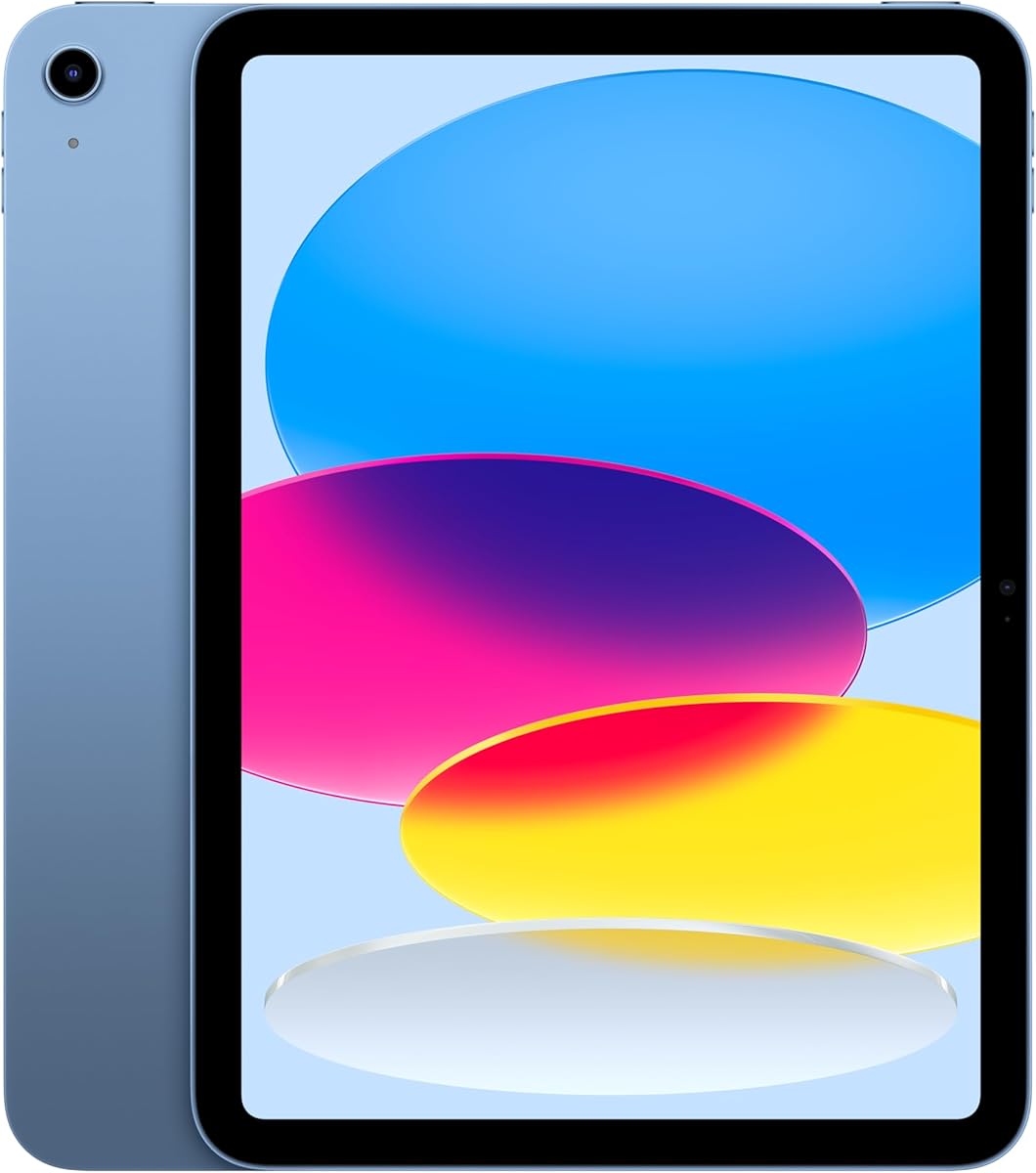
The blue 11-inch iPad with the A16 chip is the strongest all-around choice in this guide. Its 4.7 rating reflects a highly favored listing, while the supplied specification highlights a modern processor, a large Liquid Retina display, 128GB of storage, Wi-Fi 6, USB-C, and all-day battery life. It is well suited to buyers who want a modern tablet without stepping up to a premium-tier device.
We may earn a commission when you buy through this link, at no additional cost to you.
The A16 chip is the centerpiece of its performance proposition. Apple describes it as superfast, with enough capability for games, photo editing, video editing, multitasking, and daily communication. The 11-inch Liquid Retina panel adds True Tone adjustment, making the screen more comfortable for movies, reading, drawing, and general work. Wi-Fi 6 improves the appeal for streaming, downloads, file transfers, and collaboration when a strong home or school network is available.
Modern accessories are another reason to consider this model. It supports Apple Pencil with USB-C, the first-generation Apple Pencil, and the detachable Magic Keyboard Folio. That gives buyers a path to handwriting, sketching, more conventional text entry, and laptop-style use. The trade-offs are that 128GB is only the starting storage level, accessories can add considerable cost, and the USB-C transition means existing Lightning accessories may not work directly.
This is the pick for a student, family, creative learner, or professional who wants a current iPad for everyday work and entertainment. It is especially compelling when compared with renewed models because it combines a newer chip, USB-C, Wi-Fi 6, Touch ID, 12MP front and rear cameras, and a larger screen without requiring the buyer to accept an older platform.
The A16 chip and iPadOS support apps designed for both productivity and creativity. Multiple-app workflows, Scribble with Apple Pencil, and the wide selection of iPad apps make the blue model useful for notes, presentations, browsing, media, and light creative editing.
True Tone adjusts the Liquid Retina display to ambient lighting, while 12MP front and rear cameras support calls, selfies, document scanning, photography, and 4K video capture. These features broaden its usefulness beyond media consumption.
We may earn a commission when you buy through this link, at no additional cost to you.
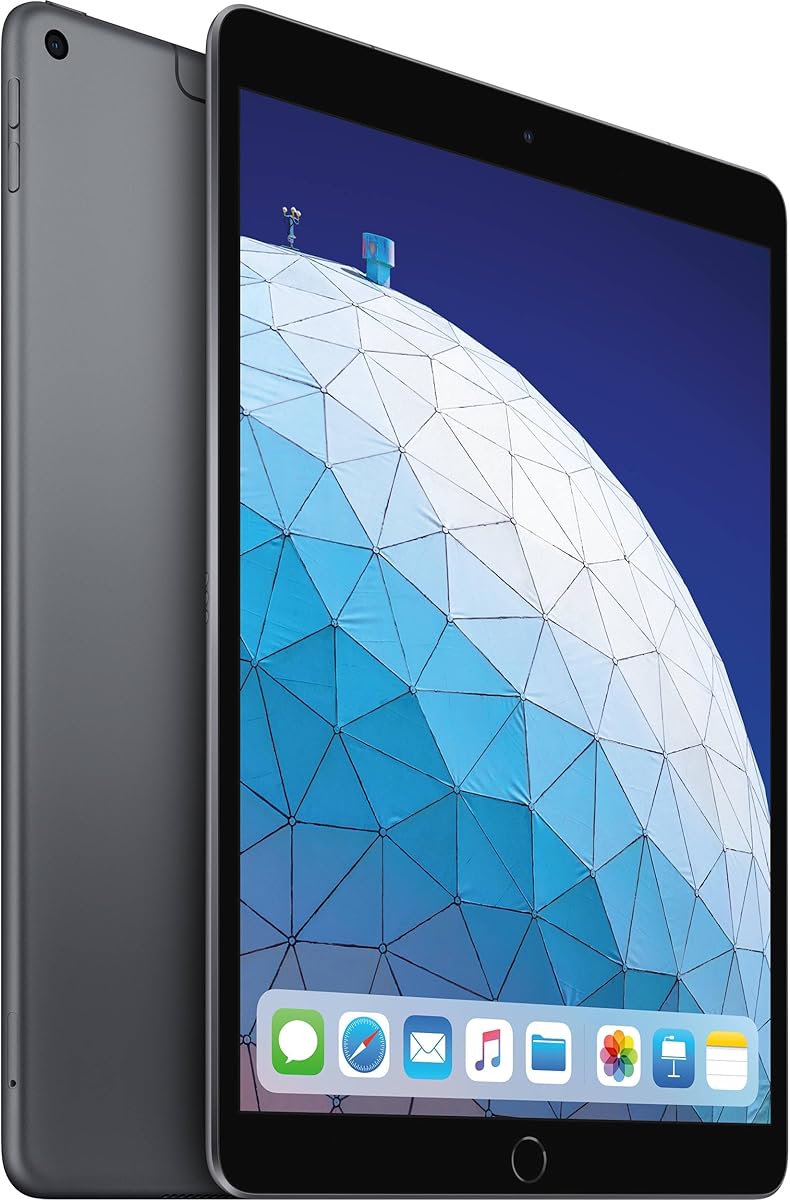
This renewed 2021 iPad offers a 10.2-inch Retina display, 64GB of storage, and Wi-Fi connectivity in Space Gray. Its 4.3 rating gives it a favorable but less emphatic history than the current 11-inch models, which may reflect the tradeoff between a more established product and a newer platform.
We may earn a commission when you buy through this link, at no additional cost to you.
The standout practical feature is 64GB of storage. Compared with the 32GB configurations in several renewed alternatives, it provides more room for downloaded media, offline documents, app data, and files without moving to a larger capacity current model. The familiar 10.2-inch size also works well for reading, web browsing, watching video, and using apps around the home or while traveling.
The important caveat is that this is a renewed older iPad. Buyers should review the seller's condition description, warranty information, and included accessories before ordering. The supplied product data is limited to the display and core capacity details, so buyers should not assume features that are not stated in the listing. It also does not have the USB-C and Wi-Fi 6 combination offered by the A16 iPads.
Choose this tablet when 64GB is a priority and the goal is to find a capable, familiar iPad at a lower tier. It is a sensible alternative for casual users, older students, and households that want a second tablet without selecting the smallest renewed option.
The 64GB capacity is particularly useful for shoppers who want to retain downloaded films, textbooks, documents, and app data on the tablet. It also reduces the likelihood that owners will need to manage storage as aggressively as they would on a 32GB iPad.
Condition grading, battery expectations, warranty coverage, and accessory inclusion can vary between renewed listings. Reviewing the current details is essential because the provided data does not describe the cosmetic or functional condition of this particular unit.
We may earn a commission when you buy through this link, at no additional cost to you.
The silver 11-inch A16 iPad is the premium-featured selection among these budget-conscious choices. It shares the modern hardware platform of the blue model, including a 4.7 rating, 128GB of storage, a Liquid Retina display, Wi-Fi 6, USB-C, Touch ID, and 12MP cameras. The main differentiator is simply the silver finish.
We may earn a commission when you buy through this link, at no additional cost to you.
Its A16 chip provides a strong foundation for demanding tablet use, from games and creative applications to multitasking and video editing. The larger Liquid Retina display is useful for media, drawing, handwritten notes, and split-screen work, while True Tone makes it easier to view comfortably under changing room lighting. All-day battery life is another meaningful advantage for students and mobile users.
Compared with renewed 10.2-inch and 9.7-inch options, this tablet offers a more current accessory and connectivity platform. USB-C expands peripheral choices, Wi-Fi 6 suits busy wireless environments, and the 12MP Center Stage front camera adds flexibility for video calls. As with any current iPad, Apple Pencil and Magic Keyboard accessories are separate purchases, and 128GB may become limited for extensive media libraries.
This model is ideal for shoppers who prioritize longevity, modern features, and a large display over the lowest possible purchase cost. It is also a strong choice when the goal is a versatile family tablet capable of handling schoolwork, entertainment, communication, and light creative projects.
The silver finish gives buyers a neutral, traditional appearance, while the modern platform delivers the same core performance features found in the other current 11-inch choices. The 4.7 rating makes it one of the strongest-rated products in the comparison.
USB-C provides a current connection standard, and Wi-Fi 6 supports fast access to files, uploads, downloads, and streaming services. These features make the tablet a practical hub for both entertainment and accessory-driven productivity.
We may earn a commission when you buy through this link, at no additional cost to you.
The renewed 8th-generation iPad balances familiar Apple features with a more affordable older platform. Its 4.2 rating, 10.2-inch Retina display, A12 Bionic chip, 32GB of storage, and Wi-Fi 5 connectivity make it a practical option for basic iPad users who do not need the newest hardware.
We may earn a commission when you buy through this link, at no additional cost to you.
The A12 Bionic chip includes a Neural Engine and should provide capable performance for common iPad tasks such as browsing, media, communication, and productivity apps. Touch ID supports convenient unlocking and sign-in, while the stereo speakers add value for video and music. Compatibility with the Smart Keyboard and first-generation Apple Pencil expands its creative and productivity potential.
The biggest limitation is 32GB of storage. That can be adequate for cloud-focused users, but it leaves less room for downloaded videos, offline coursework, and large app libraries. Its Lightning connector also represents an older accessory standard, and its Wi-Fi 5 setup is less current than Wi-Fi 6. As a renewed product, its physical condition and included accessories should be confirmed directly.
This is a sensible option for a first-time iPad owner, a child learning basic apps, or a household seeking a spare tablet for browsing and media. It works particularly well for shoppers who prefer a 10.2-inch Retina screen and established accessory compatibility over the newest processor and connection standard.
The A12 Bionic chip and Neural Engine provide a capable foundation for the iPad apps most households use. The design remains useful for browsing, media, communication, document viewing, and keyboard or Pencil workflows.
With 32GB, buyers should consider using cloud storage and avoiding unnecessary downloads. If local media, offline files, or a large app collection is important, a model with more capacity may be a better fit.
We may earn a commission when you buy through this link, at no additional cost to you.
The renewed 2020 iPad is a value-focused choice for users who want a familiar 10.2-inch iPad without moving to a current-generation model. It carries a 4.2 rating and is listed with 32GB of storage, Wi-Fi, Space Gray styling, a Retina display, and the A12 Bionic chip with Neural Engine.
We may earn a commission when you buy through this link, at no additional cost to you.
The 10.2-inch Retina format remains useful for reading, browsing, video, and everyday app use. The A12 Bionic chip gives the tablet a familiar level of performance for common tasks, and the space gray finish is subtle enough for work, school, and home environments. This configuration can make more sense for a secondary tablet than a primary device intended for intensive editing or demanding games.
Buyers must balance that familiar design against the limits of an older renewed product. The supplied information does not detail the condition, battery health, warranty, or accessories included with this particular listing. Storage is also limited at 32GB, while the platform uses an older accessory generation compared with the A16 iPads. Those factors make careful listing review essential.
Choose this iPad for light everyday use, a child, a secondary media device, or anyone comfortable with an older but proven Apple tablet. It is most attractive when the priority is getting the familiar iPad experience at a lower spending tier rather than owning the newest hardware.
The 10.2-inch Retina display and A12 Bionic chip cover the fundamentals of browsing, communication, reading, media, and light productivity. It is a sensible foundation for users who already understand the iPad interface.
Renewed tablets can vary in cosmetic condition and included equipment. Because the provided data does not specify those details for this model, buyers should check the current condition report, warranty terms, and box contents.
We may earn a commission when you buy through this link, at no additional cost to you.
The yellow 11-inch iPad combines the same modern A16 platform with a more expressive finish. Its 4.7 rating, 128GB capacity, Liquid Retina display, Wi-Fi 6, USB-C, Touch ID, and 12MP cameras make it technically equivalent to the other current 11-inch picks in this guide.
We may earn a commission when you buy through this link, at no additional cost to you.
The A16 chip is designed to handle immersive games, photo and video editing, multitasking, and normal communication with plenty of headroom. The 11-inch Liquid Retina display offers True Tone adjustment and a useful canvas for entertainment, drawing, handwriting, and viewing documents. Support for USB-C Apple Pencil, first-generation Apple Pencil, and the Magic Keyboard Folio makes the tablet adaptable to several working styles.
The yellow finish is the primary attraction for buyers who want an iPad that looks distinctive. Some users may prefer it for a child's study device, creative space, or shared family tablet. The trade-off is that the hardware is not fundamentally different from the blue, silver, and pink versions, so choosing yellow should be based on preference rather than a performance advantage.
This model suits a creative buyer who wants current Apple performance in a less conventional appearance. It is also a strong option for students and families because the modern chip, long battery life, large display, and accessory support make it suitable for both school and entertainment.
The yellow finish gives the iPad a distinctive identity without changing its core specification set. Buyers still receive the A16 chip, 11-inch Liquid Retina display, 128GB of storage, and modern connectivity features.
Apple Pencil support expands the tablet into a drawing and note-taking surface, while the large True Tone display helps with prolonged viewing. The detachable keyboard option adds a more conventional productivity setup when needed.
We may earn a commission when you buy through this link, at no additional cost to you.
The pink 11-inch A16 iPad is for shoppers who want a capable current-generation tablet with a softer, distinctive appearance. It shares the 4.7 rating and core specification set of the other new 11-inch models: 128GB storage, Liquid Retina display, Wi-Fi 6, USB-C, Touch ID, 12MP cameras, and all-day battery life.
We may earn a commission when you buy through this link, at no additional cost to you.
Performance is a major strength because the A16 chip is designed for demanding and everyday activities. The 11-inch True Tone display offers a comfortable viewing experience, and the combination of Safari, Messages, Keynote, and a broad catalog of iPad applications makes the tablet useful for work and entertainment. Multitasking, Scribble, photo editing, and video tools add further flexibility.
The pink finish differentiates the device visually rather than functionally. It may appeal to users who want a personal, colorful tablet, while others may see a more neutral finish as easier to coordinate with a case or workspace. Storage begins at 128GB, and Apple Pencil and Magic Keyboard accessories are separate, which can raise the total ownership cost for buyers who need those tools.
This is a strong recommendation for a student, creative learner, or family member who values both performance and personal style. The current platform makes it preferable to an older renewed iPad when long-term accessory compatibility and modern connectivity matter.
The pink finish adds personality to a tablet that otherwise matches the other A16 11-inch models. Buyers get the same processor, display size, storage capacity, cameras, and connectivity regardless of which finish they prefer.
The large Liquid Retina display, 12MP cameras, and all-day battery life work together for video calls, photography, 4K capture, media consumption, and creative applications. True Tone also helps maintain comfortable viewing in changing light.
We may earn a commission when you buy through this link, at no additional cost to you.
This renewed 10.2-inch, 32GB Space Gray iPad is aimed at basic users who want an inexpensive way to access the iPad experience. Its 4.1 rating is the second-lowest in this comparison, which makes sense for a renewed product built around the A10 Fusion chip and a smaller storage capacity.
We may earn a commission when you buy through this link, at no additional cost to you.
The supplied details highlight several familiar conveniences: a Smart Connector, 3.5mm headphone jack, stereo speakers, Touch ID, dual microphones, a Lightning connector, an 8MP rear camera, and a 1.2MP FaceTime HD front camera. These physical features can still be valuable to people who prefer a headphone jack or do not need the newest connectivity.
Its main compromises are the age of the hardware and the limited storage. The A10 Fusion chip remains recognizable, but the A12 Bionic and A16 models offer a clearer performance and longevity path. Renewed condition is another consideration, and the listing details should be reviewed carefully for scratches, battery information, warranty coverage, and accessories.
Buy this tablet for light browsing, media viewing, communication, and simple app use. It is best suited to buyers who prioritize a low spending tier and familiar physical design over processing power, USB-C, the latest wireless standard, or extensive local storage.
The 3.5mm headphone jack, Smart Connector, and Lightning port offer a recognizable set of connections. These can be useful for owners who already own compatible accessories or prefer a wired headphone option.
The A10 Fusion chip is the least advanced processor in the guide. While it can serve basic needs, buyers who expect heavy multitasking, demanding games, or extensive creative work should favor a more recent model.
We may earn a commission when you buy through this link, at no additional cost to you.
The renewed 2019 seventh-generation iPad delivers a familiar 10.2-inch tablet design with 32GB of storage and Wi-Fi connectivity. It has a 4.1 rating and uses the A10 Fusion chip, placing it among the more basic options in this guide but also among the choices aimed at the smallest budgets.
We may earn a commission when you buy through this link, at no additional cost to you.
Physical features include a Smart Connector, 3.5mm headphone jack, stereo speakers, dual microphones, a Lightning connector, a Home button with Touch ID, an 8MP rear camera, and a 1.2MP FaceTime HD front camera. These details make it a straightforward tablet for reading, web use, video, communication, and simple productivity tasks.
The main concern is longevity. A10 Fusion hardware and a renewed listing mean this model is best for occasional or secondary use rather than demanding creative work. Storage is limited, and the older charging and accessory standard can be inconvenient for people with newer USB-C accessories. The physical condition and battery condition should be verified before purchase.
This tablet is appropriate for a child, a traveler, a reader, or anyone seeking a low-cost dedicated iPad for basic tasks. It is most compelling when the primary objective is inexpensive access to Apple applications and a large display rather than advanced performance.
The 10.2-inch form factor, stereo speakers, and front and rear cameras cover common needs for lessons, reading, video calls, and entertainment. Touch ID provides a familiar way to unlock the tablet.
The seventh-generation design is old compared with the A16 models. Set expectations around basic use, check the renewed condition carefully, and avoid the tablet if intensive performance is a priority.
We may earn a commission when you buy through this link, at no additional cost to you.
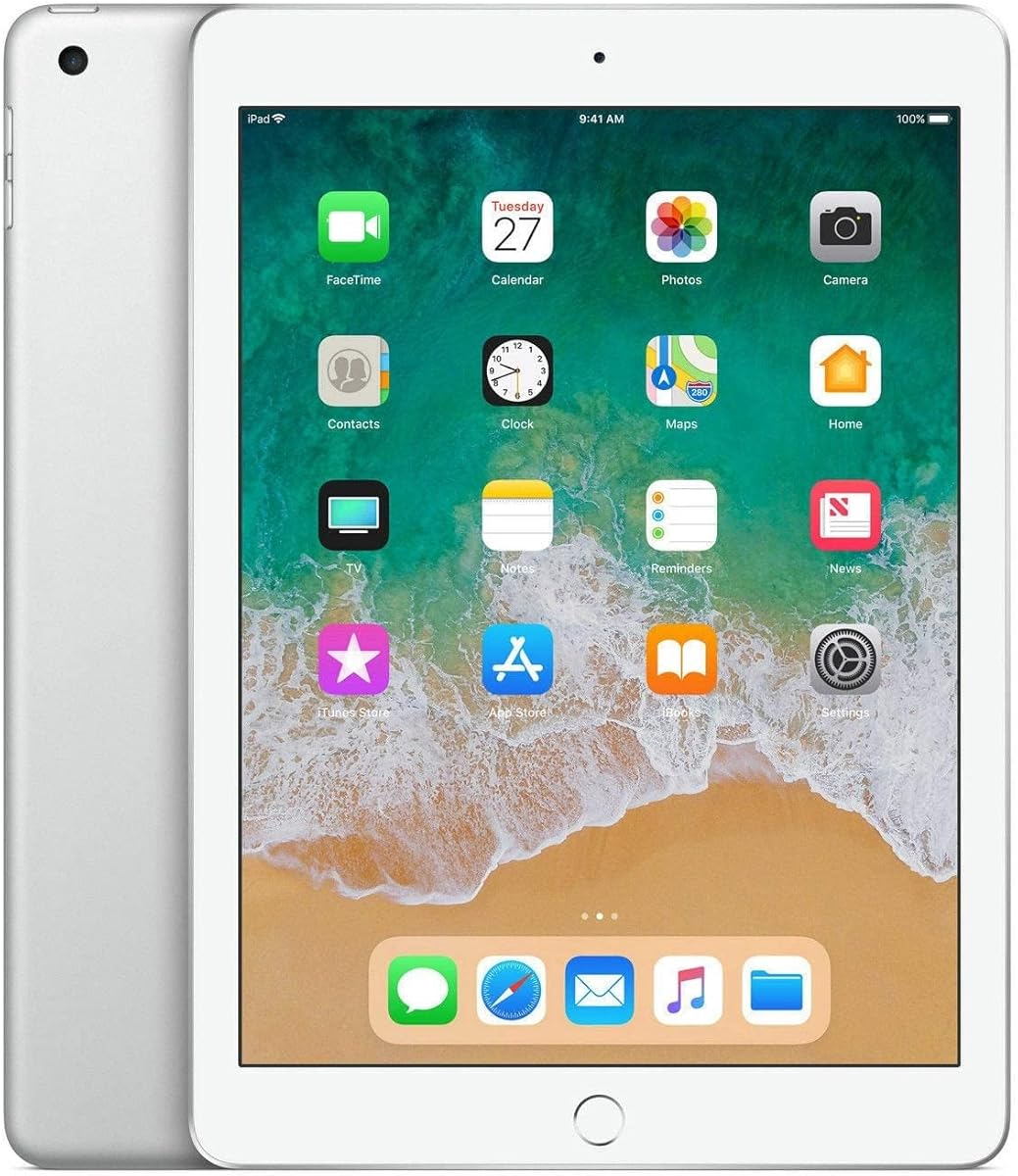
The early-2018 9.7-inch iPad is the best low-cost compact selection. It has a 4.3 rating, 32GB of storage, Wi-Fi-only connectivity, and a silver finish. Its smaller proportions make it easier to hold than a full-size iPad, while the traditional 9.7-inch design remains familiar to many users.
We may earn a commission when you buy through this link, at no additional cost to you.
Its Retina display has a stated 2048 by 1536 resolution and 264 pixels per inch, which is a meaningful technical specification for reading, web browsing, and media. The A10 Fusion SoC and M10 Coprocessor handle the platform's core tasks, while 802.11ac Wi-Fi and Bluetooth 4.3 cover wireless needs. Apple Pencil support, Night Shift, and Touch ID remain valuable additions.
Compact size is both a strength and a limitation. It is easier to carry and comfortable for one-handed reading, but the screen is smaller than every 10.2-inch and 11-inch model here. The tablet also has only 32GB of storage, an older processor, and an older wireless platform. As a renewed product, the current condition report is especially important.
Choose this iPad for reading, note-taking, light browsing, media consumption, and buyers seeking the smallest device in the list. It makes the most sense for basic use where portability and affordability outweigh demanding performance, large-screen multitasking, and current accessory standards.
The 9.7-inch display is easier to carry and usually more comfortable for prolonged reading than a larger tablet. Its high 2048 by 1536 Retina resolution also provides a crisp canvas for books, web pages, and handwritten notes.
Despite its age, the tablet offers Apple Pencil support, Touch ID, Night Shift, front and rear cameras, and access to the iPad app ecosystem. These features help it remain useful for basic tasks when newer hardware is beyond the buyer's preferred spending tier.
We may earn a commission when you buy through this link, at no additional cost to you.
Choosing an affordable iPad means balancing condition, generation, screen size, storage, and accessory compatibility. The following factors help explain where each model fits and which compromises may be acceptable for your intended use.
A renewed iPad can provide access to Apple's large app ecosystem at a lower spending tier, but the age of the hardware varies substantially. Current 11-inch models use the A16 chip, USB-C, Wi-Fi 6, Touch ID, and 12MP cameras, while the renewed options in this guide use older chips, Lightning connectors, and earlier wireless standards. A renewed tablet can make sense for reading, browsing, media, and light productivity. A newer model is more attractive for intensive games, photo or video editing, longer-term accessory planning, and smoother performance as applications evolve.
The guide includes 9.7-inch, 10.2-inch, and 11-inch iPads. The 9.7-inch model is the most compact and can be easier to hold for reading or travel. The 10.2-inch size offers a familiar balance for browsing, media, and notes, while the 11-inch Liquid Retina display gives modern buyers more room for split-screen work, drawing, and entertainment. The older 9.7-inch model has a stated 2048 by 1536 resolution, while newer models add features such as True Tone that adjust the display to ambient lighting.
The A16 chip is the strongest processor in this comparison and is positioned for demanding games, multitasking, and photo and video editing. The A12 Bionic models provide a more modern middle ground, and the A10 Fusion options remain appropriate for core iPad tasks. Hardware age affects more than games: it also influences accessory support, available charging options, and how comfortably the tablet may handle future applications. Choose the A16 model if performance headroom matters; an A12 model is sensible for established needs; the A10 options are better for lightweight tasks.
Storage determines how many apps, downloaded videos, documents, and offline files can remain on the tablet. The 128GB current models offer the most room in this list, while most renewed tablets have 32GB. One renewed 2021 model provides 64GB, which is appealing for users who want more space without moving to a current 11-inch tablet. A smaller capacity can still work for cloud-focused users, but it requires regular storage management. Consider how much media you download and whether you use the tablet for school materials that must remain accessible offline.
The current 11-inch iPads use USB-C and Wi-Fi 6, which is the most modern connectivity combination in the guide. Renewed 10.2-inch and 9.7-inch options generally use Lightning, with the supplied details identifying older Wi-Fi standards. USB-C can make it easier to use contemporary accessories and a broader selection of cables, while Wi-Fi 6 is useful on crowded or busy networks. If you already own a collection of Lightning accessories, an older renewed iPad may be more convenient. If you are starting fresh, a current connection standard reduces friction.
Apple Pencil support can turn an iPad into a more useful notebook, drawing surface, or document annotation tool. The modern 11-inch models support the USB-C Apple Pencil and the first-generation Apple Pencil, while the 8th-generation listing explicitly notes first-generation Apple Pencil and Smart Keyboard support. The 9.7-inch model also lists Apple Pencil support. Accessories are generally purchased separately, so include their cost in the overall budget. If handwriting, sketching, or physical-keyboard productivity is central to the purchase, make sure the selected model has the required compatibility.
Renewed does not mean every unit has the same cosmetic or functional condition. The product data does not provide condition reports, battery health information, warranty details, or box contents for the renewed listings, so those items must be checked on the live product page. Look for clear descriptions of screen marks, body damage, battery condition, tested functions, and included chargers. A thorough review reduces the chance of unexpected costs and helps buyers determine whether a lower-cost tablet is worthwhile for their needs.
The current 11-inch models have 12MP front and rear cameras, with the rear camera supporting photo and 4K video capture. Older models use lower-resolution 8MP rear and 1.2MP FaceTime HD front cameras, which remain useful for calls, selfies, document scanning, and basic capture. Stereo speakers are present across the renewed models, and the 9.7-inch option includes Night Shift. Video quality and camera resolution may not influence every purchase equally, but they matter for remote learning, family calls, work meetings, and content creation.
Begin with a clean setup and the basics. Turn on the iPad, connect it to Wi-Fi, sign in to your Apple account, and update iPadOS so that apps, security features, and accessory compatibility reflect the software currently available. Create separate accounts for family members, enable automatic updates, and set a passcode. Touch ID can then be used for unlocking, app sign-ins, and payments through Apple Pay. A short tour of accessibility, display, and notification settings helps tailor the tablet to the owner.
Match the accessories to the task. Use the USB-C Apple Pencil, first-generation Apple Pencil, or other compatible stylus for handwriting and drawing, and attach a supported keyboard when typing becomes the main activity. Keep the charging and data cable nearby, particularly with older Lightning models. For streaming, studying, or work, connect the iPad to a suitable network and use a protective case. A case with a stable surface is useful when a keyboard is attached, while a stand can improve the viewing angle for video calls.
Protect the tablet with simple, consistent care. Clean the display with a soft, lint-free cloth and avoid exposing the device to liquids, excessive heat, or dusty environments. Update the software regularly, review app permissions, and keep enough free storage for new updates and media. For a renewed purchase, monitor battery behavior closely during the initial period, record the condition at delivery, and save the seller's warranty information. If a stylus, keyboard, or case is used, check compatibility before ordering and remove unnecessary accessories when traveling.
A renewed iPad can be a practical choice for reading, browsing, video calls, media, and light productivity. The best examples in this guide have capable displays, familiar designs, and useful features such as Touch ID, stereo speakers, and Apple Pencil support. The main caution is hardware age, so buyers should review the condition report, battery expectations, warranty, and included accessories before purchasing.
The 11-inch models with the A16 chip have the strongest processor in this comparison. Apple positions the chip for demanding games, multitasking, and photo and video editing. The renewed A12 Bionic models sit in the middle, while the A10 Fusion options are best suited to lighter tasks and the lowest spending tiers.
Choose 9.7 inches for compact portability, 10.2 inches for a familiar balance of display size and handling, or 11 inches for more space for media, drawing, notes, and split-screen work. Screen size is only one consideration, and processor generation, storage, condition, and accessory compatibility should also influence the decision.
32GB can be enough for light browsing, communication, note-taking, and streaming when owners manage downloads carefully. It offers less room for offline videos, large app libraries, and many stored documents. Buyers who keep extensive media or coursework on the device may prefer the renewed 64GB model or a current 128GB configuration.
Several less expensive models support Apple Pencil, including the renewed 8th-generation iPad and the 9.7-inch early-2018 model. Compatibility varies by generation, so check which Pencil version is accepted before buying. The current 11-inch A16 models support both the USB-C Apple Pencil and the first-generation Apple Pencil, although accessories are sold separately.
Yes. The A16 chip, 11-inch Liquid Retina display, 128GB capacity, and support for multiple apps, Apple Pencil, and the Magic Keyboard Folio make the current models well suited to research, note-taking, presentations, media, and communication. The 128GB starting capacity may be more useful than 32GB for students who save files locally.
Check the cosmetic condition, battery information, tested functions, warranty coverage, return policy, and included accessories. Also confirm the exact model, display size, storage capacity, and connector type. Renewed inventory changes, and the supplied product information does not include a detailed condition report for every listing.
No. A newer model is usually preferable for performance, current connections, accessories, and long-term use, but it costs more. An older renewed iPad can provide better value for reading, browsing, media, and basic productivity. The right choice depends on the budget, condition, screen size, storage needs, and how demanding the intended tasks are.
The blue 11-inch iPad with the A16 chip is the strongest overall choice because it combines modern performance, a large Liquid Retina display, 128GB of storage, USB-C, Wi-Fi 6, Touch ID, capable cameras, and broad accessory support. The silver, yellow, and pink versions share the same core platform and may be preferable based on finish. For the smallest budget, the compact renewed 9.7-inch iPad provides a familiar 10-inch-class alternative for basic use, while the renewed 2021 model offers more storage than most older alternatives.
Prioritize the features that affect your daily routine. Choose the A16 platform for demanding apps, current accessories, and a modern connection standard. Choose a renewed 10.2-inch model for a lower-cost, familiar tablet, or the 9.7-inch version for portability and Apple Pencil support. Pay particular attention to storage, display size, renewed condition, battery expectations, and whether a keyboard or stylus is required.
Before ordering, verify the current product page, seller details, condition report, warranty, included accessories, and final cost. Availability and pricing can change, and the same model may appear through different sellers or in different conditions. A careful comparison at the time of purchase is the final step in securing an affordable iPad that fits your needs.
