
QNAP TR-004
4.2Editor score
Four 3.5-inch SATA bays
Hardware RAID configuration support
USB Type-C cross-platform connection
Direct Attached Storage devices give a PC a convenient way to add capacity, organize multiple drives, and move data without relying on a network connection. The right solution depends on whether you need a simple internal upgrade, a flexible external enclosure, or a multi-bay system with RAID and hot-swapping support.
This guide compares ten relevant options spanning internal SATA hard drives, SATA SSDs, external desktop storage, and multi-bay direct-attached enclosures. We considered the supplied capacity, transfer speed, interface, RAID capabilities, operating-system compatibility, physical design, and intended workloads to help distinguish each product clearly.
The list shows how these products serve different needs, from inexpensive internal storage upgrades to high-capacity enclosures for demanding data sets. Product ratings and configurations can change over time, and prices fluctuate, so readers should confirm current availability and specifications before making a purchase.
4.2Editor score

4.8Editor score
4.7Editor score
As an Amazon Associate we earn from qualifying purchases.
The comparison below organizes all ten products by their role in a PC storage setup, including usable capacity, connection method, maximum storage architecture, and the most important workload-oriented feature.






The Seagate BarraCuda 8TB is a straightforward internal SATA hard drive for expanding a desktop PC that needs more room for media, archives, project files, games, or backups. Its 4.7 rating reflects a generally favorable reception, while the substantial 8TB capacity makes it appealing to users who prefer one large drive over several smaller volumes. It connects through SATA 6 Gb/s and is positioned as a versatile internal storage solution for common PC workloads.
We may earn a commission when you buy through this link, at no additional cost to you.
The standout specification is the stated sustained transfer rate of up to 190 MB/s. That figure is useful for sequential file transfers, media libraries, and large folders where the source and destination systems can sustain a comparable pace. The drive is described as suitable for music, video, photo editing, gaming, and general desktop applications, giving it broader relevance than a narrowly specialized archive drive. Its internal format also avoids the need for an external enclosure or an additional power supply once correctly installed.
The primary trade-off is that this is a mechanical hard drive rather than an SSD, so it is better suited to capacity and sustained bulk storage than to demanding random-access workloads. The listed package is only an anti-static bag, which means buyers may need their own SATA data cable and appropriate power connection if the PC does not already provide them. There is also no cable or retail box included. These limitations make installation planning important, but they do not undermine the drive's value as a large internal storage volume.
This is a strong recommendation for a user who wants to add substantial capacity inside a desktop and does not need the low latency of an SSD for every operation. It can serve as a secondary library for files that do not need constant opening, while a faster drive handles the operating system and active applications. Buyers should confirm that the PC has a free 3.5-inch bay, SATA connections, and suitable airflow before ordering. For straightforward high-capacity internal expansion, the BarraCuda stands out as a practical choice.
An 8TB capacity gives a desktop room to consolidate media, documents, photographs, and game files into a generous internal volume. This makes the drive practical for users who want easy local access without routing every file through external hardware or network storage.
The listed sustained transfer rate of up to 190 MB/s is suited to moving large sequential files and managing established media collections. It is especially relevant when performance matters at the drive level, but it does not match the responsiveness of a SATA SSD.
We may earn a commission when you buy through this link, at no additional cost to you.
The TERRAMASTER D4-320 is a four-bay external direct-attached storage enclosure for users who need a flexible way to connect several disks to a PC. It carries a 4.2 rating and is explicitly a DAS rather than a NAS. Unlike a network enclosure, it connects directly to a computer through USB and supports plug-and-play operation across Windows, macOS, and Linux. The enclosure is diskless, so the appropriate hard drives or SATA SSDs must be supplied separately.
We may earn a commission when you buy through this link, at no additional cost to you.
Its USB 3.2 Gen2 interface provides a theoretical data transmission rate of up to 10 Gbps. According to the supplied information, four 8TB SATA III hard drives can reach a combined read and write rate of up to 1,016 MB/s, while one 1TB SATA III SSD can reach up to 510 MB/s. The enclosure accepts 3.5-inch SATA hard drives, 2.5-inch SATA hard drives, and 2.5-inch SATA SSDs. A single drive may be as large as 30TB, and four populated bays can provide 120TB of aggregate capacity.
Its most useful feature for active users is hot swapping. Tool-free trays and the Push-lock design make it easier to insert, secure, remove, and replace disks without shutting down the enclosure. The design is more convenient than permanently mounted internal drives for workflows involving frequent media changes. The intelligent temperature-controlled fan and vibration-damping measures help manage heat and noise, and standby operation is listed below 21 dB(A). A major limitation is the absence of RAID, so users needing redundancy or striped performance should choose a different enclosure.
The D4-320 is a good fit for creative professionals, data collectors, and PC builders who want one external cabinet to manage several disks across different systems. It is particularly compelling when a user values tool-free replacement and broad compatibility over built-in data protection. The absence of drives in the package and the lack of RAID mean buyers should plan their storage configuration in advance. For direct, flexible multi-disk access, however, it offers a capable and convenient enclosure.
Hot-swappable bays allow compatible drives to be replaced without powering off the enclosure. Combined with tool-free trays and Push-lock retention, this simplifies workflows that involve moving between high-capacity hard drives and faster SATA SSDs.
The enclosure works with Windows, macOS, and Linux and supports several common SATA storage formats. Its USB Type-C connection is also listed as compatible with USB 3.0, USB 3.1, USB 3.2, Thunderbolt 3, and Thunderbolt 4.
We may earn a commission when you buy through this link, at no additional cost to you.
The QNAP TR-004 is a four-bay USB Type-C DAS that adds hardware RAID support to a direct desktop connection. Its 4.2 rating reflects its balance of features, and it supports Windows, macOS, and Linux. Unlike the D4-320, this model offers RAID 0, RAID 1, RAID 5, JBOD, and individual-disk operation through hardware controls. It is also diskless, meaning drives are not included and must be installed in its four 3.5-inch SATA bays.
We may earn a commission when you buy through this link, at no additional cost to you.
The hardware RAID option is the key distinction for users who want more than simple external storage. RAID 1 can mirror data between drives, RAID 5 can provide a RAID set with one drive's worth of redundancy, RAID 0 can combine drives for performance, and JBOD allows the available disks to appear as a larger pool. Individual-disk mode is useful when one drive needs to be handled separately. Lockable bays add another layer of physical security, while the included USB Type-C to Type-A cable helps connect the enclosure to a compatible host.
Compatibility requires care. The supplied data specifically states that the TR-004 cannot be used with the TS-128, TS-228, TS-131, TS-231, TS-431, TS-431U, and NAS models that cannot be updated to QTS 4.3.6 or later. It can serve as an individual storage pool or volume on a NAS, but that pool cannot be combined with the connected NAS. Applications cannot be installed on the enclosure, data moved between it and another system may not be recognized, and drives can only be migrated between TR-004 units.
The TR-004 is best for a user who wants direct-attached access and also understands the value of hardware RAID, especially a mirror or RAID 5 arrangement for resilient local storage. It is less suitable for someone expecting a full NAS operating system, broad QNAP application support, or seamless migration to unrelated systems. Buyers should check the NAS model and current software version before ordering. If those conditions align, the enclosure provides a flexible, professional DAS structure for a PC.
RAID 0, RAID 1, RAID 5, JBOD, and individual disk modes give the enclosure several ways to organize capacity. This makes it more versatile for users who need direct access but still want basic redundancy or a larger pooled volume.
The TR-004 can act as external storage for NAS backup and can expand capacity on compatible QNAP systems. It remains a separate pool or volume and cannot combine that storage with the connected NAS, so planning is essential.
We may earn a commission when you buy through this link, at no additional cost to you.
The Samsung SSD 870 EVO is a 1TB SATA III SSD that delivers the strongest rating in this selection at 4.8. It is designed for users who want faster response from a desktop or laptop while retaining the standard 2.5-inch SATA form factor. The renewed migration software helps simplify moving an existing system, while Samsung Magician 6 provides drive management, health monitoring, firmware updates, and performance-enhancement tools.
We may earn a commission when you buy through this link, at no additional cost to you.
Performance is the main appeal. Samsung states that the drive maximizes the SATA interface limit with sequential speeds of up to 560 MB/s, while a larger variable buffer supports accelerated writes and sustained performance. It is listed as suitable for high-end PCs, workstations, NAS devices, gaming, and demanding workloads including 8K video processing. The 600 TBW endurance figure and five-year limited warranty add a clear durability proposition, and the drive has been compatibility tested with major chipsets, motherboards, NAS systems, and video-recording devices.
Security and management options make the 870 EVO more than a simple speed upgrade. AES 256-bit encryption in Class 0, TCG Opal, and IEEE 1667 support are listed among its capabilities. S.M.A.R.T. support and the Magician software add visibility into drive status, while in-house production covers both firmware and components. The main trade-off is that flash storage generally carries a higher cost per terabyte than a mechanical hard drive, and the product listing does not indicate that an installation cable or external enclosure is included.
This is an excellent recommendation for a PC that currently relies on a mechanical hard drive, especially when operating-system boot time, application loading, and everyday responsiveness matter. It can also serve as a dedicated high-speed drive for active projects while a larger hard disk stores less frequently accessed data. Laptop users should verify that their system accepts 2.5-inch SATA drives. For a compact, compatible, and high-rated internal upgrade, the Samsung 870 EVO is the standout choice.
A SATA SSD can materially improve perceived performance when it replaces a mechanical drive for the operating system and frequently used applications. The listed sequential speed and flash-based design make the 870 EVO well suited to boot, load, and transfer routines.
Samsung Magician 6 assists with health monitoring, updates, and drive management, while S.M.A.R.T. support adds diagnostic visibility. AES 256-bit encryption, TCG Opal, and IEEE 1667 support provide useful options for sensitive or managed storage environments.
We may earn a commission when you buy through this link, at no additional cost to you.
The Seagate IronWolf 12TB is a 3.5-inch, 7200 RPM hard drive aimed at RAID and NAS environments with as many as eight bays. It carries a 4.5 rating and offers 12TB of capacity with up to 256MB of cache. Although it is an internal drive rather than a complete enclosure, it is directly relevant to PC users building a local or private-storage system and wanting a disk designed specifically for multi-user, always-available workloads.
We may earn a commission when you buy through this link, at no additional cost to you.
Its defining characteristics are NAS awareness and storage density. The drive is positioned for business and personal use in up to eight-bay, multi-user environments. Seagate highlights reduced wear, low noise and vibration, fewer lags, and improved file-sharing performance. The 6 Gbps data-transfer interface connects with modern SATA systems, while integrated IronWolf Health Management allows drive health to be monitored. The stated MTBF figure of one million hours adds another indicator of the intended continuous-use role.
As a mechanical 7200 RPM drive, it prioritizes capacity and sustained storage rather than the near-instant response of a SATA SSD. It also comes with a three-year limited product warranty and three years of Rescue Data Recovery Services. Users shopping only for a conventional desktop data drive may find other options better tailored to that simpler purpose. However, those building a NAS or RAID-oriented private storage system benefit from a drive whose stated design priorities match the environment.
The IronWolf 12TB is best recommended for a builder assembling a compact NAS, a multi-bay private server, or a PC with enough power and cooling for a 7200 RPM hard drive. It can provide a roomy backing store for files shared by several users, while SSDs handle operating systems and frequently accessed applications. Confirm enclosure compatibility, cooling, and the desired RAID layout before purchase. When NAS-specific engineering matters, this drive provides a strong foundation for a dependable multi-user storage system.
IronWolf is designed for RAID and NAS use in multi-user environments, with attention to vibration, noise, file-sharing performance, and continuous operation. That makes it more purposeful than a generic desktop drive when the storage system will be shared.
Integrated IronWolf Health Management helps users monitor drive condition, while the included three years of Rescue Data Recovery Services add support beyond the hardware itself. These features align with storage systems where maintaining many disks is part of routine operation.
We may earn a commission when you buy through this link, at no additional cost to you.
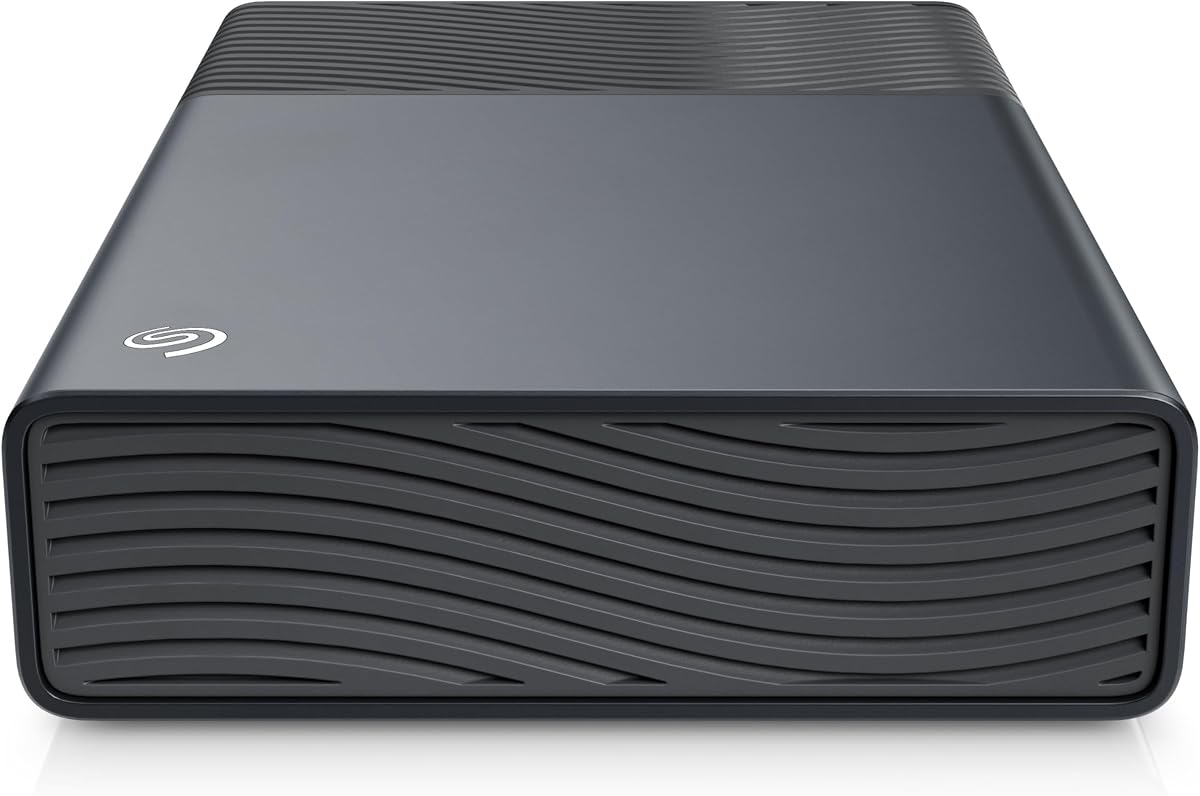
The Seagate One Touch 16TB is a large external desktop hard drive for users who want a straightforward way to consolidate files without opening a PC. It has a 4.6 rating and stores documents, projects, assignments, and sensitive files in a single high-capacity unit. Unlike the multi-bay products in this list, it is a self-contained drive, making it suitable for a home office, editing workstation, or a backup drive that travels between locations.
We may earn a commission when you buy through this link, at no additional cost to you.
The USB-C connection uses bus power, so the drive can operate without a separate wall adapter. The host must deliver the specified 15 watts of USB power, which is worth considering on systems with limited USB bus output. Its one-port, one-cord approach reduces desk clutter, while the 16TB capacity provides room for substantial collections. A two-year limited warranty and Rescue Data Recovery Services accompany the product, adding some support for long-term ownership.
Its main trade-off is that an external mechanical desktop drive does not provide the responsiveness of an SSD or the flexibility of hot-swappable bays. The interface speed and sustained performance also differ from a direct multi-bay enclosure with several disks working together. It is better for maintaining one large archive or backup set than for editing many small active files at once. Users with a PC that lacks spare power should verify USB power delivery before committing to this design.
This drive is a strong recommendation for someone who wants substantial backup capacity in a simple, tidy package. It can serve as a centralized media archive, a project repository, or a separate copy of important documents that should not remain solely on the primary computer. The lack of an included RAID structure is not a concern for a single-volume backup use case, but users who need faster access should pair it with a SATA SSD. For large, straightforward external storage, the One Touch balances capacity, convenience, and simplicity.
The drive draws power through USB-C and needs only one connection to the host. This removes the separate wall adapter associated with many large desktop drives and makes routine backups less cluttering.
With 16TB of capacity, the One Touch can consolidate large document collections, media libraries, completed projects, and backups in one drive. It is particularly useful for users who prefer a single external volume over managing several disk trays.
We may earn a commission when you buy through this link, at no additional cost to you.
The Western Digital WD Blue 12TB is an internal 3.5-inch desktop hard drive aimed at everyday computing and high-capacity storage. Its 4.6 rating indicates strong user reception, and the drive combines a 7200 RPM spindle speed with 512 MB of cache. That combination makes it a natural choice for a desktop that needs room for media, files, game installations, and backups without requiring a separate external enclosure.
We may earn a commission when you buy through this link, at no additional cost to you.
The supplied specifications identify SATA 6 Gb/s connectivity, which allows the drive to take advantage of modern SATA bandwidth when the rest of the system can support it. The 12TB capacity is particularly useful for consolidating data that would otherwise be divided among multiple smaller drives. Acronis True Image WD Edition cloning software is included, providing a convenient way for compatible users to copy an existing system or hard drive during setup.
The mechanical nature of the drive creates the familiar trade-off between capacity and responsiveness. A 7200 RPM drive can handle large sequential files effectively, but it cannot match the random-access behavior of the Samsung 870 EVO or PNY CS900. It also requires internal installation, a SATA data connection, and adequate power and cooling. Users who need the operating system and active applications to feel immediately responsive may prefer an SSD, potentially using this model for secondary storage instead.
The WD Blue 12TB is well suited to a desktop used for media, general productivity, game storage, and document retention. It is a particularly sensible selection for expanding a PC that already uses SATA storage but has run out of room. Prospective buyers should confirm the presence of a 3.5-inch bay and adequate power delivery. For users who prioritize large internal capacity and straightforward everyday computing over minimum latency, this drive delivers a useful balance of features and generous space.
Twelve terabytes gives a desktop substantial room for games, videos, photographs, and project files. Installing the drive internally keeps those files directly available without requiring an external connection each time they are needed.
The 7200 RPM spindle speed and 512 MB cache are the drive's most prominent performance specifications. They make it suitable for sustained storage tasks and high-volume desktop use, although a SATA SSD remains the better choice for random responsiveness.
We may earn a commission when you buy through this link, at no additional cost to you.
The Western Digital WD Red Pro 16TB is a high-capacity hard drive engineered for RAID-oriented NAS systems and intensive multi-user access. Its 3.9 rating is the lowest in this group, but the specification profile is clear: 16TB of capacity, 7200 RPM operation, SATA 6 Gb/s, CMR recording, and 512 MB of cache. It is aimed at storage builders who value sustained workload capability and dense capacity over the faster random response of an SSD.
We may earn a commission when you buy through this link, at no additional cost to you.
The drive is designed for 24×7 operation in high-intensity, multi-user NAS environments and is rated for a workload of 550TB per year. Western Digital states that it works with NAS systems having an unlimited number of bays and has been tested with a wide range of NAS vendors. The 550TB workload figure varies with operating temperature, hardware, software, and configuration, but it clearly positions the drive beyond ordinary desktop storage expectations.
The principal trade-off is the mismatch that can occur between an enterprise-oriented drive and a simple PC. A user who only needs a large file archive may not benefit from the workload rating, CMR design, or extensive multi-bay testing, and the lower 3.9 rating should be considered alongside the product's specifications. Mechanical media also cannot provide the near-instant access of a flash drive. Any enclosure must be compatible with the drive's physical and thermal requirements, and adequate cooling is important in dense configurations.
The WD Red Pro is a compelling recommendation for a NAS builder or a serious storage enthusiast running a heavily used array. It can provide the capacity needed for media libraries, shared project files, and retained data while serving several users around the clock. It is less appropriate for a single lightly used desktop or for users whose priority is immediate application response. When the requirement is sustained NAS workload handling and high density, this 16TB drive is purpose-built for the job.
The 24×7 multi-user focus and 550TB per year workload rating position the WD Red Pro for demanding storage systems. It is better suited to a busy shared environment than to occasional desktop use.
CMR recording is a central feature for builders considering RAID-capable storage. Combined with the 16TB capacity, it provides a dense option for systems where drive density and sustained workload performance are primary concerns.
We may earn a commission when you buy through this link, at no additional cost to you.
The TERRAMASTER D8 Hybrid is an eight-position direct-attached enclosure that combines four SATA hard-drive or SSD bays with four M.2 2280 NVMe slots. Its 3.5 rating is the lowest in the selection, but its unusual architecture gives PC users a way to place high-speed flash storage and large mechanical capacity in the same enclosure. It is diskless, so both SATA and NVMe drives must be installed separately.
We may earn a commission when you buy through this link, at no additional cost to you.
The enclosure can accept SATA hard drives up to 30TB and M.2 NVMe SSDs up to 8TB each. Its stated maximum combined capacity is 152TB, calculated from four 30TB hard drives and four 8TB NVMe drives. The intended use is a tiered storage arrangement: NVMe space can hold hot, frequently accessed data, while hard drives provide economical capacity for colder files. TERRAMASTER's TPC Backupper software is also listed as supporting scheduled backups for important data.
The USB 3.2 Gen2 connection provides up to 10 Gbps bandwidth. Listed performance reaches up to 521 MB/s with an SSD and up to 980 MB/s with an NVMe M.2 SSD. Tool-free trays and the Push-lock design simplify installation and removal of the SATA drives, while the temperature-controlled low-noise fan adjusts its speed according to disk temperature. Power-on recovery provides unattended-operation support by restarting after abnormal power loss. The trade-off is complexity: users must source different drive types and understand which storage role each one will fulfill.
The D8 Hybrid is a strong recommendation for an advanced builder who wants one enclosure to combine near-SSD access with much larger archival capacity. It is well suited to active projects where current working files benefit from NVMe performance and older material lives on hard drives. It is less suitable for buyers who want a simple one-device backup with minimal configuration. With suitable drives, careful backup planning, and attention to cooling, it offers one of the most versatile mixed-storage configurations in the guide.
NVMe drives can hold active files that need fast access, while SATA hard drives provide larger volumes for less frequently used material. This hybrid approach lets users balance responsiveness and capacity without treating every file as equally important.
Tool-free trays, Push-lock retention, and an intelligent temperature-controlled fan support practical operation. Power-on recovery also helps the enclosure return after an unexpected shutdown when configured for unattended use.
We may earn a commission when you buy through this link, at no additional cost to you.
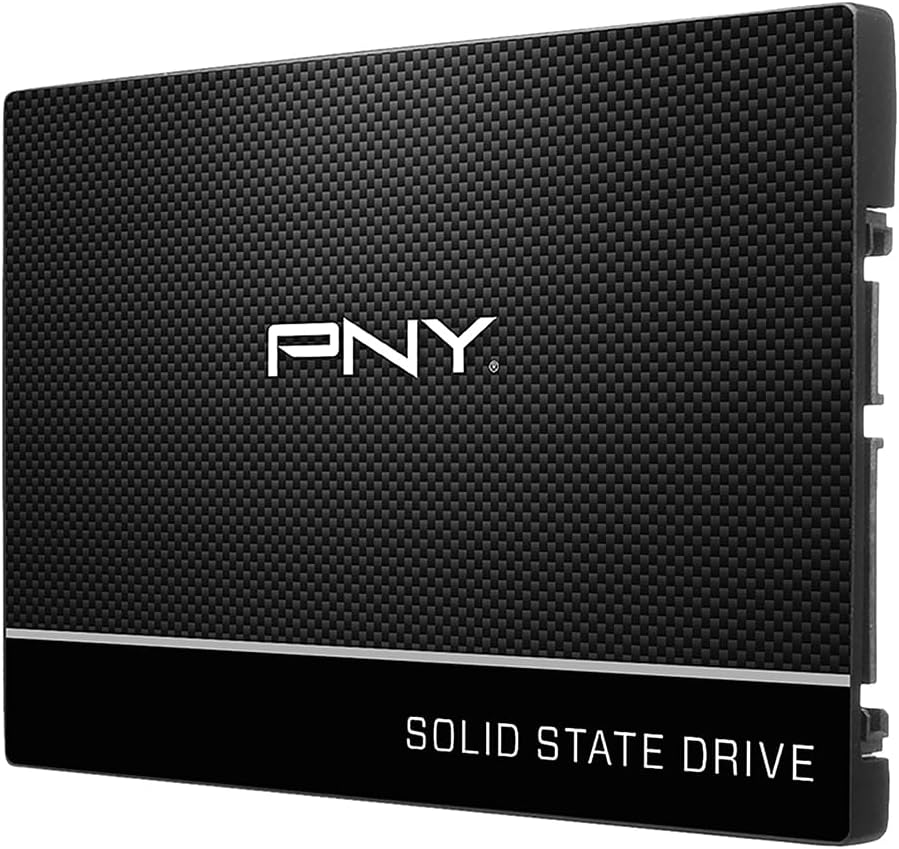
The PNY CS900 500GB is an affordable 2.5-inch SATA III internal SSD for users seeking a meaningful speed improvement without moving to a larger multi-bay system. It has a 4.7 rating and is built around a straightforward proposition: faster operating-system boots, quicker application loads, and lower perceived latency than a traditional hard drive. Its 500GB capacity is more modest than the high-capacity mechanical options in this guide, but it can deliver the largest immediate improvement for an older PC.
We may earn a commission when you buy through this link, at no additional cost to you.
Sequential read speeds are listed at up to 550 MB/s, with sequential writes at up to 500 MB/s. Those figures make the drive suitable for general computing, productivity software, and games that benefit from faster loading. The standard 2.5-inch SATA III form allows installation in compatible desktop or laptop systems, while backward compatibility with SATA II extends its usefulness on older platforms. Low power consumption is another stated advantage, particularly relevant to laptops.
The main limitation is capacity, which can become noticeable in modern media and game libraries. A 500GB drive may fill quickly, requiring users to pair it with a larger hard drive or carefully manage files. The product is also an internal drive, so desktop users may need an adapter or mounting arrangement if the case has no appropriate bay. As with any SATA SSD, real-world responsiveness depends on the host platform and workload, not just the headline sequential transfer figures.
The CS900 is a strong recommendation for a budget-conscious builder reviving a laptop or desktop with a mechanical drive. It is also a useful dedicated drive for an operating system, frequently used applications, or an active project, leaving a separate hard disk for bulk files. Buyers should confirm the available SATA connector, mounting space, and system support before ordering. For an inexpensive, highly rated internal SSD focused on responsiveness, it remains an excellent entry point into flash storage.
The 500GB CS900 provides a manageable capacity while delivering the response benefits of solid-state storage. It is a sensible way to focus a limited upgrade budget on the files and applications that matter most to everyday performance.
The standard SATA III interface works with compatible modern desktops and laptops, while SATA II backward compatibility expands the potential upgrade pool. Users should still check physical fit and available connectors before installation.
We may earn a commission when you buy through this link, at no additional cost to you.
The right PC storage choice depends on the job the drive must perform, the available bays, operating-system support, and whether flexibility, resilience, or maximum responsiveness matters most. These factors help separate a simple internal upgrade from a full direct-attached storage system.
An internal drive connects directly to SATA connectors inside a PC and usually provides a simple way to add a permanent volume. It is appropriate when the case has a free bay, the power supply can support another drive, and the user is comfortable with basic installation. An external DAS instead appears as an independent storage device, making it easier to move between systems and, in some cases, to service drives without opening a desktop case. The Seagate BarraCuda, WD Blue, IronWolf, WD Red Pro, Samsung 870 EVO, and PNY CS900 are internal drives, while the TERRAMASTER and QNAP products are enclosures.
Choose an internal drive for permanent expansion and an external enclosure when portability, a multi-drive arrangement, or frequent drive changes matter more. Do not assume every product labeled for PC storage is a complete DAS unit; some are storage components that require installation into a compatible enclosure.
Capacity should be selected according to the volume of data involved and the number of drives a system can support. The WD Blue 12TB and Seagate IronWolf 12TB offer substantial single-drive space, while the 16TB One Touch provides a large self-contained external volume. For multi-bay systems, the TERRAMASTER D4-320 can reach 120TB with four drives, and the D8 Hybrid can combine four large SATA drives with four NVMe SSDs for a stated maximum of 152TB. These are theoretical enclosure capacities based on compatible drive combinations.
Pick enough space for current data plus realistic growth, while checking every drive's maximum supported size. Capacity alone does not guarantee performance or resilience, so buyers using RAID should also consider how the selected mode affects usable space.
RAID can improve availability, simplify large-volume management, or increase performance depending on the chosen mode, but it is not a substitute for backups. The QNAP TR-004 provides hardware RAID 0, RAID 1, RAID 5, JBOD, and individual-disk modes. The TERRAMASTER D4-320 explicitly has no RAID function, while the D8 Hybrid focuses on combining SATA and NVMe storage tiers rather than presenting a comparable hardware RAID feature set. A plain external drive such as the One Touch is a single volume.
Choose RAID when the storage architecture and redundancy requirements are clear. RAID 1 favors mirrored availability, RAID 5 balances capacity and resilience, RAID 0 prioritizes performance, and JBOD or independent disks suit certain workflows. Always maintain separate backups for irreplaceable files.
The interface determines how quickly data can move between storage and the host, while the installed drive type influences what the enclosure can realistically deliver. The TERRAMASTER D4-320 and D8 Hybrid use USB 3.2 Gen2 with up to 10 Gbps bandwidth, and the QNAP TR-004 uses USB Type-C. Internal SATA products connect through SATA 6 Gb/s or SATA III. Listed application rates range from 190 MB/s for the Seagate BarraCuda to 560 MB/s for the Samsung 870 EVO and up to 980 MB/s with NVMe in the D8 Hybrid.
Match the connection to the host and workload rather than comparing interface labels alone. A faster enclosure cannot make every HDD behave like an NVMe drive, and a multi-disk setup has different performance characteristics from a single volume.
Every enclosure has physical and protocol limits. The D4-320 accepts 3.5-inch SATA hard drives, 2.5-inch SATA hard drives, and 2.5-inch SATA SSDs, with one drive supported up to 30TB. The TR-004 uses four 3.5-inch SATA 3Gb/s bays. The D8 Hybrid accepts four SATA HDDs or SSDs and four M.2 2280 NVMe SSDs. Internal 2.5-inch drives, including the Samsung 870 EVO and PNY CS900, require compatible SATA connectors and mounting provisions.
Confirm bay size, connector type, drive interface, and maximum supported capacity before ordering. Compatibility also extends to the computer: the multi-bay enclosures list support for Windows, macOS, and Linux, but users should still confirm that their particular host ports and desired configuration are supported.
Hot swapping can reduce downtime when a workflow requires exchanging media or replacing a drive. The TERRAMASTER D4-320 supports hot swapping and uses tool-free trays with a Push-lock retention system. The D8 Hybrid also provides tool-free SATA trays and Push-lock retention, though the supplied information does not specifically state that every NVMe position is hot-swappable. The QNAP TR-004 offers lockable bays, while conventional internal desktop drives remain fixed after installation.
Prioritize serviceability if drives will be moved frequently or replaced often. For a fixed archive or operating-system upgrade, convenient swapping matters much less, and a simpler direct connection may be sufficient.
The D4-320 is plug-and-play and listed for Windows, macOS, and Linux. The QNAP TR-004 also supports those systems, but its NAS-related use is constrained by compatible QNAP models and current QTS support. The internal drives rely on the host operating system and standard SATA drivers, while Samsung Magician 6 and Acronis True Image WD Edition provide model-specific management or cloning utilities. The D8 Hybrid's TPC Backupper supports scheduled backup workflows.
Check operating-system requirements, management software, and migration behavior before purchasing. A product can support standard file storage yet still have restrictions on NAS integration, application installation, or moving data between different systems.
Mechanical storage benefits from a steady flow of cool air, especially when several disks operate inside one enclosure. The D4-320 uses an intelligent temperature-controlled fan, specialized sound-absorbing panels, and vibration-damping measures, with standby noise listed below 21 dB(A). The D8 Hybrid also uses a low-noise fan that automatically adjusts according to drive temperature. For internal drives, the quality of the PC case, airflow path, and mounting position becomes more important.
Pay attention to thermal management when filling multiple bays or operating drives continuously. Users in a quiet workspace may also value low-noise features, but a complete solution should still maintain adequate cooling rather than prioritizing silence alone.
Before installing an internal drive, power down the PC, disconnect the power cable, and consult the case or motherboard manual. Confirm that the required SATA data and power connectors are available, mount the drive securely, and connect it without forcing the connectors. For an external enclosure, place it on a stable, ventilated surface, attach the specified cable, and install only drive types and capacities that the manufacturer supports. Drives in diskless enclosures are not ready for use until they have been inserted and formatted by the host.
After connecting storage, use the operating system's disk management tools to initialize the volume, select a compatible file system, and create a recognizable label. RAID configurations should be selected deliberately before data is placed on the disks, with the chosen mode documented and understood. Copy important files before changing an established array. After creating a multi-drive setup, verify that every expected volume appears, test basic reads and writes, and confirm that the backup schedule for critical information is functioning.
Maintain good storage habits by keeping devices connected to stable power, avoiding abrupt removal while files are being written, and providing adequate airflow around internal drives and external enclosures. Periodically review health information, backup results, and storage errors. A failed drive should not be the only copy of important information, and RAID should never be treated as a backup. Periodically verify backups by opening a few files, and use safe eject or shutdown procedures whenever the operating system provides them.
No. A DAS connects directly to a computer through an interface such as USB, while a NAS provides storage over a network and normally runs its own management software. The TERRAMASTER D4-320 is explicitly a DAS, and the QNAP TR-004 can also function as external storage for a compatible QNAP NAS. A NAS generally provides more convenient multi-device sharing, while direct-attached storage can offer a straightforward connection to one host.
Yes. The D4-320 supports 3.5-inch SATA hard drives, 2.5-inch SATA hard drives, and 2.5-inch SATA SSDs. A single HDD may be up to 30TB, and the full four-bay arrangement can hold up to 120TB in aggregate. The enclosure is sold without drives, so compatible storage must be purchased separately, and the D4-320 does not provide RAID.
RAID modes organize the installed drives according to a defined data-protection or performance scheme, while JBOD combines the disks as available capacity without presenting the same RAID-level protection. The TR-004 supports RAID 0, RAID 1, RAID 5, JBOD, and individual disks through hardware RAID. Users should understand the usable capacity and failure implications of each mode before placing important data on the array.
An SSD such as the Samsung 870 EVO or PNY CS900 is generally more appropriate for the operating system, applications, and active files because flash storage provides much faster random access. A hard drive such as the BarraCuda, WD Blue, IronWolf, or WD Red Pro offers more capacity per dollar for bulk storage. A balanced PC often uses an SSD for active workloads and a larger hard drive for archives, media, or backups.
The supplied compatibility notes state that the TR-004 can be used for NAS backup and as an individual storage pool or volume on compatible QNAP systems. However, its storage cannot be combined with the connected NAS, NAS applications cannot be installed on it, and files moved to or from a NAS or another device may not be recognized. Check the current QTS version and test the desired transfer method before relying on it as a general-purpose migration path.
The enclosure has four SATA HDD or SSD positions and four M.2 2280 NVMe positions, but it is diskless. A buyer can populate the available positions according to the intended workload, although using both types provides the clearest hot-and-cold storage structure. The stated maximum of 152TB is based on four 30TB SATA drives and four 8TB NVMe SSDs, not on the capacity of a single included device.
The drive is bus-powered through USB-C and does not require a separate wall adapter. The connected computer or another suitable USB power source must provide the specified 15 watts of USB power. Some systems may not deliver enough power to a high-capacity external drive on every port, so it is wise to test the connection and use a host port with adequate output.
Keep at least one additional copy on a separate system or storage medium. RAID can improve availability and help manage larger arrays, but it is not a substitute for a backup. Use scheduled backup software where appropriate, test restored files periodically, and monitor drive health. The D4-320 and D8 Hybrid both provide backup-related software options, while manual backup planning remains necessary regardless of the enclosure.
The Samsung SSD 870 EVO stands out for responsive internal performance, strong endurance specifications, and broad compatibility, while the QNAP TR-004 offers a more structured external solution with multiple hardware RAID modes. For a cost-conscious internal upgrade, the PNY CS900 delivers a useful capacity and strong sequential performance in a standard SATA form factor. These three options cover very different needs without requiring an oversized or complicated storage system.
Prioritize the workload before choosing. Use an SSD for the operating system and active files, a large hard drive for bulk storage, and a multi-bay enclosure when several disks, frequent replacement, RAID, or mixed HDD and NVMe tiers are important. Check physical bay space, host interface, operating-system support, drive capacity limits, cooling, and power requirements before purchasing an enclosure or hard drive.
Finally, check current specifications, ratings, compatibility information, and prices at the time of purchase. Storage products and firmware evolve, while pricing can shift considerably across capacities and configurations. Choose the model that matches the files, performance expectations, and protection strategy you need, and keep a separate backup of anything that cannot be replaced.