
HP Ultrabook 14 Laptop
4.1Editor score
Compact 14-inch chassis
Eight gigabytes of memory
Anti-glare HD display
A Laptop with Lifetime Microsoft Office is especially appealing for students, home-office users, and small businesses that need capable desktop applications without a recurring Office subscription. The right model should balance processing power, memory, screen quality, storage, connectivity, and portability rather than treating the included productivity suite as the only deciding feature.
This guide compares ten HP laptops sold with lifetime Microsoft Office licenses, covering everything from compact 14-inch models to larger 17.3-inch workstations for everyday business use. We examined the stated processors, RAM, storage configurations, displays, operating systems, ports, batteries, included accessories, and feature differences to identify the strongest choices for different needs.
Each pick reveals what that configuration is best equipped to handle, whether that means budget-conscious studying, touch-screen productivity, high-capacity storage, or a larger workspace. Product listings, ratings, bundles, and availability can change over time, so buyers should verify the current details and license terms before making a final purchase.
4.1Editor score

4.3Editor score

As an Amazon Associate we earn from qualifying purchases.
The comparison below highlights the major differences among these ten HP laptops, including processor class, memory, storage, display size, and the most important productivity-oriented feature for each configuration.



This HP 17-inch model combines a lifetime Microsoft Office bundle with 16GB of DDR4 memory, one terabyte of total storage, an eight-core Intel i3-N305 processor, and Windows 11 Pro. Its 4.3 rating and large display make it a compelling general-purpose option for work, study, home-office tasks, and media use.
We may earn a commission when you buy through this link, at no additional cost to you.
The i3-N305 operates at up to 3.8 GHz with eight cores and eight threads, providing enough capability for web applications, document editing, video meetings, schoolwork, and light photo or video tasks. The 16GB memory configuration is particularly useful for keeping numerous browser tabs, Office documents, and communication tools open at once.
Storage is divided between a 500GB M.2 NVMe solid-state drive and a included 500GB portable external drive. That arrangement provides fast internal performance and useful backup capacity, although users should remember that the second half of the advertised storage is external and must remain connected for immediate access.
This is the strongest overall recommendation because it avoids the compromises of the smallest models without reaching the specifications of the top-capacity or premium i5 configurations. It is best for families, students, and small-business users who want a large screen, ample memory, extensive bundled accessories, and lifetime productivity applications in one package.
The combination of 16GB RAM and an eight-core processor supports the kind of multitasking that defines a modern workday. Users can move between spreadsheets, presentations, browser research, and video calls without relying on one of the smaller-memory alternatives.
The 500GB NVMe drive provides fast internal storage, while the included 500GB external drive expands backup and file-transfer options. A USB-C docking hub, wireless mouse, cables, mouse pad, and HDMI adapter further reduce the need to purchase basic accessories immediately.
We may earn a commission when you buy through this link, at no additional cost to you.
This slim 14-inch HP laptop pairs a lifetime Microsoft Office 2024 license with 16GB of DDR4 memory, a quad-core Intel N150 processor, and Windows 11 Pro. The 4.3 rating reflects a well-balanced configuration for students and home users who want more memory than the smallest option but prefer a compact chassis.
We may earn a commission when you buy through this link, at no additional cost to you.
The Intel N150 reaches up to 3.6 GHz with four cores and four threads. It is designed for responsive everyday productivity, including web applications, document editing, photo viewing, and communication tools. Its 16GB of RAM is a particularly valuable trait in a compact model because it supports heavier multitasking than 8GB configurations typically allow.
Internal storage consists of 128GB UFS, supplemented by a 500GB external drive. This is workable for cloud-focused users and those who keep active documents small, but the limited internal capacity may feel restrictive for large application libraries, extensive media collections, or offline files. The supplied dock, cables, mouse, mouse pad, and external drive improve versatility.
Choose this model when portability and productivity memory matter more than internal storage or high-end processing. It is a strong option for students, commuters, and home-office workers who want a manageable 14-inch footprint without giving up 16GB RAM, Windows 11 Pro, Wi-Fi 6, Copilot support, or lifetime Office applications.
The 14-inch format offers a more compact alternative to the many 17.3-inch options in this guide. Its narrow-bezel display helps preserve a relatively small footprint while still providing enough room for Office applications, web research, and remote learning.
The defining advantage over many inexpensive laptops is 16GB of DDR4 memory. That capacity gives students and office users room to keep more applications and tabs open, making the N150 configuration more comfortable for sustained daily productivity.
We may earn a commission when you buy through this link, at no additional cost to you.
The HP Ultrabook 14 is the most budget-focused laptop in this roundup, combining Windows 11 Pro and lifetime Microsoft Office 2024 with an Intel N150 processor, 8GB of DDR4 memory, and 628GB of advertised total storage. Its 4.1 rating indicates a capable basic configuration rather than a high-end performance machine.
We may earn a commission when you buy through this link, at no additional cost to you.
The four-core N150 reaches up to 3.6 GHz and handles web applications, school platforms, Office documents, video meetings, and light media editing. A 14-inch anti-glare display makes it suitable for classrooms and shared spaces, while the 720p camera and dual-array microphones support online classes and remote meetings.
The 8GB memory is the main limitation. It is adequate for focused office work, but users running many tabs, several large applications, or demanding creative software may encounter less smooth multitasking than the 16GB alternatives. Likewise, the 128GB internal UFS drive leaves limited room for locally installed programs and media, although the included 500GB external drive helps.
This laptop is best for buyers who prioritize the lowest entry point, compact dimensions, and a complete productivity bundle over maximum internal storage and memory. It can serve as a basic school, home, or secondary-work machine, but students and professionals with intensive workflows should consider the 14-inch model with 16GB RAM instead.
The 14-inch anti-glare panel is easy to work with in classrooms and other brightly lit environments. Its relatively small footprint makes the laptop easier to carry between classes, home offices, and shared workspaces.
The hardware is tailored toward web browsing, writing, spreadsheets, presentations, and communication. It works best when storage is kept on the external drive or in cloud services and the user avoids memory-heavy multitasking.
We may earn a commission when you buy through this link, at no additional cost to you.
This 15.6-inch business laptop combines a lifetime Office 2024 license with a touch display, a 12th-generation Intel Core i3-1215U processor, 16GB of DDR4 memory, and a one-terabyte PCIe NVMe SSD. Its 4.0 rating makes it a capable productivity option with a useful mix of modern processing and familiar large-screen design.
We may earn a commission when you buy through this link, at no additional cost to you.
The i3-1215U has six cores and eight threads, operates from a 1.2 GHz base speed, and can boost as high as 4.4 GHz. That makes it well suited to multi-application office work, online learning, web browsing, and professional communication. The 16GB RAM and 1TB SSD form a particularly practical productivity combination.
Its HD touch panel supports direct interaction, while BrightView technology and 250-nit brightness provide a straightforward everyday viewing experience. The resolution of 1366 by 768 is the compromise to accept: the screen is functional for documents and video calls, but less detailed than the Full HD alternatives. The non-backlit keyboard may also be inconvenient in dim rooms.
Buyers who specifically want touch input without moving to a premium Core i5 configuration will find this model useful. It is well suited to general business, education, and home use, especially where a large internal SSD and generous memory matter more than display sharpness or a backlit keyboard.
The touch-sensitive display gives users an alternative to the trackpad for on-screen controls, document navigation, and casual interaction. It also creates the possibility of using touch-oriented applications without adding another device.
The one-terabyte PCIe NVMe drive provides ample room for applications, project files, media, and local backups. Fast storage also supports quicker system access than many higher-capacity external alternatives.
We may earn a commission when you buy through this link, at no additional cost to you.
This HP 15.6-inch laptop pairs a Full HD display with 16GB of DDR4 memory, a one-terabyte SSD, Windows 11 Pro, and an eight-core Intel i3-N305 processor. It also carries a 5.0 rating and is one of the cleanest configurations in the guide, making it an attractive all-purpose business and home-office system.
We may earn a commission when you buy through this link, at no additional cost to you.
The i3-N305 can reach 3.8 GHz and provides eight cores and eight threads. Combined with 16GB of RAM and solid-state storage, it offers responsive performance for Microsoft Office workloads, web research, meetings, school assignments, and routine multimedia use. The 1920-by-1080 screen is a major advantage over the HD and HD+ models.
Its 15.6-inch format offers a useful middle ground between a compact 14-inch laptop and the expansive 17.3-inch choices. The listing describes a weight of 3.52 pounds and a thickness of 0.73 inches, while also listing up to 10 hours of battery life. Actual endurance depends on workload, settings, connectivity, and battery condition.
This is a strong recommendation for users who want a crisp screen and capable everyday specifications without moving to a premium Core i5 model. It suits professionals, college students, and families seeking a straightforward 15.6-inch laptop with Windows 11 Pro, lifetime Office, generous memory, and fast local storage.
The 1920-by-1080 panel offers more visual detail than the HD and HD+ alternatives in the guide. That difference is noticeable when reading small text, arranging spreadsheets, editing images, or watching video.
Its stated dimensions and weight make it less cumbersome than most 17.3-inch laptops, while 16GB of RAM and a 1TB SSD prevent it from feeling underpowered for routine office work. It works well as a movable productivity computer.
We may earn a commission when you buy through this link, at no additional cost to you.
This silver HP business and student laptop is built around a 15.6-inch HD touch display, an Intel Core i3-1215U processor, 12GB of DDR4 memory, and a 256GB PCIe SSD. It includes Windows 11 Pro and a lifetime Microsoft Office LTSC Professional Plus 2021 license for core productivity applications.
We may earn a commission when you buy through this link, at no additional cost to you.
The 12th-generation i3-1215U offers six cores, eight threads, a 10MB cache, and boost speeds up to 4.4 GHz. These specifications are appropriate for coursework, office documents, browsing, and communication. The touchscreen can be convenient in a learning environment, although it adds a specialized interaction option rather than improving every task.
The principal weakness is the 256GB internal SSD. It offers faster access than a hard drive but does not provide much room for a growing library of applications, downloaded videos, and coursework. The 12GB memory is more generous than the 8GB budget model but trails the 16GB and 32GB alternatives for intensive multitasking.
This is a practical choice for a student who values a touch panel, modern processor, and lifetime Office suite over maximum storage or Full HD resolution. It is also reasonable for a small business using the machine mainly for web-based tools, email, documents, and virtual meetings.
The touch display can make reading, navigating, and interacting with educational software feel more direct. Paired with the camera, microphones, and Windows 11 Pro environment, it remains suitable for classes and remote learning.
The i3-1215U supplies plenty of capability for routine academic work, but the 256GB drive is likely to fill quickly. Students should plan to use cloud storage, an external drive, or selective local file management.
We may earn a commission when you buy through this link, at no additional cost to you.
This HP Premium 17 Laptop features a 17.3-inch anti-glare HD+ display, an eight-core Intel Core i3-N305 processor, 16GB of memory, a 512GB PCIe NVMe SSD, and Windows 11 Pro. Its lifetime Office 2024 package and 5.0 rating make it one of the strongest large-screen picks in the guide.
We may earn a commission when you buy through this link, at no additional cost to you.
The i3-N305 boosts up to 3.8 GHz and offers eight cores, giving this model responsive behavior for documents, spreadsheets, browser-based applications, video calls, and schoolwork. The 16GB memory supports comfortable multitasking, while the 512GB SSD provides enough local capacity for a typical collection of productivity files and software.
The 1600-by-900 anti-glare display is well suited to prolonged office work because it reduces glare, though its resolution trails Full HD models. The listing also notes no backlit keyboard. USB-A, USB-C, HDMI, a headphone and microphone combination jack, Wi-Fi 6, and Bluetooth cover the core connectivity needs.
The buyer should choose this model for a large working area, solid everyday specifications, and a simple included productivity bundle. It is especially fitting for students and office users who work with spreadsheets, documents, presentations, or browser applications across a large canvas and value fast internal storage over maximum capacity.
The 17.3-inch screen creates room for side-by-side documents, larger spreadsheet cells, presentations, and video calls. Its anti-glare treatment also makes it more practical in bright offices and study areas.
Sixteen gigabytes of memory and an eight-core processor are a good match for sustained office productivity. The 512GB NVMe drive keeps files close at hand without requiring an external drive for normal use.
We may earn a commission when you buy through this link, at no additional cost to you.
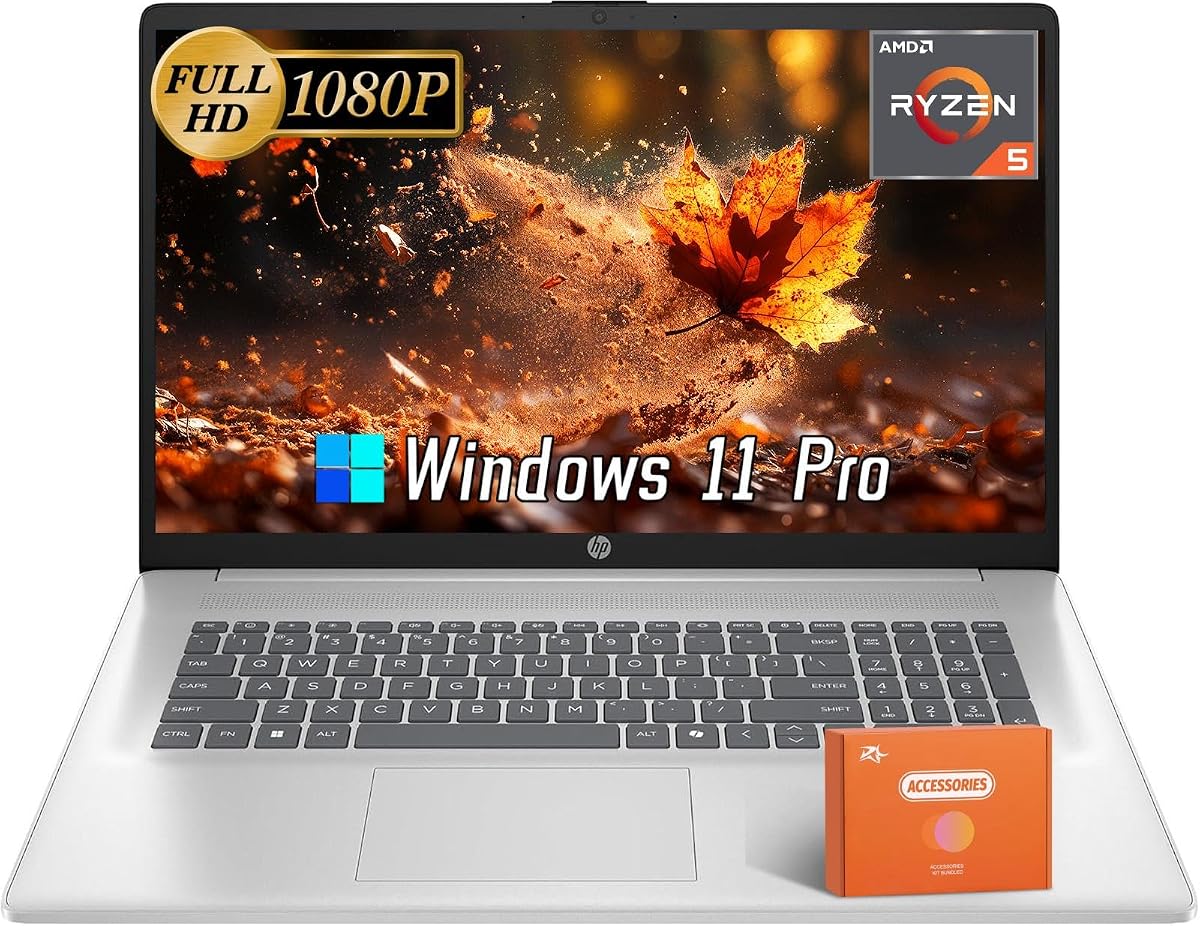
This HP 17-inch laptop stands apart with an AMD Ryzen 5 7430U processor, a 17.3-inch Full HD anti-glare display, 16GB of DDR4 memory, and a 512GB PCIe SSD. It also includes Windows 11 Pro and a lifetime Microsoft Office license, covering the essential needs of an office or study user.
We may earn a commission when you buy through this link, at no additional cost to you.
The Ryzen 5 7430U has six cores and twelve threads, begins at 2GHz, and can boost as high as 4.3 GHz. Those specifications are well suited to multitasking, intensive office applications, and everyday content work. Integrated AMD Radeon graphics provide display and media capabilities without requiring a separate graphics card.
Its 1920-by-1080 anti-glare panel offers sharper visuals than the HD and HD+ alternatives, while the 17.3-inch size provides abundant workspace. The trade-off is bulk: a large display generally means more footprint and weight than a compact 14-inch model. No numerical customer rating is supplied, so buyers should treat its feedback as less established here.
This is the recommendation for someone who specifically wants an AMD processor and values Full HD clarity, multitasking capacity, and a large screen. It should appeal to office workers, students, and home users who can accommodate the larger chassis and want a complete Windows and Office package.
Six cores and twelve threads provide a useful foundation for running multiple applications concurrently. The processor's stated boost speed supports responsive work across Office documents, browser sessions, and communication tools.
Combining a Full HD panel with a 17.3-inch display makes detailed documents easier to inspect while preserving a large working area. Anti-glare treatment improves comfort in ambient light.
We may earn a commission when you buy through this link, at no additional cost to you.
This high-capacity HP 17.3-inch laptop combines 32GB of DDR4 memory, a two-terabyte PCIe NVMe SSD, an Intel Core i3-N305 processor, and Windows 11 Pro. It includes lifetime Microsoft Office 2024, Intel UHD graphics, Wi-Fi 6, a USB hub, a pouch, and a Copilot key.
We may earn a commission when you buy through this link, at no additional cost to you.
The standout strength is 32GB of memory. That capacity gives the system considerable headroom for many browser tabs, Office applications, communication tools, and background services. It is particularly attractive for users who want a generous Windows configuration without moving to a much more powerful premium processor class.
The two-terabyte SSD eliminates much of the storage anxiety associated with the smaller internal drives in this roundup. It can hold extensive project libraries, media, software, and local backups. The trade-offs are the 1600-by-900 HD+ resolution, absence of touch and a backlit keyboard, and the large footprint of a 17.3-inch chassis.
This is the ideal pick for data-heavy users, content organizers, students with sizable file collections, and professionals who want abundant memory and storage for Office work. It is less compelling for buyers who need a premium Core i5 processor or a more color-accurate display, but its capacity is exceptionally strong for general productivity.
Thirty-two gigabytes allows users to keep demanding application mixes open with more confidence than an 8GB or 12GB laptop can offer. It is a practical advantage for research, project work, and productivity suites used throughout the day.
A two-terabyte SSD gives files fast access without occupying the computer's limited internal drive bay. It is well suited to local media libraries, extensive documents, software collections, and local backup copies.
We may earn a commission when you buy through this link, at no additional cost to you.
This natural-silver HP 17.3-inch laptop delivers the strongest CPU specification in the group with a 13th-generation Intel Core i5-1334U processor, 16GB of DDR4 memory, Intel Iris Xe graphics, and a 512GB PCIe SSD. It includes Windows 11 Pro and a lifetime Microsoft Office 2024 license.
We may earn a commission when you buy through this link, at no additional cost to you.
The i5-1334U operates from 2.3GHz up to 4.6GHz with ten cores, twelve threads, and a 12MB L3 cache. That additional processing capacity makes it a better match for demanding multitasking, complex spreadsheets, heavier web applications, and more intensive productivity workflows than the entry-level N-series alternatives.
Intel Iris Xe graphics provide a meaningful step up for integrated graphics tasks, including some image editing and media workflows. The trade-off is that the display remains 1600-by-900 HD+ with no touch capability or backlit keyboard, and the 512GB SSD is smaller than the two-terabyte high-capacity model.
This is the premium recommendation for buyers who prioritize processor capability and integrated graphics while still wanting a large workspace and lifetime productivity software. It is well suited to professionals, advanced students, and small-business users who want more headroom for demanding applications than a basic N150 or N305 laptop offers.
Ten cores and twelve threads allow demanding applications to coexist more comfortably with communication and browser tools. The processor's higher stated boost speed is particularly useful for active work rather than simple document viewing.
Intel Iris Xe graphics give this model an advantage for light content creation and visual workloads. It remains an integrated solution, but it is a more capable option for media-oriented work than basic Intel UHD configurations.
We may earn a commission when you buy through this link, at no additional cost to you.
The lifetime Office bundle is useful, but processor capability, memory, storage, screen design, connectivity, and portability should determine which laptop will serve you best after the initial purchase.
The processor controls how smoothly a laptop handles documents, spreadsheets, browser sessions, video calls, and background applications. The Intel N150 in the compact models offers four cores and four threads, while the i3-N305 provides eight cores. The i3-1215U and Ryzen 5 7430U are more powerful everyday options, and the Core i5-1334U delivers the highest core count and strongest stated boost speed in this guide.
Choose a faster processor if you routinely run demanding applications, keep many tasks open, edit media, or want more headroom over time. A basic N-series model remains appropriate for focused office work when portability and affordability matter more than intensive performance.
RAM determines how comfortably several applications and browser tabs can remain open at once. The 8GB configuration is suitable for focused work but can feel limited under heavier loads. Models with 12GB or 16GB offer a better balance for students and professionals, while 32GB provides substantial headroom for extensive multitasking and demanding workflows.
Prioritize 16GB for a new general-purpose laptop when possible. Choose 32GB when software requirements, large project files, or extensive browser use justify the additional cost and storage demands.
Internal SSD capacity affects how many applications, documents, and media files can be stored locally. Some models pair a compact 128GB or 256GB internal drive with an external drive, while others provide 512GB or 1TB internally. The high-capacity model goes further with 2TB. External storage is convenient for archives and transfers, but everyday applications work best when stored locally.
Look at both internal and total advertised capacity rather than treating the combined figure as internal SSD space. A large external drive adds flexibility, but a 1TB or 2TB internal SSD offers the simplest daily experience.
A 14-inch laptop is easier to carry and fits well in shared spaces, while 15.6-inch models offer a middle ground. The 17.3-inch options provide the most workspace for documents, presentations, spreadsheets, and split-screen use. Resolution also matters: HD and HD+ panels are adequate for basic work, whereas the Full HD models provide noticeably finer detail.
Choose by workspace rather than size alone. Frequent travel favors 14 inches, mixed home and office use may suit 15.6 inches, and a desk-based setup benefits from 17.3 inches. Add anti-glare or touch input only when it serves your specific routine.
Lifetime Office bundles in this guide cover applications such as Word, Excel, OneNote, Outlook, PowerPoint, Publisher, and Access. Some listings specify Office 2024, while one model lists Office 2021. Several listings warn that installing Office 365 or resetting the computer may invalidate the preinstalled lifetime license, making the supplied guide and activation instructions important.
Read the product's license instructions before reinstalling Windows, changing the Office version, or adding a subscription. Confirm that the applications and activation method match your needs, especially if you rely on a specific program such as Access or Publisher.
Useful connectivity simplifies the connection of monitors, storage devices, peripherals, and wired networks. Common features across the group include USB-A, USB-C, HDMI, a headphone and microphone combination jack, Wi-Fi, and Bluetooth. Some USB-C ports support only data transfer and may not charge the laptop or drive an external display, so check the port details if you plan to use a dock.
Prioritize the connector types you already own. A USB-C dock can add flexibility, but a limited USB-C port may still restrict charging or display use. Confirm whether HDMI is present before relying on a direct monitor connection.
Battery life claims vary by model, with stated figures ranging from approximately five hours of mixed use to as much as 10 hours. These are not guarantees for every workload, as video calls, high display brightness, wireless activity, and processor demand can shorten runtime. Portability also depends on chassis size; 14-inch laptops are generally easier to carry than 17.3-inch models.
If you work away from outlets, favor a compact chassis and realistic battery expectations. If the laptop mostly remains on a desk, a larger display and broader accessory bundle may deliver more value than maximum mobility.
Some configurations include a wireless mouse, HDMI cable, USB extension, external drive, docking hub, mouse pad, earbuds, flash drive, or carrying pouch. These additions improve out-of-box convenience, but buyers should compare the entire package rather than treating every bundle as equally valuable. Confirm that the included hub supports the displays, storage, and peripherals you intend to connect.
A larger bundle can be particularly useful for students setting up a first workstation or home-office users who need several basic peripherals. Experienced users may prefer a simpler package and choose accessories that match their existing equipment.
Begin by fully charging the laptop, completing the Windows setup, and reading the included Lifetime Office guide before making significant changes. Open Word, Excel, PowerPoint, and Outlook to confirm that the preinstalled applications launch normally. Avoid changing the Office edition or reinstalling Windows until you understand the activation terms supplied with the computer.
Create organized folders for documents, spreadsheets, presentations, media, and backups, and use the included external drive for archives when the model provides one. Keep frequently used files on the internal SSD, update software and drivers through trusted Windows mechanisms, and use cloud storage or an external drive for important copies rather than relying on a single location.
For long-term care, keep the laptop on a hard ventilated surface, avoid blocking its vents, and clean the screen with a soft microfiber cloth. Use the manufacturer-approved charger, protect the device from spills and excessive heat, and periodically verify that important files are recoverable. If the display, battery, keyboard, or license behaves unexpectedly, contact the seller's support before resetting the system.
It generally means the listed Office Professional Plus or LTSC edition is provided with a lifetime license rather than requiring a recurring subscription. The included applications commonly include Word, Excel, OneNote, Outlook, PowerPoint, Publisher, and Access. Because activation and reinstallation rules vary by listing, buyers should read the supplied guide and confirm the edition and license status before making system changes.
It is enough for focused writing, spreadsheets, web browsing, and video calls when the number of open applications remains modest. Heavy multitasking and larger files can make 8GB feel restrictive, however. A 16GB model is the safer general recommendation for a new laptop intended to last several years.
A 14-inch model is usually easier to carry and works well for students, commuters, and shared workspaces. A 17.3-inch model provides a much larger canvas for spreadsheets, presentations, documents, and split-screen work. Choose based on where you will use the computer most often rather than assuming the larger display is automatically better.
No. An external drive is excellent for archives, transfers, and backups, but applications load faster and work more smoothly when installed internally. It can also require an extra connection and may disconnect unexpectedly. For the least friction, prioritize adequate internal storage for your applications and active files.
Several listings explicitly warn against installing Office 365 because it may invalidate the included lifetime Office 2021 or 2024 license. Other reinstallations or a system reset may also affect activation. Follow the provided Lifetime Office User Guide and contact support before changing the installed Office version or resetting Windows.
Intel N-series processors are designed for efficient everyday workloads such as browsing, Office documents, and online learning. The Core i5-1334U in the premium model provides more cores, a higher stated boost speed, and additional performance headroom. It is the better option for heavy multitasking and more demanding applications.
A touch screen can be convenient for interactive applications, presentations, and direct on-screen navigation. It is not automatically faster or more accurate than a conventional laptop with a good trackpad and keyboard. Choose a touch display when you have a clear use for it, not simply because it appears more advanced.
Yes. Ratings and review counts provide useful context, but they should be considered alongside specifications, warranty information, display quality, keyboard preferences, and current customer feedback. Two products in this guide do not have a numerical rating supplied, so their configuration details and seller support deserve additional attention.
The HP 17 Laptop Business 2025 is the best overall choice because it combines 16GB of memory, an eight-core processor, one terabyte of total storage, Windows 11 Pro, Wi-Fi 6, and a useful accessory bundle. The 14-inch N150 model is the stronger compact option when portability and 16GB memory matter, while the Core i5 model leads the premium group for processing capability.
Buyers should prioritize their workload before focusing on bundle extras. Students who need a light chassis should consider 14 inches, desk-based productivity users can benefit from 17.3 inches, and heavy multitaskers should prioritize 16GB or more. A large internal SSD, suitable display, and ports that match existing accessories are also more important than a long accessory list.
Before ordering, confirm the current listing details, customer feedback, warranty coverage, Office activation instructions, and included accessories. Prices and product configurations can change, so the final purchase should reflect both the laptop's capabilities and the latest information available directly from the seller.