Unstincer 192KHz HDMI ARC to Optical Audio Converter
4.3Editor score
ARC-to-optical audio conversion
24-bit 192kHz sampling support
Compact all-in-one cable design
Optical Cable to HDMI Adapter guide comparing 10 ARC/eARC extractors for soundbars, amplifiers, TVs, and other optical audio systems.
An optical cable to HDMI adapter can bridge a modern television and older or optical-focused sound equipment, but the important detail is signal direction. The products in this guide are active HDMI ARC or eARC-to-optical extractors designed to send a television’s return audio through a digital Toslink connection.
We compared the ten available options by examining ARC and eARC compatibility, supported audio formats, maximum sampling rate, included cables, USB power requirements, CEC behavior, installation guidance, and suitability for soundbars, amplifiers, speakers, and wireless headphone systems.
Each review identifies the strongest use for that model, while the comparison and buying guide explain common limitations such as remote-volume limitations, multichannel restrictions, and the need for a television with a dedicated audio-return port. Product availability and pricing can change.
4.3Editor score

4.4Editor score

4.4Editor score
The following comparison highlights each adapter’s input method, audio capabilities, cable arrangement, and practical compatibility considerations. These are one-way television audio-return extractors, so buyers should confirm ARC or eARC support and the desired digital format before selecting a model.

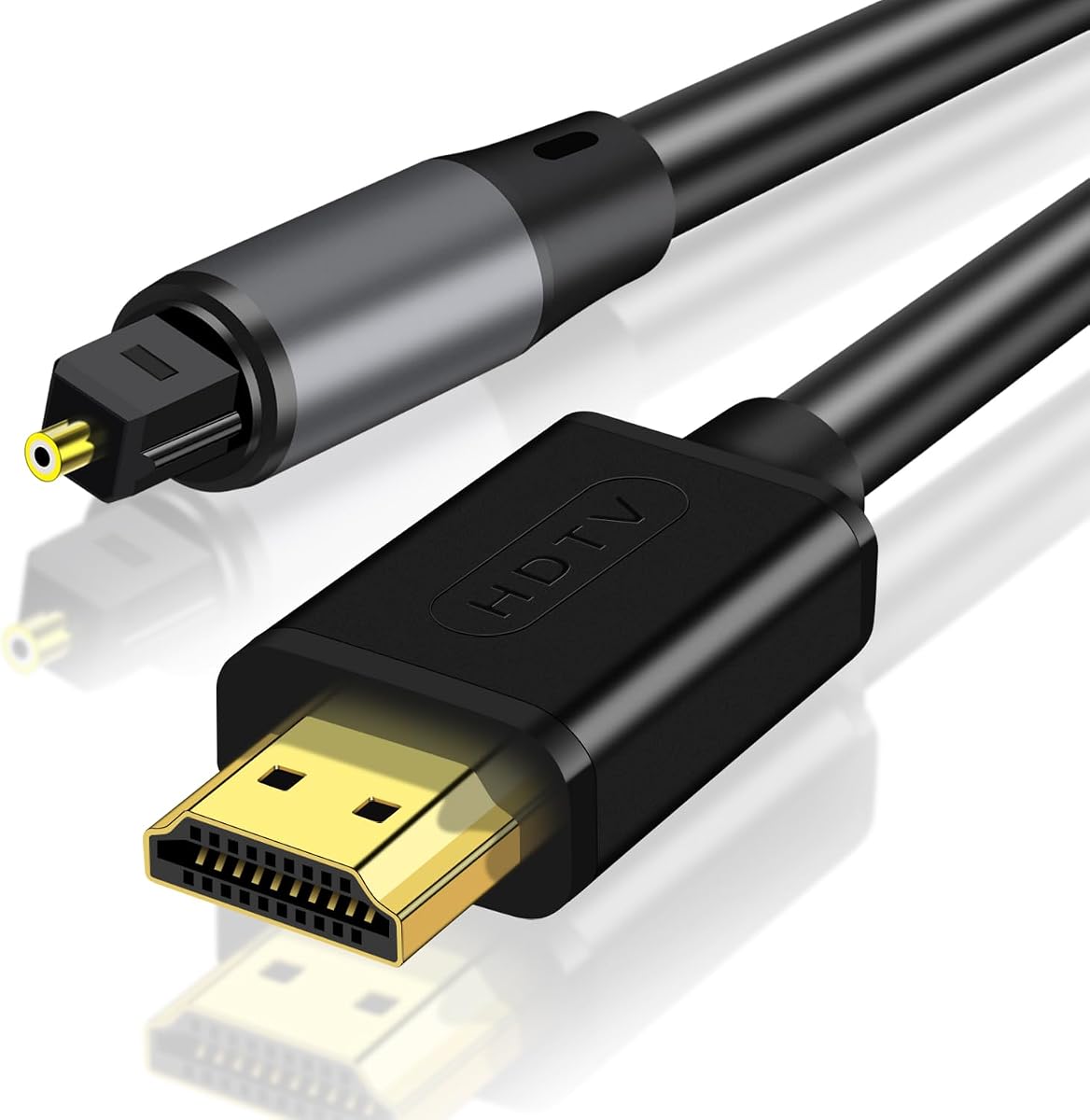


The TUOLNK HDMI to Optical Audio Adapter Support PCM/Dolby/DTS 5FT is a practical extractor for connecting a television’s HDMI ARC or eARC return channel to an optical-input soundbar, amplifier, or receiver. Its 4.2 rating reflects a generally useful design with broad format support, while the five-foot cable arrangement offers more placement flexibility than shorter integrated alternatives.
We may earn a commission when you buy through this link, at no additional cost to you.
The adapter supports digital audio up to 192kHz and is described as compatible with PCM, Dolby, and DTS audio. That makes it a reasonable bridge for someone whose television sends its program audio over HDMI but whose audio equipment accepts only a Toslink optical connection. The supplied guidance recommends PCM output for the best experience and calls for a television with HDMI ARC or eARC.
Its most important limitation is that the television remote cannot adjust volume through the optical link. That behavior is common among optical extractors because CEC volume control is not carried over the optical connection. Users must control volume on the soundbar, amplifier, or other receiving device. A USB power source is also necessary, even though no driver or software installation is required.
This model makes the most sense when a five-foot run provides a neater installation than a very short built-in cable. It is also appropriate for users who want broad support for PCM, Dolby, and DTS but do not need the more compact box-style presentation offered by certain alternatives. Confirm ARC or eARC labeling and the output formats of your equipment before buying.
The five-foot format gives room to position an optical input device without immediately crowding the television stand. It can also reduce the need for an additional extension cable when the sound system sits a moderate distance from the TV.
PCM, Dolby, and DTS support covers several common television configurations, but the receiving system must understand whichever format is selected. PCM remains the most broadly compatible choice for a straightforward first installation.
We may earn a commission when you buy through this link, at no additional cost to you.
The 192KHZ HDMI eARC to Optical Audio Adapter, HDMI to Optical Cable – 6.6FT is designed for users who need a little more cable reach than a compact extractor provides. It converts a television’s ARC or eARC return audio to an optical output and carries a 4.2 rating, making it a well-documented option with clear setup requirements.
We may earn a commission when you buy through this link, at no additional cost to you.
Its headline capability is support for 24-bit/192kHz digital audio, along with compatibility for most televisions offering HDMI ARC or eARC and sound systems with a fiber-optic input. The package can be used with soundbars, amplifiers, and active speakers, while the zero-software approach keeps installation focused on physical connections and television settings.
Format support needs careful attention. The product guidance lists PCM, Dolby 5.1, and DTS 5.1 as options, but explicitly states that Dolby Atmos and PCM 5.1 or 7.1 multichannel formats are unsupported. The sound system must also support Dolby or DTS when those formats are selected. CEC volume control is not passed through the optical connection.
Choose this six-foot model if cable reach and broad ARC/eARC support are priorities. It is less suitable for Atmos-focused systems or anyone expecting the television remote to control the connected soundbar. Verify the television port, audio format, and receiving device capabilities before installation.
The 6.6-foot configuration can simplify setups where the soundbar, amplifier, or active speakers sit farther from the television. It offers more placement freedom without requiring a separate long optical run immediately after the converter.
Start with PCM when the goal is dependable operation, then change to Dolby or DTS only if the television, extractor, and receiving equipment all support that format. This avoids avoidable silence or decoding problems.
We may earn a commission when you buy through this link, at no additional cost to you.
The eSynic Professional 192Khz eARC & ARC to Optical Audio Extractor-No CEC is a thoughtfully presented option for bridging a modern television to optical-only sound equipment. It has a 4.3 rating and centers its design around one clean optical output instead of adding unused analog or coaxial connections.
We may earn a commission when you buy through this link, at no additional cost to you.
The box includes an eARC/ARC extractor, an optical cable, an eARC/ARC cable, and a USB power cable. That bundle is a meaningful convenience because the core connection path is represented in the package. A status LED indicates when the unit is powered and receiving a signal, while a no-driver, no-software design keeps setup approachable.
The product is strictly for a television port labeled eARC or ARC; a standard HDMI input will not work. Users should enable HDMI-CEC on ARC televisions, with CEC described as optional but recommended for eARC. Volume must be adjusted on the soundbar, amplifier, or headphones because optical output does not carry CEC volume control.
This is a strong recommendation for users who want a compact, purpose-built extractor and prefer a package containing the required signal and power cables. It is especially suitable for pairing a new television with an older optical soundbar or for routing television audio to a compatible wireless headphone base. Always confirm eARC or ARC before connecting.
Keeping the product focused on ARC/eARC input and optical output reduces decision-making and cable clutter. It is a practical match for anyone whose existing audio equipment has become the limiting factor.
The status LED provides a quick indication that the extractor is active. During setup, it can help distinguish a missing television signal from a power, format, or downstream-audio issue.
We may earn a commission when you buy through this link, at no additional cost to you.
The 192kHz HDMI eARC to Optical Audio Adapter – 6.6FT,Not Support CEC combines a six-foot cable-style format with support for television ARC or eARC return audio. Its 4.2 rating and clearly stated restrictions make it a sensible option for extending TV sound to optical-input equipment without replacing the sound system.
We may earn a commission when you buy through this link, at no additional cost to you.
The adapter supports digital audio up to 24-bit/192kHz and works with most compatible TVs, soundbars, amplifiers, and active speakers that provide a fiber-optic input. Installation requires a USB power source, an ARC or eARC television port, and a TV setting that sends audio to the ARC device.
The most consequential limitation concerns surround formats. Dolby Atmos and PCM 5.1 or 7.1 are not supported according to the supplied product information. Dolby 5.1 and DTS 5.1 can be used when both the television and the receiving system support them. CEC volume control is also unavailable, requiring adjustment on the downstream device.
This model suits users who need a moderate cable length and want broad support for ordinary home-theater equipment. It is less appropriate for an Atmos-centered setup or a user who depends entirely on the television remote for volume. Confirm the television’s return-channel label and the amplifier or soundbar’s decoding capabilities before purchasing.
Six feet is a useful middle ground for many entertainment centers. It offers enough separation between the television and audio equipment while remaining easier to manage than a very long dedicated optical cable.
The stated exclusions are important because a high sample-rate figure alone does not guarantee every surround format. Match the television output to the formats actually decoded by the optical receiver.
We may earn a commission when you buy through this link, at no additional cost to you.
The HDMI eARC to Optical Audio Converter is a well-rounded choice for connecting ARC/eARC televisions to optical soundbars, amplifiers, and active speakers. It holds a 4.4 rating and combines broad television compatibility with 24-bit/192kHz audio support, making it an easy recommendation for many standard home-theater installations.
We may earn a commission when you buy through this link, at no additional cost to you.
The converter is described as compatible with major television brands that support ARC or eARC, including Samsung, LG, and Sony. The complete package includes the HD input connector, digital optical audio output cable, and a 5V USB power cable, so the core installation path is covered.
Television configuration is straightforward but essential. The guide calls for enabling CEC, enabling eARC when available, selecting ARC as the audio output, and choosing PCM, Dolby 5.1, or DTS 5.1. As with the other options in this guide, the optical output does not support television-remote volume control, so volume belongs on the connected audio device.
This is the most broadly practical selection in the roundup because it balances cable inclusion, device compatibility, format guidance, and installation simplicity. It is well suited to someone replacing a receiver or updating a television while retaining optical audio equipment. Users with Atmos requirements should still verify the full format path before setup.
Supporting common ARC/eARC television platforms and standard optical destinations makes this converter versatile. It works particularly well for soundbars, amplifiers, and powered speakers that lack modern HDMI audio inputs.
The inclusion of the digital optical cable and USB power lead reduces the chance of discovering a missing essential cable only after unboxing. Users still need a compatible television port and a powered USB connection.
We may earn a commission when you buy through this link, at no additional cost to you.
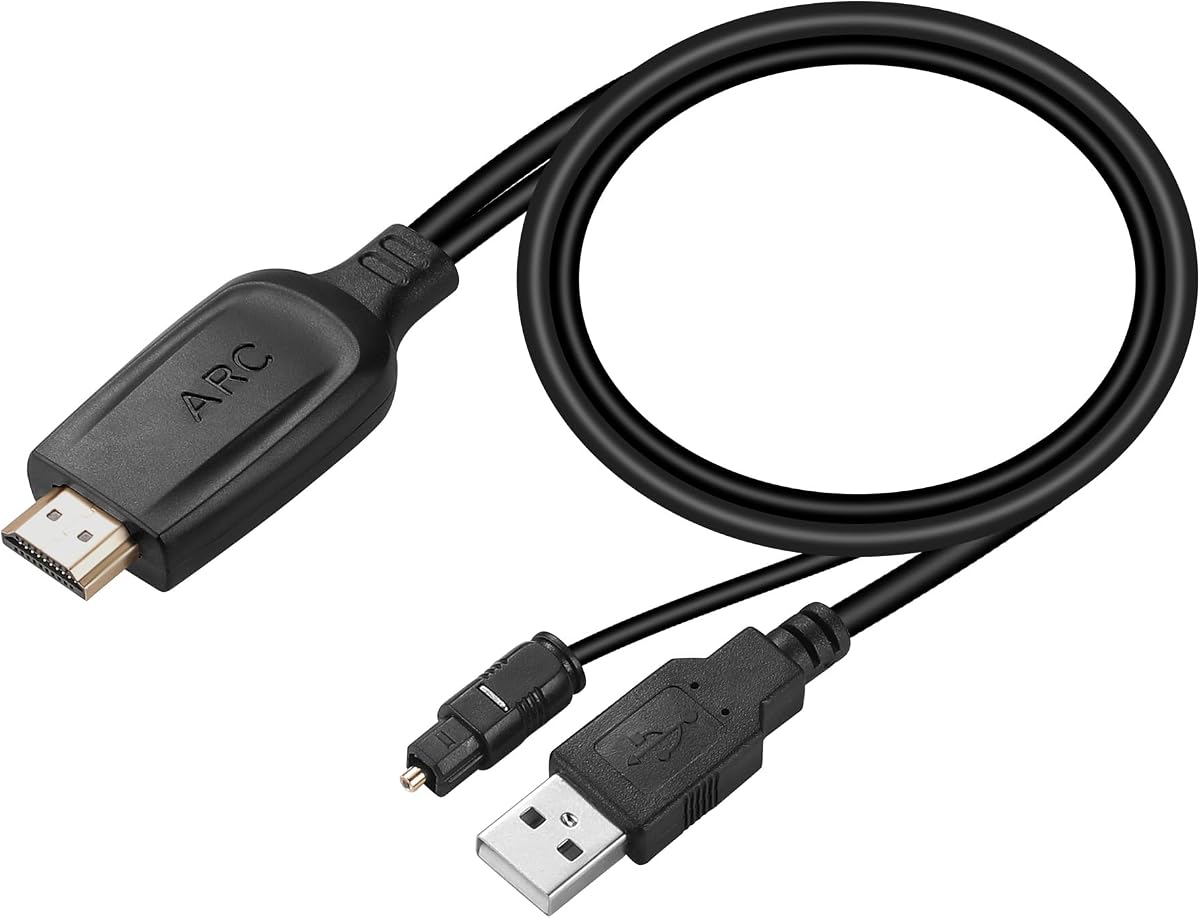
The Unstincer 192KHz HDMI ARC to Optical Audio Converter for TV to Soundbar is a streamlined ARC extractor with a 4.3 rating. Its integrated 1.05-meter, or roughly 41-inch, optical connection makes it particularly attractive for a television and soundbar positioned close together.
We may earn a commission when you buy through this link, at no additional cost to you.
The converter supports a 24-bit/192kHz sampling rate and can be set to PCM, Dolby 5.1, or DTS 5.1. The latter formats work only when the connected sound system also supports Dolby or DTS. A plug-and-play design means no driver or software installation is required, and the LED lights when the HDMI interface is connected.
It is important that this option is listed for televisions with an ARC interface, not eARC. The television should have CEC enabled, its audio output set to ARC, and the selected format configured according to its manual. The optical link cannot carry CEC volume commands, so the soundbar or other receiving device must handle volume.
This is an appealing budget-oriented pick for a close-range TV-to-soundbar arrangement, conference room, meeting room, or other installation where a neat all-in-one cable is desirable. It is less fitting when the equipment is far apart or when eARC is required. Measure the available space before ordering.
The integrated optical cable eliminates a separate adapter-to-soundbar optical run when the devices are within roughly 41 inches. That makes it a tidy solution for compact stands and wall-mounted television arrangements.
Using PCM is the simplest way to establish audio, especially when the receiver has uncertain codec support. Dolby and DTS can be considered afterward if every device in the chain can decode the chosen format.
We may earn a commission when you buy through this link, at no additional cost to you.
The 192KHZ HDMI eARC to Optical Audio Adapter, HDMI to Optical Cable – 4FT offers a shorter cable-style solution for linking ARC or eARC televisions to optical audio equipment. Its 4.2 rating and four-foot length make it practical for entertainment centers where a five- or six-foot adapter would create excess slack.
We may earn a commission when you buy through this link, at no additional cost to you.
It supports up to 24-bit/192kHz digital audio and is compatible with most televisions providing an eARC or ARC interface. Compatible destinations include soundbars, amplifiers, and active speakers with a fiber-optic input. No software or drivers are required, and the physical setup consists of the television, converter, optical destination, and USB power.
As with several other models here, the television must output audio through ARC or eARC, and the selected format should be PCM, Dolby 5.1, or DTS 5.1. Dolby Atmos and PCM 5.1 or 7.1 multichannel formats are explicitly excluded. The optical path does not support CEC volume control, so users adjust volume directly on the soundbar or receiver.
This adapter is a good fit for users who want more reach than an ultra-short built-in cable but prefer a compact setup. It can accommodate standard soundbars and amplifiers without the longer footprint of the 6.6-foot and 10-foot alternatives. Confirm the receiver’s codec support before selecting a surround format.
The four-foot configuration is a practical middle option for closely positioned equipment. It provides room to route the connection while limiting the loose cable that can make a compact television stand look untidy.
The 192kHz specification supports high-resolution digital audio transfer, while the codec exclusions determine how that audio can be carried. PCM offers the broadest starting point for a compatible two-speaker or surround setup.
We may earn a commission when you buy through this link, at no additional cost to you.
The 192KHz HDMI eARC/ARC to Optical Audio Converter for TV to Soundbar is a compact, high-rated option for modern televisions and optical-input soundbars. It carries a 4.4 rating and supports both ARC and eARC, giving it more television-port flexibility than an ARC-only adapter.
We may earn a commission when you buy through this link, at no additional cost to you.
Its integrated optical SPDIF cable measures 1.05 meters, approximately 41 inches, and the product supports a 24-bit/192kHz audio sampling rate. The setup guidance calls for selecting ARC or eARC as the television’s audio output, choosing PCM, turning on CEC, and connecting the USB power lead to the television or another suitable USB port.
Dolby 5.1 and DTS 5.1 are listed as possible television formats, provided the receiving equipment can decode them. The optical connection cannot provide television-remote volume control, which is the main functional trade-off. Users should measure the distance between their television and soundbar because the integrated cable has a fixed length.
This model is well suited to a modern television paired with a soundbar within 41 inches. Its ARC/eARC flexibility, 192kHz capability, LED indicator, and concise setup process make it a particularly polished choice for a compact home-theater arrangement. It remains important to check the soundbar’s supported input and format list.
Supporting both ARC and eARC makes the converter usable with more television configurations while preserving a short, uncluttered installation. It is a strong match for soundbars placed directly below or near the display.
The LED helps confirm connection activity, and the documented sequence moves logically from the television’s return port to power and then to the optical sound system. Familiarizing yourself with these steps before rearranging cables can make setup faster.
We may earn a commission when you buy through this link, at no additional cost to you.
The 192KHZ HDMI eARC to Optical Audio Adapter, HDMI to Optical Cable – 10FT provides the longest listed run among these products. It is designed for installations where the television and optical sound system are separated by several feet, with a 4.2 rating and support for up to 24-bit/192kHz audio.
We may earn a commission when you buy through this link, at no additional cost to you.
The adapter accepts television ARC or eARC return audio and works with most compatible soundbars, amplifiers, and active speakers featuring optical inputs. Its driver-free installation reduces technical barriers, although USB power remains mandatory and the television must output through the correct return channel.
The product’s format limitations remain significant. Dolby Atmos and PCM 5.1 or 7.1 multichannel output are not supported. Dolby 5.1 and DTS 5.1 can be selected when supported by both the television and receiving system. Users also need to control volume on the downstream equipment because CEC commands do not travel through the optical connection.
This is the preferred choice among the roundup for a long-distance television-to-sound-system connection. It can reduce the need to route a separate optical cable through furniture, walls, or cabinetry. Before buying, measure the actual path rather than relying only on a straight-line distance, and confirm that the long run will not create excess slack.
A ten-foot connection offers flexibility when the television is wall-mounted and the audio equipment sits on a distant stand. It can also be useful in conference rooms where the display and sound system occupy different sides of the room.
Account for bends, outlets, furniture height, and routing requirements when assessing reach. A longer cable gives more placement freedom, but excessive slack can be harder to conceal than a shorter, more deliberate route.
We may earn a commission when you buy through this link, at no additional cost to you.
The 192KHz HDMI ARC/eARC to Optical Toslink SPDIF Female Audio Extractor Converter Cable 2 Ft is distinctive because it separates the short HDMI input from the optical output. Its 5.0 rating reflects a strong overall proposition for fixed installations where a female Toslink port provides more freedom over the downstream cable length.
We may earn a commission when you buy through this link, at no additional cost to you.
Because the optical side uses a female port, the user can select an existing optical cable of any suitable length. This is useful for connecting the extractor to a soundbar, AV receiver, DAC, digital amplifier, or other home-theater component positioned farther away. The two-foot HDMI cable handles the television-side connection, and a separate one-foot USB lead supplies power.
The product supports PCM/LPCM and Digital 5.1 audio according to its specifications. It converts television ARC/eARC return audio to SPDIF Toslink and requires no driver or software. It is not an extractor for an ordinary HDMI source port, and a separate optical cable is required. The output format must be supported by both the television and receiving equipment.
This is the most flexible choice for installers or careful homeowners who value control over optical cable length and want a clean two-year warranty. It is less convenient for a quick soundbar connection because the optical lead is not included, but it offers a neater permanent arrangement. Confirm the physical Toslink port and supported digital formats before purchase.
The female Toslink output separates signal conversion from cable routing. Buyers can reuse an existing optical cable or select a length that suits cabinetry, wall placement, or a sound system positioned away from the television.
Processing the conversion within the HDMI module eliminates a traditional external converter box. That reduces equipment and connection points behind the television while retaining a straightforward powered connection.
We may earn a commission when you buy through this link, at no additional cost to you.
Choosing the right device starts with confirming signal direction, television ports, and downstream audio formats. The most important distinctions are ARC versus eARC support, the physical cable arrangement, codec compatibility, and whether the installation needs a fixed or flexible optical output.
The keyword can be misleading because a passive optical-to-HDMI cable and an active HDMI-ARC-to-optical adapter solve different problems. Every product reviewed here takes audio from a television’s HDMI ARC or eARC return port and sends it to a digital optical output. None is presented as a general-purpose way to extract audio from an ordinary HDMI source, such as a game console or Blu-ray player connected to a normal HDMI input.
The phrase ARC stands for Audio Return Channel, a feature that lets a television send audio back along a designated HDMI connection. Check the television’s port labels and manual rather than assuming every HDMI socket supports the same functions. A standard HDMI input may carry a picture and sound toward the television but cannot be treated as an ARC return channel.
Most of the options support both ARC and eARC, while the Unstincer model is specifically listed for ARC. ARC is sufficient for a straightforward digital audio connection, while eARC can provide a more advanced return path on compatible televisions. The advantage is meaningful only when the television, adapter, and receiving equipment all participate in the arrangement appropriately.
Look for a port explicitly marked eARC or ARC. The products generally also require CEC to be enabled, and the television’s sound output must be directed to the ARC device. Selecting the wrong input or leaving the television set to its built-in speakers can appear to make the adapter defective even when every cable is connected correctly.
PCM is the safest initial setting because it is broadly supported and avoids requiring a specific surround decoder. Several adapters also list Dolby 5.1 and DTS 5.1, but those formats work only when the television can output them and the soundbar or amplifier can decode them. One product’s supplied information explicitly excludes Dolby Atmos and PCM multichannel formats.
A high sampling-rate figure does not mean every codec is supported. Treat 192kHz as a transfer capability within the formats each product lists, not as a guarantee of Atmos, 5.1, 7.1, or other multichannel output. Begin with PCM, confirm sound, and then test a codec only when both endpoints support it.
The roundup includes four-foot, six-foot, 6.6-foot, and ten-foot cable-style products, along with fixed 41-inch and two-foot arrangements. Measure the actual path from the television to the converter and from the converter to the sound system. Include furniture height, bends, outlet locations, and any need to route wiring behind a television.
The female Toslink model provides a different solution because it accepts a separately selected optical cable. It is the best option when downstream placement varies or when a permanent cable route is already available. A complete integrated cable is generally more convenient for a close-range soundbar arrangement.
All of these extractors require USB power for operation. Depending on the product, the power lead can connect to a television USB port or an external five-volt supply. The Tuolnk model explicitly warns that its USB power cable must be plugged into a power port, and the Toslink extractor similarly states that it will not work without power.
Choose a reliable power source that matches the supplied lead. A television USB port can be convenient, but a wall adapter may be more dependable if the television switches off standby or if the entertainment center has no accessible USB port. Do not substitute a cable with an unsupported voltage or connector.
Optical output does not carry CEC volume-control commands. Despite the inclusion of eARC in some product names and descriptions, all ten products require volume adjustment on the soundbar, amplifier, headphones, or another receiving device. This limitation should be considered before installation, particularly by users accustomed to controlling every device with the television remote.
Remote-control compatibility may still be available through another connection from the television to the soundbar, but that would be a separate feature of the chosen equipment. The adapter itself does not provide a path for CEC volume commands over its optical output.
The receiving side must have a working optical or Toslink input. The options are described as suitable for soundbars, amplifiers, active speakers, AV receivers, DACs, digital amplifiers, and wireless headphone bases, but not every model has been tested with every category. Consult the documentation for the specific sound system.
Also verify the input’s supported codec list and any limitations on two-channel versus multichannel audio. A receiver may accept a digital optical signal yet decode only certain formats, so the television and adapter must not be configured to send an unsupported signal.
A clear status LED, included cables, and a straightforward setup sequence can make initial configuration easier. The eSynic model includes a signal LED and a detailed troubleshooting checklist, while several other adapters provide complete TV setting instructions. The Toslink model adds a two-year warranty, which may be useful for a fixed installation.
Ultimately, support details and included accessories should complement—not replace—compatibility checks. Confirm the television port, power source, optical input, volume-control expectations, and digital format before purchasing. That preparation will usually resolve more installation problems than the difference between similarly rated models.
Begin by identifying the television’s HDMI port marked eARC or ARC. Connect the adapter’s HDMI plug to that port, connect its optical output to the soundbar, amplifier, or other optical input, and attach the USB power lead to the television or a suitable five-volt power source. Do not connect the HDMI end to a standard source-only HDMI port.
On the television, enable HDMI-CEC and eARC if available, then select the ARC device as the audio output. Start with PCM, verify that sound is present, and test Dolby or DTS only when the television and receiving device support the selected format. If there is no sound, power down or restart the television and audio equipment, then check every connection.
Keep the optical cable gently curved rather than sharply bent, and do not pull it from the connector. Secure the converter where it will not create a heavy pull on the television port. Route excess cable loosely, leave the power connection accessible, and adjust volume on the soundbar or amplifier because the optical link does not support television-remote volume control.
Only when the source provides a usable ARC or eARC audio-return path. Most game consoles, Blu-ray players, and streaming boxes send audio to the television through a normal HDMI input, which these products are not designed to extract. Check that the television port is explicitly labeled ARC or eARC before connecting an adapter.
CEC volume control is not carried through the digital optical connection used by these products. Volume must be adjusted directly on the soundbar, amplifier, headphones, or other receiving device. This is a normal limitation of the conversion method rather than necessarily a sign that the adapter is malfunctioning.
PCM is the safest starting format because it is broadly supported and does not require a specific surround decoder. After confirming that sound works, you can try Dolby 5.1 or DTS 5.1 if the television, adapter, and receiving equipment all support the same format.
Not necessarily. Several products in this roundup state that they do not support Dolby Atmos, even though they advertise 192kHz audio sampling. A 192kHz specification and Atmos support are separate capabilities, so check the explicit format exclusions before configuring the television.
First confirm that the HDMI plug is in a port labeled ARC or eARC, the USB power lead is connected, and the television audio output is set to the ARC device. Then confirm that the optical cable reaches the correct input and that the chosen format is supported by the soundbar or amplifier. Restarting both devices can also clear an unrecognized state.
It depends on the model. Most options include a fixed optical cable as part of their design, while the 192KHz ARC/eARC Toslink model has a female optical output and requires the user to supply a suitable Toslink cable. Its separate power lead supplies power only and cannot carry audio.
The adapters do not directly improve the television’s built-in speakers. Their purpose is to route television return audio to a separate optical sound system, where a soundbar, amplifier, active speaker, DAC, or compatible headphone base can reproduce it.
No. CEC is a broader control feature used for functions such as remote commands and power behavior, while ARC and eARC identify the television’s audio-return function. These adapters require a compatible ARC or eARC port and typically need CEC enabled for the relevant television behavior.
The HDMI eARC to Optical Audio Converter stands out as the best overall choice because it combines a 4.4 rating, major television-brand compatibility, 24-bit/192kHz support, and included connection cables. The Unstincer converter is a compelling budget pick for close-range ARC soundbar setups, while the 192KHz eARC/ARC Converter offers a polished compact option with both ARC and eARC support.
For longer installations, the 192KHZ 10FT HDMI eARC provides the greatest listed reach, and the female-Toslink model gives users control over the downstream optical cable. Regardless of model, prioritize a television port explicitly labeled ARC or eARC, a compatible optical input, the correct digital format, and a dependable USB power source.
Current prices and product availability can change, so review the latest listing details before purchasing. Also verify the cable length, included accessories, codec restrictions, remote-control expectations, and warranty terms so the chosen adapter matches your television and sound system.