
ARZOPA Z1FC
4.4Editor score
High-refresh 144Hz display
Wide 16.1-inch screen
106% sRGB color coverage
Adjustable built-in kickstand
A Mac Mini can be an excellent desktop computer, but its compact size does not solve the problem of limited workspace. A portable monitor adds a flexible second screen for documents, video calls, editing timelines, dashboards, and other tasks that benefit from more visual room.
This guide compares ten portable monitors based on the information supplied by each manufacturer, with particular attention to Mac Mini connectivity, USB-C video support, HDMI compatibility, resolution, refresh rate, viewing angle, speakers, stands, and physical portability. It also distinguishes single-cable setups from models that require separate power.
Each review identifies the strongest use case and the compromises worth considering, while the comparison table makes the major technical differences easy to scan. Product prices and availability can change, so shoppers should verify the current listing, included accessories, and Mac Mini connection requirements before purchasing.
4.4Editor score

4.8Editor score

4.3Editor score
As an Amazon Associate we earn from qualifying purchases.
This side-by-side comparison covers the ten shortlisted portable monitors, emphasizing panel size, resolution, refresh rate, Mac connection methods, and portability features. Ratings reflect the supplied customer feedback, while the technical summaries are based on the listed product descriptions.


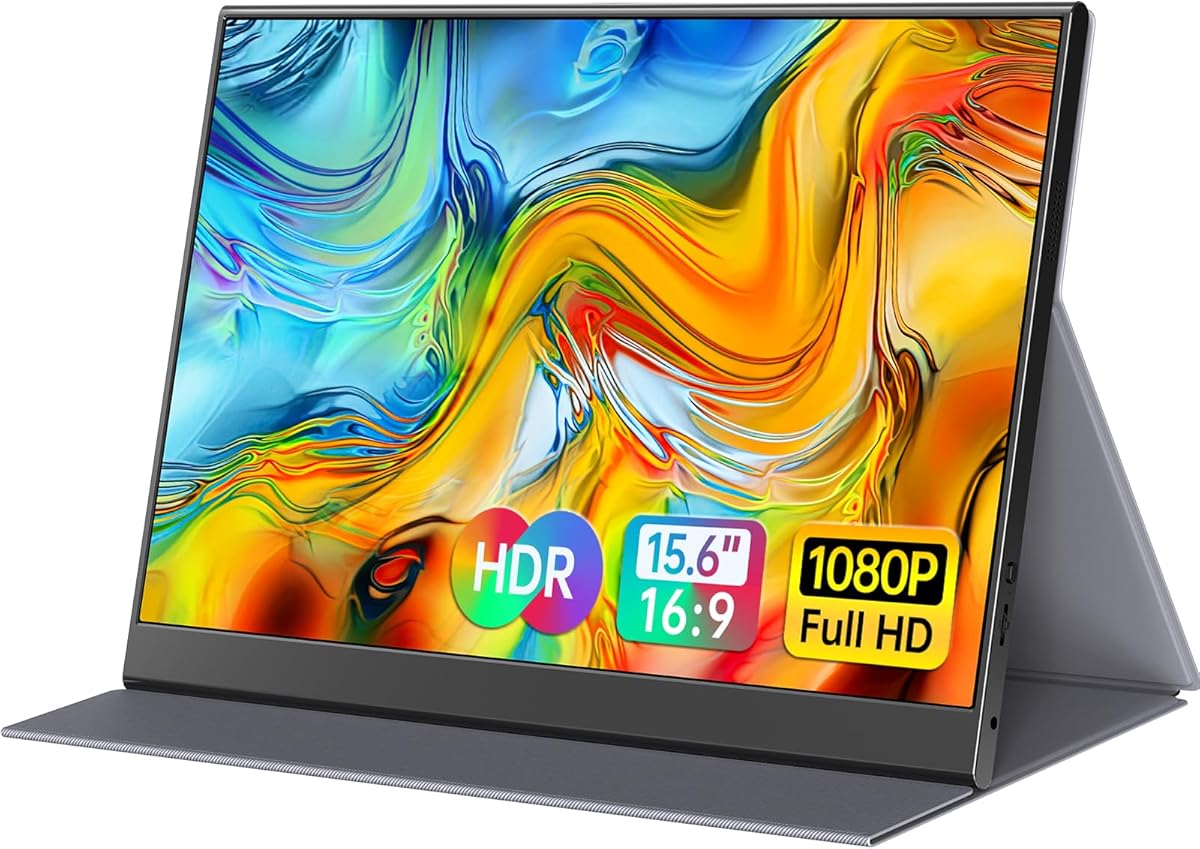



The MNN 15.6-inch FHD portable monitor combines a 1920 by 1080 IPS display with a broad set of connection and orientation options, making it a compelling choice for Mac Mini users seeking flexibility. Its 4.3 rating is supported by a feature list that includes HDR, two full-feature USB-C ports, HDMI connectivity, and a protective cover that doubles as a stand.
We may earn a commission when you buy through this link, at no additional cost to you.
One USB-C cable can carry both display signal and power when the source supports Thunderbolt 3.0 or USB 3.1 Type-C DisplayPort Alternate Mode. The second USB-C port adds convenience when rearranging a desk, while HDMI broadens compatibility. Copy, extended, second-screen, and portrait modes let users adapt the display to presentations, general productivity, or vertically oriented documents.
The glossy IPS panel is one point to consider because reflections may be more noticeable under bright overhead lighting than on a matte screen. No built-in speakers are listed, so users who need audio will likely want separate headphones or speakers. Even so, the combination of 178-degree viewing angles, eye-care features, and a cover with multiple viewing positions makes the monitor versatile for travel and everyday use.
This is a strong recommendation for a Mac Mini owner who wants more than a basic second screen without moving to a fixed desktop display. It is particularly useful for hybrid workers, students, and travelers who need both wired flexibility and physical protection. Confirm that the Mac Mini has a compatible USB-C video source or use the appropriate adapter and HDMI connection.
Two full-feature USB-C ports and HDMI give the MNN more ways to connect a Mac Mini. The single-cable USB-C option is especially convenient, provided the computer or adapter supports DisplayPort Alternate Mode.
The included PU-leather smart cover protects the display and provides a stand for landscape or portrait use. Its multiple display modes also make it useful for meetings, shared content, and space-constrained workspaces.
We may earn a commission when you buy through this link, at no additional cost to you.
The cocopar 15.6-inch portable monitor stands out with a 4.8 rating, the highest among the products in this guide. It combines a Full HD IPS display, HDR support, 85% sRGB coverage, a 178-degree viewing angle, two full-feature USB-C ports, HDMI, speakers, and a magnetic smart cover in an exceptionally slim package.
We may earn a commission when you buy through this link, at no additional cost to you.
For a Mac Mini, the single-cable USB-C workflow is a major convenience. A compatible USB-C port can handle display output and power, while the listed reverse charging support can keep the computer supplied with power. The monitor also supports extended and mirror modes, which makes it adaptable to both individual productivity and face-to-face presentations. VESA holes add a further degree of setup flexibility.
Its 4-millimeter minimum thickness and listed weight of 1.5 pounds without the cover make it highly portable, although the included magnetic cover increases the total package weight. The 85% sRGB gamut and 1920 by 1080 resolution are sufficient for documents, web work, communication, and general media, but less appropriate for demanding professional color grading or high-resolution image editing.
This is the most balanced recommendation for Mac Mini users because it covers productivity, travel, mounting, audio, and easy connectivity without becoming overly specialized. It suits remote workers, students, business travelers, and casual gamers who want a polished portable screen. Buyers who need greater color accuracy or a higher refresh rate should consider the ARZOPA instead.
With compatible USB-C video support, one cable can handle both power and display signal. Reverse charging adds flexibility for a Mac Mini setup positioned away from the nearest outlet.
The magnetic smart cover provides everyday protection and flexible support, while two VESA holes allow use with a separate stand. These options make the display more adaptable than a simple fixed-base monitor.
We may earn a commission when you buy through this link, at no additional cost to you.
The InnoView 15.6-inch portable monitor delivers a balanced set of travel-friendly features, including a Full HD A-grade IPS panel, HDR, low-blue-light and flicker-free treatment, integrated speakers, and a smart protective cover. Its 4.4 rating places it among the stronger-reviewed options in this roundup.
We may earn a commission when you buy through this link, at no additional cost to you.
The monitor offers two full-function USB-C ports and one HDMI input. A compatible USB-C source can use one cable for power and video, with reverse charging available. If the source does not support DisplayPort Alternate Mode, HDMI can be used, although the description notes that a separate power cable is not included in the package. That distinction matters when planning a Mac Mini setup.
The cover has grooves that adjust the viewing angle, and the screen can rotate between landscape and portrait positions. Built-in speakers are useful for quick video previews, though they do not replace a larger audio system for entertainment. The listed 18-month warranty is shorter than the three-year coverage offered by several established-brand alternatives.
The InnoView is a strong all-purpose option for travelers, students, engineers, and remote workers who want a reliable second screen with audio. It is a particularly sensible choice for hybrid setups because it supports both single-cable and HDMI workflows. Check the exact power requirements before ordering if your Mac Mini will connect through HDMI rather than USB-C.
The 1920 by 1080 A-grade IPS panel provides a stated 178-degree viewing angle and HDR support. Flicker-free operation and low-blue-light features make it more suitable for long work sessions than a basic office screen.
The scratch-resistant PU-leather cover doubles as a stand, with two grooves offering different viewing angles. Its all-around protection and portrait support make packing and repositioning straightforward.
We may earn a commission when you buy through this link, at no additional cost to you.
The ASUS ZenScreen MB16AHV is a refined 15.6-inch Full HD portable monitor aimed at mobile professionals. Its 4.4 rating reflects a generally favorable reception, while the anti-glare IPS panel, slim 10-millimeter profile, and listed 0.9-kilogram weight make it easy to incorporate into a travel bag or compact office.
We may earn a commission when you buy through this link, at no additional cost to you.
The monitor includes two USB-C connections and Mini-HDMI. One USB-C cable can deliver both video and up to 15W of power, reducing desk clutter around a Mac Mini. A fold-out kickstand provides angle adjustment, and a tripod socket offers another mounting option for users who want a more permanent arrangement.
ASUS DisplayWidget software can automatically rotate the display between portrait and landscape orientations, which is useful when moving from spreadsheets to documents. TV-certified eye-care technology includes flicker-free and low-blue-light features. The ionic silver treatment advertised on the embedded surface is another distinctive detail, particularly for shared workspaces.
This model is an excellent fit for professionals who value finish, software integration, anti-glare comfort, and warranty coverage more than gaming refresh rates. The three-year advanced replacement and repair warranty is a meaningful advantage. A Mac Mini user should confirm that the chosen USB-C cable and adapter support both video and power delivery.
DisplayWidget can automatically change the screen orientation, reducing the need to adjust settings manually. The folding kickstand and compact body support use in hotel rooms, shared offices, and other temporary workspaces.
The anti-glare surface helps limit distracting reflections in bright locations. TV-certified flicker-free and low-blue-light technology adds comfort for long reading and extended document work.
We may earn a commission when you buy through this link, at no additional cost to you.
The ForHelp 15.6-inch portable monitor combines a matte Full HD IPS display with an aluminum alloy body, dual USB-C ports, Mini-HDMI, speakers, and a magnetic smart cover. Its 4.4 rating makes it one of the better-rated choices, and its stated 1.52-pound weight and 0.3-inch profile suit mobile use.
We may earn a commission when you buy through this link, at no additional cost to you.
Mac Mini owners can use a compatible USB-C connection for display and power, provided DisplayPort Alternate Mode is supported. The Mini-HDMI port offers an alternative for source devices, although the product description specifically notes that HDMI is located on the left side. Copy, extension, and second-screen modes cover common productivity arrangements.
The matte IPS panel reduces reflections and provides a stated 178-degree viewing angle. HDR mode can improve perceived contrast and highlight detail, while two built-in speakers add value for presentations and casual media. The cover provides scratch protection and a stand, and its grooves offer a small selection of viewing angles.
This is a capable general-purpose monitor for students, office workers, travelers, and casual gamers. It is especially attractive where glare is a concern or a full metal body is preferred. It is not aimed at high-frame-rate competitive gaming, but at 60Hz it handles everyday motion, presentations, and console or desktop entertainment well.
The anti-glare IPS finish is helpful in offices, airports, and cafes where reflective screens can become distracting. Wide viewing angles also make the monitor practical for sharing a presentation with someone seated nearby.
The 0.3-inch aluminum body and listed 1.52-pound weight keep the display easy to carry. The magnetic smart holster protects the panel and converts into a basic stand when the monitor is in use.
We may earn a commission when you buy through this link, at no additional cost to you.
The ViewSonic VA1653 is a straightforward portable workspace with a 15.6-inch Full HD IPS screen, a slim 0.7-inch profile, and a listed weight of 1.5 pounds. Its 4.2 rating is solid, and the monitor's emphasis on dependable connectivity and protection makes it appealing to mobile office users.
We may earn a commission when you buy through this link, at no additional cost to you.
USB-C provides a single-cable path for video and data, while the listed two-way power delivery can power the screen from a laptop or pass power to a connected device when using the AC adapter. Mini-HDMI provides a second input method for Macs, PCs, and other compatible systems.
The integrated foldable stand supports landscape and portrait positioning, which is valuable for reading long documents or displaying vertically oriented content. A protective sleeve is included for transport. Unlike several competing models, no built-in speakers are listed, so external audio may be necessary for video playback or presentations.
For a Mac Mini, the VA1653 is a logical choice when reliable support, simple power management, and a three-year warranty matter most. It is less attractive for gaming, color-critical work, or users who want integrated audio. Buyers using HDMI should verify whether a separate power supply is necessary for their particular setup.
Two-way USB-C power delivery can simplify a temporary setup, while Mini-HDMI offers an alternative input. Confirm power requirements before purchase so the display receives a reliable signal under every intended use.
The included sleeve protects the screen during transport, and the folding stand supports both orientation styles. These practical details help the VA1653 fit into a repeatable mobile workstation.
We may earn a commission when you buy through this link, at no additional cost to you.
The ASUS ZenScreen MB169CK prioritizes simplicity and portability in a 15.6-inch Full HD package. Its 4.2 rating, anti-glare IPS panel, 11.8-millimeter thickness, and listed weight of 0.78 kilograms make it one of the slimmest and lightest monitors considered here.
We may earn a commission when you buy through this link, at no additional cost to you.
A single USB-C connection carries both power and video, which can create a clean desk around a Mac Mini when the chosen adapter supports the required functions. There is no listed secondary USB-C or HDMI input, so the product is best for owners who prefer one dependable connection method rather than extensive input selection.
The 360-degree kickstand allows multiple viewing positions, and a tripod socket supports external mounting. ASUS DisplayWidget software handles automatic orientation changes, while flicker-free and low-blue-light technology is designed to reduce eye strain. These features make the display particularly useful for mobile productivity and document-heavy work.
The MB169CK is recommended for users who value a mature portable-monitor design, low weight, software-assisted orientation, and comprehensive warranty service. It is less suitable if they expect multiple video inputs, integrated speakers, or gaming-focused refresh rates. For a Mac Mini user who values a minimalist single-cable arrangement, it remains a refined option.
USB-C handles both power and video, keeping the connection process simple. The requirement for compatible source support makes it important to check the Mac Mini's ports and any adapter in advance.
The 360-degree kickstand and tripod socket make it easy to adapt the display to a desk, table, or separate portable stand. Automatic orientation is particularly helpful for changing between landscape and portrait work.
We may earn a commission when you buy through this link, at no additional cost to you.
The ARZOPA Z1FC stands apart from the productivity-focused portable monitors in this guide with a 16.1-inch 144Hz display. Its 4.4 rating reflects a strong overall reception, while the larger panel, 106% sRGB coverage, and high refresh rate make it the premium choice for motion and gaming.
We may earn a commission when you buy through this link, at no additional cost to you.
The monitor has two fully functional USB-C connections and a Mini-HDMI input. These options suit laptops, Mac systems, Xbox, PS5, and Steam Deck use, although the manual should be consulted for console connection steps. No setup or downloads are required, which keeps the promised plug-and-play experience straightforward.
The 1920 by 1080 IPS panel offers clear Full HD imagery and a wider color gamut than many competing portable screens. A built-in kickstand provides tilt adjustment, while support for horizontal and vertical viewing makes the 16.1-inch display adaptable to games, spreadsheets, and media. It does not support adaptive sync or FreeSync, so users should not expect variable-refresh features.
This is the best choice for Mac Mini owners who also game, value smoother motion, or want a larger portable workspace. It is less convenient to carry than the lightest 15.6-inch models because of its wider screen, but the 144Hz panel and 106% sRGB coverage add meaningful performance. A compatible USB-C or Mini-HDMI source is needed for the intended use.
The 144Hz refresh rate is the major differentiator in this roundup, producing smoother motion and lower perceived input lag than the 60Hz alternatives. It suits fast games, action video, and animated interfaces.
The 16.1-inch 16:9 display offers more working area than most competing models. Its 106% sRGB IPS panel is also more appropriate for vivid media and less demanding color work than an unspecified standard panel.
We may earn a commission when you buy through this link, at no additional cost to you.
The Yodoit 15.6-inch portable monitor combines a 1920 by 1080 IPS display, 300-nit brightness, a matte anti-glare coating, HDR, and built-in speakers. Its 4.4 rating suggests broad satisfaction, while the single-cable USB-C workflow and stated 2ms response time make it appealing for travel and hybrid work.
We may earn a commission when you buy through this link, at no additional cost to you.
A compatible USB-C source can connect with one cable and no driver installation or separate power adapter. For systems without USB-C video output, Mini-HDMI is combined with USB-C to USB-A power. This second arrangement is relevant to older laptops and game consoles, although a Mac Mini can use USB-C directly when supported.
The matte surface is designed to remain usable in bright sunlight, and the 178-degree viewing angle helps when sharing a screen. Dual speakers provide audio for quick presentations and previews, while low-blue-light mode and HDR support are useful for long work sessions. The stated thickness is 0.43 inches, with a listed weight of 1.5 pounds.
This is a strong all-rounder for remote workers, students, presenters, and content creators who need a bright matte screen and integrated audio. It is not designed around high refresh rates, so serious gamers should look to the ARZOPA. Mac Mini users should confirm the correct cable and power arrangement for their chosen connection method.
The 300-nit matte display is intended to remain visible in bright indoor and outdoor settings. Its anti-glare finish also makes it practical for offices, cafés, and shared workspaces.
Compatible Mac systems can use the direct USB-C path for power and video. Mini-HDMI plus a separate USB power lead provides an alternative for source devices that lack USB-C video.
We may earn a commission when you buy through this link, at no additional cost to you.
The Acer PM161Q is a slim 15.6-inch portable monitor with a Full HD 1920 by 1080 IPS panel, 60Hz refresh rate, and AMD FreeSync support. Its 4.3 rating makes it a dependable, conventional choice for users who prioritize a straightforward professional display rather than gaming-focused specifications.
We may earn a commission when you buy through this link, at no additional cost to you.
The product description identifies compatibility with laptops, PCs, and Mac systems, although it gives fewer details about the included ports and cable arrangement than some competing listings. Mac Mini owners should check the current product package and compatibility information to confirm whether USB-C video is supported directly or through an included or separately sold adapter.
VESA mounting compliance gives the display more placement flexibility, and an ergonomic tilt range of 45 to 60 degrees helps optimize the viewing angle. The stated 4ms gray-to-gray response time is suitable for everyday interfaces, documents, communication, and general media, while FreeSync can improve visual consistency with compatible graphics hardware.
The PM161Q is a good fit for meetings, classroom use, mobile office work, and anyone building a dual-screen system around a Mac Mini. It does not offer the richer stand, software, audio, or connectivity feature set of some competitors, but its slim design and professional panel provide a solid baseline. Verify the exact ports and power requirements before purchase.
A stated tilt range of 45 to 60 degrees allows the display to be angled for different seating and viewing conditions. VESA compliance expands the possibilities for users who want to use a separate arm or stand.
The 60Hz IPS panel and stated 4ms response time target practical productivity rather than high-end gaming. AMD FreeSync support can complement compatible graphics systems for more consistent frame presentation.
We may earn a commission when you buy through this link, at no additional cost to you.
The right portable monitor depends on how the Mac Mini will be connected, where it will be used, and which tasks the extra screen must handle. Review video compatibility, power requirements, panel characteristics, physical dimensions, and the accessories included before making a final choice.
A modern USB-C connection can be the cleanest way to join a Mac Mini and portable monitor, but the cable must support both data and DisplayPort video. Several listings specifically call for Thunderbolt 3.0 or 4.0, or USB 3.1 Type-C with DisplayPort Alternate Mode. A USB-C port that only supports charging or data will not carry a picture to the monitor.
Check the Mac Mini model, the exact USB-C cable, and whether an adapter is required. A full-featured USB-C port may also provide reverse charging, allowing the monitor to keep a compatible laptop or other device powered while the display is connected.
A 1920 by 1080 Full HD panel is the most common specification in this guide and provides a useful balance of readable text, manageable scaling, and portability. A 15.6-inch model resembles a conventional laptop panel, while the ARZOPA expands to 16.1 inches for more room. Larger displays can improve multitasking but consume more desk and bag space.
Choose 15.6 inches for frequent travel, or consider 16.1 inches when gaming, video editing, and a roomier workspace matter more. Make sure the physical width suits the intended stand or mounting solution.
Most of the selected products use a 60Hz refresh rate, which is appropriate for documents, meetings, web browsing, and general entertainment. The ARZOPA Z1FC raises the bar to 144Hz, providing smoother motion for fast games, action video, and animated interfaces. Its larger screen and premium positioning make that speed relevant rather than merely decorative.
For ordinary Mac Mini productivity, do not pay for specifications that will not improve the intended workload. For competitive gaming, prioritize refresh rate, input responsiveness, and compatible graphics performance over a carrying case or speaker.
Single-cable operation is highly desirable for a portable setup because it reduces desk clutter and avoids dependence on a separate power brick. Some monitors can run from the Mac Mini or connected laptop, while others may need an AC adapter when a particular input is used. The Yodoit and InnoView descriptions make the distinction between USB-C and HDMI power arrangements particularly relevant.
Before ordering, map out the exact signal and power path. Check whether the required cable is included, whether USB-C reverse charging is supported, and whether HDMI operation requires a separate power lead. Also confirm the Mac Mini's available ports.
A matte surface reduces reflections and is usually easier to use in offices, airports, cafés, and brightly lit rooms. A glossy panel may appear more vivid in controlled conditions but can produce distracting reflections. The ForHelp and Yodoit monitors explicitly emphasize matte construction, while the MNN uses a glossy IPS screen.
A wide viewing angle helps when a second screen is positioned to the side or shown to another person. Most choices claim 178-degree viewing angles. Consider glare, brightness, and room lighting together because a wide angle cannot prevent reflections from a glossy surface.
For general office use, standard Full HD panels and consistent color are sufficient. The ARZOPA's stated 106% sRGB coverage is a meaningful advantage for vivid media and more demanding visual work, while the cocopar monitor offers 85% sRGB. Several other products include HDR, which can improve perceived contrast and highlight detail.
Do not equate HDR support with professional color accuracy. A model may support the feature without providing calibration, high color coverage, or the brightness needed for consistent results. Photographers and designers should examine measured color performance rather than relying on one feature label.
A portable monitor should be easy to position on a café table, hotel desk, or shared workspace. Magnetic covers, folding kickstands, adjustable grooves, and integrated stands offer different levels of stability and angle control. The cocopar and Acer PM161Q also mention VESA mounting, while the ASUS models include tripod sockets.
Think about how the Mac Mini and monitor will be used together. A fixed desk benefits from a stable stand or VESA arm, while frequent travel favors a protective cover that folds into a simple support. Check the full travel weight when accessories are included.
Built-in speakers can be convenient for short presentations, video calls, and casual media, and they appear on the cocopar, InnoView, ForHelp, and Yodoit monitors. Their audio is generally intended for nearby listening rather than a full entertainment experience, so headphones or external speakers may still be desirable.
For long sessions, consider flicker-free operation, low-blue-light modes, and an anti-glare finish. ASUS includes TV-certified eye-care features on both ZenScreen models, while the MNN and InnoView also advertise reduced blue light and flicker-free operation.
Begin by identifying the Mac Mini's available video output and choosing the best route. For USB-C, use a cable that supports DisplayPort Alternate Mode and connect it to a full-function USB-C port on the monitor. For Mini-HDMI, attach the appropriate cable and confirm whether the display can obtain sufficient power from the computer or whether an adapter is required. Once connected, use macOS display settings to choose extended, mirrored, or arrangement options.
Set the display as the secondary screen, then configure resolution and scaling for comfortable text. Arrange the Mac Mini and portable monitor side by side or above the main display, and adjust the cover, kickstand, or separate mount until the viewing angle is comfortable. Portrait mode can be useful for long documents, code, chat windows, and reference material, while landscape mode suits spreadsheets, video calls, and gaming.
For transport, unplug all cables, fold or close the smart cover, and place the monitor in a padded compartment where it will not be squeezed. Clean the screen with a soft, lint-free microfiber cloth and avoid abrasive pads or harsh cleaning liquids. If the image flickers or restarts, check the power path, reconnect the cable, and test another input or compatible adapter before changing display settings.
Yes, provided the monitor and the chosen connection support the required video signal. USB-C is the most convenient option when the Mac Mini or a compatible adapter supports DisplayPort Alternate Mode. Mini-HDMI is also a common alternative. Because the Mac Mini does not include a built-in display, a separate monitor or television is required for normal visual output.
You need a USB-C cable capable of carrying video, not merely data or power. Look for Thunderbolt 3 or 4 compatibility or USB 3.1 Type-C with DisplayPort Alternate Mode. Some monitors can also deliver reverse charging, allowing a connected laptop to remain powered, but the Mac Mini normally uses its own separate power connection.
Power delivery depends on the monitor and the selected port. A full-featured USB-C port may provide reverse charging, while some HDMI setups require the monitor's AC adapter. The monitor's power requirements can also vary, so check the manual and supplied power accessories before installation. Keeping the display on a reliable power source is the safest approach for extended sessions.
A 15.6-inch Full HD screen can provide a practical second workspace for email, documents, messaging, dashboards, browser tabs, and video calls. The ARZOPA's 16.1-inch panel offers a little more room. Actual comfort depends on desk space, viewing distance, macOS scaling, and whether you divide the display into multiple application windows.
The ARZOPA Z1FC is the strongest gaming-oriented option in this guide because it offers a 144Hz refresh rate, a 16.1-inch Full HD IPS panel, and 106% sRGB coverage. It does not support adaptive synchronization. For casual gaming, most 60Hz options are also adequate, particularly when image quality and portability matter more than competitive frame rates.
Matte screens are generally easier to view in bright offices, cafés, airports, and other reflective environments. Glossy screens may look more vivid under controlled lighting but can show distracting reflections. The ForHelp and Yodoit models use matte panels, while the MNN uses a glossy IPS display, so environment and lighting are important when choosing.
Many of the selected monitors support portrait use, although the software and physical stand must also accommodate the change. The ASUS ZenScreen models include automatic orientation through DisplayWidget. Other models, including the MNN, InnoView, ForHelp, and ARZOPA, describe portrait support or horizontal and vertical viewing modes.
A portable monitor is better for travel, temporary offices, shared desks, and situations where storage space is limited. A standard desktop display is usually preferable for a permanent desk, larger screen size, and potentially better ergonomics. The portable models in this guide are best treated as flexible companions to the Mac Mini rather than universal replacements for every display.
The cocopar Portable Monitor is the most balanced overall pick, combining a high rating, Full HD IPS panel, single-cable USB-C operation, speakers, VESA support, and an exceptionally slim body. The ARZOPA Z1FC is the premium choice for 144Hz gaming and a larger, wider-color-gamut screen, while the MNN offers the strongest budget-oriented mix of HDR, dual USB-C ports, and flexible orientation.
For most Mac Mini users, prioritize a compatible USB-C video connection, dependable power delivery, a matte or low-reflection panel if you work in bright locations, and a stand that suits your actual workspace. Full HD is sufficient for ordinary productivity, while higher refresh rates and broader color coverage matter mainly for gaming and visual work. Check dimensions, included adapters, and mounting options before finalizing a choice.
Current prices, availability, and bundle contents can change after this guide was prepared, so confirm the latest listing and manufacturer details before purchasing. Also verify that the Mac Mini's output, the selected cable, and the monitor's supported resolution and refresh rate align with your intended workflow.