
Mini 1080P HD Indoor Security Camera
5.0Editor score
No Wi-Fi connection
TF card local recording
No app required
Our Security Camera for Poor Internet guide compares 10 top options for offline recording, cellular access, local storage, solar power, and easier setup.
A security camera for poor internet should keep monitoring even when a conventional Wi-Fi connection is weak, unavailable, or unreliable. The strongest options use cellular service, local recording, a dedicated monitor, or a simple wired connection that avoids dependence on a crowded home network.
This guide compares ten cameras based on how they handle unreliable connectivity, along with image quality, power requirements, storage options, detection features, installation demands, and night visibility. It includes cellular outdoor models for remote properties and simpler indoor options that prioritize dependable local operation.
The selections range from solar-powered cameras built for areas without Wi-Fi to multi-camera systems that record directly to an included recorder. Each review explains where the camera is most practical, while noting trade-offs. Product availability and pricing can change, so confirm the current listing and service requirements before buying.
5.0Editor score

4.1Editor score

5.0Editor score
The comparison highlights the connection method, recording approach, image resolution, and main power source of each camera, helping shoppers distinguish true offline operation from options that still depend on Wi-Fi for essential functions.



The HOSAFE.COM 4G LTE Cellular Security Camera holds a 4.1 rating and stands out as a practical answer for locations where Wi-Fi is absent or unreliable. Its built-in and pre-activated SIM connects through cellular service, while the 2K sensor, color night vision, and broad pan-and-tilt range provide useful coverage without a router.
We may earn a commission when you buy through this link, at no additional cost to you.
Power comes from a rechargeable battery and solar panel, so the camera can operate away from an outlet without tangled extension cords. A sensitive PIR sensor can detect people, vehicles, and animals and send app alerts. The included 64GB microSD card supports local event playback, while optional free cloud storage adds another way to retain important recordings.
Its weather resistance and operating range make it better suited to outdoor jobsites, farms, cabins, warehouses, and other remote locations than a conventional indoor camera. The trade-offs are meaningful: cellular service is limited to the United States, continued operation requires a suitable data plan, and cloud access must be applied for. It also cannot function as a Wi-Fi camera.
This is the most balanced recommendation for a property without dependable internet. Choose it when standalone cellular connectivity, solar operation, local storage, and outdoor flexibility matter more than a simple indoor setup or a large multi-camera system.
The camera uses its own 4G LTE connection rather than relying on a home network, making it suitable for barns, remote rentals, construction areas, and other places where a router may be absent. Users still need suitable cellular coverage at the installation site.
A 270-degree pan, 90-degree tilt, 4x digital zoom, spotlights, and color night vision expand visibility after dark. Event footage can be reviewed from the app using the included 64GB microSD card, with optional cloud storage available through an application.
We may earn a commission when you buy through this link, at no additional cost to you.
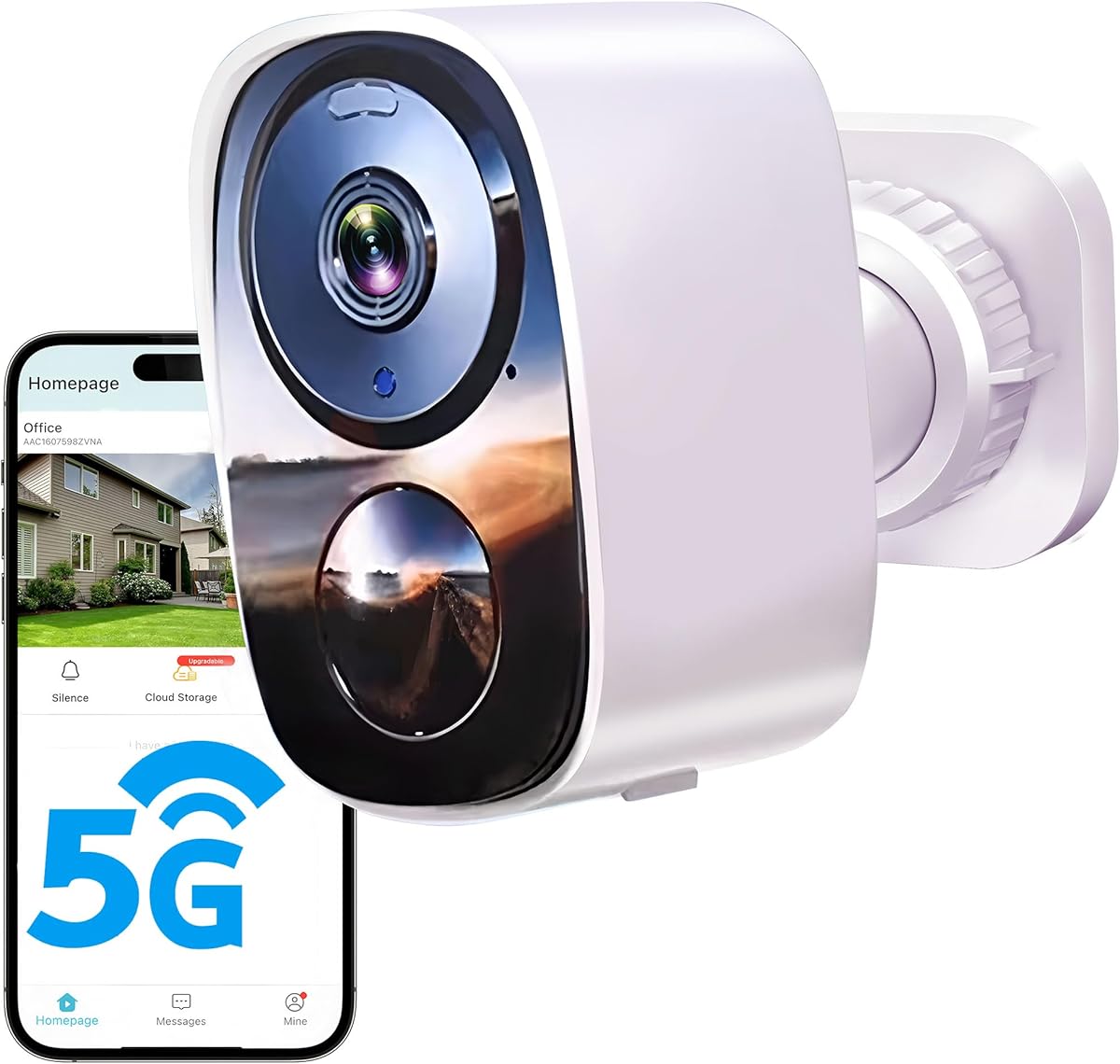
The Tapo C100 carries a 4.4 rating and is suited to indoor spaces where a stable connection exists but is not always strong. It combines 1080P imaging, wired power, activity zones, person and motion detection, and color night vision in a camera designed for baby, pet, and general room monitoring.
We may earn a commission when you buy through this link, at no additional cost to you.
Local microSD storage can hold footage without relying entirely on a cloud subscription. Two-way audio, a custom alarm, spotlights, and an optional siren add communication and deterrence features. Compatibility with Amazon Alexa and Google Assistant makes it convenient for a connected household, although Google streaming is limited to compatible display devices.
Because it depends on Wi-Fi for app access and remote communication, the C100 is not the strongest match for a building with genuinely poor internet. The supplied product information also describes solar-capable and IP65-rated variants, so buyers should verify the exact C100 package and confirm whether those features apply to the model they intend to purchase.
It remains a strong indoor choice when the goal is simple monitoring of a nursery, pet area, or living room and local recording can preserve important events. For an actual no-internet location, consider the HOSAFE or SEHMUA cellular cameras or one of the local-recorder systems instead.
Activity zones help narrow monitoring to areas that matter, while free person and motion detection can reduce irrelevant notifications. A supported microSD card provides a local alternative to cloud storage when the network becomes unreliable.
The large-aperture lens and built-in spotlights support full-color night viewing, while two-way audio allows a parent or pet owner to speak through the camera. These features are most useful in a stable, connected indoor environment.
We may earn a commission when you buy through this link, at no additional cost to you.
The SEHMUA 4G LTE Cellular Solar Security Camera has a 4.2 rating and offers a lower-cost cellular route for remote monitoring. It is explicitly designed to operate without Wi-Fi, making it relevant for barns, farms, ranches, warehouses, vacation homes, construction sites, and recreational vehicles.
We may earn a commission when you buy through this link, at no additional cost to you.
Its built-in EIOTCLUB SIM is compatible with major United States carriers and includes a seven-day unlimited trial, followed by a paid subscription for continued service. A 2K sensor, four-times digital zoom, wide-angle rotation, and manually enabled spotlight provide day and night visibility. The PIR sensor can alert users to people or animals through the Ubox app.
True wireless operation is supported by a large battery and six-watt solar panel, although the camera must first be fully charged with the supplied power cable. Only the built-in SIM works, and the installer must verify 4G coverage. A 30-day cloud storage trial is included, while the cellular data service remains a recurring requirement.
This is an attractive cellular selection for buyers who want 2K outdoor coverage and solar power without the cost and complexity of a full camera system. It is most appropriate where reliable cellular service is available and recurring mobile data is acceptable.
The camera deliberately does not support Wi-Fi, which removes router dependency but makes cellular coverage and the associated data plan essential. The included SIM is limited to United States use and major carrier compatibility.
The rechargeable battery and six-watt solar panel make the camera appropriate for remote outdoor locations without power outlets. A full initial charge is required before the solar panel is relied upon for long-term operation.
We may earn a commission when you buy through this link, at no additional cost to you.
The Mini 1080P HD Indoor Security Camera has a perfect 5.0 rating based on the supplied listing and focuses on the simplest possible solution for weak or absent internet. It plugs directly into an outlet, does not require Wi-Fi pairing, and stores recordings on a separately sold TF card.
We may earn a commission when you buy through this link, at no additional cost to you.
Its compact form resembles a standard phone charger and can blend into a bedroom, office, or other indoor area. The camera offers motion detection and 1080P monitoring without cloud routing, and the TF card can be removed and connected to a computer for viewing or backup.
This product is ideal for someone who values dependable local recording more than remote phone access. Its limitations are equally clear: storage media is not included, the supplied information does not describe app-based live viewing, and its intended environment is indoors. It also cannot provide the outdoor protection or pan-and-tilt flexibility of a cellular camera.
For a parent, caregiver, or senior who needs a straightforward camera without internet configuration, this is a remarkably easy recommendation. For remote viewing from another location, a cellular or dedicated-monitor system is the better fit.
Because the camera starts after being plugged in, it avoids Wi-Fi drops, cloud dependence, and battery degradation. This makes it one of the most dependable choices for basic local documentation in a space with unreliable internet.
Recordings are saved to a TF card, which can support up to 512GB when suitable media is supplied. Because footage does not pass through the cloud, users retain greater control over their recordings.
We may earn a commission when you buy through this link, at no additional cost to you.
The 2026 Enhanced 2K UHD Security Camera offers a 4.1 rating and is designed for homes with a usable but crowded Wi-Fi network. Support for both 2.4GHz and 5GHz can improve stability and live-view performance when one band experiences congestion or range problems.
We may earn a commission when you buy through this link, at no additional cost to you.
The camera combines 2K UHD recording, a built-in spotlight for full-color night vision, and flexible local or cloud storage. A microSD card of up to 256GB can preserve recordings locally, and the product information states that important footage remains accessible even if Wi-Fi temporarily drops. Motion alerts, app controls, and two-way audio add everyday utility.
A rechargeable battery is advertised for up to six months, although actual duration depends on how often detection is triggered and other operating conditions. IP66 construction supports outdoor placement on fences, garages, doors, and trees. The major limitation is that the camera still depends on Wi-Fi for its core connected functions.
This is a good option for a household whose internet is slow rather than completely unavailable. It combines local recording, modern dual-band connectivity, and long battery life, but shoppers who require operation without any network should favor a cellular or direct-monitor system.
Supporting 2.4GHz and 5GHz gives the camera more flexibility in homes where one band is crowded or obstructed. This can produce smoother live viewing and more reliable alerts when the router is handling many connected devices.
Users can use local SD storage for control or free rolling cloud storage for backup. IP66 weather resistance and a rechargeable battery make the camera suitable for common outdoor installations without a nearby outlet.
We may earn a commission when you buy through this link, at no additional cost to you.
The Camcamp Wireless Security Camera System has a 5.0 rating and is the most complete local monitoring system in this guide. Eight pan-and-tilt cameras arrive paired with a ten-inch monitor host that can record and replay footage locally without an internet connection.
We may earn a commission when you buy through this link, at no additional cost to you.
A built-in 500GB hard drive supports continuous loop recording and overwrites the oldest material automatically. Up to two additional Camcamp cameras can be added, and an HDMI cable allows video to be sent to a television. If internet becomes available, Ethernet or Wi-Fi can enable remote viewing through the cloudEye 365 app.
Each 1080P camera provides 355-degree horizontal and 90-degree vertical movement, along with automatic tracking for moving objects. Three night-vision modes include infrared, a motion-responsive color mode, and full color with LED lighting. Two-way audio, a built-in siren, and IP66 weather resistance make the system suitable for broad indoor and outdoor coverage.
The cameras use stable wired power, and eight adapters are included. That wiring is the main departure from a simple wireless setup, but it removes battery uncertainty and gives the system dependable continuous operation. This is the premium recommendation for large properties that need local recording, multiple viewpoints, and no mandatory subscription.
Pre-paired cameras connect directly to the monitor host, allowing local recording even when the property has no internet service. The 500GB drive loops continuously, and expandable storage keeps the design practical for larger homes or businesses.
The included ten-inch screen provides immediate local access, while HDMI output can bring the display to a larger television. When connectivity is available, Ethernet or Wi-Fi opens the option of remote viewing through the cloudEye 365 app.
We may earn a commission when you buy through this link, at no additional cost to you.
The Hiseeu 3MP CCTV Home Security Camera System has a 4.2 rating and is a strong choice for buyers who want a professional-style local recorder. The bundle includes four 3MP cameras and a 4K NVR with a preinstalled one-terabyte hard drive, providing local viewing and continuous recording without relying on a subscription.
We may earn a commission when you buy through this link, at no additional cost to you.
The cameras connect to the NVR for dependable operation even when Wi-Fi is unavailable. For remote viewing, the system supports both 2.4GHz and 5GHz networks and a stated installation distance of 100 feet for the wireless connection. Users can select continuous, motion-triggered, or customized recording modes.
AI human detection helps distinguish people from pets and shadows, while night vision and one-way audio support monitoring in darkness. The NVR can expand to ten channels, making the system relevant to larger homes and small businesses. IP66 housings and a stated temperature range from -13°F to 122°F support outdoor use.
This system balances local reliability with optional remote access better than many single-camera alternatives. Its wired camera power and NVR add installation complexity, but that tradeoff is worthwhile for buyers who prioritize continuous recording and centralized control.
The one-terabyte drive stores more than 45 days of continuous 24-hour recording according to the supplied information. H.265+ compression is designed to reduce bandwidth while retaining the system’s stated 4K and 8MP capabilities.
Four cameras are included, and the NVR can expand to ten channels. IP66 weather resistance, outdoor-oriented construction, and AI human detection make the package a good fit for monitoring a larger home, garage, yard, or small business.
We may earn a commission when you buy through this link, at no additional cost to you.
The ZEEPORTE 2K Indoor Camera has a 4.9 rating and offers high-resolution monitoring for homes where internet access is functional but not ideal for constant cloud streaming. The 3MP sensor records in 2K QHD, providing more visible detail than a typical 1080P indoor camera.
We may earn a commission when you buy through this link, at no additional cost to you.
Custom activity zones let users concentrate on a crib, window, doorway, or another important area. Motion-triggered phone notifications, two-way audio, a built-in siren, and advanced night vision extending to 30 feet make it useful as a baby monitor, pet camera, or general indoor security device.
A microSD card of up to 128GB can be used for subscription-free local recording, although the card is not included. Setup still requires a phone app and Wi-Fi, so this is not a true no-internet solution. Its wired design avoids battery maintenance, while its indoor construction and infrared night illumination are optimized for rooms rather than exposed outdoor locations.
Choose this camera when image detail, activity zones, and local storage are priorities inside a connected home. For complete isolation from the network, select the Mini 1080P HD Indoor Security Camera instead.
The 2K QHD sensor captures sharper room detail than 1080P alternatives, making it easier to recognize movement, pets, or activity around a doorway. Custom activity zones further focus recording and alerts on the areas that matter.
Two-way audio allows a parent to speak to a child or comfort a pet, while the integrated siren can be used as a deterrent. Six infrared LEDs provide night visibility without illuminating the room.
We may earn a commission when you buy through this link, at no additional cost to you.
The 2026 Upgraded 2K Security Camera earns a 4.3 rating and combines a wireless outdoor design with flexible local and cloud storage. Its 2K UHD sensor, full-color night vision, LED lights, AI motion detection, spotlight, and siren make it a broad all-purpose option for monitoring a driveway, yard, or exterior entry.
We may earn a commission when you buy through this link, at no additional cost to you.
Both 2.4GHz and 5GHz Wi-Fi are supported, which can help with crowded home networks. Recordings can be stored on a microSD card of up to 256GB, while a free cloud tier is offered; however, the product details note that the free plan provides SD-quality footage and HD access requires a paid plan.
The stated battery life ranges from one to six months depending on use. Test data cited in the listing covers 100 daily motion triggers and notes that less frequent activity can extend runtime. Actual life also depends on recording mode and temperature, and the camera should be fully charged before first use.
This is a flexible option for connected homes that want 2K outdoor video without running a power cable. Its Wi-Fi dependence prevents it from solving a completely offline location, but local SD recording gives it a useful degree of resilience when the network is temporarily unavailable.
A supported microSD card offers direct local storage, while the cloud provides an additional backup method. Buyers who want full-resolution cloud recordings should review the paid-plan details rather than assuming every quality level is included in the free tier.
A rechargeable battery and intelligent power-saving mode allow installation without a nearby outlet. The stated one-to-six-month range is best treated as a conditional estimate, since activity frequency and temperature directly affect performance.
We may earn a commission when you buy through this link, at no additional cost to you.
The Tapo 2K Pan Tilt Security Camera C210P2 carries a 4.5 rating and is a polished indoor choice for baby, pet, and general room monitoring. Its 2K sensor provides clear video, while 360-degree horizontal and 114-degree vertical movement let it cover a broad room or walkway from one position.
We may earn a commission when you buy through this link, at no additional cost to you.
Smart detection distinguishes motion, people, and baby crying, sending relevant push notifications without an additional baby-monitor charge. Two-way audio, a built-in siren, and 30-foot infrared night vision make the camera useful after dark or when a parent needs to communicate with a child.
The camera uses corded electric power and connects through a 2.4GHz Wi-Fi band. It works with Amazon Alexa and Google Assistant, although Google streaming is limited to compatible Chromecast and Nest displays. Two smartphones can view the feed through device sharing, which is convenient for caregivers in different locations.
Its consistent wired power and broad movement make it excellent inside a stable connected home. It is not suitable for a remote building with poor internet because app access and remote viewing depend on the Wi-Fi network, but it remains one of the strongest indoor monitoring options in the guide.
The camera can rotate through 360 degrees horizontally and 114 degrees vertically, reducing the need for multiple devices in a large room. This makes it especially useful for following a crawling baby, roaming pet, or activity near a doorway.
Separate detection for movement, people, and baby crying helps distinguish meaningful events from ordinary room activity. A wired power supply also removes the battery-maintenance concern that appears in many indoor cameras.
We may earn a commission when you buy through this link, at no additional cost to you.
The most important decision is whether the camera must record without any network, operate in a remote location, or merely tolerate a slow home connection. Power, storage, coverage, and service requirements should be evaluated before comparing image resolution or extra smart features.
In short, choose dual-band Wi-Fi for a crowded network, 4G LTE for isolated sites, and direct local recording for dependable offline monitoring.
Local recording is the most resilient option, so verify card capacity, loop behavior, and whether recordings remain available without an app.
For remote sites, verify carrier coverage and the full cellular subscription cost before installation.
Choose wired power for constant recording and solar power for remote flexibility, then size the battery around realistic activity levels.
Use fixed views for small areas, pan-and-tilt for rooms, and multiple cameras for yards or large properties.
Prioritize person detection, adjustable sensitivity, and a night mode that produces usable detail in the intended location.
Favor local storage for privacy and resilience, and verify the exact free cloud features before subscribing.
Choose simple local hardware for basic documentation and networked systems only when remote access adds enough value to justify setup and subscriptions.
Begin by mapping the area you want to protect, identifying nearby power sources, and checking cellular coverage or Wi-Fi signal at the exact mounting point. For a local-recording camera, format the appropriate microSD card and insert it before operation. For a cellular model, activate the included SIM through the required app, confirm the coverage map, and select a data plan that matches the camera's expected traffic.
Install the camera where it can see the intended area without being blocked by walls, reflective surfaces, or dense foliage. Solar panels need direct sunlight and should be oriented to minimize shade. Keep wired runs protected from moisture and mechanical damage, and check that each adapter reaches the camera comfortably. After mounting, test motion zones, notification sensitivity, night illumination, recording schedules, and local playback in both daylight and darkness.
Maintain the camera by cleaning the lens gently, checking the solar panel for dirt or snow, and inspecting connectors, cables, and seals. Review the storage card and drive periodically, and verify that recordings are actually being written. Update the app and camera firmware when offered, but keep a local backup of any important footage. For cellular models, review data usage and service renewals; for battery cameras, test runtime under the current detection pattern rather than relying only on the advertised maximum.
A 4G LTE cellular camera is usually the simplest independent option because it connects through a SIM card and mobile network rather than a router. A local NVR or monitor-based system is another strong option when several cameras need to record without internet. Always check cellular coverage before choosing a cellular model, and compare the required data plan with the camera's recording and streaming behavior.
Yes, provided the camera supports local storage or a direct connection to an NVR or monitor. The Mini 1080P Indoor Security Camera records to a TF card, while the Camcamp and Hiseeu systems use local recorders. Phones may not be able to view these feeds remotely without adding a network connection, but essential recording can continue.
A cellular camera is often better when the property has weak or no Wi-Fi because it does not depend on the home router. It is less convenient indoors, however, and requires compatible coverage plus a recurring data plan. A dual-band Wi-Fi camera may be sufficient when the issue is merely congestion or limited bandwidth rather than a total connection failure.
Solar cameras can continue operating on battery power when the panel cannot generate enough energy, but performance depends on the battery capacity, initial charge, sunlight, temperature, and activity level. The supplied product information for the Tapo solar-capable variant says the built-in battery can last up to 180 days during cloudy days when charged by 45 minutes of direct sunlight. Users should still expect reduced charging during prolonged overcast conditions.
Required capacity depends on resolution, frame rate, compression, motion, and the number of cameras. Local systems with large hard drives are more convenient for continuous recording, while a single microSD camera may require regular card checks and capacity planning. Loop recording can preserve recent activity by overwriting old footage, so maintain a separate backup if older recordings are important.
It depends on the camera. A cellular model may continue sending alerts as long as its mobile data service remains active, whereas a Wi-Fi camera generally cannot deliver remote notifications during a router outage. Local-only cameras can keep recording, but users may need to retrieve footage later from the card, NVR, or display.
Technically, many cellular cameras can function indoors if they receive sufficient signal, but their solar panels are intended for outdoor placement. Indoor users may prefer a wired Wi-Fi camera with local microSD storage, especially when a stable home network is already available. A local-only indoor camera is another option when avoiding internet access is the priority.
Choose a single camera for one room, doorway, or remote structure where a simple solution is enough. A multi-camera system is better for larger properties, continuous coverage, centralized recording, and multiple simultaneous viewpoints. Systems with NVRs or a monitor host also reduce the risk of losing every feed when the internet fails, but they require more wiring, storage, and initial setup.
The HOSAFE.COM 4G LTE camera is the strongest all-around choice for a remote outdoor site because it combines cellular connectivity, solar power, 2K color night vision, local storage, and two-way audio. The Mini 1080P HD Indoor Security Camera is the best budget option for simple local monitoring, while the Camcamp eight-camera system stands out for large properties that require multiple views and a 500GB local recorder.
Prioritize the connection method before image quality. Choose cellular service when there is no reliable Wi-Fi, an NVR or monitor system when recording must continue locally across several cameras, and dual-band Wi-Fi when the network is merely slow or crowded. Also account for power availability, storage capacity, night visibility, and the ongoing cellular plan before making a final choice.
Product listings, ratings, service terms, and prices can change, so review the current Amazon page and the camera manufacturer's latest documentation before purchasing. Confirm technical compatibility, especially cellular coverage, SIM restrictions, included storage, and app requirements, to ensure the chosen camera fits the location where it will be used.