
HP DeskJet 2955 Wireless All-in-One
3.7Editor score
Wireless color multifunction printing
60-sheet input tray
Smartphone faxing through HP app
This guide compares cheap fax machine options by affordability, features, ease, memory, paper handling, and suitability for home offices and small businesses.
A cheap fax machine can still provide dependable document transmission, copying, and printing without the cost and complexity of a large office system. The right model depends on how often you send pages, whether you need an automatic document feeder, and how much paper and stored transmission memory you require.
We compared ten dedicated fax machines and multifunction printers using their stated capabilities, ratings, paper capacities, transmission speeds, and supported functions. The list covers thermal, inkjet, laser, renewed, and wireless models suited to homes, home offices, and small workplaces.
Each review explains where the product is most useful, along with the compromises that may affect a buyer. Ratings and specifications reflect the supplied product information, while availability and pricing can change, so readers should confirm current details before purchasing.
3.7Editor score

3.8Editor score

4.1Editor score
The table below compares all ten models by format, core functions, paper handling, and notable capabilities, making it easier to identify the most suitable low-cost fax solution.





The Brother FAX-575 is a dedicated personal fax machine that combines faxing, telephone functions, and black-and-white copying in one compact unit. Its 4.1 rating is the highest among the supplied products, making it a strong choice for buyers who value a straightforward appliance with established core features.
We may earn a commission when you buy through this link, at no additional cost to you.
Transmission is handled by a 9,600 bps modem, with an estimated page transmission time of about 15 seconds. The 512 KB memory can store up to 25 pages, which is useful when a receiving machine runs out of paper or the line is interrupted. A 50-sheet paper capacity reduces the need for frequent refills during moderate document runs.
Its chief limitation is that it is not presented as a modern wireless multifunction printer. No scanner, color printing, automatic document feeder, or network connectivity is stated in the available product information. Buyers who routinely need to digitize paper or fax from a phone may find a newer all-in-one more adaptable.
Overall, the FAX-575 is a persuasive choice for a home office, medical office, small business, or personal setup that primarily needs reliable traditional faxing. Its dedicated design, 25-page memory, and straightforward operation make it our premium pick for shoppers who do not need every modern office function in one box.
The 512 KB memory stores up to 25 pages, giving the machine a meaningful advantage during line interruptions or when the destination cannot accept a full document. This makes the FAX-575 more forgiving than a basic model that must restart the entire transmission.
For buyers who only need faxing, copying, and telephone access, a dedicated machine can be less complicated than a color inkjet. The 50-sheet input capacity is also more practical for continuous work than the smallest paper trays found on compact multifunction devices.
We may earn a commission when you buy through this link, at no additional cost to you.
This renewed Brother FAX-575 brings the same basic fax architecture as the standard model at a lower buying commitment. Its 3.8 rating suggests that the core functions remain attractive, although it trails the new unit in the supplied customer feedback.
We may earn a commission when you buy through this link, at no additional cost to you.
The machine offers a 9,600 bps modem, approximately 15-second page transmission, 512 KB of memory for up to 25 stored pages, and a 50-sheet paper capacity. It also copies in black and white at up to 400 x 400 resolution. These specifications are substantial for a basic, dedicated personal fax machine.
Renewed status is the central trade-off. It may be a sensible way to obtain a proven model on a constrained budget, but condition, included accessories, warranty coverage, and visible wear should be checked carefully. It also does not provide the scanning, wireless printing, or color functions found in modern all-in-one models.
This renewed FAX-575 is best for budget-conscious buyers who value the familiar dedicated design, useful memory, and simple physical operation. It suits a household or small office that sends conventional black-and-white faxes and does not require cloud connectivity or smartphone-based document handling.
A renewed machine can make a capable fax platform more affordable, but buyers should treat its condition differently from a new product. Reviewing the listing photographs, return terms, and included components can prevent surprises when the machine arrives.
The combination of 25-page memory, a 50-sheet tray, and automatic copy resolution supports routine administrative work. It remains a focused solution for people who fax frequently enough to appreciate those details but do not need color output.
We may earn a commission when you buy through this link, at no additional cost to you.
The Sharp UXB20 is an inkjet fax machine that combines document transmission with copying and a broad set of telephone-related features. Its 3.3 rating is lower than that of most dedicated Brother models, but the specifications may compensate for buyers who value speed dialing and flexible multi-copying.
We may earn a commission when you buy through this link, at no additional cost to you.
Its 9,600 bps modem supports approximately 15-second transmission, while 449 KB of memory provides 24 pages of out-of-paper capacity. The copier can produce as many as 99 copies in one session. Thirty speed-dial presets reduce the effort involved in contacting regular destinations, which is particularly useful for administrative offices.
The machine also includes a corded handset, caller ID support, and distinctive-ring detection. The main drawback is its comparatively modest rating, which may encourage buyers to consider alternatives with stronger customer feedback. As an inkjet device, it may also require more attention to consumables than a thermal fax machine.
The UXB20 is a sensible fit for small offices that send to many recurring contacts and want a generous stored-document buffer. It is less attractive for buyers seeking wireless connectivity, color scanning, or a modern mobile app, but it offers a capable telephone-centered fax experience in a single unit.
Thirty speed-dial presets are useful for reception desks, clinics, property offices, and other workplaces that regularly contact a defined set of numbers. The feature reduces repetitive keypad entry and makes the machine more convenient for routine daily use.
The stated 24-page out-of-paper memory allows long jobs to remain stored when the receiving device lacks paper. Buyers should still confirm that the intended receiving machine supports compatible fax communication before relying on this function in a critical workflow.
We may earn a commission when you buy through this link, at no additional cost to you.
The HP DeskJet 2955 is a compact color inkjet all-in-one designed primarily for home use, with printing, copying, scanning, wireless connectivity, and fax access through the HP app. Its 3.7 rating is modest, but it is one of the most approachable ways to add fax capability to a modern household setup.
We may earn a commission when you buy through this link, at no additional cost to you.
The 60-sheet input tray handles everyday color documents such as letters, financial papers, recipes, and to-do lists. Dual-band Wi-Fi helps maintain a stable connection, while mobile printing allows documents to be sent from a smartphone. Printing speeds reach up to 7.5 pages per minute in black and 5.5 pages per minute in color.
The included three-month Instant Ink trial is an important condition to notice. It may offer a convenient way to begin using the printer, but a monthly subscription applies afterward unless canceled. Buyers who do not want an ongoing ink service should check the service terms and their likely ink consumption before ordering.
This DeskJet is the best budget pick for a household or home office seeking several functions in one compact device. It is less suited to heavy commercial faxing because its paper capacity and stated print speeds are modest, but it offers the broadest everyday utility for the least demanding user.
The ability to fax from a smartphone through the HP app can be more convenient than loading paper into a standalone device. This is especially useful for short forms, confirmations, and documents already available on a phone or in a cloud account.
Combining scanning, copying, color printing, and faxing eliminates the need for several separate appliances. The compact design is also easier to place in a home workspace, although the 60-sheet tray means regular paper loading may be necessary for larger jobs.
We may earn a commission when you buy through this link, at no additional cost to you.
The Canon PIXMA TR4720 is a well-balanced home all-in-one that performs four core jobs: printing, copying, scanning, and faxing. Its 3.8 rating and included automatic document feeder make it our editor's choice for buyers seeking a capable and convenient fax without committing to a large office printer.
We may earn a commission when you buy through this link, at no additional cost to you.
The 100-sheet front paper tray is larger than the tray in the HP DeskJet 2955, improving convenience for multi-page jobs. The automatic document feeder reduces manual page placement when copying or faxing a multi-page document. Wireless and mobile printing add flexibility for users who keep files on a phone or want to print from another compatible device.
Setup is designed to be approachable, with simple installation through the Canon PRINT Inkjet/SELPHY app and an easy-install cartridge design. The printer can also produce borderless photos and documents up to 8.5 by 11 inches. As with other inkjets, cartridge expense and maintenance should be considered for sustained workloads.
The TR4720 is a particularly strong recommendation for people who need occasional faxing alongside regular printing, scanning, and copying. It offers enough paper capacity and document handling for most home offices, but it is not positioned as a high-volume commercial fax system.
The included automatic document feeder is the feature that most clearly improves day-to-day productivity. It allows several pages to be handled in sequence for copying or faxing, reducing repetitive loading and helping the machine feel more suitable for a small office.
The 100-sheet front tray is a meaningful improvement over many compact inkjet models. It provides enough room for routine correspondence while keeping the overall product positioned for home use, offering a practical middle ground between minimal capacity and business-oriented equipment.
We may earn a commission when you buy through this link, at no additional cost to you.
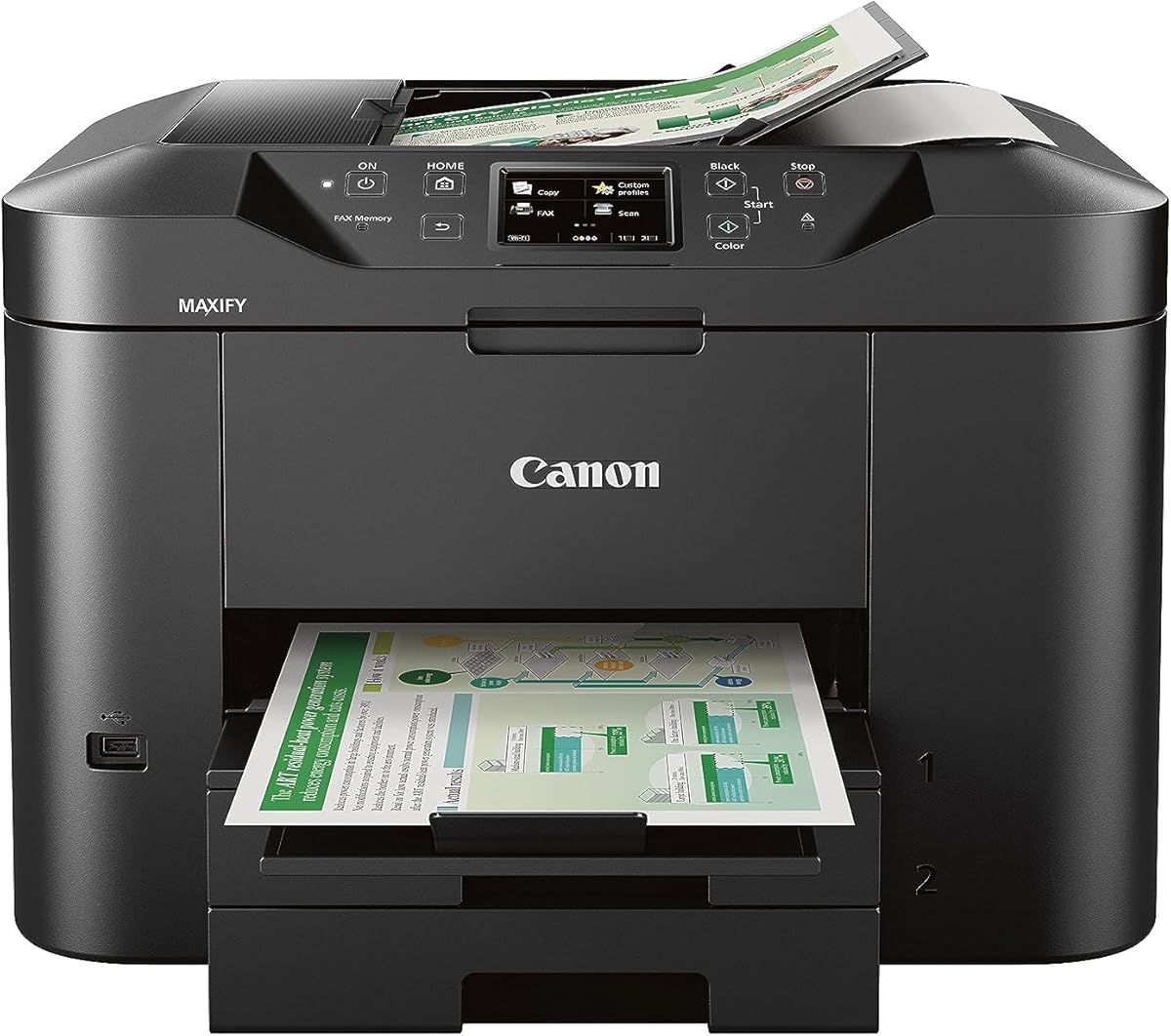
The Canon MAXIFY MB2720 is built for home business printing rather than traditional faxing. Its 3.9 rating is strong, and the most compelling attributes are its 500-sheet combined paper capacity and 20,000-page duty cycle, both of which are designed to reduce interruptions during regular workloads.
We may earn a commission when you buy through this link, at no additional cost to you.
Two paper cassettes provide a combined 500 sheets, or a full ream. The Canon PRINT app supports scanning, copying, and printing from compatible mobile devices, while the color output uses Dual Resistant High Density inks intended to produce sharp text that resists highlighting and smudging.
It is important to note that the supplied information does not identify a fax function. As a result, this model belongs in the roundup as a business-oriented printing comparison rather than a recommended standalone fax. Its listed operating-system compatibility also includes several older Windows and Mac OS versions, so modern network and software requirements should be confirmed.
The MB2720 is best for a home business that produces substantial color documents and already handles faxing through another method. Buyers who need built-in fax should instead focus on the TR4720 or TR8620a, while those prioritizing paper capacity and a heavy-duty cycle will find this model compelling.
A combined 500-sheet capacity is substantial for a home business printer. Holding a full ream reduces refills, supports longer print runs, and makes the machine more suitable for offices that produce batches of invoices, forms, proposals, or reports.
The high-density ink system is designed for clean, smudge-resistant text, which is valuable in shared workspaces. Mobile app controls add convenience, but buyers should verify current operating-system support and network compatibility before making a final decision.
We may earn a commission when you buy through this link, at no additional cost to you.
The Canon PIXMA TR8620a is a wireless home-office all-in-one with printing, copying, scanning, faxing, an automatic document feeder, and automatic two-sided printing. Its 4.0 rating is the second-highest in the group, and its combination of features makes it a strong option for buyers who want a fax machine that can handle modern office tasks.
We may earn a commission when you buy through this link, at no additional cost to you.
Paper is supported through a 100-sheet cassette and 100-sheet rear feed, creating a stated 200-sheet capacity. The print speed reaches 15 pages per minute in black and 10 in color, while the 1,000-page duty cycle indicates a more substantial operating range than many home inkjets.
Alexa integration can provide low-ink notifications and support smart reorders when the user enrolls in the relevant service. That convenience does not replace checking ink levels directly, and the enrollment terms should be understood before relying on automatic replenishment. The device also offers photo and document printing, AirPrint, Android support, a micro SD slot, ENERGY STAR certification, and EPEAT Silver certification.
The TR8620a is well suited to a home office that sends regular faxes, scans documents, and also wants polished color output. It is more versatile than a dedicated thermal fax, although buyers wanting minimal complexity may find the TR4720 easier to justify and manage.
Automatic two-sided printing is especially useful for multipage forms, reports, and internal documents. It reduces paper consumption and the time spent manually turning sheets, particularly when combined with the automatic document feeder for copying and faxing.
Alexa can notify users when ink is low and can place a smart order when the appropriate enrollment is active. This is helpful for a busy office, although manual ink monitoring and a clear understanding of reorder terms remain sensible safeguards.
We may earn a commission when you buy through this link, at no additional cost to you.
The Brother intelliFAX-2840 is a laser-based dedicated fax machine built for speed-conscious document handling. Its 3.9 rating is among the strongest in the list, while the stated 21-page-per-minute performance clearly distinguishes it from slower thermal and compact inkjet alternatives.
We may earn a commission when you buy through this link, at no additional cost to you.
Laser technology can produce crisp text and may suit offices that send substantial volumes of black-and-white pages. The listed resolution is 200 x 300 dpi, lower than the 400 x 400 resolution stated for the Brother FAX-575, so buyers prioritizing fine detail should understand the difference in the source documents and output quality.
The machine is not network ready, and no wireless or scanning function is specified. That limitation can be acceptable in a private office with a dedicated telephone line, but it makes the model less flexible for shared spaces, remote access, or workflows that also require document digitization.
The intelliFAX-2840 is a good choice for a busy, traditional office that values fast dedicated transmission over wireless convenience or multifunction versatility. It offers a compelling middle ground between the compact FAX-575 models and a larger inkjet all-in-one, particularly for black-and-white document workflows.
A stated 21-page speed can materially shorten the time required to produce or transmit large document sets. This makes the model more relevant to administrative offices than the smaller tray capacities of many entry-level home printers.
The lack of network readiness keeps the machine focused and straightforward, but it also means the device is not designed to share a wireless workflow. Buyers should confirm that a private line or suitable connection arrangement fits the intended office.
We may earn a commission when you buy through this link, at no additional cost to you.
This renewed Brother FAX-575 Thermal stands apart from the other renewed listing because its product information specifically identifies a 10-sheet automatic document feeder. That added feature makes it more appealing for multipage copying and faxing, although its 3.3 rating calls for careful expectations.
We may earn a commission when you buy through this link, at no additional cost to you.
The machine carries 512 KB of memory, a 9.6 Kbps modem, 400 x 400 resolution, a 50-sheet input tray, and the 10-sheet ADF. It performs faxing and copying using thermal transfer technology, and the listing identifies it as ENERGY STAR certified. Together, these details describe a practical dedicated fax platform.
Renewed condition remains the main uncertainty. Potential buyers should look closely at cosmetic condition, functional guarantees, return policies, and the presence of required accessories. The lower rating also suggests that some buyers have been less satisfied, although the supplied information does not identify a specific defect or weakness.
This model is a smart match for a value-focused home office that regularly faxes multi-page documents and wants dedicated controls. The automatic feeder and 50-sheet tray reduce manual handling, while the thermal format avoids carrying a color inkjet and its associated printing footprint.
The 10-sheet automatic document feeder is useful for contracts, forms, medical records, and other multipage packets. It saves time compared with feeding one page at a time, although the capacity is still modest compared with many office-class feeders.
The combination of thermal operation, 512 KB memory, and a generous input tray can provide strong utility on a limited budget. Buyers should treat the lower rating and renewed status as reasons to review the seller's guarantees carefully, not as reasons to expect a specific failure.
We may earn a commission when you buy through this link, at no additional cost to you.
The Panasonic KX-FHD331 is a dedicated plain-paper fax machine that focuses on traditional document transmission and telephone integration. Its 2.7 rating is the lowest among the products compared, so buyers should weigh the simplicity of the platform against stronger-rated alternatives.
We may earn a commission when you buy through this link, at no additional cost to you.
The machine uses plain paper and a 9.6 Kbps modem, matching the general transmission class found in several other dedicated models. Caller ID compatibility and an answering machine interface make it potentially useful in a home or office that relies on a shared landline and wants the fax machine to manage calls as well.
The supplied information provides less detail than the listings for the Brother and Canon models. It does not state memory capacity, paper capacity, copy resolution, an automatic feeder, or wireless support. Those omissions make careful comparison important, particularly for anyone who regularly sends long documents.
The KX-FHD331 is most appropriate for a buyer who specifically wants plain-paper output and telephone integration in a dedicated device. The six-month exchange warranty offers some protection, but the low rating means it is not the first recommendation for most people; the TR4720, TR8620a, or Brother FAX-575 generally provide clearer feature advantages.
A plain-paper fax can be attractive for offices that save received documents and prefer output in a standard format. It also fits a traditional workflow where paper handling is more important than wireless access or color output.
Caller ID compatibility and the answering machine interface distinguish this model from printers without telephone functions. These features may be valuable where call screening and fax reception occur on the same line, though the available specifications are limited.
We may earn a commission when you buy through this link, at no additional cost to you.
The most economical fax machine is the one that meets your document volume and workflow without paying for unnecessary features. Compare the following factors before choosing a dedicated fax or multifunction printer.
A dedicated fax machine focuses on transmission, copying, and sometimes telephone functions. It may be simpler to operate and can be better suited to a private office with occasional document scanning needs. A multifunction inkjet combines printing, copying, scanning, and faxing in one device, making it more useful when the same machine must handle color documents and digital files. Choose according to the functions you use rather than assuming one format is automatically cheaper after accounting for ink and maintenance.
In short, prioritize a dedicated fax for simple workflows and an all-in-one for broader office tasks.
A 9,600 bps modem and approximately 15-second page transmission are common among the dedicated models in this guide. Faster transmission matters when sending long packets, while memory provides insurance when the receiving machine runs out of paper or a connection drops. The Brother FAX-575 stores up to 25 pages, the Sharp UXB20 provides 24 pages of out-of-paper memory, and the other listings do not provide equally detailed memory figures.
In short, prioritize adequate stored-document memory when a long transmission must survive an interrupted session.
Paper handling determines how often you must refill the machine and how easily it accepts multipage jobs. The dedicated Brother models offer 50-sheet capacities, the HP DeskJet 2955 has a 60-sheet tray, and the Canon PIXMA TR4720 accepts 100 sheets. The renewed thermal Brother listing adds a 10-sheet automatic document feeder, which is particularly useful for multipage copying and faxing.
In short, match tray capacity and feeder size to the typical size and frequency of your document jobs.
Wireless support can remove the need for a dedicated phone cable and makes a multifunction printer easier to share. The HP DeskJet 2955, Canon PIXMA TR4720, Canon MAXIFY MB2720, and Canon PIXMA TR8620a include wireless or mobile-oriented functions. Dedicated thermal and laser fax machines in this guide are described as standalone devices, with the Brother intelliFAX-2840 specifically identified as not network ready.
In short, choose wireless connectivity when remote printing or phone-based control is important to your workflow.
Thermal fax machines use a thermal transfer process and are designed primarily for black-and-white documents. Laser fax machines offer fast output but require a compatible consumable. Inkjet all-in-ones provide color and photo printing, while cartridge expenses, ink levels, and included subscription trials can affect the long-term ownership experience. Consider how frequently you will print and whether color or photos are genuinely required.
In short, choose the simplest technology that reliably supports your document types and expected volume.
Scanning turns a fax into a digital archive and can eliminate a separate desktop scanner. The HP DeskJet 2955, Canon PIXMA TR4720, Canon PIXMA TR8620a, and Canon MAXIFY MB2720 support scanning, although the MAXIFY listing does not identify a fax function. Dedicated fax machines generally concentrate on sending and copying paper, which is sufficient for workflows that do not require searchable digital files.
In short, prioritize a scanner when your records need to be emailed, stored, or searched.
A fax machine with a handset and call-management features can replace a separate desk telephone. The Brother FAX-575 combines fax, phone, and copier functions, while the Sharp UXB20 includes a corded handset, caller ID readiness, distinctive-ring detection, and 30 speed-dial presets. The Panasonic KX-FHD331 also offers caller ID compatibility and an answering machine interface. These details can be valuable in reception or administrative settings.
In short, prioritize handset, speed-dial, and caller-ID functions when faxing shares a line with regular calls.
A renewed machine can make a capable platform more affordable, but its condition and warranty terms deserve careful attention. Both renewed Brother FAX-575 listings provide the same 9,600 bps modem and 512 KB memory, while the more detailed thermal listing includes a 10-sheet feeder. Review photographs, included accessories, return windows, and exchange or warranty provisions before treating a renewed unit as equivalent to a new one.
In short, consider renewed equipment for value, but verify condition and protection before ordering.
Begin by connecting the machine to a compatible telephone line or the appropriate network arrangement and loading plain, dry paper into the input tray. On multifunction models, install the ink cartridges and complete the software or app setup before attempting a first transmission. Dedicated fax users should connect the provided handset, set the date and time, and check the resolution and transmission settings.
To send a fax, place the document face down in the feeder or on the glass platen, enter the recipient number, and start the transmission. Allow the machine to scan each page before removing the original. For wireless models, choose the fax option in the relevant mobile app and select the recipient or contact method supported by the device. Keep a copy of important documents until delivery confirmation appears.
For care, keep the glass, feed rollers, and exterior free of dust and adhesive residue. Replace paper before it becomes bent or torn, and keep ink cartridges or thermal supplies within the manufacturer's recommended storage conditions. Periodically run the machine's cleaning or test page, review stored fax jobs when appropriate, and address paper jams gently to avoid damaging the feed path.
Yes, a low-cost fax machine can remain useful for organizations that regularly send signatures, medical forms, purchase orders, or other documents that must arrive as a fax. It can also provide a dedicated alternative to sending sensitive information through ordinary email. The best choice depends on document volume, privacy requirements, and whether scanning and color printing are also needed.
The answer depends on how the device is used. A multifunction printer usually combines several functions in one compact appliance and may be less expensive initially, while a dedicated fax machine can provide simpler controls and more focused document handling. Inkjet operating costs, cartridge use, and the added complexity of scanning software should be considered before deciding.
Fax memory stores a document during transmission so the machine can retry or hold the job if a line is interrupted or the receiving device runs out of paper. Several models in this guide offer 24 to 25 pages of memory, which is valuable for long forms and packets. Memory capacity does not necessarily indicate the number of pages a machine can print without refilling paper.
An automatic document feeder is highly useful when sending or copying multiple pages because it reduces manual handling. The renewed Brother FAX-575 Thermal listing specifies a 10-sheet feeder, while the Canon PIXMA TR4720 and TR8620a also include automatic document feeders. If you mostly send one-page forms, a simpler flatbed or compact model may be sufficient.
Some multifunction printers support app-based faxing from a phone. The HP DeskJet 2955 description specifically states that users can print, scan, copy, or fax from a smartphone through the HP app. Compatibility depends on the printer, app, operating system, and account setup, so buyers should confirm those requirements before choosing a model for mobile faxing.
Thermal fax machines are designed primarily for black-and-white documents and generally emphasize faxing and copying rather than color output. Inkjet all-in-ones can also print color documents and photos, but they typically have more functions and require cartridge maintenance. The right choice depends on whether color printing and scanning are valuable enough to justify the extra complexity.
A renewed fax machine can offer useful savings when the model has dependable core specifications and the seller provides clear return or exchange protection. However, condition and included accessories may vary. The supplied data includes two renewed Brother FAX-575 options, so buyers should compare the exact listing details carefully and consider the 10-sheet feeder included in the more fully specified thermal listing.
Start with the functions you actually need, then compare transmission speed, stored-page memory, paper capacity, feeder size, and connectivity. For multifunction models, also check ink costs, cartridge availability, and whether a trial subscription applies after its introductory period. Finally, confirm that the machine's supported operating systems and telephone or network arrangement fit your workspace.
The Canon PIXMA TR4720 is the most balanced overall choice for a home or small office because it combines printing, copying, scanning, and faxing with an automatic document feeder and a 100-sheet tray. The HP DeskJet 2955 is the leading budget option for buyers wanting wireless, compact, color multifunction support, while the Brother FAX-575 is the top dedicated pick for straightforward faxing, copying, and telephone use.
Prioritize the requirements that affect daily work: stored-page memory for long or critical transmissions, an automatic feeder for multipage documents, sufficient paper capacity for your workload, and wireless connectivity only when it genuinely adds value. Dedicated models can be simpler, but all-in-ones are usually more versatile for mixed home-office tasks.
Ratings, availability, and pricing can change, and renewed units may differ in condition from their new counterparts. Before ordering, verify the current product listing, warranty or return terms, included accessories, ink or toner requirements, and the exact connection needed for your office.