
HP ProBook 440 G7
5.0Editor score
16GB DDR4 multitasking memory
256GB solid state storage
Portable 14-inch FHD display
Refurbished Windows 11 laptops offer an appealing mix of modern software, capable business hardware, and lower entry costs than new equivalents. A well-chosen model can handle office applications, online learning, communication, and everyday multitasking, but processor age, screen quality, battery condition, and port selection still matter greatly.
This guide compares ten renewed laptops using their supplied specifications, customer ratings, displays, memory, storage, processors, connectivity, and stated refurbishment standards. It covers compact 2-in-1 designs, portable 14-inch business notebooks, and larger work-focused models, with an emphasis on the practical differences that affect daily ownership.
Each review explains who the laptop is best suited for, along with its strongest features and meaningful limitations. The top selections recognize a top-rated value option, a balanced everyday choice, and a premium business model. Product availability and pricing can change, so confirm the current listing and condition details before purchasing.
5.0Editor score

4.1Editor score

4.0Editor score
As an Amazon Associate we earn from qualifying purchases.
The comparison covers processor class, memory, storage, display size, and major connectivity features. It highlights how each renewed notebook differs in portability and intended use rather than treating refurbished business laptops as interchangeable.


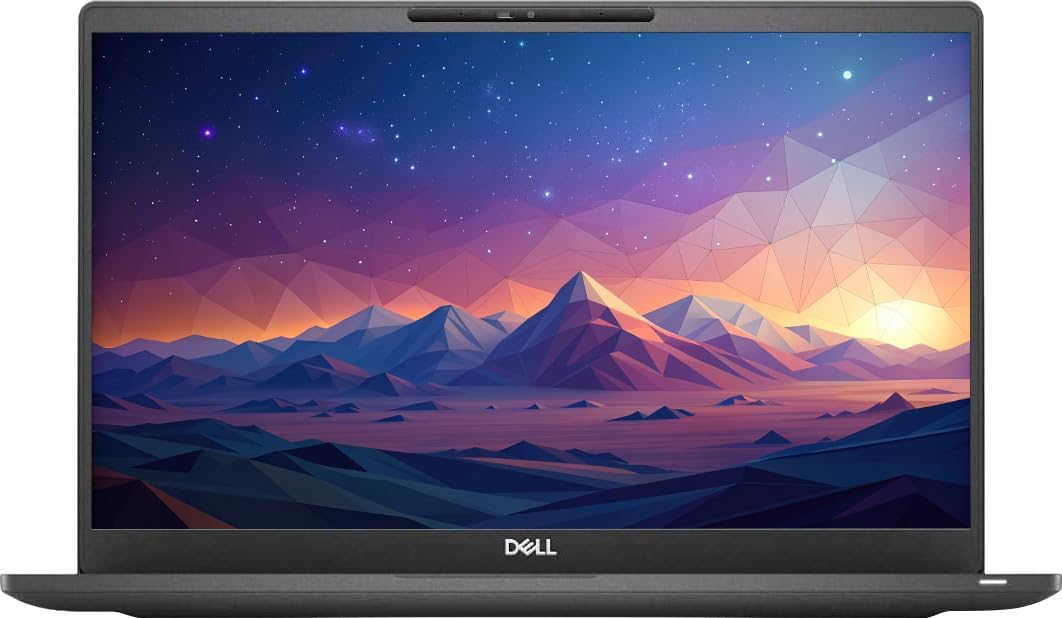


The Dell Latitude 3190 2-in-1 is the most flexible and compact entry in this guide, combining an 11.6-inch HD touchscreen with Windows 11 Professional. Its supplied rating is 3.7, which is respectable within a broad renewed-laptop category but leaves room to inspect condition and expectations carefully.
We may earn a commission when you buy through this link, at no additional cost to you.
Its Intel Celeron N5030 is a quad-core chip that operates at 1.1GHz and can boost to 2.4GHz. That specification is best aligned with browsing, office documents, email, video calls, note-taking, and other light productivity tasks rather than intensive compilation, advanced modeling, or demanding gaming. The 2-in-1 design adds value for students and mobile users who value a touchscreen and smaller footprint.
The principal compromises are the 8GB of RAM and 128GB SSD. Eight gigabytes can support normal multitasking, but additional memory would be beneficial when keeping many browser tabs and applications open. Likewise, 128GB leaves little room for large media collections, extensive project files, or numerous installed programs. These limitations are manageable for cloud-focused users but important for heavy local storage.
Choose this Latitude when portability, touch interaction, and a compact Windows 11 device matter more than maximum performance. It is a practical secondary computer, student laptop, or travel-friendly productivity tool. For heavier workflows, step up to one of the Core i5 models with 16GB of memory and more storage.
The touchscreen and convertible design distinguish this model from conventional business laptops. It can suit note-taking, media viewing, and users who prefer a smaller device for commuting or limited desk space.
The N5030 and 8GB memory configuration handles routine office and web tasks well. Reviewers seeking heavier multitasking should favor a 16GB configuration and larger SSD.
We may earn a commission when you buy through this link, at no additional cost to you.
The Dell Latitude 5420 stands out for its combination of a relatively modern 11th-generation Core i5 processor, 16GB of RAM, and a spacious 512GB PCIe SSD. Its 3.8 rating reflects a generally capable business notebook, although renewed-device satisfaction still depends heavily on the condition of the individual unit.
We may earn a commission when you buy through this link, at no additional cost to you.
The i5-1145G7 is a quad-core processor with boost speeds up to 4.40GHz and 8MB of cache. That gives it more headroom for office workloads, browser-based applications, communication platforms, and light creative projects than the entry-level N5030 model. The 16GB of DDR4 memory supports smoother switching among applications, while the PCIe SSD provides fast boot and file access.
Its 14-inch Full HD anti-glare display is well suited to extended office use because it avoids a glossy surface. The backlit keyboard, HD webcam, and 63Wh battery further support productive daily work. Connectivity is especially strong, with two Thunderbolt 4 ports, USB, HDMI, an SD-card slot, Ethernet, Wi-Fi 6, and Bluetooth 5.2.
This is an excellent recommendation for professionals who need a conventional, non-touch Windows 11 work machine with modern ports. The main caveat is that the device is not particularly compact and its battery will have experienced more cycles than a new counterpart. Check the current condition report and included accessories before ordering.
Thunderbolt 4, USB, HDMI, Ethernet, and an SD-card reader provide more flexibility than many compact laptops. This makes the Latitude 5420 useful in offices, meeting rooms, and hybrid workspaces.
Sixteen gigabytes of RAM and a 512GB SSD form a versatile combination for common business workflows. It avoids the storage and memory compromises visible in smaller-budget configurations.
We may earn a commission when you buy through this link, at no additional cost to you.
The renewed Dell Latitude 5400 delivers a conventional 14-inch business format with a Core i5-8265U processor, 16GB of RAM, and a 256GB SSD. Its 4.0 rating makes it one of the better-reviewed options in this collection, particularly when compared with the broader range of older renewed business laptops.
We may earn a commission when you buy through this link, at no additional cost to you.
The processor has four cores and eight threads and can boost to 3.9GHz, giving it adequate performance for documents, spreadsheets, email, web applications, and multitasking. The 16GB memory configuration is the most important asset here. It leaves more room for several applications and browser tabs than an 8GB system, while the SSD supports fast startups and file access.
The supplied information emphasizes a durable design and broad connectivity, including HDMI 1.4, USB 3.1, and a uSD 4.0 card reader. Those features are relevant for professionals who regularly connect storage, displays, and peripherals. The 14-inch HD panel is less detailed than the Full HD options elsewhere, but it can still provide a practical and compact workspace.
The 256GB SSD is the primary limitation. Users who work with large files should consider a higher-capacity model or plan to use cloud storage and external media. Still, this Latitude 5400 is a sensible all-round choice for routine office work, study, and home productivity, especially when its condition and warranty terms compare favorably.
The 16GB RAM allocation is a meaningful advantage over entry-level renewed systems. It helps when moving between browser sessions, messaging tools, documents, and video-call applications.
USB 3.1, HDMI, and the memory card reader make peripheral connections straightforward. The port selection supports a practical desk setup without requiring every accessory to be wireless.
We may earn a commission when you buy through this link, at no additional cost to you.
The Dell Latitude 7400 pairs a 14-inch Full HD display with an Intel Core i5-8365U, 16GB of RAM, and a 256GB M.2 NVMe SSD. Its 3.9 rating reflects a well-rounded renewed notebook, while the certified refurbishment process adds reassurance through testing, cleaning, inspection, and repackaging.
We may earn a commission when you buy through this link, at no additional cost to you.
The i5-8365U is a quad-core processor with a 1.6GHz base speed and up to 4.1GHz turbo boost. It is intended for office work and light multitasking, which matches the stated positioning of the machine. The NVMe drive is an important strength because it should provide quick boot and file-response times, while 16GB of memory supports comfortable routine productivity.
The Full HD display is more detailed than the HD panels in several competing entries, making it preferable for documents, web work, and general visual comfort. Connectivity includes Wi-Fi, Bluetooth, USB 3.1, HDMI, a webcam, and Thunderbolt. The listing also notes a minimum 90-day warranty, though the package may arrive in a generic box and accessories may vary.
Choose the Latitude 7400 for users who prioritize screen resolution, recognized refurbishment standards, and a capable everyday specification. Its processor is not as recent as the 11th-generation hardware in the Latitude 5420, and 256GB can become restrictive quickly. Otherwise, it is a strong fit for professional productivity and study.
The certified process covers functionality, cleaning, inspection, and repackaging. A minimum 90-day warranty adds a defined layer of protection that should be reviewed before purchase.
The combination of NVMe storage and a Full HD panel creates a more refined everyday experience. It is particularly useful for document-heavy work and users who spend long periods reading on screen.
We may earn a commission when you buy through this link, at no additional cost to you.
The Dell Latitude 7490 is the premium-oriented selection in this guide, bringing together a Core i7-8650U processor, 16GB of RAM, and a 512GB SSD in a Latitude business chassis. Its 4.0 rating supports its positioning for users who want more headroom than a basic renewed notebook provides.
We may earn a commission when you buy through this link, at no additional cost to you.
The Core i7 chip supplies additional processing capability for demanding multitasking, heavier office files, and more advanced applications than the Core i5 configurations. Sixteen gigabytes of memory ensures that applications have room to coexist, while 512GB of storage is more accommodating for files and installed software. Windows 11 Pro is preinstalled for business-oriented use.
The stated refurbishment information says the laptop has been professionally refurbished and tested against high-quality standards. That process can extend the useful life of a capable corporate platform while reducing waste. However, the supplied listing does not provide a specific display resolution, port inventory, or battery figure, so buyers should not assume features that have not been confirmed.
The Latitude 7490 is best for professionals who prioritize processor tier, storage, and business design over having the newest wireless capabilities. It is a sensible premium business purchase when the listing provides strong condition documentation. Those needing the latest processor generation or extensive modern port details should compare the Latitude 5420 and Latitude 7420 first.
The i7-8650U provides a useful performance margin for multitasking and demanding productivity applications. It is a stronger match for heavy schedules than a basic Celeron configuration.
Professional refurbishment and testing support dependable use, while 512GB reduces the need for immediate upgrades. The listing should still be checked for included accessories and exact cosmetic condition.
We may earn a commission when you buy through this link, at no additional cost to you.
This 512GB configuration of the Dell Latitude 5400 has a 4.1 rating, the highest numerical rating among the ten products, and combines balanced specifications with a 3.3-pound chassis. It is the most straightforward all-round recommendation for a buyer who wants a capable renewed Windows 11 business laptop.
We may earn a commission when you buy through this link, at no additional cost to you.
Its Intel Core i5-8365U is a quad-core processor based at 1.6GHz, and the supplied configuration includes 16GB of DDR4 RAM and a 512GB SSD. This setup is well matched to office applications, communication tools, browsing, research, and normal multitasking. The storage capacity also offers more freedom for local files than most 256GB alternatives.
Connectivity is unusually complete for a portable notebook. The listed options include three USB 3.0 ports, USB Type-C, HDMI, an SD-card reader, a combined headphone and microphone jack, integrated Wi-Fi, Bluetooth, and RJ45 Ethernet. Dimensions of 0.8 by 12.7 by 8.5 inches and a weight of 3.3 pounds reinforce its suitability for mobile work.
This is the best balanced selection because it does not force an extreme compromise between memory, storage, portability, and connectivity. Its Intel UHD 620 graphics and eighth-generation processor are not ideal for modern gaming or specialized graphics work, but the target user is better served by productivity and flexibility. Confirm the current refurbishment terms and inspect the listing for condition details.
Pairing 16GB of memory with a 512GB SSD creates a useful balance for everyday work. It handles more simultaneous applications while leaving ample room for files that would quickly fill a smaller drive.
USB, Type-C, HDMI, Ethernet, and an SD-card reader make the laptop adaptable to different working environments. A weight of 3.3 pounds preserves portability despite the broad interface selection.
We may earn a commission when you buy through this link, at no additional cost to you.
The HP EliteBook 840 G5 is a 14-inch Full HD business laptop with a Core i5-8350U, 16GB of DDR4 memory, and a 512GB SSD. Its 3.9 rating reflects a favorable balance of features, while the stated refurbishment process includes testing and cleaning by qualified vendors.
We may earn a commission when you buy through this link, at no additional cost to you.
The processor is a quad-core i5 designed for routine business work and light multitasking. With 16GB of RAM, it can support several open applications without relying on the tight memory budgets found in entry-level systems. The 512GB SSD offers generous local storage and should improve boot time and file responsiveness compared with a traditional hard drive.
Its Full HD panel is useful for office documents, browsing, and detailed work. Integrated graphics keep the system suitable for common productivity tasks, while the included USB Type-C and HDMI connections make it easier to attach accessories. Windows 11 Pro 64-bit is installed and supports multiple listed languages, including English, Spanish, and French.
One important caveat is that the supplied data specifically states there is no wireless card. Connectivity therefore requires attention: some users may need to add a Wi-Fi adapter or use Ethernet and USB devices. There is also no DVD drive, which is increasingly normal but worth noting for anyone with disc-based media. For office users willing to confirm wireless support, it remains a capable value.
The combination of 16GB memory and 512GB storage is especially attractive for document-heavy workflows. It gives users more flexibility than the standard 8GB and 256GB office-laptop combination.
The listing explicitly says that no wireless card is included. Confirm whether a compatible adapter is already installed before buying if Wi-Fi is essential to your daily routine.
We may earn a commission when you buy through this link, at no additional cost to you.
The HP ProBook 440 G7 is the top-rated product in this guide with a 5.0 rating. It combines a 14-inch Full HD anti-glare display, 16GB of RAM, and a 256GB SSD in a portable 3.5-pound design, making it an attractive value for students and office users.
We may earn a commission when you buy through this link, at no additional cost to you.
Its Intel Core i5-10210U is a 10th-generation quad-core processor with eight threads, a 1.6GHz base frequency, and turbo capability up to 4.2GHz. It handles browsing, office applications, media, communication, and several simultaneous programs. The 16GB memory configuration is particularly valuable because it is not always guaranteed in renewed business laptops at this tier.
The 14-inch 16:9 anti-glare display is designed to reduce eye fatigue during prolonged work, and the backlit keyboard adds comfort in dim environments. Port coverage includes USB 3.1 Type-C, two USB 3.1 Gen 1 ports, USB 2.0, HDMI, a combined audio jack, RJ45 Ethernet, and a power connection. That makes the system well equipped for offices and travel.
The 256GB SSD is the clearest compromise, and refurbishment accessories may not be original, although compatible and functional parts are supplied. The packaging may also be a standard box rather than the original. Even so, the rating, memory, display, portability, and port selection make this ProBook a compelling recommendation for general productivity.
A weight of 3.5 pounds and a 14-inch anti-glare screen balance mobility with a usable workspace. The backlit keyboard is a useful addition for commuters and evening users.
Sixteen gigabytes of RAM gives the ProBook an advantage over similarly basic renewed systems. It should handle routine multitasking more comfortably, although storage remains limited.
We may earn a commission when you buy through this link, at no additional cost to you.
The Dell Latitude 7420 combines an 11th-generation Intel Core i7 processor, 16GB of RAM, and a 512GB PCIe NVMe SSD in a 14-inch Full HD business notebook. Its 3.7 rating is among the lower scores in the group, but the underlying specification is one of the strongest for modern productivity and mobile work.
We may earn a commission when you buy through this link, at no additional cost to you.
The Core i7-1165G7 has four cores and can boost to 4.70GHz, with 12MB of cache. It offers ample performance for office applications, research, communication, and multitasking, and its newer generation is more efficient than several older Core i5 and i7 chips included in the list. Intel Iris Xe graphics also make it more versatile for light visual workloads.
The 14-inch Full HD wide-view anti-glare display includes a backlit keyboard, webcam, Wi-Fi 6, and Bluetooth. Its listed brightness is 250 nits, which helps in normal indoor conditions but may be less impressive in bright rooms or outdoors. The laptop is non-touch, so it is better suited to conventional typing and pointer use than tablet-style interaction.
The listing notes a fresh Windows 11 installation, 90-day warranty, and 90-day technical support. That setup is appealing to buyers who want a straightforward transition without manufacturer-installed bloatware. This model is most appropriate for mobile professionals who value processor generation, NVMe speed, and full-size convenience over a highly compact footprint.
The 11th-generation Core i7 and NVMe drive create a responsive platform for professional tasks. This is particularly attractive when portability and modern performance are both priorities.
Wi-Fi 6, Bluetooth, a webcam, and a backlit keyboard support communication and productive work away from a fixed desk. The 250-nit panel remains a consideration in bright environments.
We may earn a commission when you buy through this link, at no additional cost to you.
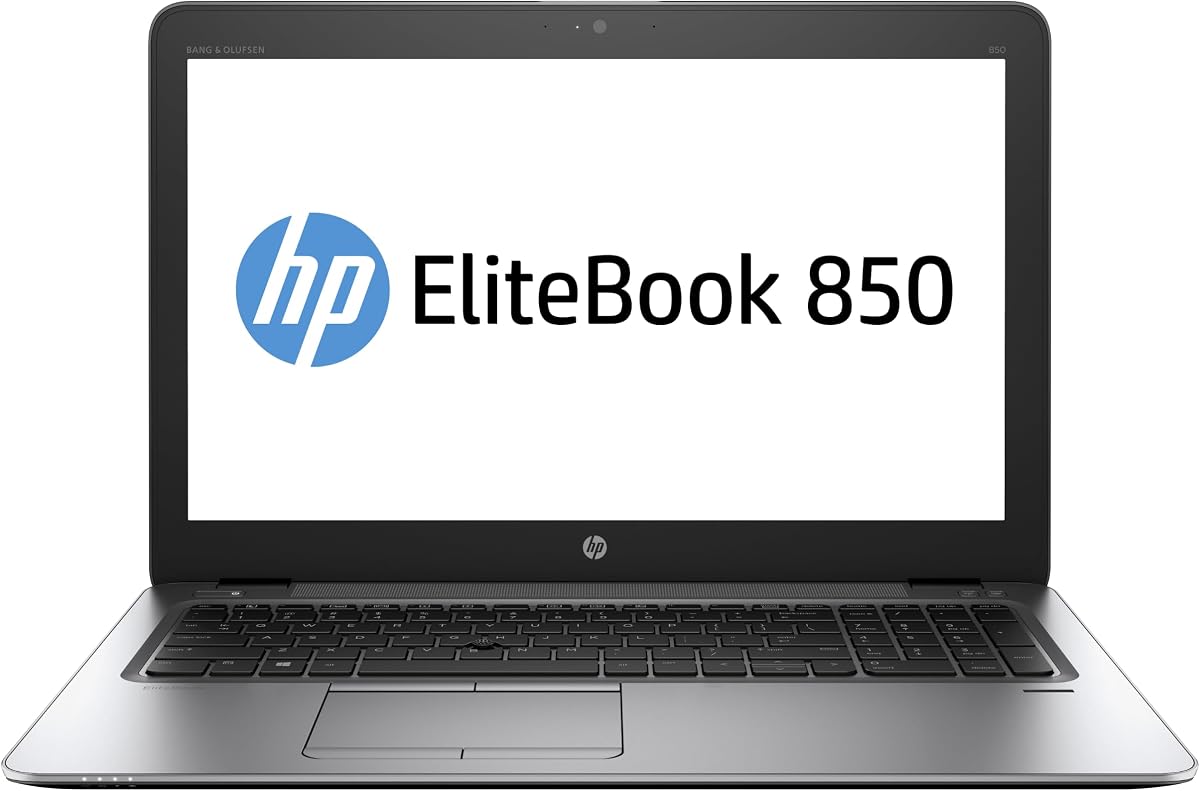
The HP EliteBook 850 G3 is a large-screen alternative for buyers who prefer a 15.6-inch workspace. It pairs an Intel Core i7-6600 with 16GB of DDR4 RAM and a 512GB M.2 SSD, and the supplied information states that Windows 11 Pro is preinstalled and activated.
We may earn a commission when you buy through this link, at no additional cost to you.
The sixth-generation Core i7 is the oldest processor platform here, so it should be considered a general-purpose system rather than a solution for demanding modern workloads. It remains suitable for browsing, writing, email, streaming, and light office productivity. The 16GB memory and 512GB SSD help compensate by providing adequate capacity for routine multitasking and local files.
The larger HD display is the defining feature. It offers more room for spreadsheets, documents, web pages, and media than every 14-inch model in the guide, although HD resolution means less screen detail than a Full HD panel. Built-in webcam and microphone support online meetings, while listed Wi-Fi and Bluetooth provide wireless connectivity.
No numerical customer rating is supplied, so there is less visible feedback to help assess the particular listing. The stated professional refurbishment, 90-day warranty, and technical support provide some reassurance. Choose this model if screen area, storage, and memory matter more than processor age, and verify the current condition before purchase.
The 15.6-inch panel provides a more expansive canvas for documents, tables, and reference material. It may also suit users who prefer larger text and fewer application windows on screen.
The Core i7-6600 is best viewed as a straightforward productivity platform. Its age limits future headroom, but 16GB of RAM and 512GB of storage remain useful for common tasks.
We may earn a commission when you buy through this link, at no additional cost to you.
A useful refurbished-laptop purchase balances processor capability, memory, storage, display quality, connectivity, portability, and refurbishment assurance. Comparing these factors against your actual workload is more important than chasing a particular model generation or a high rating alone.
The processor determines how comfortably a laptop handles demanding applications, sustained multitasking, and background activity. The Core i5-1145G7 in the Latitude 5420 and the Core i7-1165G7 in the Latitude 7420 are the most modern platforms in this group, while the 10th-generation Core i5-10210U in the HP ProBook 440 G7 provides a useful middle ground. The Celeron N5030 in the Latitude 3190 is intended for lighter work, and the sixth-generation Core i7-6600 in the EliteBook 850 G3 carries the greatest age-related limitations.
RAM determines how many applications and browser tabs can remain open without heavy swapping to storage. Most of the better-equipped options include 16GB, which is a comfortable amount for office work, research, communication, and moderate multitasking. The Latitude 3190 is the clear exception with 8GB; that configuration can work well for lightweight users, but it is less forgiving when several demanding programs are open together.
All ten laptops use solid state storage, which provides a much better response time than a traditional hard drive. Capacity remains important: 128GB is restrictive, 256GB suits a modest local file collection, and 512GB gives room for applications, project folders, and media. The Latitude 7420 and Dell Latitude 5420 also specify PCIe or NVMe storage, while the EliteBook 850 G3 uses an M.2 SSD. Check whether a model offers a larger drive before paying for external storage.
Display selection involves a trade-off between workspace, portability, sharpness, and glare. The 11.6-inch touchscreen is compact and interactive, the 14-inch models offer the most common balance, and the 15.6-inch EliteBook provides the largest workspace. Full HD models such as the Latitude 7400, 5420, 7420, EliteBook 840 G5, and ProBook 440 G7 offer more detail than HD panels, while anti-glare finishes can improve comfort under office lighting.
A business laptop can be far more useful when it supports the peripherals you already own. USB-A, USB-C, HDMI, Ethernet, Thunderbolt, and a card reader cover different needs, while Wi-Fi 6 and Bluetooth improve wireless flexibility. The EliteBook 840 G5 specifically states that it has no wireless card, making that omission essential to verify. The Latitude 5420 offers the broadest modern interface specification, including dual Thunderbolt 4.
A portable computer must be comfortable to carry and dependable away from an outlet. The 3.3-pound Latitude 5400 and 3.5-pound ProBook 440 G7 are the lightest explicitly documented options in the group, while the 11.6-inch Latitude 3190 is compact by design. Refurbished batteries have already undergone cycles, so current battery health can vary even when the model originally offered strong endurance. Review the listing's battery condition and warranty terms.
Refurbished does not mean one universal condition grade. The strongest listings describe specific testing, cleaning, inspection, repackaging, warranty, and technical-support arrangements. The Dell Latitude 7400 is described as certified refurbished with a minimum 90-day warranty, the HP EliteBook 850 G3 states a 90-day warranty and technical support, and the ProBook 440 G7 notes professional inspection and testing. Packaging may be generic, and compatible accessories may replace original parts.
Every model in the guide is associated with Windows 11 Pro or Windows 11 Professional, making the list suitable for users who prefer a business operating system. Confirm the edition, activation status, and any clean installation details. Some listings specify a fresh Windows 11 installation without common manufacturer bloatware, while others simply state that the operating system is preinstalled. Compatibility with required management, security, and workplace tools should be confirmed before replacing a primary business computer.
Start by completing essential updates in Windows 11, including the operating system, chipset, graphics, network, and security software. Restart afterward and confirm that Windows is activated. Open the supplied refurbishment notes and review the device for cracks, loose hinges, connector issues, unusual noises, and display defects before adding important files.
Sign in with your preferred account, configure backups, and install the applications required for work or study. Check battery behavior, charging, Wi-Fi, Bluetooth, camera, microphone, keyboard, ports, and speakers. For business use, follow employer encryption, endpoint-management, password, and data-handling policies rather than treating the laptop as an unconfigured personal computer.
For long-term care, keep the system in a cool, dry place, clean the display with a soft microfiber cloth, and avoid compressed air or harsh liquids around openings. Use a surge-protected outlet where appropriate, maintain reasonable battery charge habits, and keep important data synchronized to an external drive or trusted cloud service. Renewed hardware benefits from regular updates, malware protection, and careful handling just like a new device.
They can be reliable when the refurbishment includes documented functionality testing, cleaning, inspection, and an appropriate warranty. Reliability still varies by manufacturer, seller, age, and the condition of wear items such as the battery and keyboard. Reviewing the specific condition report and warranty terms is more meaningful than relying on the word refurbished alone.
A renewed business laptop can provide a durable chassis, strong port selection, 16GB of memory, and Windows 11 Pro at a lower acquisition cost. New consumer models may offer newer processors, more uniform warranty terms, and sometimes better displays or batteries. The better choice depends on your budget, performance needs, and tolerance for renewed condition.
The product descriptions state that Windows 11 Pro or Windows 11 Professional is preinstalled, and the EliteBook 850 G3 specifically says its copy is activated. The Latitude 7420 also describes a new installation of Windows 11. Even so, check the individual listing and activation status before relying on the operating system for a critical purchase.
Sixteen gigabytes is a strong target for office applications, browsing, communication, and regular multitasking. Eight gigabytes can work for light tasks but leaves less flexibility when many browser tabs and applications are open. This guide favors the 16GB models, while the 8GB Latitude 3190 is best treated as a lighter-duty or secondary system.
A 512GB drive is preferable when you install multiple large applications, keep media locally, or work with extensive project files. A 256GB SSD remains useful for cloud-centered users and lighter workflows, but free space should be monitored. The 128GB configuration in the Latitude 3190 is the most restrictive and benefits the most from cloud storage or frequent cleanup.
Check the processor, memory, storage, screen size and resolution, ports, wireless support, operating system edition, included accessories, and refurbishment warranty. Also look for disclosed cosmetic wear, battery condition, return window, and seller support. If possible, use the return period to test display, keyboard, charging, connectivity, speakers, and camera.
Many are suitable for routine productivity, browsing, education, and business applications when paired with adequate RAM and SSD storage. The 10th- and 11th-generation processors in the HP ProBook 440 G7 and Dell Latitude 7420 offer more current performance than the sixth-generation Core i7-6600. Older systems are less appropriate for demanding software, modern gaming, or intensive content creation.
Generally, yes. The 14-inch options balance a comfortable screen with relatively manageable weight, and the listed Latitude 5400 and ProBook 440 G7 weigh 3.3 and 3.5 pounds respectively. The 15.6-inch EliteBook offers more screen space but is likely less convenient to carry, while the 11.6-inch Latitude 3190 is the easiest to fit into a compact bag.
The HP ProBook 440 G7 is the strongest value-oriented choice, combining the highest supplied rating with 16GB of memory, a Full HD anti-glare display, a backlit keyboard, and a portable 3.5-pound design. The Dell Latitude 5400 512GB configuration is the best balanced all-rounder, while the Dell Latitude 7490 earns the premium position through its Core i7 processor and spacious SSD.
Prioritize the specifications that affect your actual work: 16GB of RAM for comfortable multitasking, 512GB of storage for local files, a Full HD screen for detailed work, and modern ports for peripherals. Business users may also want the security and management features of Windows 11 Pro, while travelers should give extra attention to weight, battery condition, and wireless support.
Finally, treat ratings as one signal rather than a complete buying decision. Confirm the present listing, refurbishment process, condition report, warranty, included accessories, and exact operating system configuration. Refurbished inventory changes over time, so review the current offer carefully and compare the available model with the standards outlined in this guide.


