
10Gtek Dual Gigabit 82576 Network Card
4.4Editor score
Dual Gigabit RJ45 ports
Intel 82576 controller
PCIe 2.0 x1 interface
Standard and low-profile brackets
Discover the best Dual RJ45 Port Network Card options, comparing speeds, controllers, PCIe compatibility, OS support, brackets, and features for servers.
A dual RJ45 port network card adds two wired Ethernet connections through a single PCIe adapter, making it useful for servers, workstations, and systems whose motherboard networking is insufficient. A capable model should combine the required link speed with dependable controller support, broad operating-system compatibility, and a bracket that fits the chassis.
This guide compares ten dual-port adapters spanning 1GbE, 2.5GbE, and 10GbE. We examined the documented controller chips, PCIe lane requirements, supported operating systems, boot and management features, cable expectations, included brackets, and practical compatibility caveats to separate options suited to different network environments.
Each review explains where the card fits best and where its limitations matter. The 2.5GbE I226-V model offers a modern middle ground, the 10GbE X540-based cards serve bandwidth-heavy installations, and the dual 82576 and BCM5720 designs cover established 1GbE infrastructure. Prices and availability change frequently.
4.4Editor score

4.6Editor score

4.6Editor score
The comparison below covers ten dual RJ45 PCIe adapters, ranging from dual 1GbE solutions to 10GbE models built around Intel X540-family controllers. It highlights link speeds, PCIe requirements, controller platforms, and operating-system support so buyers can match a card to their chassis, network switches, and server software.


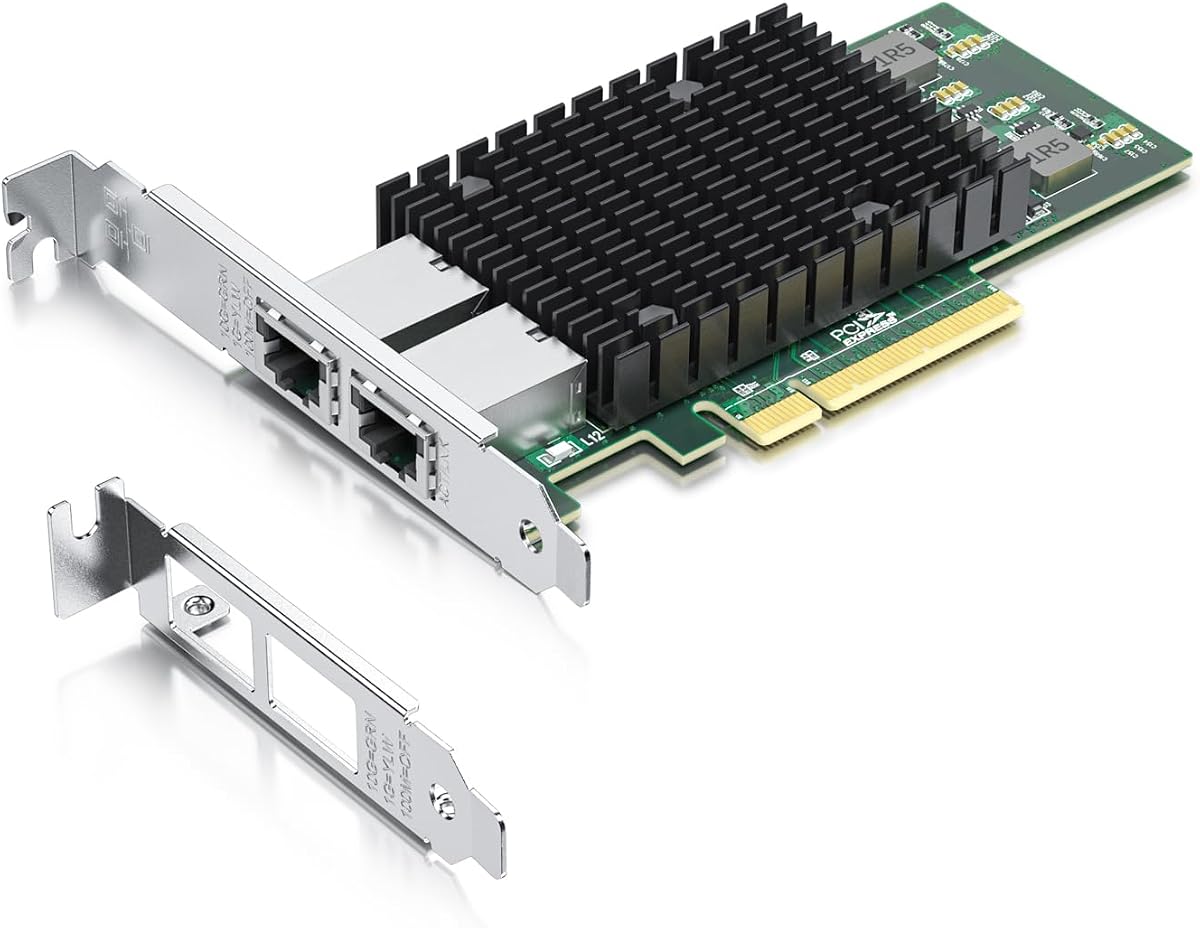

The 10Gtek X540-T2 10GbE card is a dual-port server-oriented adapter built around an original Intel X540 controller. It carries a 4.1 rating, but its technical appeal lies in offering two 10GbE RJ45 connections from one PCIe card. That combination makes it a practical choice for data-center-style systems, virtualization hosts, and storage environments that need copper Ethernet bandwidth.
We may earn a commission when you buy through this link, at no additional cost to you.
Its most important feature is native 10Gbps operation over both RJ45 ports, with support for 1GbE and 100Mbps as well. The card works with Category 6A cabling for runs up to 100 meters and Category 6 for runs up to 55 meters. A PCIe 2.1 x8 interface provides a 5.0 GT/s connection and permits use in compatible x8 or x16 slots, which gives installers some flexibility when working with different server motherboards.
The trade-offs are mostly about the surrounding infrastructure and installation requirements. Two 10GbE links demand suitable switches, network cables, and a PCIe slot with the necessary lanes. The product does not support hot swapping, and its broad operating-system list includes some systems that may require additional setup. Windows 11 compatibility is possible, but the seller notes that manual configuration and installation guidance are required.
This is a strong recommendation for administrators who specifically need dual copper 10GbE rather than slower Gigabit links. It is less suitable for a basic office expansion, a laptop without a suitable PCIe slot, or a home network whose switches only provide 1GbE. Those users can achieve their goals more economically with a dual 1GbE or 2.5GbE adapter.
Both ports support 10Gbps over copper, allowing a server to avoid the need for fiber transceivers when its switches and cabling support 10GBASE-T. The card can negotiate lower rates when the connected equipment does not offer 10GbE.
The package includes a standard bracket and an additional low-profile bracket, making the card more adaptable to compact servers and low-profile systems. It still requires an available PCIe slot and adequate clearance for the card's physical size.
We may earn a commission when you buy through this link, at no additional cost to you.
The dual-port I226-V adapter is the most balanced option in this guide for users who want more than 1GbE but do not need 10GbE links. It uses an Intel I226-V controller, supports 2.5GbE as well as 1GbE, 100Mbps, and 10Mbps, and has a 4.6 rating. The card offers a modern upgrade path for compatible servers, workstations, and desktops.
We may earn a commission when you buy through this link, at no additional cost to you.
The seller describes the I226-V as a replacement for the discontinued I225-V, with the same general functionality and improvements in error rates, packet stability over longer cable lengths, and active power consumption. Its PCIe 3.1 x1 interface can fit x1, x4, x8, and x16 motherboard slots. A low-profile bracket is included for systems with more compact chassis dimensions.
Operating-system coverage is notably broad. The listed platforms include Windows 10 and 11, several Linux distributions and kernel versions, FreeBSD, VMware ESXi 7 and 8, DPDK, OpenWrt, Unraid, and Proxmox. PXE support is also listed. The main caveat is that compatibility is not automatic: the buyer should confirm that the motherboard supports the I226-V chip and that its BIOS can enable the appropriate NIC interface.
This is the top general-purpose choice for a modern mixed-speed network. It is especially useful where switches or workstations support 2.5GbE, where full 10GbE would be unnecessary, or where a narrow PCIe x1 footprint matters. It is not appropriate when a network specifically requires 10Gbps, nor should it be purchased without checking the motherboard and BIOS first.
2.5GbE can improve large file transfers, backups, and busy local networks without requiring the cabling and switch budget associated with 10GBASE-T. The two ports also let one system maintain separate network connections through a single adapter.
Support for VMware ESXi, DPDK, Linux variants, PXE, and common server operating systems makes this card more than a simple desktop expansion. Exact deployment still depends on platform drivers, BIOS settings, and the version of the installed operating system.
We may earn a commission when you buy through this link, at no additional cost to you.
The VIMIN 10GbE card combines two 10Gbps RJ45 ports with an Intel X540-T2 controller. Its 4.5 rating reflects a strong balance of features for server and high-end device installations. The card is aimed at users who need high-speed copper links for data transmission, consolidation work, or other bandwidth-intensive network roles.
We may earn a commission when you buy through this link, at no additional cost to you.
It supports major operating-system families, including Windows and Windows Server, Linux, and VMware. Its PCIe compatibility covers x8 and x16 slots, allowing it to be installed in systems that provide a physically x16 slot but operate it with fewer usable lanes. Standard and slim brackets broaden its chassis compatibility, while a heat sink and gold-finger connector are intended to support stable operation.
The important limitation is that the card does not support 2.5GbE or 5GbE speeds. If the connected device operates at either of those rates, the card will communicate at 1Gbps. This makes exact network matching important: a 10GbE adapter is not always the most flexible choice merely because it has a higher maximum speed.
Buy this card when both network links need to negotiate at 10GbE and the rest of the infrastructure supports that standard. It is a sensible server-oriented alternative to other X540-based cards, particularly for installations that value a documented heat sink, broad operating-system coverage, and support for both full-height and slim brackets.
The integrated heat sink is intended to remove excess heat during sustained heavy use, while the gold-finger interface is designed to support reliable electrical contact. Together with the X540-T2 controller, these features align the card with demanding server and workstation roles.
This card focuses on 10GbE, 1GbE, and lower operation rather than the intermediate 2.5GbE and 5GbE tiers. Users with mixed-speed network equipment should verify switch behavior and the expected fallback rate before installation.
We may earn a commission when you buy through this link, at no additional cost to you.
This dual-port Gigabit card uses Intel 82575 or 82576 controller options and provides a straightforward way to add two 1GbE RJ45 connections. Its 4.4 rating and broad platform list make it especially relevant to older servers, management systems, and installations built around established Intel networking drivers.
We may earn a commission when you buy through this link, at no additional cost to you.
The PCIe 2.1 x1 interface is compatible with x1, x2, x4, x8, and x16 slots, and the card supports both standard and low-profile configurations. It includes IPMI pass-through through SMBus or NC-SI, iSCSI boot, Wake-on-LAN, PXE remote boot, VLAN filtering, SNMP, and RMON. These functions go beyond basic file transfer and make the card relevant to administrators managing remote or virtualized systems.
Operating-system support is extensive for legacy and current server platforms, including multiple Windows and Windows Server generations, Linux, FreeBSD, Novell NetWare, DOS, SCO Open Server, UnixWare, OpenUnix, Solaris x86, and VMware ESX. However, the product explicitly does not support VMware ESXi 7.0 or later. The included alloy heat sink is designed to maintain operating temperature and support stability.
This card is a good fit for users who need reliable dual Gigabit connectivity and value management or remote-boot capabilities. It is not appropriate for newer ESXi deployments, high-bandwidth storage networks, or environments where 2.5GbE and 10GbE are required. It remains most useful where the connected switches and applications are firmly aligned with Gigabit Ethernet.
PXE, iSCSI boot, Wake-on-LAN, IPMI pass-through, and VLAN filtering make the adapter useful in managed server estates. These features can reduce the need for separate boot or management pathways when the host platform supports them correctly.
The operating-system list extends across older enterprise platforms that may still appear in maintenance environments. The ESXi limitation should be checked before purchase because virtualization support is incomplete for version 7.0 and above.
We may earn a commission when you buy through this link, at no additional cost to you.
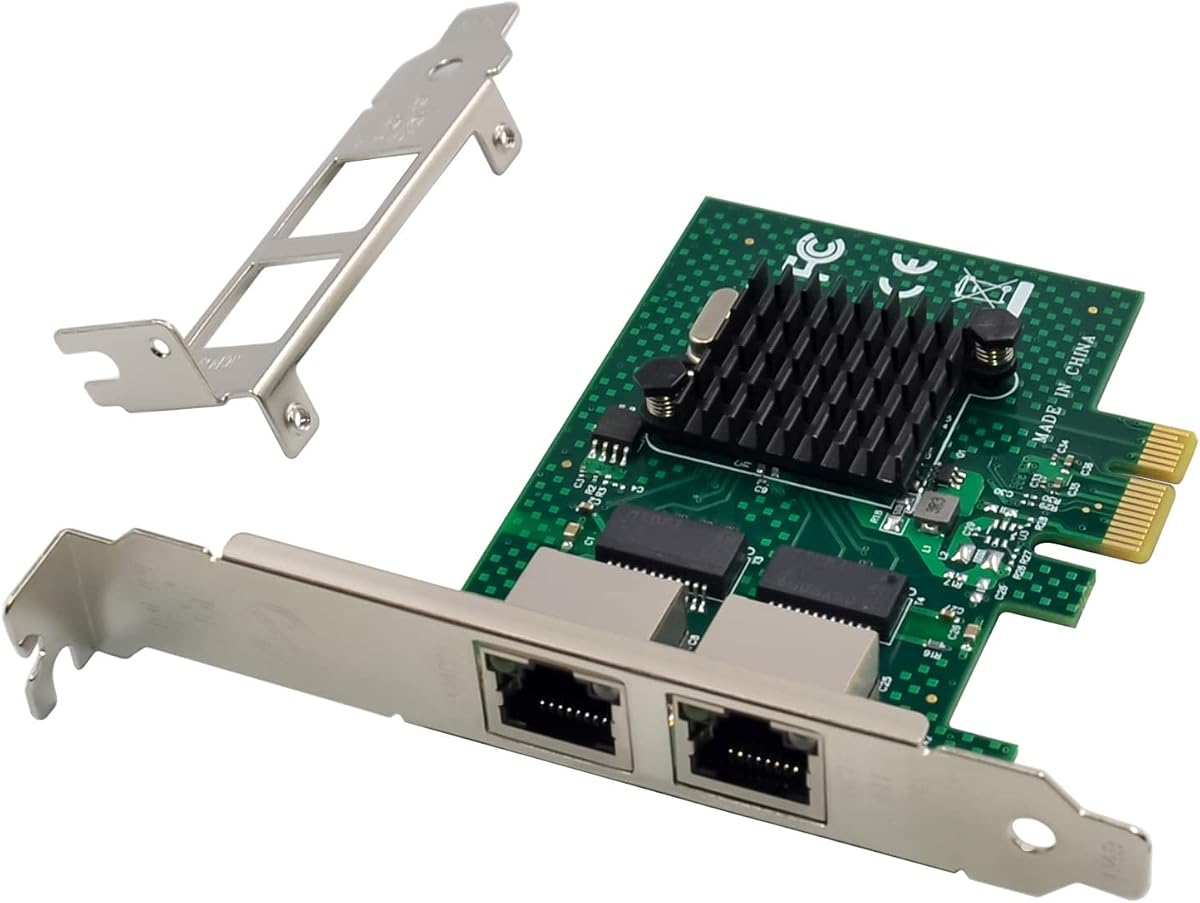
The 10Gtek 82576 1GbE adapter offers two Gigabit RJ45 ports and an original Intel 82576 controller. It is a value-oriented choice for adding copper connections to an older or entry-level server, workstation, or desktop. The 4.4 rating reflects a well-established design centered on a familiar controller and broadly compatible interface.
We may earn a commission when you buy through this link, at no additional cost to you.
The card uses PCIe 2.0 with a 5.0 GT/s x1 link and fits standard x1 or larger slots. Its two copper ports support Category 5 or better cabling up to 100 meters. The Intel controller is noted for Intelligent Offloads, which can offload certain network-processing tasks and contribute to stable server operation. Both a standard profile bracket and an additional low-profile bracket are supplied.
Windows Server 2003, 2008, and 2012, several Windows desktop versions, Linux, and VMware ESX are listed as compatible. As with many older networking products, VMware ESXi 7.0 and later are not supported. The card does not support hot swapping, and installation into compact systems still requires checking the slot, bracket, and case clearance.
This is a sensible purchase when the objective is simply two reliable Gigabit connections at a modest cost. It suits networks with ordinary Gigabit switches and applications that do not need 2.5GbE or 10GbE. Buyers seeking future headroom, modern ESXi support, or very high throughput should spend more on a newer controller or higher-speed model.
The card separates two wired networks without requiring two PCIe adapters. That makes it useful for dual-homed servers, management systems, and systems that need one connection for general traffic and another for a distinct network segment.
The original Intel 82576 controller and its Intelligent Offloads support give the adapter a familiar foundation for compatible server platforms. Driver availability and operating-system support should be verified for the exact version being deployed.
We may earn a commission when you buy through this link, at no additional cost to you.
This Intel 82576-based adapter is a straightforward dual Gigabit network card with a 4.5 rating. It offers two RJ45 ports, 10/100/1000Mbps support, and a PCIe 2.0 x1 interface. It is a practical fit for servers and desktops that need an extra independent Ethernet connection without requiring a higher-speed network tier.
We may earn a commission when you buy through this link, at no additional cost to you.
The card supports Category 5e cabling up to 100 meters and fits PCIe x1, x4, x8, and x16 slots. The Intel 82576 controller includes Quality-of-Service functionality, intended to prioritize appropriate network traffic. Standard and low-profile brackets are both included, allowing the adapter to suit a wider range of desktop and server enclosures.
The operating-system list covers Windows 7 through Windows 11, several Windows Server generations, CentOS and RHEL, Ubuntu, Debian, FreeBSD, VMware ESXi 5 and 6, and SLSE 11 and 12. VMware ESXi 7.0, macOS, and bypass mode are explicitly excluded. The card can use an Intel driver or the QR code included on the hardware for driver installation guidance.
It is best for a dual-network server, a workstation with limited built-in Ethernet options, or a system that needs a separate management connection. Its limitations are clear: it cannot deliver 2.5GbE or 10GbE, and it does not target the newest virtualization releases. Within the 1GbE category, however, its compatibility, bracket selection, and warranty support make it a well-rounded option.
Quality-of-Service support on the Intel 82576 controller can help networks prioritize selected traffic. Actual behavior depends on the operating-system driver, switch configuration, and the application's traffic pattern.
Users can download the applicable operating-system driver from Intel or scan the QR code printed on the network card. This simplifies setup while retaining a controller platform that is common in established server fleets.
We may earn a commission when you buy through this link, at no additional cost to you.
The GIGAPLUS X540 card pairs an Intel X540 controller with two independent 10GbE RJ45 ports. Its 4.6 rating places it among the strongest options in the guide, while the 10GbE capability makes it a premium choice for high-throughput servers and specialized workstation installations.
We may earn a commission when you buy through this link, at no additional cost to you.
The card uses PCIe 2.0 at 5.0 GT/s with an x8 interface and is compatible with x8 and x16 slots. It supports 100Mbps, 1Gbps, and 10Gbps, but it is designed for PCIe rather than legacy PCI slots. A standard bracket and a low-profile bracket are included, giving administrators options for desktop, workstation, server, and mini-tower cases.
Compatibility spans Windows Server 2003, 2008, and 2012, Windows 7 through Windows 11, Linux, VMware, ESX, and ESXi. Drivers can be obtained from Intel or through the QR code supplied on the card. The seller also states that each GIGAPLUS NIC is tested for reliability, quality, and performance and includes lifetime technical support.
This card is a compelling recommendation for a server that needs two dedicated 10GbE links and has a suitable PCIe slot. It is less appropriate for ordinary office networks, systems without x8 lane availability, or installations that want flexible 2.5GbE and 5GbE fallback. Its value comes from a combination of high link speed, two independent ports, and broad legacy and modern platform coverage.
The two independent 10GbE connections can serve separate network paths, clustered services, storage traffic, and virtualized workloads. This makes the card useful where a single one-gigabit link would create an avoidable bottleneck.
Support for several Windows, Linux, and VMware environments makes the adapter applicable to both workstation and server use. The included bracket pair and x8 or x16 slot compatibility reduce chassis and motherboard constraints.
We may earn a commission when you buy through this link, at no additional cost to you.
The H!Fiber X540-BT2 is a dual-port 10GbE copper adapter built around an Intel X540-BT2 controller. It is comparable to the X540-T2 family and targets systems that need high-speed wired links without requiring fiber modules. Its 4.5 rating and server-oriented compatibility make it a serious alternative in the 10GbE group.
We may earn a commission when you buy through this link, at no additional cost to you.
The two RJ45 ports support 10Gbps, 1Gbps, and 100Mbps and are designed for Category 6a cabling. The PCIe 2.1 interface operates at 5.0 GT/s with an x8 lane and fits compatible x8 or x16 slots. A full-height and low-profile bracket are included, while Quality-of-Service support on the controller can help organize network traffic.
Supported platforms include multiple Windows and Windows Server versions, CentOS and RHEL, Ubuntu, Debian, FreeBSD, VMware ESXi 6 and 7, and SLSE 11 and 12. MacOS and bypass mode are not supported. Windows 11 can work when its driver is configured correctly, but that requirement makes the operating-system version and installation method important to verify.
The card is best suited to a server or workstation with 10GBASE-T switches, appropriate Category 6a infrastructure, and a compatible PCIe slot. It should not be selected as a transitional 2.5GbE solution because the intermediate 2.5GbE and 5GbE rates are explicitly unsupported. For fully supported 10GbE installations, it offers dual ports, broad platform coverage, and convenient bracket options.
Using RJ45 ports at 10GbE can simplify deployments that otherwise require fiber-compatible adapters and transceivers. The infrastructure still needs appropriate switches and high-quality Category 6a cabling to realize the advertised link rate.
The product supports a wide enterprise software range but excludes macOS and bypass mode. Windows 11 users must follow the specified driver setup rather than assuming automatic installation will work as it would on Windows 10.
We may earn a commission when you buy through this link, at no additional cost to you.
This x4-lane dual Gigabit card uses an Intel 82576 controller and is tailored to server features that matter in managed and virtualized environments. Its 4.5 rating reflects a solid feature set, particularly the combination of two RJ45 ports, SR-IOV, PXE, iSCSI boot, and IPMI pass-through.
We may earn a commission when you buy through this link, at no additional cost to you.
The PCIe 2.0 interface provides 2.5 GT/s over an x4 lane and is compatible with x4, x8, and x16 slots in standard or low-profile configurations. SR-IOV can help virtualized environments share physical network resources more efficiently, while PXE remote boot, iSCSI boot, Wake-on-LAN, VLAN filtering, and IPMI pass-through broaden its administration capabilities. SNMP and RMON monitoring are also supported.
The operating-system list includes Windows, Windows Server, Linux, FreeBSD, Novell NetWare, DOS, SCO Open Server, UnixWare, OpenUnix, Solaris x86, and VMware ESX. VMware ESXi 7.0 and later are explicitly unsupported, which limits its relevance for some current virtualization clusters. An imported alloy heat sink is included to help maintain a normal operating temperature.
Choose this card when a virtualized or managed server needs dual Gigabit connectivity and SR-IOV capability. It is less suitable where higher throughput is required, where ESXi 7 or newer is the target platform, or where a narrow x1 slot is the only option. Within those boundaries, it offers a strong combination of management, boot, and monitoring functions.
SR-IOV support can improve how virtual workloads access physical network functions by reducing some traditional virtualization overhead. The benefit depends on compatible hardware, operating-system drivers, hypervisor configuration, and switch support.
PXE, iSCSI boot, Wake-on-LAN, IPMI pass-through, VLAN filtering, SNMP, and RMON cover common lifecycle and monitoring needs. Together they make the adapter useful for remote and enterprise server configurations.
We may earn a commission when you buy through this link, at no additional cost to you.
The NetXtreme BCM5720-2P card is a dual-port Gigabit server adapter built around the Broadcom NetXtreme BCM5720-2P chipset. It has a 4.6 rating and stands out for its broad range of server, cloud, and virtualization applications. It provides two 1GbE RJ45 connections through a compact PCIe adapter.
We may earn a commission when you buy through this link, at no additional cost to you.
The chipset is compatible with x86 and x64 servers using PCIe 1.x and 2.x interfaces. The card is listed as PCIe x1 and compatible with x2, x4, x8, and x16 slots, giving it flexibility across older and newer server platforms. A low-profile bracket is supplied for systems with compact chassis designs.
The stated application range includes cloud and web-oriented data centers, enterprise servers, private clouds, machine-learning clusters, high-performance computing, multi-node container platforms, disaggregated NVMe storage, and database servers. Supported platforms include CentOS, Debian, Windows, Oracle Linux, Solaris, Red Hat Enterprise Linux, SUSE Linux Enterprise Server, Ubuntu, VMware, ESXi 5 through 8, vSphere, Windows Hyper-V, and Windows Server.
This card is a good general-purpose choice for adding dual Gigabit connectivity to compatible servers, particularly where Broadcom controller familiarity is preferred. It is not a solution for 2.5GbE or 10GbE workloads, and buyers should still verify exact OS and hypervisor versions. Its strengths are broad platform coverage, a compact interface, and a long list of relevant server use cases.
The NetXtreme BCM5720-2P is designed for conventional server networking and works across a wide operating-system base. Organizations that already manage Broadcom-based environments may find this controller platform especially familiar.
The product is aimed at cloud, container, HPC, database, private-cloud, and storage-adjacent workloads where dual Gigabit connectivity remains useful. Higher-bandwidth environments will need to move beyond this card's 1GbE ceiling.
We may earn a commission when you buy through this link, at no additional cost to you.
The right dual RJ45 adapter depends on link speed, controller maturity, PCIe lane availability, operating-system support, cabling, and chassis design. Start with the devices that must connect to the card, then verify the physical and software requirements before choosing a model.
The first decision is the maximum and realistic link speed required by the connected switches and servers. A 1GbE card is appropriate for conventional office, management, and legacy server networks. The 2.5GbE I226-V option provides a modern middle tier for faster local transfers, larger backups, and mixed-speed switching. The 10GbE X540-based cards are intended for bandwidth-heavy environments, but they require 10GBASE-T switches and suitable copper cabling. Do not choose by maximum headline speed alone: the slower endpoint determines the actual negotiated rate.
A physical x16 slot does not automatically guarantee x16 operation, and the card's lane requirement must fit the motherboard's PCIe configuration. The 1GbE cards generally use x1 interfaces, while the 10GbE X540 options require a card with an x8 interface and a compatible x8 or x16 slot. Check the motherboard manual for supported lane widths, bifurcation settings, and any platform restrictions. Also account for the card's height, bracket, and neighboring expansion-slot clearance before purchasing.
The controller determines the adapter's speed options, features, and likely operating-system support. Intel 82576 cards are established 1GbE options, the Intel I226-V represents a newer 2.5GbE platform, and Intel X540 variants address 10GbE copper links. The NetXtreme BCM5720-2P offers a Broadcom alternative for 1GbE server deployments. Check whether drivers are available for the exact operating-system release, and prefer the manufacturers' documented driver paths when multiple versions or modified systems are involved.
Server adapters may be listed with a long operating-system range, but the newest releases can behave differently from older ones. The I226-V card lists modern Windows, Linux, VMware ESXi, DPDK, and other environments, while several 82576 products exclude ESXi 7.0 or later. The H!Fiber X540-BT2 requires special driver setup for Windows 11, and the VIMIN card does not support intermediate 2.5GbE or 5GbE rates. Check operating-system version, kernel, hypervisor, and driver requirements before ordering.
RJ45 is convenient, but maximum throughput depends on cable category and distance. The 1GbE models generally accept Category 5e or better for runs up to 100 meters. The 10GbE X540-based options are specified for Category 6A up to 100 meters, with one model noting Category 6 up to 55 meters. If a 10GbE card is connected through lower-grade or longer cable, the link may negotiate at a reduced speed. Review both the cabling already installed and the distance to each switch.
A server card may not fit every enclosure even when the motherboard slot is compatible. Most products in this guide include a low-profile bracket, and several also provide a full-height or slim alternative. Compare the bracket dimensions with the case, but also verify that a low-profile bracket alone does not solve a card-length or neighboring-component clearance problem. The physical fit should be checked before installation to avoid discovering the issue after the system is deployed.
Data transfer is only one part of server networking. PXE and iSCSI boot can support diskless or network-boot workflows, while Wake-on-LAN assists remote power management. The Intel 82575/82576 and x4 82576 cards list IPMI pass-through, VLAN filtering, SNMP, and RMON, making them relevant to managed infrastructure. The SR-IOV option may suit compatible virtualization environments. Select these features only when the server platform, operating system, switch, and management tooling can support them.
Dual 10GbE adapters can carry more traffic than basic Gigabit cards, so thermal design deserves attention in dense servers. The VIMIN card specifically lists a heat sink, while the 82576-based products also mention alloy heat sinks. Proper airflow matters, but the card's thermal features should complement the server design rather than substitute for it. Confirm that the adapter will be installed in a ventilated location and that its controller and bracket will not obstruct neighboring cooling components.
Before installation, power the computer down, disconnect the mains supply, and wait for internal components to discharge. Open the case, identify a PCIe slot with the required lane width, and confirm physical clearance for the card and chosen bracket. Connect the two network cables only after the adapter is securely seated and the system enclosure has been closed.
Install the appropriate operating-system driver after the card is recognized. The I226-V, 82576, and X540 products can use driver information obtained through the supplied QR code or from Intel's website, while the Broadcom-based card should be matched to its NetXtreme BCM5720-2P platform. For the I226-V model, check the motherboard compatibility list and BIOS settings before installation, and follow the stated Windows 11 setup procedure where applicable.
After startup, verify that both Ethernet interfaces appear, connect each to the intended network, and confirm the negotiated speed, duplex mode, and status. Update the relevant management or monitoring tools, test remote boot or virtualization features when needed, and inspect system logs for driver or link errors. Keep the card seated, the bracket firmly attached, and the connectors clean, while avoiding unnecessary card removal or repeated chassis cycling.
A dual-port card can be more convenient because it adds two Ethernet connections through one PCIe adapter and often through one controller. It may also simplify cable management and reduce the number of expansion slots consumed. However, a single card represents a shared installation point, so buyers should consider redundancy requirements and whether separate controllers would provide greater fault isolation.
Yes, when the card supports Gigabit Ethernet and the switch negotiates at 1GbE. The 1GbE cards and the 10GbE cards list 1GbE operation among their supported rates, while the I226-V also supports 2.5GbE. Actual speed depends on the card, switch, cable, and operating-system driver, so all parts of the link should be checked.
The 10GbE models in this guide specify Category 6A for distances up to 100 meters. The 10Gtek X540-T2 also notes that Category 6 can support runs up to 55 meters. Lower-category or longer cables may prevent a 10GbE link or cause it to negotiate at a lower rate, so existing cabling should be verified before installation.
Not all of them. The VIMIN and H!Fiber X540-based cards explicitly do not support 2.5GbE or 5GbE operation and are documented to fall back to 1GbE with 2.5GbE or 5GbE devices. The Intel I226-V card is designed for 2.5GbE, making it the more flexible option for networks using that intermediate speed.
Several products list Windows 11, including the I226-V, Intel 82576, and GIGAPLUS X540 models. Compatibility does not always mean automatic driver installation. The 10Gtek X540-T2 requires manual setup, while the H!Fiber X540-BT2 requires its Windows 10 driver to be configured correctly for Windows 11 operation.
Many models include a low-profile bracket, and the products reviewed identify their standard or full-height alternatives. Fit still depends on card length, slot clearance, neighboring components, and the server's cooling design. A low-profile bracket does not guarantee compatibility with every compact enclosure.
The main difference is the maximum link rate each port can negotiate. Gigabit cards are suited to conventional networks, the 2.5GbE I226-V card provides a middle tier for faster local connections, and the X540-based cards target high-bandwidth copper networking. The correct choice depends on switch support, cable quality, software demands, and the speed of the devices at the other end.
A compatible driver is generally needed for the adapter to communicate properly with the operating system. Several Intel-based products provide a QR code for driver guidance and point users toward Intel's website. The NetXtreme card uses the Broadcom BCM5720-2P platform, so its driver must correspond to that chipset and the installed operating system.
The I226-V dual 2.5GbE card is the most versatile modern recommendation, combining two useful links, a compact PCIe 3.1 x1 interface, broad contemporary platform support, and a low-profile bracket. For value-focused 1GbE expansion, the 10Gtek 82576 card provides two copper ports and a familiar Intel controller, while the GIGAPLUS X540 card stands out for two high-speed 10GbE connections.
Prioritize the speed your network actually requires, the controller's support in your operating system, the available PCIe lanes, and the physical fit of the chassis. Features such as PXE, SR-IOV, IPMI pass-through, and remote management support can be decisive in server environments, but they should be matched to a complete hardware and software plan.
Retail prices, availability, and seller details can change over time, so review the current listing before purchasing. Confirm the final specifications, operating-system requirements, included bracket, and current cost against the switch and cabling you will use. This final check helps ensure that the selected dual RJ45 network card integrates cleanly and delivers the intended network performance.