
VIISAN VF3240
4.0Editor score
Up to 2400 DPI
48-bit color depth
Four-second A3 scans
Auto-scan frameless design
A scanner for graphic design should reproduce artwork, reference images, printed pages, and large-format layouts with enough detail for editing, layout, and digital publication. Resolution, color depth, maximum scan area, and dependable software matter more than headline speed alone. The right model depends heavily on the kinds of originals and final outputs your studio creates.
We compared all ten models by considering maximum resolution, usable scan size, color capability, document handling, connectivity, OCR, software support, workflow automation, and suitability for artwork or photographs. The guide includes large-format flatbeds, photo scanners, sheet-fed mobility scanners, and automatic document scanners, since designers and creative teams may need very different tools.
Each review highlights the product's strongest contribution, practical limitations, and most appropriate user. The top three recommendations cover different priorities, from detailed A3 artwork capture to convenient document handling. Specifications and ratings reflect the supplied product information, while prices and availability can change, so confirm current details before purchasing.
4.0Editor score
4.1Editor score
4.1Editor score
As an Amazon Associate we earn from qualifying purchases.
This side-by-side comparison shows each scanner's core capabilities, from flatbed resolution and maximum scan area to feeder speed, connectivity, OCR, and creative workflow suitability.

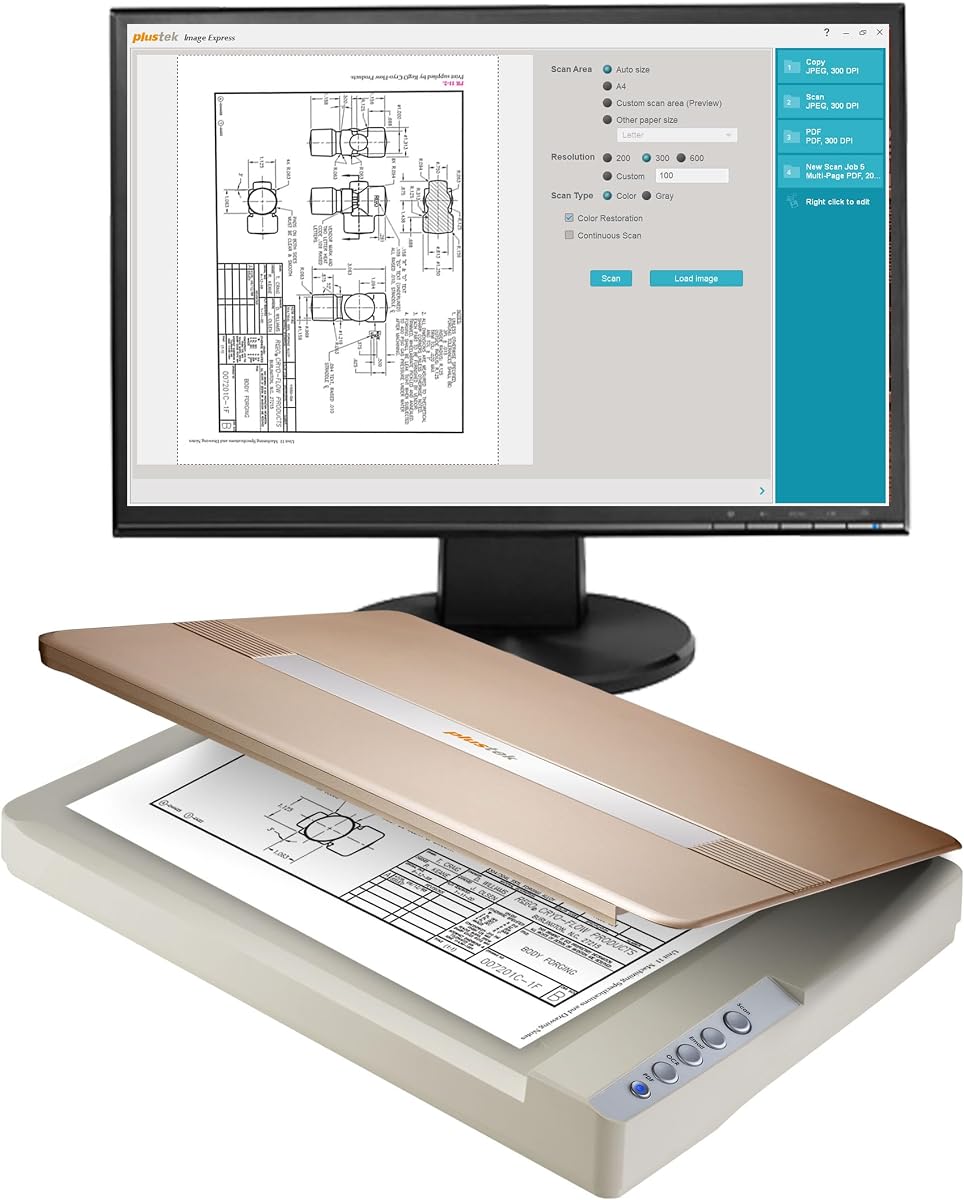


The Plustek OS1180 earns a 4.1 rating and stands out as the most balanced large-format choice in this guide. It combines a generous 11.7-by-17-inch scan bed with 48-bit color, 16-bit grayscale, and approximately nine-second A3 scanning. That combination makes it practical for graphic designers who need more room than a letter-size flatbed without moving to the highest-resolution model in the list.
We may earn a commission when you buy through this link, at no additional cost to you.
Its strongest advantage is the large working area. Designers can capture tabloid and A3 artwork, posters, presentation boards, wide layouts, and oversized pages in a single pass. The one-touch preset button is useful when repetitive work is being converted into shared files, while the included ABBYY OCR and DocAction software add value for text-heavy layouts and document workflows. The LED source also eliminates warm-up time.
There are compromises. The OS1180 is built around A3 media rather than an even larger professional platen, and its supplied software may feel less integrated than the touchscreen-driven workflow offered by the ScanSnap iX2500. It is also a flatbed model, so a sheet-feeder's automatic multi-page handling is absent. These limitations matter for offices that digitize hundreds of loose pages every day.
For small creative studios, educators, and independent designers working with A3 artwork, posters, and printed design references, this is a persuasive all-purpose recommendation. Its combination of scan area, color depth, quick operation, and OCR tools offers more balanced value than a higher-resolution specialty unit. It is the first model to check for most general graphic-design needs.
The 11.7-by-17-inch platen accommodates artwork and documents too large for a conventional sheet-fed scanner. This is particularly useful for wide layouts, archival prints, and A3 source material.
The 48-bit color mode and 16-bit grayscale support give designers useful latitude when capturing gradients, tonal artwork, and mixed-color pages. The goal is a faithful working file rather than merely a small on-screen preview.
We may earn a commission when you buy through this link, at no additional cost to you.
The VIISAN 3120 has a 3.8 rating and offers a well-balanced combination of A3 capacity, 1200 DPI resolution, and automatic scanning. Its frameless design is tailored to flat paper originals, including artwork, photographs, painting albums, books, magazines, newspapers, and CAD drawings. It is a credible option for designers who want more resolution and automation than a basic office flatbed.
We may earn a commission when you buy through this link, at no additional cost to you.
The scanner can produce 1200-by-1200-pixel-per-inch output and supports 48-bit color, which is well suited to detailed references and color artwork. At 200 DPI, a full A3 color scan takes about eight seconds. Auto-Scan starts the job when the lid closes, and the Scan, Email, Print, and PDF buttons reduce repetitive menu navigation. TWAIN and WIA support on Windows plus ICA on Mac broadens compatibility.
Its most important limitation is the CIS sensor, which is designed for flat paper images. Clothing, CDs, acrylic sleeves, and other three-dimensional objects can produce unclear or blurred results. Resolution access also depends on the operating system and driver: Windows users can reach 1200 DPI with ViiScan, while WIA is limited to 600 DPI. Mac users need the specified Image Capture or ViiScan workflow.
Designers working with flat art prints, CAD sheets, and A3 layouts will appreciate the balance of resolution, speed, and automation. It is less suitable for dimensional objects or users who need a simple, consistent high-resolution workflow across every operating system. For flat design originals, however, it provides a capable and approachable package.
Closing the lid triggers Auto-Scan, reducing the number of clicks between placing a page and beginning work. The four-panel controls also provide direct access to common destinations and PDF output.
TWAIN and WIA support gives Windows users access to common imaging applications, while Mac support covers Image Capture and ViiScan. Check which driver matches your required resolution before settling on a workflow.
We may earn a commission when you buy through this link, at no additional cost to you.
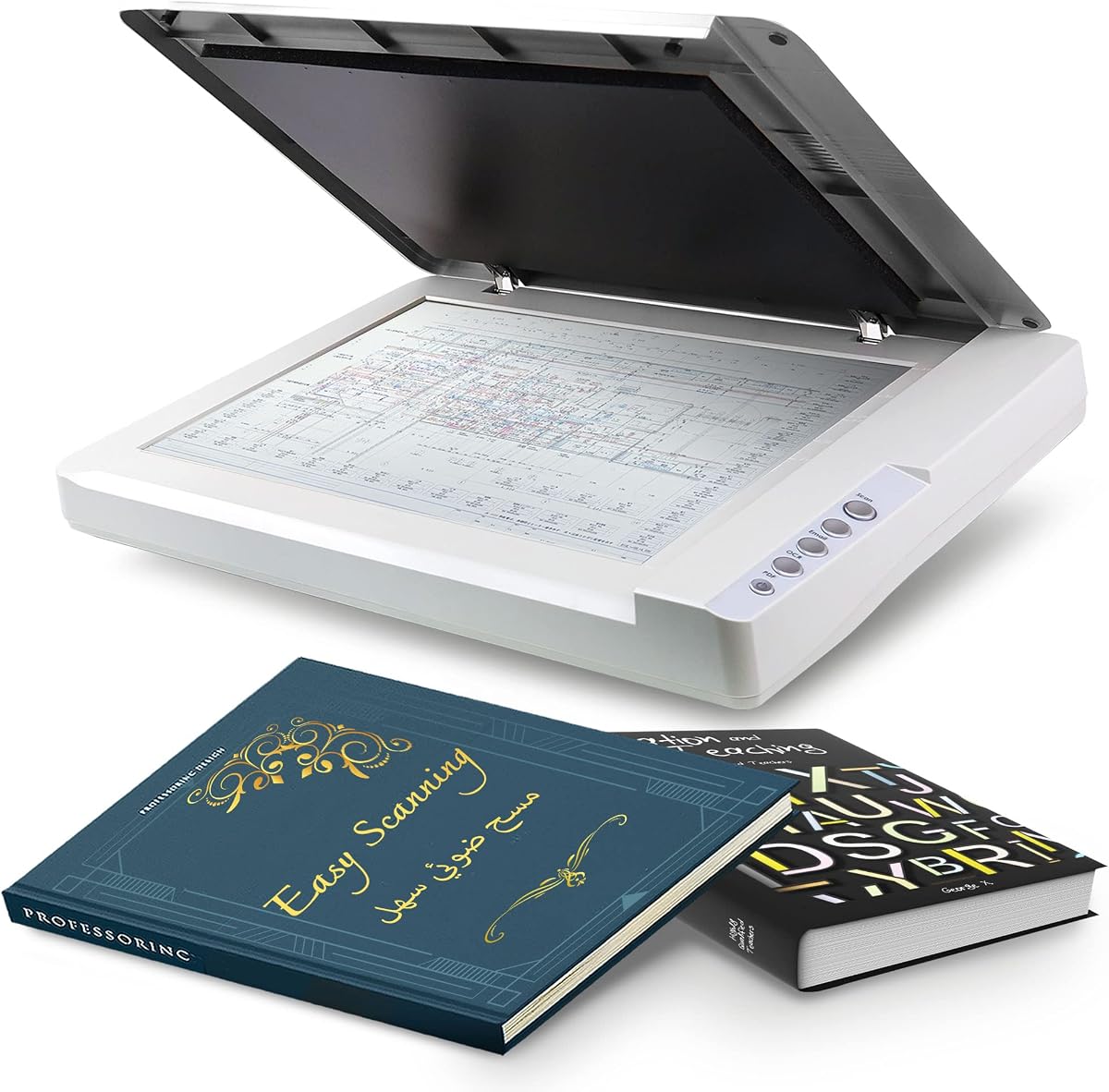
The VIISAN VF3240 carries a 4.0 rating and is the premium option for studios that prioritize fine detail, large working formats, and rapid throughput. It supports up to 2400-by-2400 DPI optical resolution, 48-bit color, and a large frameless scanning area. Its headline four-second A3 color scan is achieved at 200 DPI under the stated conditions.
We may earn a commission when you buy through this link, at no additional cost to you.
For design work, the model can handle CAD drawings, blueprints, magazines, painting albums, architectural plans, and other oversized material. Maximum resolution of 2400 DPI is particularly attractive when preserving fine linework, small type, or intricate artwork. The frameless glass provides more edge-to-edge capture, while Auto-Scan and Scan, Email, Print, and PDF controls streamline repeated work.
The most important nuance is platform-specific resolution. A full A3 scan at 2400 DPI is available with the native MacOS ICA driver, while Windows users reach 1200 DPI for A3 through ViiScan and WIA is capped at 600 DPI. The four-second result is also specific to 200 DPI, A3 size, and color mode; other settings take longer. The CIS sensor remains unsuitable for three-dimensional objects and acrylic sleeves.
This scanner is best for CAD specialists, publishing teams, architects, and designers who regularly work with technically detailed or oversized flat originals. Its combination of resolution, scan area, and speed exceeds the VIISAN 3120, justifying the premium positioning for users who can take advantage of those capabilities. For simpler jobs, that extra capability may remain unused.
The 2400 DPI ceiling is the list's highest maximum, making the VF3240 attractive for CAD plans, small printed elements, and intricate artwork. Native MacOS access provides the broadest stated 2400-DPI workflow.
A four-second A3 color cycle at 200 DPI helps when teams process many drawings or reference sheets. The automatic lid trigger reduces idle time between jobs.
We may earn a commission when you buy through this link, at no additional cost to you.
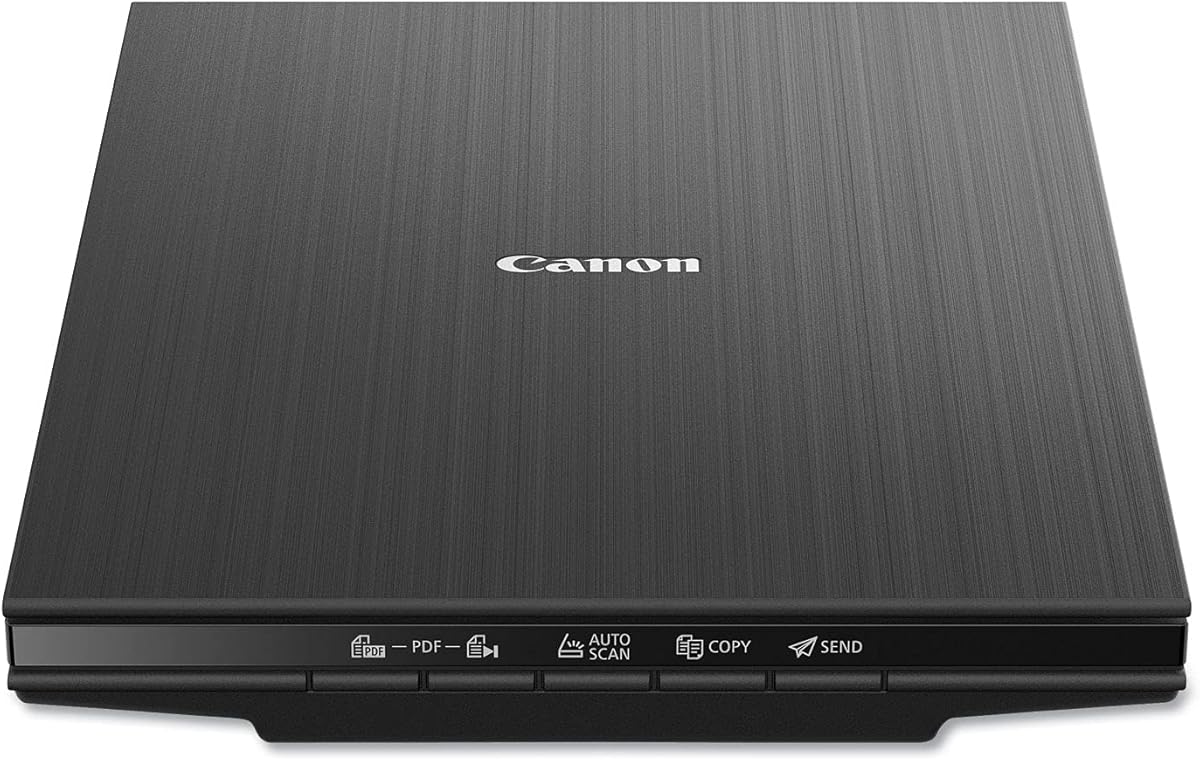
The Canon CanoScan LiDE 400 has a 4.1 rating and delivers an impressive 4800-by-4800 DPI optical resolution in a slim flatbed. It is the most economical way in this list to obtain high-resolution photo, print, and illustration scans. For students, freelancers, and smaller creative projects, that combination of detail and simplicity is compelling.
We may earn a commission when you buy through this link, at no additional cost to you.
Color Restore and dust-removal features help improve older photographs and images. Auto-Scan detects the material on the glass, and dedicated PDF buttons can produce editable, searchable multi-page PDFs. A single USB Type-C cable handles both data and power, reducing cable clutter and making the scanner straightforward to connect to a modern workstation.
The main constraint is its scan area. The supplied paper sizes are 8.27 by 11.69 inches and 8.5 by 11.69 inches, so it cannot accommodate A3 artwork, wide layouts, or oversized posters without stitching or cropping. Its compact design and limited set of dedicated controls also make it less suitable for high-volume production than the larger flatbeds or automatic document scanners.
Choose the LiDE 400 when the priority is detailed photography, traditional artwork, and document capture at letter or A4 size. It is a capable budget entry point into creative scanning, especially for users who value photo restoration and straightforward operation. Those needing large-format capacity should look toward the Plustek or VIISAN A3 models instead.
The 4800 DPI optical resolution is well suited to detailed photographs, illustrations, and small printed features. It gives users a capable starting point for digital editing and enlargement workflows.
Color Restore and dust removal reduce the effort required to prepare older images. These automatic enhancements are useful when digitizing reference photographs that are not in pristine condition.
We may earn a commission when you buy through this link, at no additional cost to you.
The Plustek OpticSlim 1680 receives a 3.8 rating and centers on speed, convenience, and a large-format flatbed. It scans tabloid documents in approximately three seconds at 300 DPI grayscale or five seconds in color. Those figures make it compelling for studios that process large sheets frequently but do not necessarily require the VF3240's 2400-DPI maximum.
We may earn a commission when you buy through this link, at no additional cost to you.
Four preconfigured buttons can be assigned to destinations, file types, file names, and other job settings. A dual-view interface lets users check image adjustments before finalizing a scan. The supplied TWAIN driver for Windows and ICA support for MacOS allow the scanner to fit into established imaging workflows rather than forcing a proprietary approach.
Resolution is the main uncertainty in the supplied specifications. Unlike the VIISAN models, the OpticSlim listing does not clearly state a maximum optical resolution, making it harder to compare its fine-detail capability directly. Its supported Mac OS range is also dated, ending at version 15.x, and its 3.8 rating does not inspire the same confidence as the leading models.
The OpticSlim 1680 is a good fit for designers and small offices that value a large scan area, quick operation, and one-key repeatability. It may particularly appeal to users who have established TWAIN or ICA workflows. If maximum resolution, modern operating-system support, or automatic lid-triggered scanning is critical, compare it carefully with the OS1180 and VF3240.
The stated three-second grayscale and five-second color cycles are useful for repeated A3 production. Speed is especially valuable when digitizing many layouts, drawings, or archival sheets.
Configurable one-key buttons let users automate destinations, formats, and naming. The dual-view adjustment screen also helps reduce repeated rescans caused by unnoticed tonal or framing errors.
We may earn a commission when you buy through this link, at no additional cost to you.
The ScanSnap iX2500 has a 4.3 rating and is the strongest choice here for automated document-heavy workflows. It combines a large touchscreen, 45-page-per-minute double-sided scanning, a 100-sheet feeder, Wi-Fi 6, and USB connectivity. It replaces the discontinued iX1600 and emphasizes organized digital workflows rather than high-resolution flatbed art capture.
We may earn a commission when you buy through this link, at no additional cost to you.
Personalized profiles can be selected directly from the touchscreen, sending files to a PC, Mac, mobile device, or cloud service. Quick Menu supports drag-and-drop delivery to familiar computer applications. Automatic optimization, naming, and sorting make it easier to handle receipts, business cards, documents, and photographs consistently. It can also operate without a computer when sending to compatible devices or cloud services.
This is not the right tool for every design task. It lacks the broad flatbed surface of the A3 models, so oversized artwork, mounted prints, and large-format boards are unsuitable. Its strengths concern sheets that can be fed through a mechanism. For a graphic designer who mainly digitizes printed branding concepts, mood boards, and client paperwork, that distinction may make automation more valuable than a larger platen.
The iX2500 is ideal for studio managers, administrative teams, and freelancers who process piles of loose paper and want files delivered directly into modern digital systems. Its paper-handling safeguards, including a brake roller, multi-feed detection, and skew detection, further strengthen its case for routine high-volume use.
Touchscreen profiles and Quick Menu simplify sending scans to computers, mobile devices, applications, and clouds. This reduces the manual exporting and renaming typically required after capture.
The 100-sheet feeder, double-sided 45-ppm speed, multi-feed sensor, and skew detection help maintain throughput. A brake roller supports smoother feeding and reduces the chance of paper damage.
We may earn a commission when you buy through this link, at no additional cost to you.
The Epson Workforce ES-50 earns a 4.3 rating and offers a practical mobile workflow for designers who collect sketches, client forms, and printed references away from the studio. Its lightweight housing, USB-powered operation, and compact form factor make it easy to carry, while a 5.5-second single-page scan speed supports quick field capture.
We may earn a commission when you buy through this link, at no additional cost to you.
The scanner accepts documents up to 8.5 by 72 inches, which is useful for long receipts, narrow strips, and oversized banners that would be difficult to handle on a conventional flatbed. Epson ScanSmart provides a simple scan, review, and save process, while Nuance OCR can create searchable PDFs and editable Word and Excel files. Automatic feeding also combines multiple inserted sheets into one file.
Its limitations are substantial for conventional creative scanning. It processes one sheet at a time, does not include a flatbed, and has no wireless connection. The long maximum length is not equivalent to a large-format width, and the ES-50 is therefore better for narrow documents than for posters, artwork boards, or oversized presentations.
Choose the ES-50 for a mobile designer, student, or consultant who needs to digitize signed forms, sketches, receipts, and narrow printed materials away from a desk. It is less appropriate as a primary scanner for detailed photography or large creative pieces. As a complementary workflow tool, though, it is among the most portable and approachable options here.
The 72-inch maximum length accommodates banners, narrow artwork, and long receipts. This expands what can be captured without carrying a full flatbed scanner, although the width remains limited.
USB power removes the need for batteries or an external adapter. ScanSmart, OCR, cloud support, and automatic file combining make captured material easier to organize immediately.
We may earn a commission when you buy through this link, at no additional cost to you.
The Epson Perfection V19 II has a 3.9 rating and is built around detailed photo capture in a compact, USB-powered flatbed. Its 4800-DPI optical resolution is a major advantage for photographers, illustrators, and designers who need to digitize prints, artwork, and illustration references with fine tonal information.
We may earn a commission when you buy through this link, at no additional cost to you.
The removable high-rise lid makes it possible to scan books and photo albums without forcing the cover against the glass. One-touch controls shorten the scan process, while Easy Photo Fix restores color to faded images. Epson ScanSmart can produce searchable PDFs and editable Microsoft Office files, and the built-in kickstand allows vertical storage when the scanner is not in use.
The compact bed is the central drawback. Its small format means the scanner cannot accept A3 artwork, wide layouts, or large presentation pieces. There is also no automatic document feeder, so multi-page work requires manual page placement. Although the 4800-DPI figure sounds impressive, actual usable detail is constrained by the original's quality and its size on the platen.
The V19 II is a good match for home studios and individual creatives whose primary work involves standard-size photographs, small artworks, and illustrated books. Its low weight, 3.1-pound body, and vertical-storage design are especially helpful in a home office. Teams handling large sheets or continuous page stacks should instead examine the larger flatbeds or sheet-fed options.
A 4800-DPI optical sensor captures dense photographic and illustrative detail. This resolution is particularly useful for originals that will be enlarged, cropped, or reused in print-oriented projects.
The removable lid, one-touch buttons, and vertical-storage kickstand make the unit convenient in confined workspaces. USB power also eliminates the need for a separate power adapter.
We may earn a commission when you buy through this link, at no additional cost to you.
The Brother DS-640 carries a 4.3 rating and stands out for portability and broad operating-system compatibility. At less than one foot long and about 1.5 pounds, it is easy to place in a bag or carry between client locations. Its 16-pages-per-minute speed handles routine documents efficiently without approaching the iX2500's automated capacity.
We may earn a commission when you buy through this link, at no additional cost to you.
Color and black-and-white scanning both operate at up to 16 pages per minute, so designers do not have to accept a major speed reduction when capturing visual references. The included iPrint&Scan application supports destinations including a PC, network, cloud services, email, and OCR. Automatic color detection, rotation on PC, bleed-through prevention, background removal, text enhancement, and color-drop functions reduce the need for manual correction.
The supplied information also identifies TWAIN and WIA support on PC, ICA on Mac, and SANE on Linux, making this one of the most flexible mobile options. Nevertheless, it is a sheet-fed document scanner rather than an art-focused flatbed. It cannot reproduce dimensional work, provides no large scanning bed, and does not offer the photo-restoration tools found on the Epson V19 II or Canon's LiDE 400.
The DS-640 is a strong choice for a designer who travels frequently, works across mixed computer environments, and primarily needs printed pages, forms, receipts, and compact visual references. It may be especially attractive in a cross-platform studio. For detailed photographs or large artwork, though, one of the high-resolution flatbeds will deliver more appropriate capture capability.
Windows, Mac, and Linux support, together with TWAIN, WIA, ICA, and SANE drivers, broadens where the scanner can be deployed. This is valuable for mixed-device creative teams.
Color adjustment, rotation, background removal, bleed-through prevention, and text enhancement are handled automatically. These tools save time when converting varied paper references into consistent files.
We may earn a commission when you buy through this link, at no additional cost to you.
The Epson Perfection V39 II has a 3.7 rating and offers a versatile 4800-DPI flatbed for photos, artwork, illustrations, books, and documents. It is especially interesting for designers who need to capture small pieces of artwork with detailed resolution but do not need the high throughput or connectivity of an automatic document scanner.
We may earn a commission when you buy through this link, at no additional cost to you.
Its 4800-DPI optical resolution supports detailed photo scans and enlargement, while one-touch controls help users complete jobs in fewer steps. Epson ScanSmart can stitch oversized images together, send files to cloud services, and assist with creative-project organization. A removable high-rise lid accommodates books and album pages, and USB power keeps the setup simple.
The lowest rating in the guide reflects a less conclusive overall customer impression, though the stated features remain relevant to creative scanning. The main structural limit is its small bed, which prevents it from accepting A3 or wide-format artwork. Manual page placement also means no automatic multi-page feeder or high-volume document workflow.
The V39 II is best suited to students, home designers, and illustrators working with standard-size source material. It provides a capable mix of photo detail, simple controls, cloud features, and compact construction. Those needing larger formats should move up to the Plustek OS1180 or a VIISAN A3 model, while those processing many loose pages should consider the ScanSnap iX2500.
The scanner handles photographs, artwork, illustrations, books, and standard documents. ScanSmart's image-stitching feature also extends the practical scope for large visual projects.
Easy Photo Fix restores color to faded photographs with one click. The feature helps revive older references that might otherwise require separate editing before entering a design workflow.
We may earn a commission when you buy through this link, at no additional cost to you.
Choosing a scanner for graphic design means balancing source-media size, resolution, color handling, throughput, and workflow integration. The most capable unit is not automatically the most useful one; the best choice reflects how your studio captures and processes artwork.
The physical scanning area determines whether a design original can be captured in one pass. A3 and tabloid models, including the Plustek OS1180, VIISAN 3120, VIISAN VF3240, and Plustek OpticSlim 1680, accept large sheets that would exceed a letter-size bed. Compact flatbeds and sheet-fed scanners suit smaller artwork, forms, photographs, and documents, but may require cropping or stitching.
Choose a large bed for posters, wide layouts, CAD sheets, and mounted boards. Choose a smaller model for standard photos, sketches, and paper references.
Resolution matters when fine linework, small text, texture, or photographic detail must survive digitization. The Canon LiDE 400 and both Epson Perfection flatbeds list 4800-DPI optical resolution, while the VIISAN models reach 1200 or 2400 DPI depending on platform and driver. The OpticSlim's supplied information does not clearly state its maximum, so verify specifications before comparing it.
Match resolution to the smallest feature you need to preserve, not merely the highest headline number.
Color depth affects the smoothness of gradients and the amount of tonal information available during editing. The OS1180, VIISAN 3120, and VIISAN VF3240 support 48-bit color, while the OS1180 also offers 16-bit grayscale. Photo-oriented units emphasize color restoration, dust removal, and high optical detail instead of large-format production.
For brand palettes and layered artwork, favor deeper color information. For monochrome drawings, check grayscale capability and tonal smoothing.
Flatbeds provide a broad glass surface and are better for books, mounted prints, artwork, and delicate originals. Sheet-fed models automate loose pages and suit forms, receipts, and stacks of documents. The ScanSnap iX2500, Epson ES-50, and Brother DS-640 are especially useful when throughput and portability matter more than large art surfaces.
Choose flatbeds for visual originals and feeder scanners for office-style capture. Many studios benefit from using both.
Optical character recognition turns scanned text into searchable PDFs and editable Word, Excel, or PowerPoint files. ABBYY software accompanies the OS1180, Nuance OCR appears with the ES-50, and the Brother DS-640 includes OCR tools. These features are valuable for text-heavy design references, client forms, and source copy.
Check whether your intended destination software supports the scanner's OCR format and workflow before purchasing.
USB provides a dependable direct connection, while wireless and cloud support can reduce friction in shared studios. The ScanSnap iX2500 includes Wi-Fi 6, USB-C, a touchscreen, and customizable profiles. The Brother DS-640 supports Windows, Mac, and Linux, while the VIISAN and Plustek flatbeds provide TWAIN or ICA support. Operating-system and driver requirements should be verified before setup.
Favor a workflow that sends files where your team already works. Fewer export steps mean fewer naming errors and less manual correction.
Speed claims depend on resolution, color mode, and original size. The VIISAN VF3240 reaches four seconds for an A3 color scan at 200 DPI, while the OS1180 scans A3 in approximately nine seconds. Automatic document models add 45-page-per-minute double-sided scanning, a 100-sheet feeder, jam prevention, and skew detection. Flatbeds are inherently more manual.
Compare speed under the settings you will actually use. For occasional artwork capture, convenience may matter more than pages per minute.
Resolution access often depends on software. On the VIISAN models, ViiScan and native Mac drivers provide higher-resolution options than limited Windows WIA workflows. TWAIN, WIA, ICA, and SANE compatibility can determine which editing and archiving applications can import scans. Check the listed operating-system versions before investing in a unit.
Treat the supplied driver as part of the product. A strong sensor is less useful if your required resolution or destination application is inaccessible.
Begin by cleaning the glass or feeder path with an appropriate soft cloth, then connect the scanner and install the specified driver and software. Confirm the correct operating system, destination application, color profile, and resolution before placing an original. For flatbeds, align the artwork carefully within the usable bed and preview it before committing to a final scan.
For sheet-fed models, inspect rollers and guides, feed clean, unbent sheets, and avoid overloading the feeder. Use the sensor and skew-detection features as intended rather than forcing difficult paper. For flatbeds, do not press down hard on books or mounted art; use the removable high-rise lid where available and leave delicate surfaces undisturbed.
After each job, review brightness, contrast, color balance, cropping, and text legibility, then save in a lossless or suitably high-quality working format. Keep originals stored separately from the scanner, periodically clean the glass or rollers according to the manufacturer's guidance, and address visible lines or sensor marks promptly. Also maintain an organized naming and backup system for client artwork and confidential documents.
The right resolution depends on the smallest detail you need to preserve and how the scan will be used. A 1200-DPI A3 model is useful for detailed drawings, CAD plans, and print references, while 2400-DPI options provide additional latitude for fine artwork. Photo-oriented flatbeds around 4800 DPI are useful for images and small illustrations, but more pixels cannot restore detail absent from the original.
An A3 scanner is valuable if you work with posters, wide layouts, CAD drawings, mounted prints, or oversized pages. It prevents cropping and reduces the need to stitch separate scans. Designers working mainly with standard photographs, sketches, forms, and letter-size artwork can often use a smaller flatbed or sheet-fed model without sacrificing their required capabilities.
The VIISAN VF3240 offers the highest stated maximum resolution at 2400 DPI, making it a strong choice for technical drawings and intricate flat originals. The Canon LiDE 400 and Epson Perfection V19 II and V39 II reach 4800 DPI and may suit small photos and illustrations better. The best option also depends on the original's size, condition, and required color depth.
Yes, provided the references are standard-size printed pages and the required detail is suitable for the scanner's resolution. The ScanSnap iX2500, Epson ES-50, and Brother DS-640 are strong for fast capture, OCR, cloud delivery, and organized document handling. They are less appropriate for large artwork, dimensional objects, and delicate mounted pieces.
48-bit color provides a larger tonal and color range than a basic 24-bit RGB workflow, which can help preserve subtle gradients and variations during editing. It does not guarantee perfect color on its own. Correct display calibration, source lighting, scanner settings, and color management remain important when preparing files for print or digital publication.
Flatbeds are generally better for art, photos, books, mounted materials, and oversized sheets because they provide a stable glass surface. Sheet-fed scanners are usually better for rapid document capture because they automate feeding and support OCR, routing, and cloud workflows. A professional studio may use a flatbed for original artwork and an automatic scanner for supporting documents.
OCR is useful when source material contains substantial text that must become searchable or editable. It can save time on client documents, presentation copies, and written briefs, and several models include tools for Word, Excel, PowerPoint, or searchable PDF output. It is less important for purely visual artwork and can still require checking on complex layouts, unusual fonts, or imperfect originals.
Keep the glass clean, use the approved cleaning method, and avoid leaving adhesive residue or debris on the surface. Store books and mounted originals carefully, and do not force fragile material against the glass. Update drivers as needed, preserve original files before editing, and follow the manufacturer's cleaning guidance if you notice lines, uneven color, or repeated marks.
The Plustek OS1180 is the leading all-around recommendation because it combines an A3 scan area, 48-bit color, OCR tools, and straightforward one-touch operation. The VIISAN VF3240 is the premium selection for studios that need 2400-DPI potential and extremely fast A3 throughput, while the Canon LiDE 400 offers a more affordable route to 4800-DPI creative capture.
Prioritize the constraint that most affects your work. Choose a large flatbed for oversized art, a high-resolution photo scanner for detailed images, and an automatic sheet-fed model for loose documents and administrative workflow. Check software, driver, operating-system, and platform-specific resolution support before purchase, because those details often matter more than a single headline specification.
Finally, check current prices, availability, warranty terms, and the latest software requirements at the time of purchase. Costs and configurations can change, and promotional pricing may affect which model offers the strongest overall value. A scanner is a long-term production tool, so consider workflow fit, dependable support, and the quality of the files it creates alongside the purchase itself.